
1. Introduction
Thank you for choosing the Taipow 6W Touch Table Lamp. This versatile lamp combines ambient lighting with convenient USB charging capabilities, making it an ideal addition to any bedroom, office, or living space. Featuring touch control, adjustable brightness, multiple colors, and a timer function, this lamp is designed for ease of use and eye comfort. Please read this manual thoroughly before operating the device to ensure safe and efficient use.

Figure 1: Taipow Touch Table Lamp in use, charging multiple devices.
2. Safety Information
- Read all instructions carefully before use.
- Do not disassemble or modify the lamp. Unauthorized modifications may cause damage or injury.
- Keep the lamp away from water and high humidity environments.
- Use only the specified power adapter.
- Do not expose the lamp to direct sunlight or extreme temperatures.
- Unplug the lamp from the power outlet before cleaning or when not in use for extended periods.
- This lamp is designed for indoor use only.
3. Package Contents
Please check the package for the following items:
- Taipow Touch Table Lamp (1 unit)
- Power Cable (1 unit)
- User Manual (this document)
4. Setup
Follow these steps to set up your Taipow Touch Table Lamp:
- Unpack: Carefully remove the lamp and all accessories from the packaging.
- Placement: Place the lamp on a stable, flat surface. The lamp features an anti-slip and wear-resistant silicone base for stability.
- Connect Power: Insert the power cable into the AC power input port on the back of the lamp. Plug the other end of the power cable into a standard wall outlet. The lamp requires a continuous power supply to function.
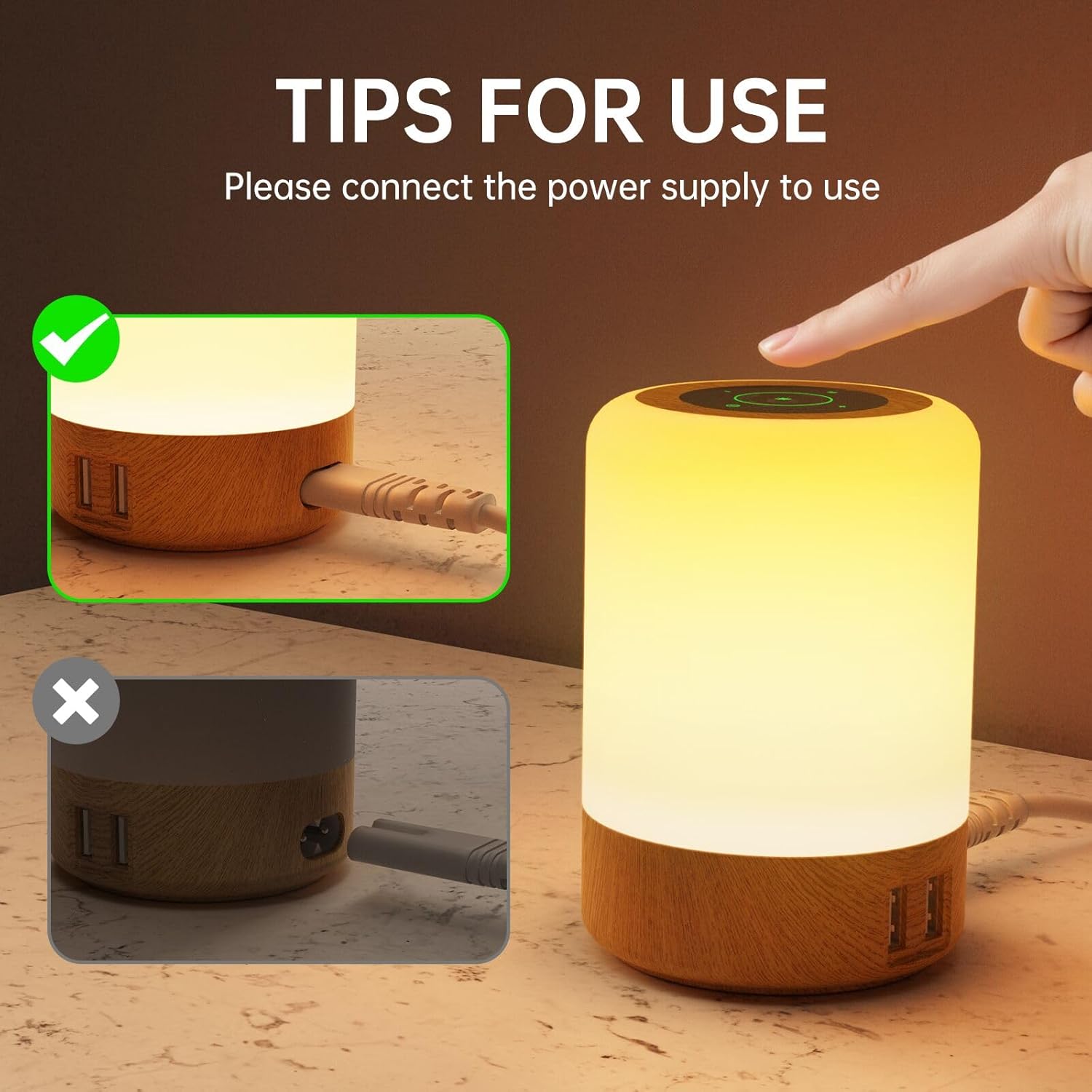
Figure 2: Ensure the lamp is properly connected to a power source.

Figure 3: Anti-slip base and lamp dimensions.
USB Charging Ports
The lamp is equipped with 4 USB-A charging ports (Max 2.4A per port, 30W total output). These ports can charge your mobile phones, tablets, and other devices whether the lamp is turned on or off.
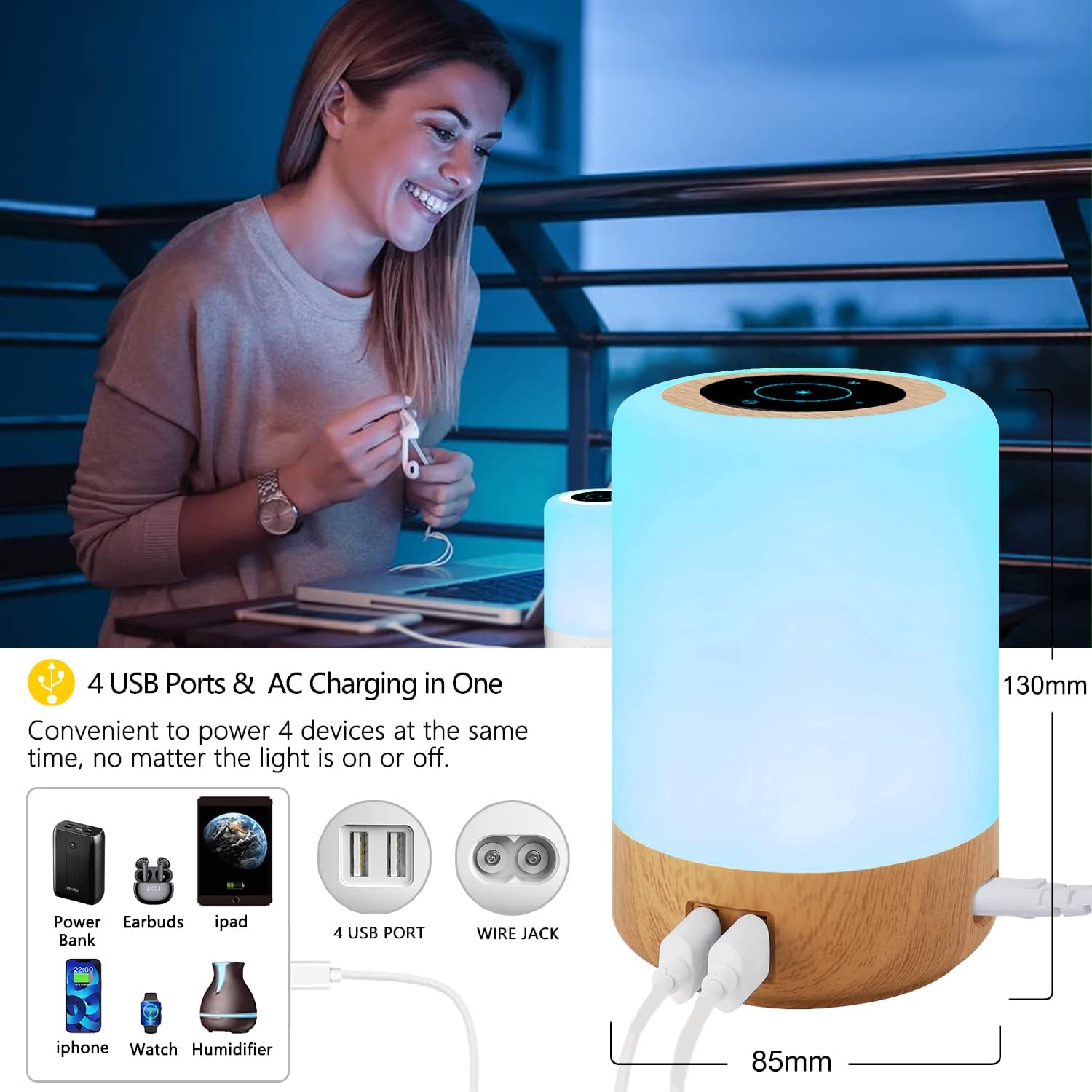
Figure 4: Four USB charging ports for convenient device charging.
5. Operating Instructions
Touch Control Panel
The lamp features a sensitive touch control panel on its top surface for easy operation.
- Power On/Off: Lightly touch the power icon on the top panel to turn the lamp on or off.
- Adjust Brightness: In warm white mode, long press the '+' or '-' symbols on the touch panel to continuously adjust the brightness (10 levels available).
- Change Color: In RGB mode, short press the '+' or '-' symbols to cycle through the 8 available colors.
- Change Lighting Mode: Short press the 'M' (Mode) button to switch between 3 lighting modes: Flashing, Strobe, and Fade.
- Set Timer: Short press the timer icon to set the auto-off timer for 1, 2, 4, or 6 hours. The lamp will automatically turn off after the selected duration.

Figure 5: Adjusting brightness using the touch control.

Figure 6: Exploring the 8 colors and 3 lighting modes.

Figure 7: Auto-off timer function for energy saving and convenience.
6. Maintenance
- Cleaning: Before cleaning, ensure the lamp is unplugged from the power outlet. Use a soft, dry cloth to wipe the surface of the lamp. Do not use abrasive cleaners, solvents, or harsh chemicals, as these may damage the finish.
- Storage: If storing the lamp for an extended period, unplug it and store it in a cool, dry place, away from direct sunlight and moisture.
- Bulb Replacement: The LED light source is integrated and not user-replaceable.
7. Troubleshooting
| Problem | Possible Cause | Solution |
|---|---|---|
| Lamp does not turn on. | Not connected to power or power outlet issue. | Ensure the power cable is securely plugged into both the lamp and a working wall outlet. Test the outlet with another device. |
| Touch control is unresponsive. | Dust or debris on the touch panel; temporary software glitch. | Clean the touch panel with a soft, dry cloth. Unplug the lamp for 30 seconds and then plug it back in to reset. |
| USB ports are not charging devices. | Device cable issue; device not compatible; lamp not powered. | Ensure the lamp is plugged into a power source. Try a different USB cable or device. Check device charging requirements. |
| Light flickers or is dim. | Unstable power supply. | Ensure the lamp is connected to a stable power source. Avoid using with power strips that are overloaded. |
8. Specifications
| Feature | Detail |
|---|---|
| Brand | Taipow |
| Model Number | S400 |
| Dimensions (L x W x H) | 9 x 9 x 13 cm (3.54 x 3.54 x 5.12 inches) |
| Weight | 310 grams (0.68 lbs) |
| Material | Wood (base), Acrylonitrile Butadiene Styrene (ABS) (lampshade) |
| Light Source Type | LED |
| Wattage | 6 Watts |
| Input Voltage | AC100-265V 50/60HZ |
| USB Output | 5V/6A (max total), 2.4A (max per port) |
| Number of USB Ports | 4 |
| Color Temperature | 3000-3200K (Warm White) |
| Special Features | Color Changing, Dimmable, Memory Function, Timer Function |
| Switch Style | Touch |

Figure 8: Detailed electrical specifications.
9. Warranty and Support
Taipow products are manufactured to high-quality standards. This product comes with a limited warranty against defects in materials and workmanship from the date of purchase. Please retain your proof of purchase for warranty claims.
For technical support, troubleshooting assistance, or warranty inquiries, please contact our customer service team through the retailer's platform or visit the official Taipow brand store online. We are committed to providing excellent customer service and support.
Online Store: Taipow Official Store


