
Sinocare CFS16
Sinocare Bluetooth Smart Digital Body Fat Scale User Manual
Model: CFS16
Brand: Sinocare
Introduction
This manual provides detailed instructions for the setup, operation, maintenance, and troubleshooting of your Sinocare Bluetooth Smart Digital Body Fat Scale. Please read this manual thoroughly before using the device to ensure proper function and accurate measurements.
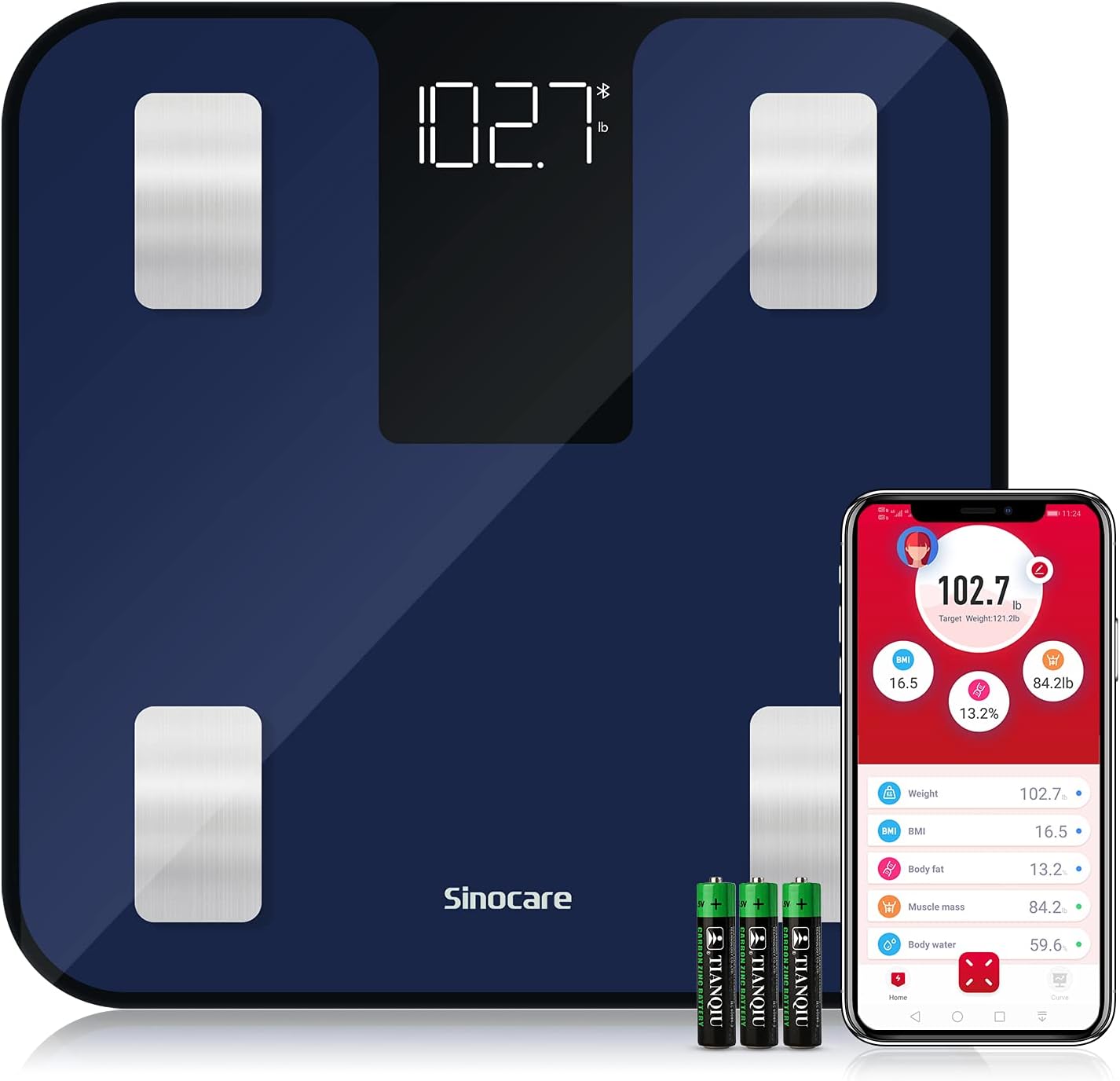
Image: The Sinocare Bluetooth Smart Digital Body Fat Scale, showing its sleek navy design, digital display, and accompanying smartphone app interface.
Setup Guide
1. Battery Installation
Locate the battery compartment on the underside of the scale. Insert the included 3 AAA batteries, ensuring correct polarity as indicated inside the compartment. Close the battery cover securely.
Image: The underside of the Sinocare scale, indicating the location for battery installation.
2. App Installation
Download the "SinoHealth" app from your device's app store (APP Store for iOS or Google Play for Android). You can scan the QR code provided in the product packaging or search for "SinoHealth" directly.

Image: Screenshot showing the SinoHealth app icon along with download buttons for Apple App Store and Google Play.
3. Initial Pairing with SinoHealth App
- Ensure Bluetooth is enabled on your smartphone. If using an Android phone, also enable GPS/Location services.
- Open the SinoHealth app.
- Navigate to the settings within the app (usually a gear icon).
- Select "Device binding" or "Add device".
- Choose "Bluetooth scales" from the device type options.
- Step barefoot onto the scale. The scale will activate and display your weight.
- The app should detect the scale and prompt you to confirm the binding. Confirm to complete the pairing process.
Video: A step-by-step guide on how to set up the Sinocare Bluetooth Smart Scale, including battery installation, app download, and initial Bluetooth pairing.
Operating Instructions
Taking a Measurement
- Place the scale on a flat, hard surface. Avoid soft surfaces like carpets or rugs, as this can affect accuracy.
- Ensure your feet are bare and dry for accurate body composition analysis.
- Open the SinoHealth app on your smartphone and ensure Bluetooth is active.
- Step onto the scale with both feet, centering your weight. The scale will display your weight and transmit data to the app.
- The app will then display 14 essential measurements, including Weight, BMI, Body Fat, Visceral Fat, Muscle Mass, Bone Mass, Body Water, and more.

Image: An illustration showing the 14 essential body composition measurements provided by the Sinocare scale and displayed within the SinoHealth app.
Video: Demonstration of daily use, showing how to step on the scale and view the comprehensive body data in the SinoHealth app.
App Features
- Data Synchronization: Data can be synchronized with Google Fit, Fitbit, and Apple Health for comprehensive health tracking.
- Offline Measurement: You can weigh yourself without your mobile phone; the data will automatically transfer to the app during the next synchronization.
- Multi-User Support: Add family members to the app to track their individual health progress. The scale supports unlimited users.
- Unit Conversion: Switch between lb/kg/st units within the app settings.

Image: A graph illustrating the automatic smart data synchronization feature, showing weight and body fat percentage trends over time.
Maintenance
- Cleaning: The sleek glass surface is easy to clean. Use a soft, damp cloth to wipe the scale. Avoid abrasive cleaners or harsh chemicals.
- Storage: Store the scale in a dry place at room temperature. Avoid extreme temperatures or direct sunlight.
- Battery Replacement: When the display shows "LO", it indicates low battery. Replace all 3 AAA batteries promptly to ensure continued accurate operation.
Troubleshooting
Cannot measure data such as body fat percentage:
- First, confirm you are weighing with bare feet.
- Confirm that the app is up to date.
- Check if the fat measurement completed; the screen of the scale should show "..." flashing 3 times.
- Ensure your feet are in good contact with the electrodes and are not too wet or too dry.
- Make sure that you purchased a body fat scale. Traditional scales cannot measure body data.
Doubt about weight data:
- Confirm that the scale is measured on a flat, hard ground.
- Cannot be measured on soft ground such as carpet or grass.
- Check if there is a foreign object stuck between the scale and the ground.
- If the above situations do not occur and the weighing is still too large, please contact customer support.
When the scale shows "LO":
- It means the batteries are low and you need to replace new ones.
Specifications
| Product Dimensions | 11.02 x 11.02 x 0.98 inches |
| Weight | 3.28 Pounds |
| Batteries | 3 AAA batteries (included) |
| Weight Measurement Range | 0.1kg-180kg / 0.2lb-396lb / 0.01st-28.35st |
| Weighing Units | lb/kg/st |
| Sensors | 4 high precision sensors |
| Display Type | LED backlight display |
| Special Features | Body Mass Index, Body Fat, Smart, Muscle Mass, Automatic Shut-down (10s) |
| Recommended Use | Adults |

Image: Close-up of the Sinocare scale highlighting its bioelectrical analysis and high-precision sensors.

Image: Detailed view of the Sinocare scale, highlighting its dimensions, unit button, and anti-slip pads on the underside.
Safety Information
For your safety and to ensure accurate readings, please observe the following:
- Always place the scale on a hard, flat surface. Uneven or soft surfaces can lead to inaccurate measurements.
- Do not use the scale on wet or slippery floors.
- Keep the scale dry. Avoid exposing it to water or excessive moisture.
- Do not jump on the scale or use it for purposes other than weighing.
- Statements regarding dietary supplements have not been evaluated by the FDA and are not intended to diagnose, treat, cure, or prevent any disease or health condition.

Image: Close-up of the Sinocare scale, emphasizing its 5mm tempered glass platform and rounded corners for safety.
Warranty and Support
Sinocare is committed to providing high-quality products. For any questions, concerns, or technical support regarding your Body Fat Scale, please contact Sinocare customer service. Refer to your product packaging or the official Sinocare website for specific warranty details and contact information.
Ask a question about this manual
Ask about setup, troubleshooting, compatibility, parts, safety, or missing instructions. Manuals+ will review the question and use this page’s manual context to help answer it.