
Panasonic SD-R2530KXE
Panasonic SD-R2530 Bread Maker Instruction Manual
Model: SD-R2530KXE
Product Overview
The Panasonic SD-R2530 Bread Maker is designed to simplify home baking with its advanced features and versatile programs. This appliance ensures consistent results for a variety of bread types, including gluten-free options, thanks to its precise temperature control and efficient kneading technology.
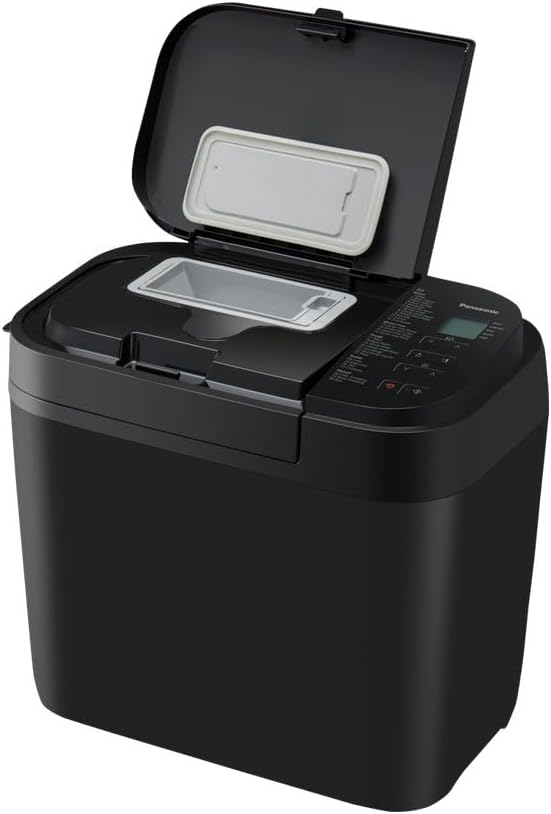
Figure 1: The Panasonic SD-R2530 Bread Maker with its lid open, revealing the bread pan and control panel. This view highlights the compact design and accessible interior for easy ingredient loading.
Setup and First Use
Unpacking and Component Check
Carefully remove all packaging materials from the bread maker and its accessories. Ensure all components are present and undamaged. The package should include the main unit, bread pan, kneading blade, measuring cup, and measuring spoon.

Figure 2: The Panasonic SD-R2530 Bread Maker alongside its essential accessories: the removable bread pan, a measuring cup, a measuring spoon, and the kneading blade. These components are crucial for preparing and baking bread.
Placement
Place the bread maker on a stable, flat, and heat-resistant surface. Ensure there is adequate ventilation around the unit, keeping it away from walls and other appliances. Do not place it near heat sources or in direct sunlight.
Cleaning Before First Use
- Wipe the exterior of the bread maker with a damp cloth.
- Wash the bread pan, kneading blade, measuring cup, and measuring spoon with warm, soapy water. Rinse thoroughly and dry completely.
- Insert the kneading blade onto the shaft inside the bread pan.
- Place the bread pan into the main unit, ensuring it clicks securely into place.
Operating Instructions
Understanding the Control Panel
The control panel features a digital display and various buttons for program selection, timer settings, and crust color. Familiarize yourself with the program list located on the lid or near the control panel.

Figure 3: A detailed view of the Panasonic SD-R2530's control panel, showing the digital display, program selection buttons, and the comprehensive list of 30 available baking programs. This interface allows for precise control over the baking process.
Adding Ingredients
Always add ingredients in the order specified by your recipe, typically liquids first, followed by dry ingredients, and finally yeast. Ensure the kneading blade is properly installed in the bread pan before adding ingredients.

Figure 4: A hand is shown adding raisins into the automatic ingredient dispenser located on the lid of the Panasonic SD-R2530 Bread Maker. This dispenser automatically adds ingredients like nuts or dried fruit at the optimal time during the baking cycle.
Selecting a Program
The SD-R2530 offers 30 programs, including specific settings for gluten-free bread, cakes, pizza dough, and pasta. Use the program selection buttons to choose the desired setting. The dual temperature sensors automatically adjust to optimize the baking process for each program.
Starting and Finishing a Cycle
After selecting the program and any additional settings (e.g., crust color, loaf size), press the Start button. The machine will begin the kneading process, which is designed to mimic manual kneading for optimal texture. Once the cycle is complete, the machine will beep. Carefully remove the bread pan using oven mitts.

Figure 5: A user carefully removes the bread pan containing a freshly baked loaf from the Panasonic SD-R2530 Bread Maker using a cloth or oven mitt. This image demonstrates the ease of retrieving the finished product.
Cooling and Slicing
Allow the bread to cool on a wire rack for at least 30 minutes before slicing. This allows the internal structure to set, resulting in better texture and flavor.
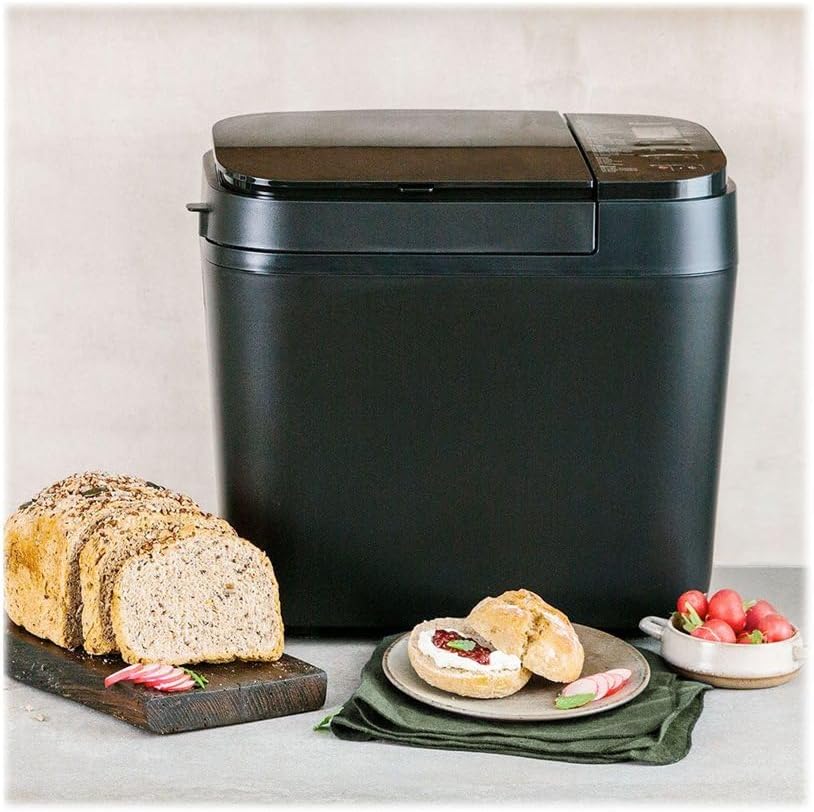
Figure 6: A freshly baked, sliced loaf of bread is displayed next to the Panasonic SD-R2530 Bread Maker, accompanied by small bread rolls and fresh vegetables. This illustrates the delicious output of the appliance.
Maintenance and Cleaning
Regular cleaning ensures the longevity and optimal performance of your bread maker. Always unplug the appliance and allow it to cool completely before cleaning.
Cleaning the Bread Pan and Kneading Blade
- Remove the bread pan from the unit.
- Remove the kneading blade from the pan. If it's stuck, fill the pan with warm water for a few minutes to loosen it.
- Wash the bread pan and kneading blade with warm, soapy water. Do not use abrasive cleaners or scourers, as this can damage the non-stick coating.
- Rinse thoroughly and dry completely before reassembling or storing.
Cleaning the Main Unit
- Wipe the interior and exterior of the main unit with a soft, damp cloth.
- Remove any crumbs or flour residue from the heating element area using a soft brush or dry cloth.
- Do not immerse the main unit in water or any other liquid.
Storage
Store the bread maker in a dry, cool place, away from direct sunlight. Ensure all components are clean and dry before storage.
Troubleshooting Guide
This section addresses common issues you might encounter with your Panasonic SD-R2530 Bread Maker. For problems not listed here, please contact customer support.
| Problem | Possible Cause | Solution |
|---|---|---|
| Bread does not rise | Expired yeast, incorrect water temperature, too much salt, or incorrect ingredient measurements. | Check yeast expiry date. Use lukewarm water (around 38-43°C). Ensure accurate measurements of all ingredients. |
| Bread is too dense or heavy | Too much flour, not enough liquid, or insufficient kneading. | Reduce flour slightly or increase liquid. Ensure the kneading blade is properly installed. |
| Bread collapses during baking | Too much liquid, too much yeast, or high humidity. | Reduce liquid slightly. Ensure correct yeast amount. Try reducing yeast in humid conditions. |
| Kneading blade stuck in bread | Common occurrence, especially with certain recipes. | Carefully remove the blade after the bread has cooled. Use a non-metallic utensil to avoid scratching the pan. |
| Machine not starting | Not plugged in, lid not closed properly, or program not selected. | Ensure power cord is securely plugged in. Close the lid firmly. Select a program and press Start. |
Technical Specifications
| Feature | Detail |
|---|---|
| Brand | Panasonic |
| Model Number | SD-R2530KXE |
| Color | Black |
| Dimensions (L x W x H) | 25.2 x 40.8 x 36.2 cm |
| Capacity | 1.1 Kilograms |
| Power | 550 Watts |
| Voltage | 230 Volts |
| Material | Plastic, Aluminum |
| Automatic Stop Function | Yes |
| Key Features | Raisin/Nut Dispenser, Non-stick kneading blade and pan, Dual Temperature Sensors, Innovative Kneading Technology |
| Item Weight | 7 Kilograms |
| Care Instructions | Hand wash only |
| Number of Programs | 30 |

Figure 7: A diagram illustrating the dimensions of the Panasonic SD-R2530 Bread Maker in millimeters (252mm width, 408mm depth, 362mm height). This provides a clear visual reference for product sizing.
Warranty Information
Specific warranty details for the Panasonic SD-R2530 Bread Maker are not provided in the available product information. Please refer to the warranty card included with your purchase or contact Panasonic customer service for detailed warranty terms and conditions.
Customer Support
For further assistance, technical support, or service inquiries regarding your Panasonic SD-R2530 Bread Maker, please visit the official Panasonic website or contact their customer service helpline. Contact information may vary by region.