
1. Introduction
The FRENAN Grow Light with Stand is designed to provide optimal lighting conditions for indoor plants at various growth stages. This full-spectrum LED grow light features adjustable brightness, multiple spectral modes, and a convenient timer function, all supported by a stable, adjustable tripod stand and flexible goosenecks.

Figure 1: FRENAN Grow Light with Stand and remote control.
2. Important Safety Instructions
- Read all instructions before use.
- Electrical Safety: Ensure the power source matches the specified voltage (120 Volts). Do not operate with a damaged cord or plug.
- Eye Protection: Avoid looking directly at the lights for extended periods when they are on. Use the remote control for adjustments to minimize direct exposure.
- Ventilation: Ensure adequate ventilation around the grow light to prevent overheating.
- Water Exposure: Do not expose the grow light to water or operate in damp conditions. This product is for indoor use only.
- Children and Pets: Keep the device out of reach of children and pets.
- Stability: Ensure the tripod stand is fully extended and stable on a flat surface before use to prevent tipping.
- Disassembly: Do not attempt to disassemble or modify the grow light. Refer all servicing to qualified personnel.
3. Product Features
- Adjustable Tripod Stand: The stable and durable tripod stand can be adjusted in height from 15 inches (38 cm) to 63 inches (160 cm), accommodating various plant sizes and setups.
- Highly Efficient Full Spectrum: Provides a comprehensive light spectrum to support plant growth at all stages, effectively supplementing natural sunlight.
- Multiple Spectral Modes: Features 3 distinct light modes:
- White Light: Promotes overall plant growth and chlorophyll synthesis.
- Red Light: Enhances flowering, fruiting, and photosynthesis.
- Mixed Light (Red + White): Combines benefits for comprehensive plant development.
- 10 Dimmable Brightness Levels: Adjust light intensity from 10% to 100% to suit specific plant needs and growth stages.
- Auto Cycle On/Off Timer: Built-in circular-memory timing function with options for 4, 8, or 12 hours. The light will automatically turn on and off daily according to your setting.
- 360° Adjustable Goosenecks: Four independently adjustable goosenecks allow for precise light positioning and wider coverage.
- Durable Design: Excellent heat dissipation ensures a long lifespan of approximately 50,000 hours.
- Remote Control: Conveniently adjust settings from a distance.

Figure 2: Full Spectrum Explanation.

Figure 3: Adjustable Stand Height.

Figure 4: Lighting Modes and Dimming Levels.
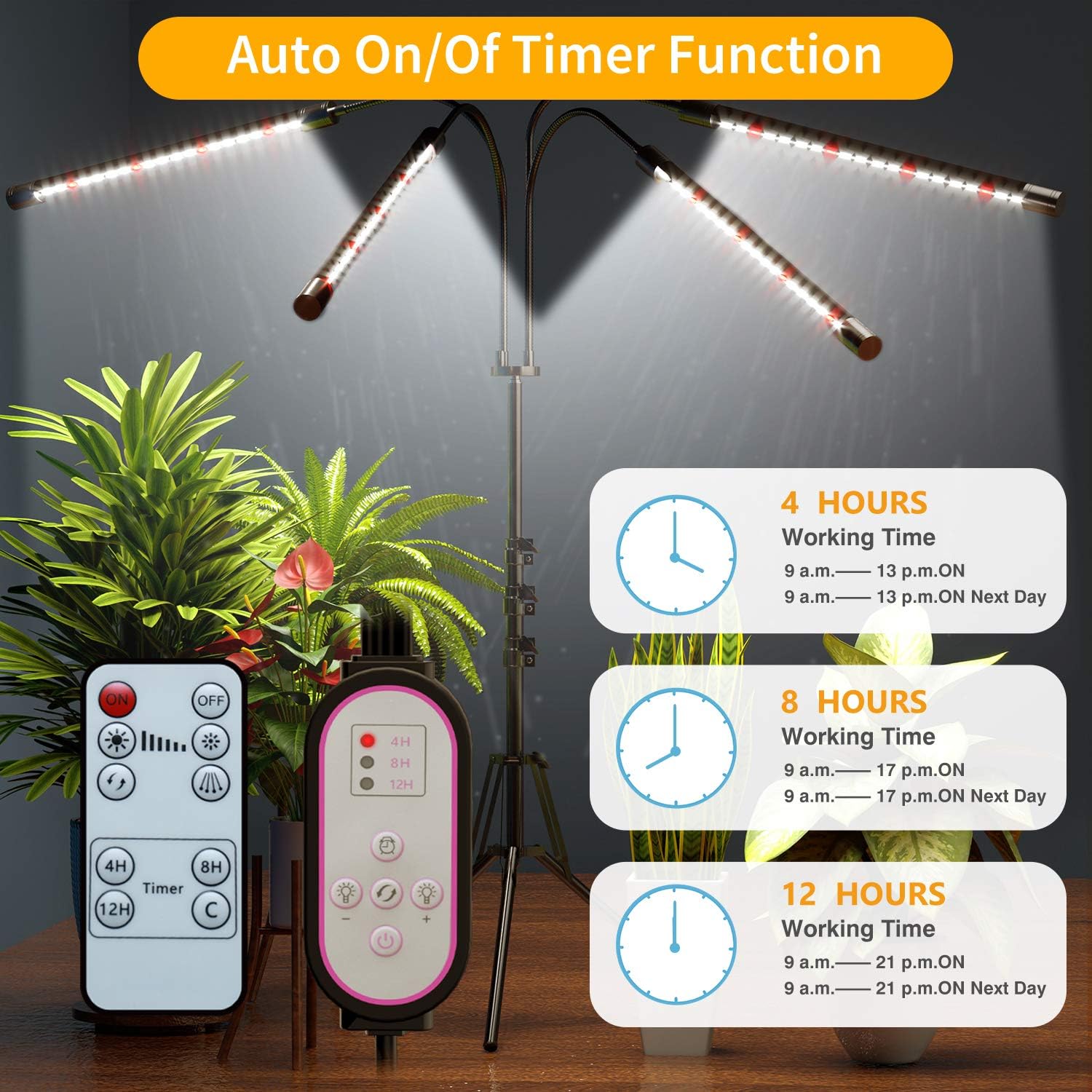
Figure 5: Auto On/Off Timer Function.
4. Setup Instructions
Follow these steps to assemble your FRENAN Grow Light:
- Unpack Components: Carefully remove all components from the packaging. Verify that all parts are present: tripod stand, main pole, four gooseneck light bars, inline controller, and remote control.
- Assemble Tripod Stand: Extend the legs of the tripod stand until they are fully spread and stable. Tighten any locking mechanisms to secure the legs.
- Attach Main Pole: Insert the main pole into the top of the tripod stand. Secure it by tightening the screw or clamp on the stand.
- Adjust Pole Height: Loosen the height adjustment knob on the main pole, extend it to your desired height (between 15 and 63 inches), and then tighten the knob securely.
- Connect Light Bars: Attach each of the four gooseneck light bars to the top of the main pole. Ensure they are securely screwed in or clipped into place.
- Position Goosenecks: Adjust the flexible goosenecks to direct the light bars towards your plants.
- Connect Power: Plug the inline controller into a standard 120V AC power outlet.
5. Operating Instructions
The FRENAN Grow Light can be operated using the inline controller or the included remote control.
5.1 Power On/Off
- Press the Power Button on the inline controller or remote control to turn the light on or off.
5.2 Adjusting Brightness
- Use the Brightness Up (+) and Brightness Down (-) buttons on the inline controller or remote control to cycle through 10 dimmable brightness levels (10% to 100%).
5.3 Changing Spectral Modes
Press the Mode Button (often depicted as a light bulb icon or 'M') on the inline controller or remote control to switch between the three spectral modes:
- White Light: For general plant growth.
- Red Light: For flowering and fruiting stages.
- Mixed Light (Red + White): For comprehensive growth support.

Figure 6: White Spectrum in Use.

Figure 7: Red Spectrum in Use.
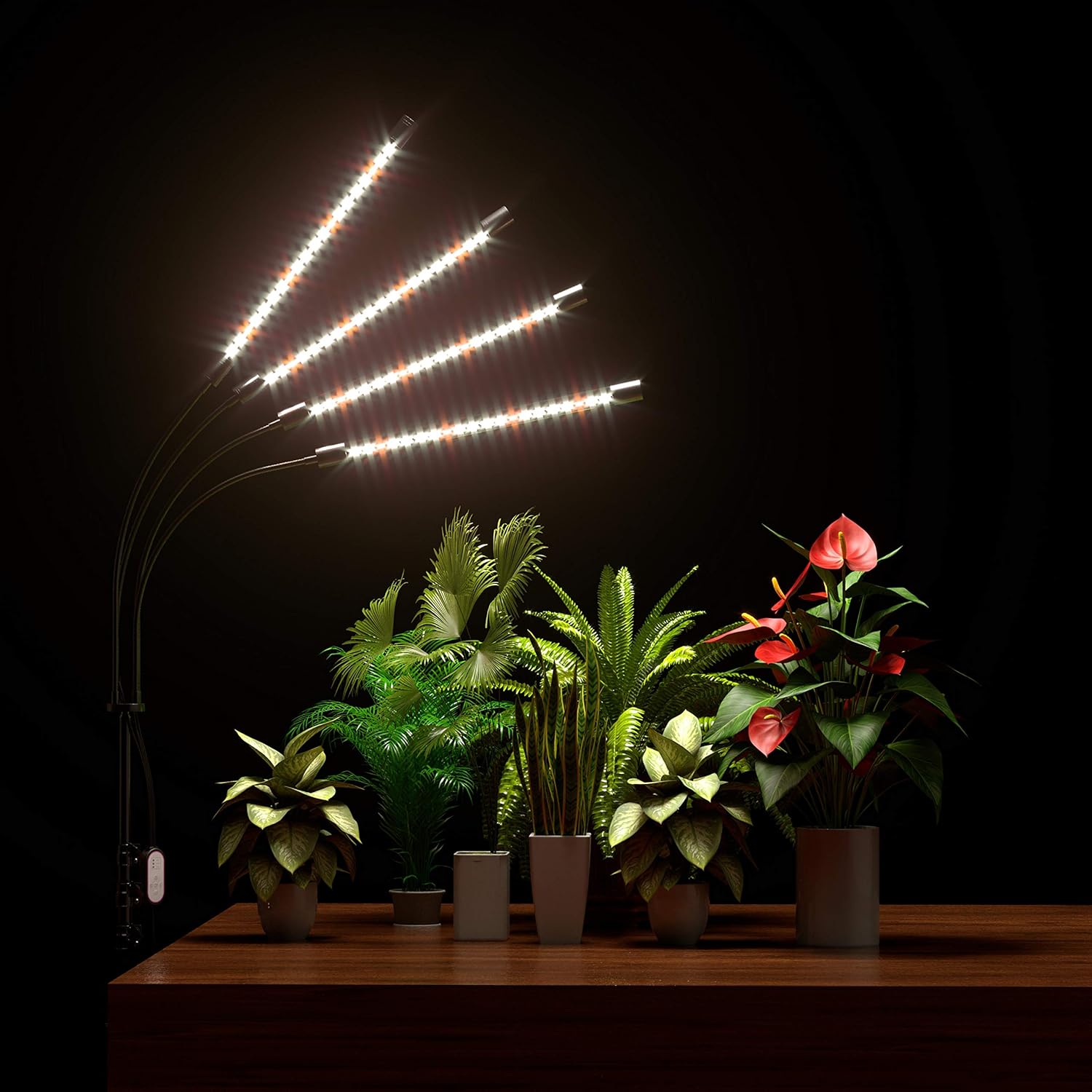
Figure 8: Mixed Spectrum in Use.
5.4 Setting the Timer
The timer function allows the light to automatically turn on and off at the same time each day.
- Turn the grow light ON at the desired time you want the cycle to begin.
- Press the Timer Button (4H, 8H, or 12H) on the inline controller or remote control to select the desired duration.
- The light will operate for the selected duration and then turn off. It will automatically turn on again at the same time the next day.
- To cancel the timer, press the timer button again until no timer indicator is lit, or simply turn off the light manually.
Note: If the grow light is unplugged, the timer setting will reset. You will need to re-set the timer once power is restored.
6. Maintenance
Proper maintenance ensures the longevity and optimal performance of your FRENAN Grow Light.
- Cleaning: Disconnect the power before cleaning. Use a soft, dry cloth to wipe down the light bars and stand. Do not use abrasive cleaners or immerse any part in water.
- Storage: If storing the grow light for an extended period, ensure it is clean and dry. Store in a cool, dry place away from direct sunlight.
- Inspection: Periodically inspect the power cord and connections for any signs of damage. If damage is found, discontinue use and contact customer support.
7. Troubleshooting
If you encounter issues with your FRENAN Grow Light, refer to the following common problems and solutions:
| Problem | Possible Cause | Solution |
|---|---|---|
| Light does not turn on. | No power, loose connection, faulty outlet. | Check if the power cord is securely plugged in. Test the outlet with another device. Ensure the power button is pressed. |
| Timer function not working or resetting. | Power interruption, incorrect timer setting. | The timer resets if unplugged. Re-set the timer after any power interruption. Ensure the correct timer duration (4H, 8H, 12H) is selected. |
| Lights flicker or turn off randomly. | Loose connection, internal fault, power supply issue. | Check all connections. Try plugging into a different outlet. If the issue persists, contact customer support. |
| Remote control not responding. | Battery depleted, remote out of range, obstruction. | Ensure the remote control has a working battery. Point the remote directly at the inline controller. Reduce distance to the light. |
| Stand is unstable or collapses. | Legs not fully extended, locking mechanism loose, damaged stand. | Ensure tripod legs are fully spread and all locking mechanisms are tightened. Place on a flat, stable surface. If damaged, contact customer support. |
8. Product Specifications
- Brand: FRENAN
- Model Number: WS-PR0T15
- Color: Full Spectrum (White)
- Light Source Type: LED grow lights
- Number of Light Sources: 4
- Bulb Features: Dimmable
- Power Source: Corded Electric
- Voltage: 120 Volts
- Shade Material: Aluminum
- Mounting Type: Floor Mount
- Adjustable Height: 15 inches to 63 inches
- Item Weight: 3.4 Pounds (approximately 1.55 kg)
- Package Dimensions: 17.13 x 5.98 x 3.94 inches (approximately 43.5 x 15.2 x 10 cm)
- UPC: 700773434278
- Manufacturer: SHENZHEN GIP OPTOELECTRONICS CO., LTD.
9. Warranty & Customer Support
FRENAN products are designed for reliability and performance. If you experience any issues with your grow light, please contact FRENAN customer service for assistance.
- Warranty: Please refer to the product packaging or the official FRENAN website for specific warranty details and duration.
- Customer Support: For technical support, troubleshooting, or warranty claims, please contact FRENAN customer service through the contact information provided with your purchase or on the official FRENAN website. When contacting support, please have your model number (WS-PR0T15) and purchase date ready.