
NEBO NEB-LTN-1009
NEBO Galileo 500 Lantern User Manual
Model: NEB-LTN-1009
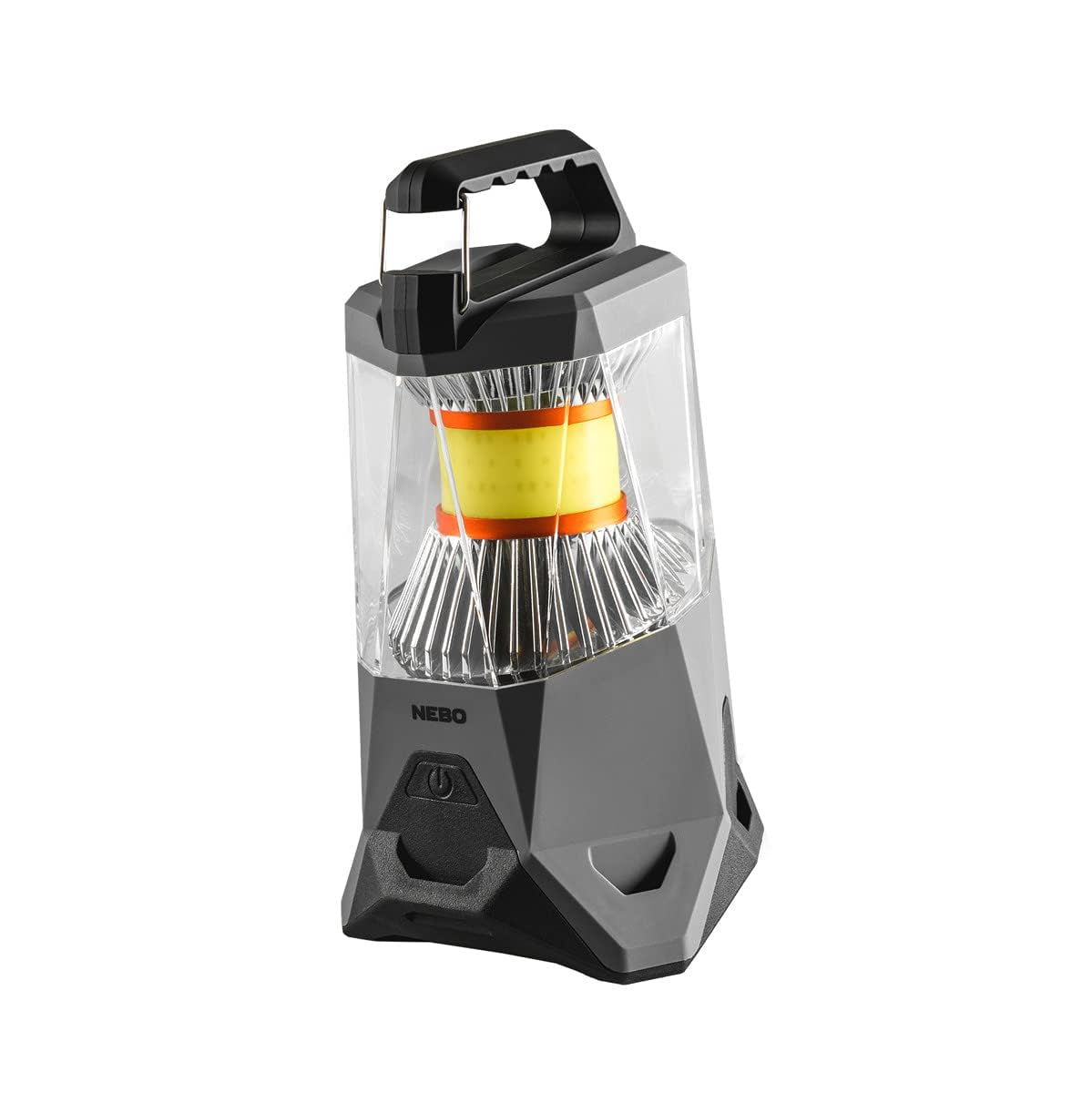
Image: NEBO Galileo 500 Lantern, a powerful and versatile lighting device.
Product Overview
The NEBO Galileo 500 Lantern is a versatile and durable lighting solution designed for various applications, including camping, emergencies, and general outdoor use. It features multiple light modes, a built-in power bank, and a robust, water-resistant design.
Key features include:
- 500 Lumen Output: Provides bright, omnidirectional illumination.
- Rechargeable Battery: Equipped with a rechargeable Lithium Ion battery.
- Power Bank Functionality: Can charge USB-powered devices.
- Water and Impact-Resistant: Durable rubberized body for outdoor conditions.
- Multiple Light Modes: Offers various brightness levels and a red light option.

Image: The NEBO Galileo 500 Lantern demonstrating its IPX4 water-resistant capabilities, ready for outdoor use.
Setup
1. Initial Charging
Before first use, it is recommended to fully charge the NEBO Galileo 500 Lantern. The lantern comes with a rechargeable Lithium Ion battery included.
- Locate the Micro-USB charging port on the lantern.
- Connect the included Micro-USB cable to the lantern's charging port.
- Connect the other end of the USB cable to a compatible USB power source (e.g., wall adapter, computer USB port).
- Allow the lantern to charge until the charging indicator light shows a full charge. Charging time may vary.
2. Alternative Power Source (D-Cell Batteries)
The Galileo 500 Lantern also supports operation using six D-size alkaline batteries (not included) as an alternative power source. This provides flexibility for extended use without access to charging.
- Locate the battery compartment on the base of the lantern.
- Open the battery compartment cover.
- Insert six D-size alkaline batteries, ensuring correct polarity (+/-) as indicated inside the compartment.
- Securely close the battery compartment cover.
Operating Instructions
1. Power On/Off and Mode Selection
The lantern features a single power button for controlling power and cycling through light modes.
- To Turn On: Press the power button once. The lantern will activate in the last used mode (Smart Power Control).
- To Cycle Modes: Press the power button repeatedly to cycle through the available light modes.
- To Turn Off: Press the power button until the lantern turns off, or hold the power button down for 2 seconds in any mode.
2. Light Modes and Performance
The Galileo 500 Lantern offers 5 distinct light modes:
| Mode | Lumens | Run Time | Beam Distance |
|---|---|---|---|
| High 360° | 500 | 3.5 hours | 15 meters |
| High 120° | 175 | 9 hours | 13 meters |
| Low 360° (fully dimmed) | 40 | 10 hours | 4 meters |
| Red High | 15 | 12 hours | 3 meters |
| Red Low | 2 | 30 hours | 1 meter |
The 360° lighting provides full area coverage, while the 120° option focuses light in a specific direction.

Image: The NEBO Galileo 500 Lantern illuminating an area with its 360-degree lighting capability, providing 500 lumens of full coverage.
3. Power Bank Function
The Galileo 500 Lantern can also serve as a portable power bank to charge your USB-powered devices, such as smartphones or tablets.
- Locate the USB output port on the lantern.
- Connect your device's charging cable to the USB output port on the lantern.
- Connect the other end of the cable to your device.
- The lantern will begin charging your device.

Image: The NEBO Galileo 500 Lantern functioning as a power bank, charging a smartphone via its USB output port.
Maintenance
1. Cleaning
To maintain the performance and appearance of your lantern:
- Wipe the exterior with a soft, damp cloth.
- Do not use abrasive cleaners or solvents, as they may damage the finish.
- Ensure the charging port cover is securely closed when not in use to maintain water resistance.
2. Battery Care
For optimal battery life and performance:
- Recharge the lantern regularly, even if not in frequent use, to prevent deep discharge.
- If using D-cell alkaline batteries, remove them if the lantern will not be used for an extended period to prevent leakage.
- Store the lantern in a cool, dry place.
Troubleshooting
| Problem | Possible Cause | Solution |
|---|---|---|
| Lantern does not turn on. | Battery is depleted. | Charge the internal Lithium Ion battery using the Micro-USB cable. If using D-cell batteries, replace them. |
| Lantern does not charge. | Charging cable or power source issue; damaged charging port. | Ensure the Micro-USB cable is securely connected and the power source is functional. Try a different cable or power source. Inspect the charging port for damage. |
| Light output is dim or inconsistent. | Low battery; lens is dirty. | Recharge the lantern. Clean the lens with a soft, dry cloth. |
| Power bank function not working. | Lantern battery is low; device cable issue; device not compatible. | Ensure the lantern has sufficient charge. Try a different USB cable for your device. Verify your device is compatible with USB charging. |
Specifications
| Feature | Detail |
|---|---|
| Model Number | NEB-LTN-1009 |
| Dimensions (L x W x H) | 4" x 4" x 6" |
| Weight | 1 Pound |
| Brightness | Up to 500 Lumens |
| Battery Type | Rechargeable Lithium Ion (included), or 6x D-cell Alkaline (not included) |
| Water Resistance | Water Resistant (IPX4) |
| Mounting Type | Tabletop Mount |
| UPC | 645397001010 |
Warranty and Support
The NEBO Galileo 500 Lantern comes with a 1-year warranty from the date of purchase, covering manufacturing defects.
For warranty claims, technical support, or further inquiries, please refer to the official NEBO website or contact their customer service department. Keep your proof of purchase for warranty validation.
Note: This warranty does not cover damage caused by misuse, accident, unauthorized modification, or normal wear and tear.
Related Documents - NEB-LTN-1009
 |
NEBO Galileo 1000 Rechargeable LED Lantern with Power Bank - User Manual User manual for the NEBO Galileo 1000 rechargeable LED lantern. Features ARCUS technology, 6 light modes, 1000 lumens, IPX4 water resistance, and a power bank function. Includes specifications, operating instructions, and WEEE recycling information. |
 |
NEBO Galileo 1000 Lantern: Powerful Illumination & Power Bank Discover the NEBO Galileo 1000, a versatile lantern featuring ARCUS technology for adjustable beam patterns, flex-power capability, and an integrated power bank. Learn about its modes, lumens, and features. |
 |
NEBO Galileo Air 1000 Rechargeable LED Lantern & Power Bank - User Manual Detailed user manual for the NEBO Galileo Air 1000, featuring its specifications, operation, power indicator, rechargeable battery, power bank functionality, and disposal information. Learn how to use this versatile collapsible LED lantern. |
 |
NEBO Galileo 1000 Lumen Rechargeable LED Lantern with Power Bank Discover the NEBO Galileo 1000, a versatile rechargeable LED lantern featuring ARCUS technology for adjustable beam patterns, Flex-Power compatibility, and an integrated power bank. This product overview details its specifications, light modes, and operational features for outdoor and emergency use. |
 |
NEBO Galileo 500 Rechargeable LED Lantern with Power Bank - User Guide Comprehensive user guide for the NEBO Galileo 500 rechargeable LED lantern. Learn about its features including ARCUS technology, Flex-Power, integrated power bank, light modes, specifications, and charging instructions. Includes disposal information. |
 |
NEBO Galileo 500 Lantern: Features, Modes, and Specifications Discover the NEBO Galileo 500, a versatile lantern with ARCUS technology, multiple light modes, a power bank function, and a 1-year warranty. Learn about its specifications, usage, and charging. |
Ask a question about this manual
Ask about setup, troubleshooting, compatibility, parts, safety, or missing instructions. Manuals+ will review the question and use this page’s manual context to help answer it.