
1. Important Safety Information
Always unplug or turn off the trimmer before use. Keep blades away from eyes and face. Do not use on infants or near water sources. Clean and maintain according to the manufacturer's instructions. Always supervise children when using the trimmer.
2. Product Overview
The FADEKING Professional 5-Star Cordless ASTRO Clipper is engineered for exceptional cutting performance for both professional and home use. It features adjustable blades for seamless blending and sharp, clean edges. The durable zinc alloy housing ensures long-term reliability. This clipper is designed for various hair types including all, curly, dry, fine, normal, oily, straight, and wavy hair.

Figure 2.1: Detailed view of the FADEKING clipper highlighting its adjustable taper, integrated hook, and non-slip textured body for secure handling.
3. What's Included
Your FADEKING Professional 5-Star Cordless ASTRO Clipper package includes the following items:

Figure 3.1: The complete FADEKING clipper set, showcasing the clipper, various guide combs, charging accessories, and the protective travel case.
- FADEKING Hair Clipper (1)
- Attachment Comb Cutting Guides (6): These guides accommodate various hair lengths and styles (1.5mm, 3mm, 4.5mm, 6mm, 10mm, 13mm).
- Cleaning Brush (1): For easy maintenance of the blades.
- Blade Covers (1 set): To protect the blades when not in use.
- Storage Case (1): For organized portability and protection.
- Barber Cape (1): A large cape for clean grooming sessions.
- DC Charging Cable (1)
- USB Charging Cable (1): For versatile charging options.
- User Manual (1)
4. Setup
Before first use, ensure your clipper is fully charged. The clipper features a high-performance motor and provides up to 300 minutes of operation after a 2.5-hour charge.
4.1 Charging the Clipper
- Connect the DC or USB charging cable to the charging port at the bottom of the clipper.
- Plug the other end of the cable into a compatible power source (e.g., AC adapter, PC, power bank).
- The LED display will indicate charging status. A blinking red light indicates charging is required. A full charge is indicated by '100' on the display.
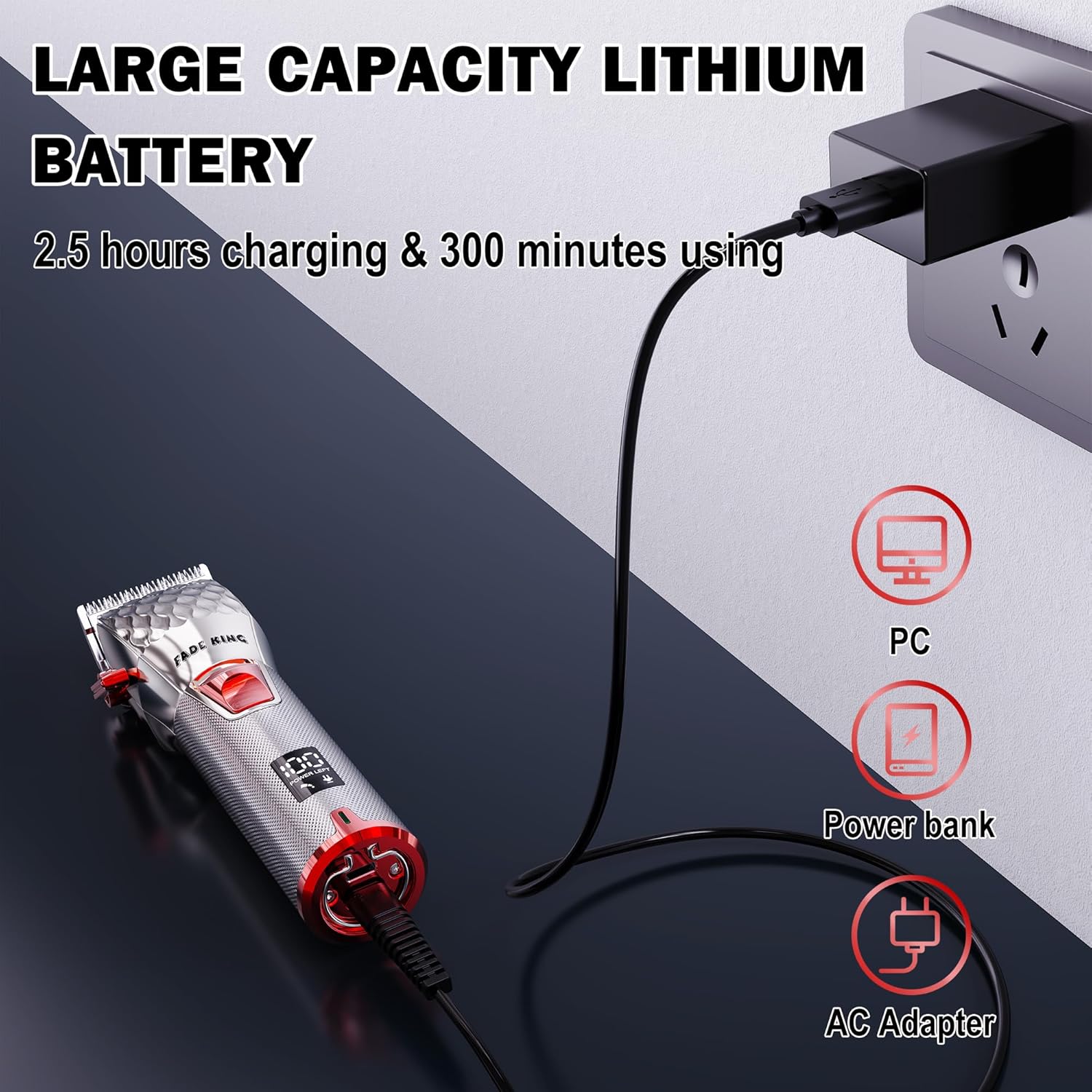
Figure 4.1: The FADEKING clipper being charged, showing its compatibility with various power sources for convenience.
4.2 Attaching Guide Combs
Select the desired attachment comb for your preferred hair length. Align the comb with the clipper blade and push firmly until it clicks into place. Ensure it is securely attached before operation.
5. Operating Instructions
The FADEKING clipper is designed for precise and comfortable use, whether for professional or home grooming.
5.1 Powering On/Off
Press the one-button switch located on the clipper's body to turn the device on or off. The smart LED display will activate upon powering on.

Figure 5.1: The intuitive LED display provides real-time information on battery level, oiling needs, and charging status.
5.2 Adjusting Blade Taper
The clipper features an adjustable taper from 0.5mm to 3.0mm, allowing for precise blending and creation of sharp, clean edges. Use the lever on the side of the clipper to adjust the blade length.

Figure 5.2: The adjustable blade lever enables fine-tuning of cutting length for detailed work and seamless fades.
5.3 Hair Cutting Techniques
For best results, ensure hair is clean and dry. Use the appropriate guide comb for the desired length. Move the clipper against the direction of hair growth for an even cut. The ergonomic design provides a comfortable grip for extended use.

Figure 5.3: The full metal body and ergonomic finger rest ensure a comfortable and secure hold during use.
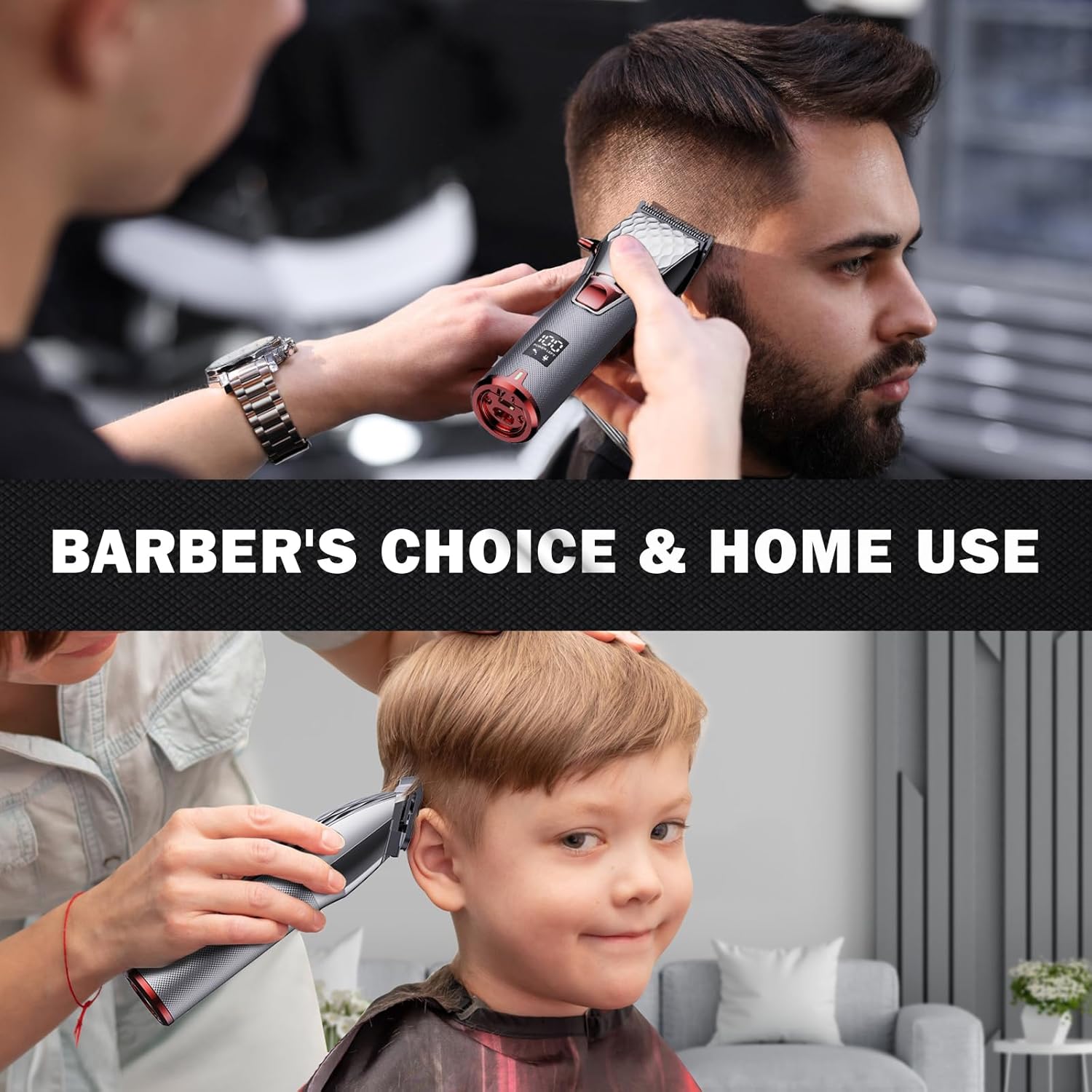
Figure 5.4: The clipper is suitable for both professional barber use and personal home grooming.

Figure 5.5: Achieve seamless blends for all hair textures and styles using the provided guide combs.
6. Maintenance
Regular maintenance ensures optimal performance and extends the lifespan of your FADEKING clipper.
6.1 Cleaning the Blades
- Turn off and unplug the clipper before cleaning.
- Use the provided cleaning brush to remove any loose hairs from the blades.
- For thorough cleaning, the blades can be detached. Refer to the user manual for specific blade detachment instructions.
6.2 Oiling the Blades
Apply a few drops of clipper oil (not included) to the blades regularly, especially after cleaning. Turn the clipper on for a few seconds to distribute the oil evenly. This helps maintain cutting efficiency and prevents rust.
The smart LED display includes an oil reminder icon to prompt you when oiling may be needed.
7. Troubleshooting
If you encounter any issues with your FADEKING clipper, refer to the following common solutions:
- Clipper not turning on: Ensure the battery is charged. Connect to a power source and allow it to charge for at least 2.5 hours.
- Reduced cutting performance: Clean the blades thoroughly. Apply clipper oil to the blades. Ensure the guide comb is properly attached.
- Excessive noise/vibration: This may indicate a need for oiling or cleaning. If the issue persists, ensure all components are securely fastened.
- Battery not holding charge: Ensure you are using the provided charging cables and a compatible power source. If the issue continues, contact customer service.
8. Specifications
| Feature | Detail |
|---|---|
| Product Dimensions | 2.09 x 1.85 x 7.2 inches |
| Item Model Number | a-1 |
| Item Weight | 14 Ounces |
| Battery Type | 1 Lithium Ion battery required |
| Charging Time | Approx. 2.5 hours |
| Operating Time | Up to 300 minutes |
| Blade Taper Adjustment | 0.5mm - 3.0mm |
| Hair Type Compatibility | All, Curly, Dry, Fine, Normal, Oily, Straight, Wavy |
9. Warranty and Support
FADEKING is committed to providing quality products and customer satisfaction. Your FADEKING Professional 5-Star Cordless ASTRO Clipper comes with a 365-day warranty from the date of purchase.
We also offer a 30-day money-back guarantee. For any inquiries or support needs, our customer service is available 24 hours a day.
Please retain your proof of purchase for warranty claims.

Figure 9.1: Our dedicated customer service team is ready to assist you.