
1. Introduction
This manual provides essential instructions for the proper use and maintenance of your EILISON Remote Control, Model 630792811371. This remote is designed for use with compatible vibration plates, including Fitpro, Glory, and Firmhold models. Please read this manual thoroughly before operating the device to ensure safe and efficient use.
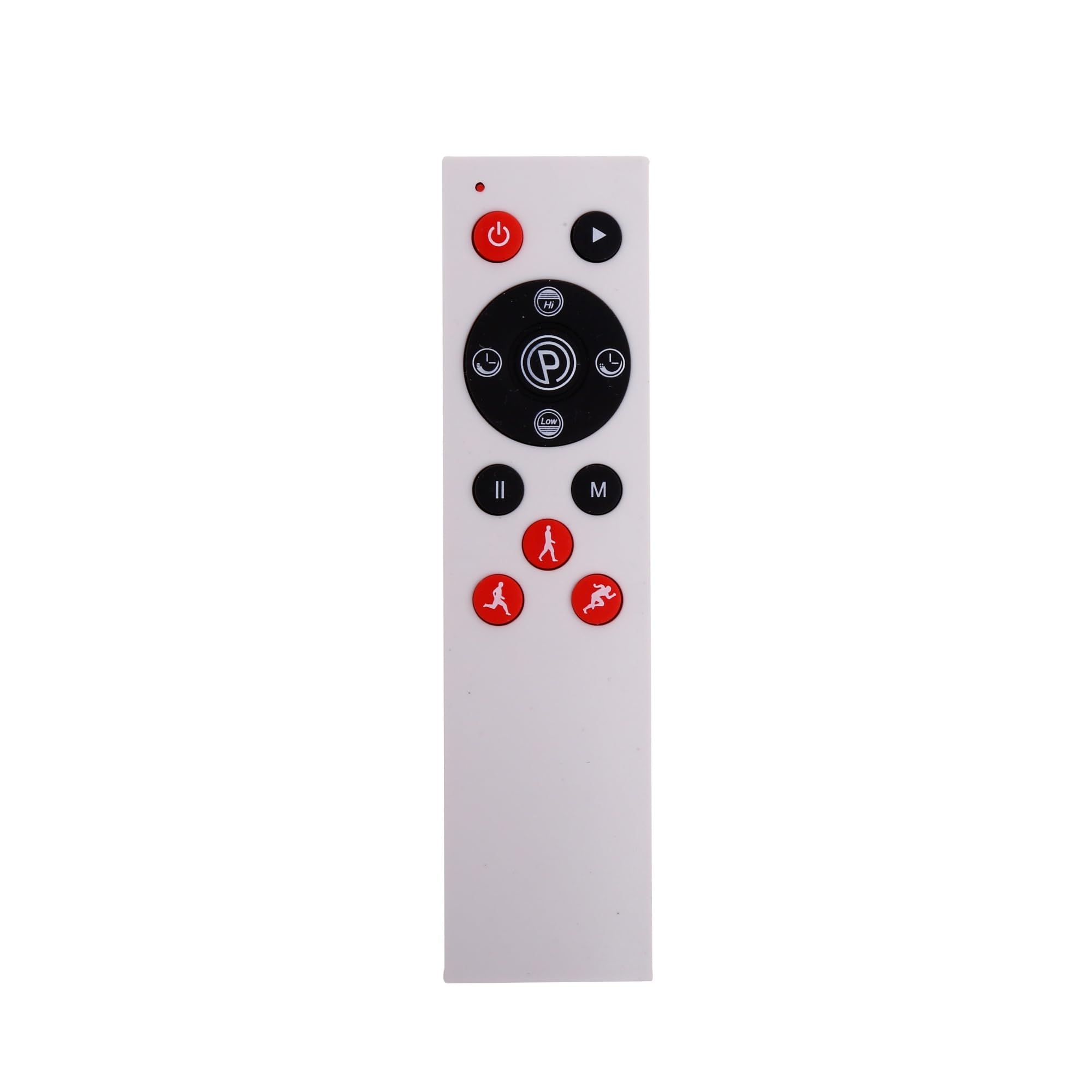
Figure 1: The EILISON Remote Control. This image displays the ergonomic design of the remote, highlighting its compact size and button layout.
2. Setup
The EILISON Remote Control operates using infrared (IR) technology. No complex pairing is required.
2.1 Battery Installation
- Locate the battery compartment on the back of the remote control.
- Slide open the battery cover.
- Insert two AAA batteries (not included), ensuring correct polarity (+/-) as indicated inside the compartment.
- Close the battery cover securely.
Note: Always use new batteries and dispose of old batteries responsibly.
3. Operating Instructions
To operate your vibration plate using the EILISON Remote Control, ensure there is a clear line of sight between the remote's IR emitter and the vibration plate's IR receiver.
3.1 Basic Functions
- Power Button: Press to turn the vibration plate ON or OFF.
- Start/Stop Button: Initiates or pauses the vibration program.
- Speed +/- Buttons: Adjusts the vibration intensity level.
- Mode Button: Cycles through available pre-set programs or manual modes.
- Time +/- Buttons: Adjusts the duration of the exercise session.
Refer to your vibration plate's specific user manual for detailed information on its programs and functions.
4. Maintenance
Proper care will extend the life of your EILISON Remote Control.
- Keep the remote dry. Moisture can damage internal circuits.
- Avoid extreme temperatures. High temperatures can shorten the life of electronic devices.
- Clean the remote with a soft, damp cloth. Do not use harsh chemicals or abrasive cleaners.
- If the remote will not be used for an extended period, remove the batteries to prevent leakage.
- Avoid dropping the remote or subjecting it to strong impacts.
5. Troubleshooting
If you experience issues with your EILISON Remote Control, try the following steps:
| Problem | Possible Cause | Solution |
|---|---|---|
| Remote not responding | Dead or incorrectly installed batteries. Obstruction between remote and vibration plate. Remote out of range. | Replace batteries, ensuring correct polarity. Remove any obstructions. Move closer to the vibration plate. |
| Intermittent response | Weak batteries. IR receiver on vibration plate is dirty or obstructed. | Replace batteries. Clean the IR receiver on the vibration plate. Ensure clear line of sight. |
| Remote buttons not working | Stuck button. Internal malfunction. | Gently press and release the button to ensure it's not stuck. If issue persists, contact customer support. |
6. Specifications
| Feature | Detail |
|---|---|
| Model Number | 630792811371 |
| Brand | EILISON |
| Connectivity Technology | Infrared (IR) |
| Compatible Devices | Fitpro, Glory, Firmhold Vibration Plates |
| Max Supported Devices | 1 |
| Special Feature | Ergonomic Design |
| Package Dimensions | 3.9 x 1.8 x 0.5 inches |
| Item Weight | 0.16 ounces |
7. Warranty and Support
For warranty information or technical support, please refer to the documentation provided with your original purchase or visit the official EILISON website.
You can also visit the EILISON Store on Amazon for more products and support: EILISON Store.