
1. Introduction
Thank you for choosing the MATCOM Replacement Smart TV Remote Control. This remote is designed to provide seamless control for your Skyworth Android TV and Coocaa S3N Series televisions. It offers a direct replacement experience, ensuring all essential functions are readily accessible.
Compatible TV Models:
- Skyworth Android TV UB5 Series (e.g., 43UB5500, 43UB5550, 43UB5560, 50UB5500, 50UB5560, 55UB5500, 55UB5550, 55UB5560)
- Coocaa S3N Series (e.g., 32S3N, 40S3N, 43S3N, 55S3N)

Image 1.1: Front and back view of the MATCOM Replacement Smart TV Remote Control.
2. Setup
This remote control operates using infrared (IR) technology and typically requires no complex pairing. Simply insert the batteries, and it should be ready for use with compatible TV models.
2.1 Battery Installation
- Locate the battery compartment on the back of the remote control.
- Slide the battery cover downwards or in the direction indicated by the arrow to open it.
- Insert two (2) AAA alkaline batteries, ensuring the positive (+) and negative (-) terminals align correctly with the markings inside the compartment.
- Close the battery cover by sliding it back into place until it clicks securely.
Note: Batteries are not included with the remote control.
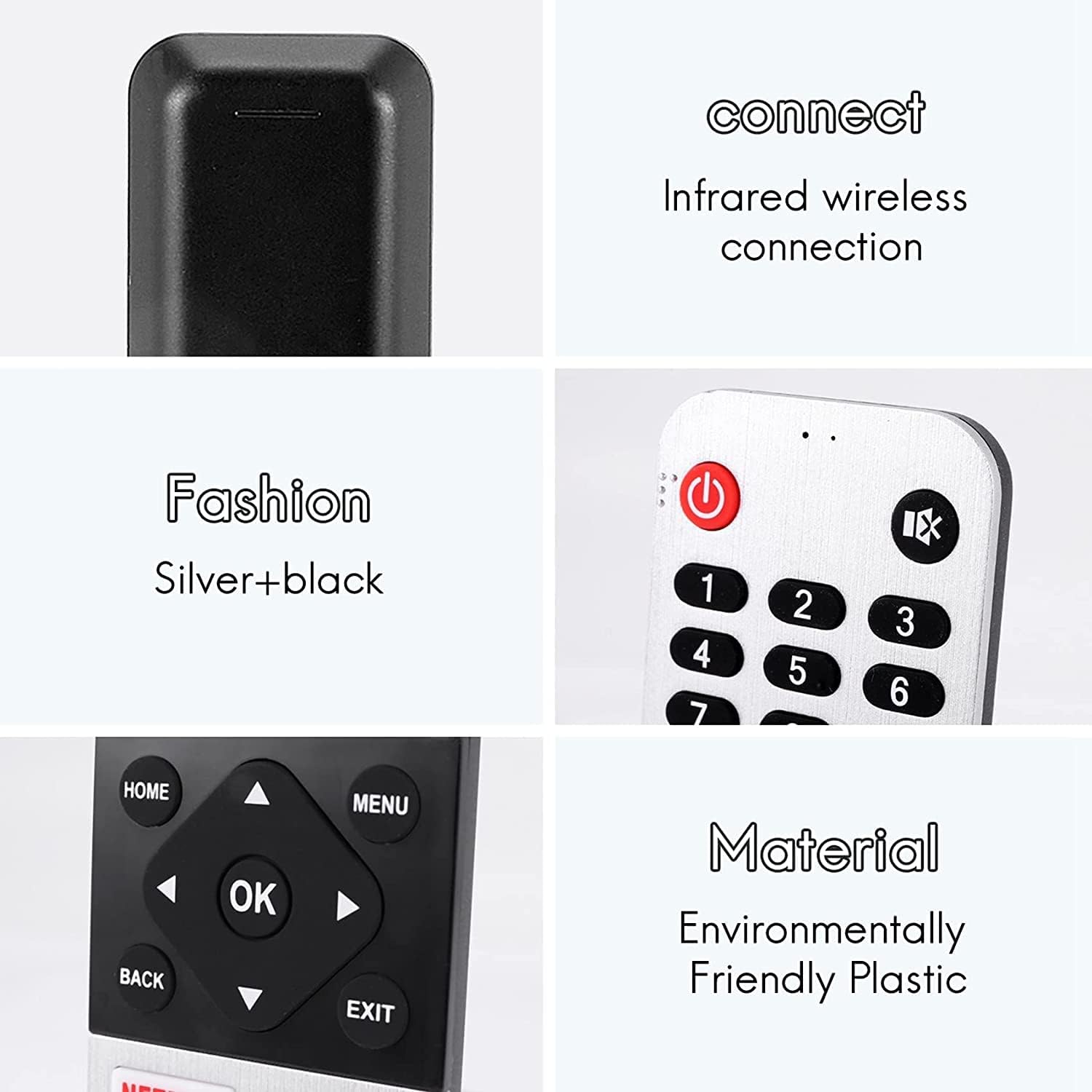
Image 2.1: Details of the remote control, highlighting its infrared connection and plastic material.
3. Operating Instructions
Point the remote control directly at your television's IR receiver. Ensure there are no obstructions between the remote and the TV.
3.1 Key Functions Overview
- Power Button (Ⓞ): Turns the TV on or off.
- Number Keys (0-9): Directly select channels.
- LIST: Accesses the channel list.
- SOURCE: Changes the input source (HDMI, AV, etc.).
- Navigation Pad (Up, Down, Left, Right, OK): Navigates menus and confirms selections.
- HOME: Returns to the Smart TV home screen.
- MENU: Opens the TV's main menu.
- BACK: Returns to the previous screen or menu.
- EXIT: Exits the current menu or application.
- NETFLIX, Prime Video, YouTube: Dedicated buttons for quick access to streaming services.
- VOL (+/-): Adjusts the volume level.
- CH (▲/▼): Changes channels.
- TEXT: Toggles teletext display.
- GUIDE: Displays the electronic program guide.
- INDEX: Accesses index functions.
- HOLD: Holds teletext page.
- Media Control Buttons (◀◀, ▶▶, ▮▮, ▶): Control playback of media (rewind, fast forward, pause, play).
- SUBTITLE: Toggles subtitles.
- AD: Audio Description button.
- Color Buttons (R, G, Y, B): Used for specific functions within menus or applications, as indicated on screen.

Image 3.1: The remote control in use, demonstrating its infrared operation.

Image 3.2: Various angles of the remote control, showcasing its ergonomic design.
4. Maintenance
Proper care will extend the life of your remote control.
- Cleaning: Use a soft, dry cloth to wipe the surface of the remote. For stubborn dirt, slightly dampen the cloth with water or a mild, non-abrasive cleaner. Do not use harsh chemicals or abrasive materials.
- Battery Replacement: Replace batteries when the remote's response becomes sluggish or stops working. Always replace both batteries at the same time with new ones. Do not mix old and new batteries, or different types of batteries.
- Storage: If the remote will not be used for an extended period, remove the batteries to prevent leakage and potential damage to the remote. Store in a cool, dry place.
5. Troubleshooting
If you encounter issues with your remote control, try the following solutions:
- Remote not responding:
- Check if the batteries are inserted correctly with the correct polarity (+/-).
- Replace the batteries with fresh ones.
- Ensure there are no obstructions between the remote and the TV's IR receiver.
- Make sure you are within the effective range of the TV's IR receiver.
- Some buttons not working:
- This could indicate low battery power. Replace batteries.
- Ensure the remote is clean and there is no debris stuck under the buttons.
- TV not responding to remote:
- Verify that the remote control model is compatible with your specific TV model (refer to Section 1).
- Try restarting your TV by unplugging it from the power outlet for a few minutes, then plugging it back in.
If the problem persists after trying these steps, please contact customer support.
6. Specifications
| Feature | Detail |
|---|---|
| Brand | MATCOM |
| Model Number | 539C-268920-W010 |
| Connectivity Technology | Infrared (IR) |
| Compatible Devices | Skyworth Android TV (UB5 Series), Coocaa S3N Series |
| Special Features | Ergonomic design |
| Color | Black, Silver |
| Material | Plastic |
| Power Source | 2 x AAA Batteries (not included) |
| Product Dimensions | 20.32 x 2.54 x 2.54 cm (approx.) |
| Product Weight | 91 g (approx.) |
7. Warranty and Support
For any questions, concerns, or technical support regarding your MATCOM Replacement Smart TV Remote Control, please contact the manufacturer or your point of purchase. Please retain your proof of purchase for warranty claims, if applicable.
For further assistance, please refer to the contact information provided with your product packaging or visit the official MATCOM website.