
1. Safety Information
Please read all safety instructions carefully before using the hygger Aquarium LED Light. Failure to follow these instructions may result in electric shock, fire, or serious injury.
- Ensure the power supply voltage matches the product's requirements (AC100-240V).
- Do not immerse the power adapter in water. The light fixture itself is waterproof, but the adapter is not.
- Always unplug the light from the power outlet before performing any maintenance, cleaning, or installation.
- Do not operate the light if any part is damaged, especially the power cord or adapter.
- Keep out of reach of children.
- This product is designed for indoor aquarium use only.
2. Product Overview
The hygger Aquarium LED Light 18W (Model: hg978) is designed to provide optimal lighting for your freshwater aquarium. It features a 24/7 natural light cycle mode, a customizable DIY mode with adjustable timer, brightness, and 7 color options, and extendable brackets for easy installation on various aquarium sizes. The light utilizes premium 5050 and 2835 LEDs for bright and natural illumination.
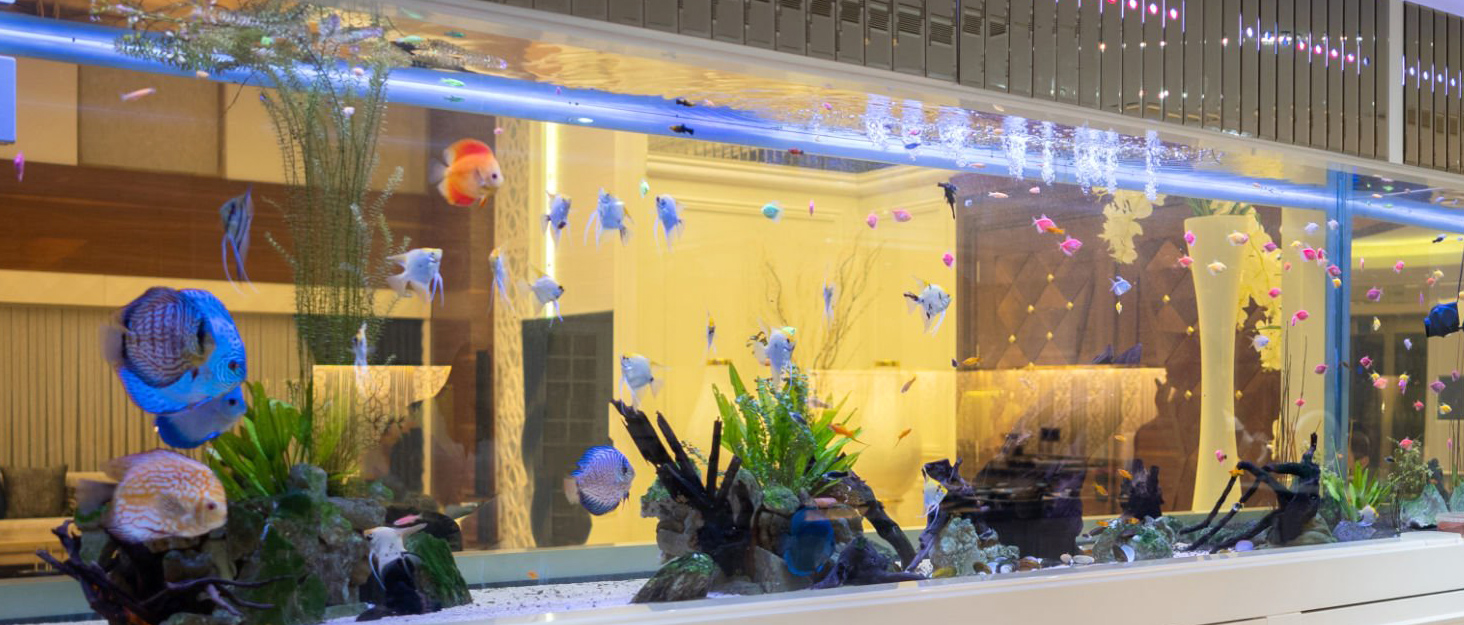
The hygger Aquarium LED Light, shown with its brand logo and installed on an aquarium.
3. Package Contents
- hygger Aquarium LED Light Fixture (18W)
- Extendable Brackets
- Power Adapter
- Instruction Manual (this document)
4. Setup and Installation
Follow these steps to install your hygger Aquarium LED Light:
- Attach the Extendable Brackets: Slide the extendable brackets onto both ends of the light fixture. Ensure they are securely attached.
- Position the Light: Place the light fixture on top of your aquarium. Adjust the extendable brackets to fit the length of your tank (suitable for 30-45 cm aquariums for the 18W model).
- Connect Power: Plug the power adapter into the light fixture, then plug the adapter into a standard electrical outlet. Ensure the connection is secure and the adapter is placed in a dry area, away from water splashes.
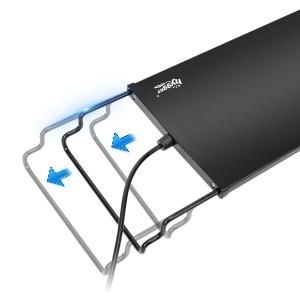
The extendable brackets allow for easy adjustment to fit various aquarium lengths.
5. Operating Instructions
The hygger Aquarium LED Light offers two main operating modes: a preset 24/7 natural mode and a customizable DIY mode.
5.1 Controller Overview
The inline controller has the following buttons:
- TIMER: Sets the lighting duration in DIY mode (6, 10, or 12 hours).
- ON-OFF / M (Mode): Turns the light on/off and cycles through color options in DIY mode.
- Brightness Adjustment: Increases or decreases brightness in DIY mode (5 levels).
- 24/7: Activates the preset 24/7 natural light cycle mode.

The controller allows for easy adjustment of light settings.
5.2 24/7 Natural Mode (Preset)
This mode simulates a natural 24-hour light cycle, promoting a healthy environment for your aquatic life. To activate, press the 24/7 button on the controller.
- 6:00 AM - 8:00 AM: Gradient orange light (sunrise effect).
- 8:00 AM - 6:00 PM: Gradient white light (daylight).
- 6:00 PM - 10:30 PM: Gradient blue light (moonlight effect).
- After 10:30 PM: Lights turn off.
Note: The 6 time points on the controller serve as a reference for the initial activation interval. This allows you to shift the overall lighting interval forward or backward.

Visual representation of the 24/7 natural light cycle.

Sunrise Effect

Daylight Effect

Moonlight Effect
5.3 DIY Mode (Free Adjustment)
In DIY mode, you can individually set the lighting duration, color, and brightness. Press the ON-OFF / M button to cycle through colors and the Brightness Adjustment buttons to change intensity.
- Setting Time (TIMER button): Choose from 6, 10, or 12 hours of illumination.
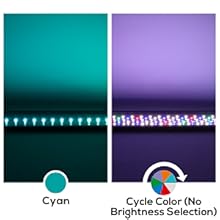
- Setting Color (ON-OFF / M button): Select from White, Red, Blue, Green, Purple, Orange, Cyan, or a continuous Color Cycle. Note: Brightness cannot be selected during Color Cycle.
- Setting Brightness (Brightness Adjustment buttons): Choose from 5 brightness levels: 10%, 25%, 50%, 75%, or 100%.
Note: The day after setting, the brightness will slowly fluctuate over 15 minutes before settling at your chosen level.

Timer Settings
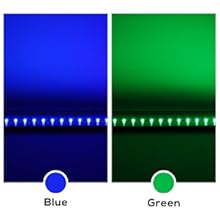
Color Selection
Brightness Levels

Visual demonstration of adjustable brightness levels in an aquarium.
6. Maintenance
Regular maintenance ensures the longevity and optimal performance of your hygger Aquarium LED Light.
- Cleaning: The smooth aluminum casing can be cleaned with a dry cloth. Ensure the light is unplugged before cleaning. Do not use abrasive cleaners or solvents.
- Waterproof Design: The light fixture itself is designed to be waterproof, making it easy to clean and resistant to splashes. However, the power adapter is not waterproof and must be kept dry.
- Adapter Replacement: If the separate adapter is damaged, it can be replaced without needing to replace the entire light fixture.
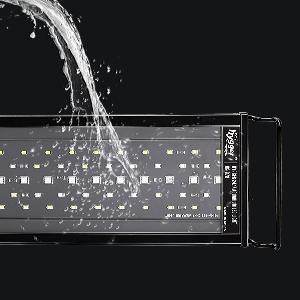
The light fixture is waterproof for durability and easy cleaning.
7. Troubleshooting
If you encounter issues with your hygger Aquarium LED Light, please refer to the following common solutions:
- Light Not Turning On: Check if the power adapter is securely plugged into both the light fixture and the electrical outlet. Ensure the outlet is functional.
- Incorrect Light Mode/Settings: Refer to the "Operating Instructions" section to ensure you are correctly setting the 24/7 mode or DIY mode parameters (timer, color, brightness).
- Flickering Light: Ensure all connections are secure. If flickering persists, try plugging the light into a different outlet.
- Reduced Brightness: In DIY mode, verify the brightness level setting. In 24/7 mode, note that brightness fluctuates slowly during transition periods.
If the problem persists after attempting these steps, please contact hygger customer support for further assistance.
8. Specifications
| Feature | Specification |
|---|---|
| Model Number | hg978 |
| Power Consumption | 18 W |
| LED Quantity | 98 pieces (White: 32 / Blue: 8 / Red: 4 / Green: 2 / RGB: 12) |
| CRI (Color Rendering Index) | 85 |
| Application (Aquarium Length) | 18-24 inches (approx. 45-60 cm) |
| Cable Length | 1.5 m + 0.7 m |
| Input Voltage | AC100-240V |
| Output Voltage | DC 20V |
| Light Temperature (White) | 6500 K |
| Light Wavelength (Blue) | 455 nm |
| Light Wavelength (Red) | 620 nm |
| Light Wavelength (Green) | 560 nm |
| Lumens | 1075 |
| Dimensions (L x W x H) | 54P x 12l x 6H cm (approx. 21.3 x 4.7 x 2.4 inches) |
| Material | Aluminum |
| Waterproof Level | Light fixture is waterproof |

Detailed technical specifications of the 18W hygger LED light.

EU Energy Label for hygger HG978-18W. For more details, visit EPREL Database.

The light features five rows of premium 5050 and 2835 LEDs for vibrant colors and bright illumination.

The light provides a soft, natural spectrum, protecting eyes and fish.
9. Warranty and Support
For warranty information or technical support, please refer to the product packaging or contact hygger customer service directly. Keep your purchase receipt for warranty claims.
You can also find additional information and a user guide PDF here.


