
1. Introduction
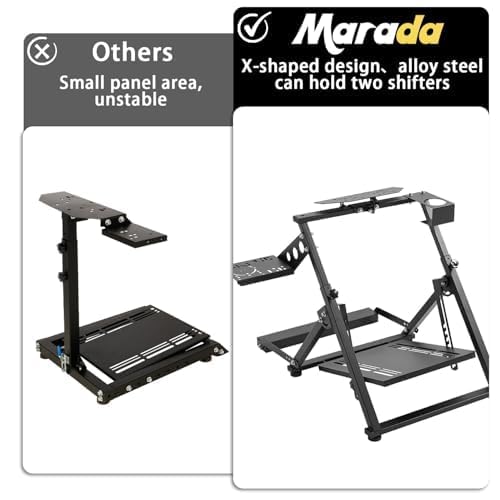
This manual provides detailed instructions for the assembly, operation, maintenance, and troubleshooting of your Marada X-shaped Sim Racing Wheel Stand. This stand is designed to enhance your racing simulation experience by providing a stable and adjustable platform for your steering wheel, pedals, and shifter. It is compatible with a wide range of popular racing simulation equipment.
2. Safety Information
- Ensure all bolts and fasteners are securely tightened before use to prevent instability.
- Keep hands and fingers clear of moving parts during adjustment to avoid pinching.
- Do not exceed the recommended weight capacity of the stand.
- Place the stand on a flat, stable surface to prevent tipping.
- Keep children and pets away from the stand during assembly and adjustment.
- This product does not include electronic accessories. Ensure proper installation of your racing equipment according to their respective manuals.
3. Package Contents
Verify that all components are present before beginning assembly:
- Main X-shaped frame (partially pre-assembled)
- Steering wheel platform
- Pedal platform
- Shift lever platform
- Cup holder
- Chair wheel securing bar
- Adjustment knobs and bolts
- Tools for assembly

4. Setup
The Marada X-shaped Sim Racing Wheel Stand is approximately 80% pre-installed at the factory. Follow these steps for final assembly and initial setup:
4.1. Unboxing and Initial Assembly
- Carefully remove all components from the packaging.
- Unfold the main X-shaped frame.
- Attach the pedal platform to the base of the frame using the provided bolts and tools.
- Attach the steering wheel platform to the upper part of the frame.
- Install the shift lever platform and cup holder to the desired side (left or right) of the steering wheel platform.
- Secure the chair wheel securing bar to the front base of the stand.
4.2. Detailed Assembly Video
For a visual guide on the assembly process, please refer to the official video below:
Video 4.1: Comprehensive assembly guide for the Marada Racing Wheel Stand. This video demonstrates the unboxing, component identification, and step-by-step assembly of the stand, including attaching the wheel, pedal, and shifter platforms, and securing the chair bar.
5. Operating the Stand
5.1. Adjustments
The stand offers multiple adjustment points for personalized comfort and optimal racing performance:
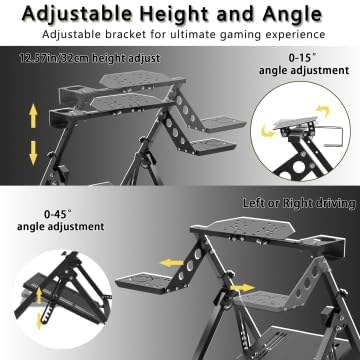
- Steering Wheel Height and Angle: Loosen the adjustment knobs on the main frame to raise or lower the steering wheel platform and adjust its angle (0-15 degrees). Tighten securely after adjustment.
- Pedal Platform Angle: Adjust the angle of the pedal platform (0-45 degrees) to suit your preference.
- Shifter Position: The shift lever platform can be mounted on either the left or right side of the stand to accommodate different driving styles.

5.2. Securing Your Chair
The integrated chair wheel securing bar prevents your office or gaming chair from rolling backward during intense racing sessions. Simply roll your chair's front wheels into the groove of the bar.
5.3. Compatibility
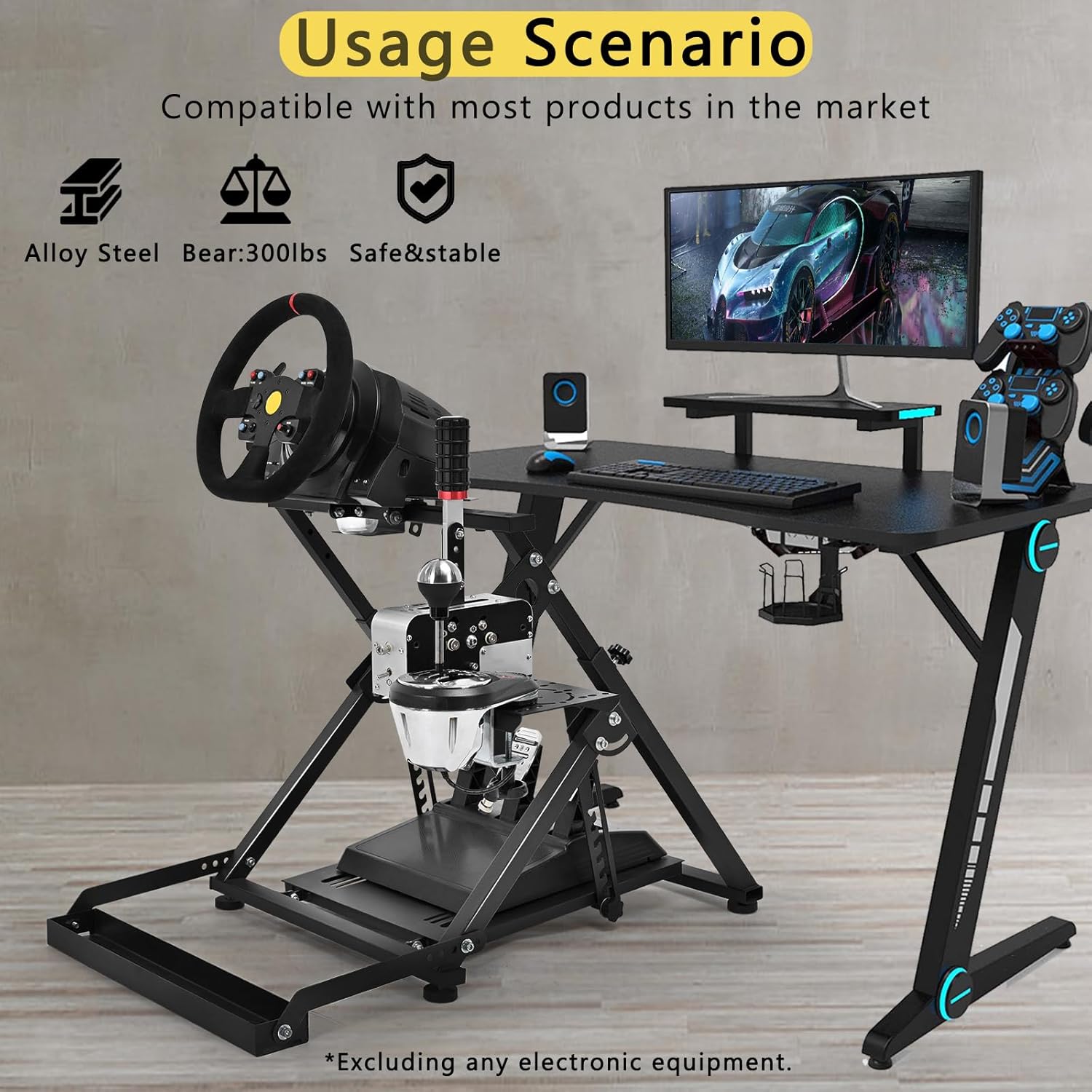
The stand is designed for wide compatibility with mainstream racing simulation equipment, including:
- Logitech (G29, G920, G923)
- Thrustmaster (T300, T248)
- Moza (R3, R5)
- PXN
The pre-drilled holes on the platforms accommodate various mounting patterns. DIY modifications are also supported.

5.4. Folding for Storage
The stand features a folding design for convenient storage when not in use. Loosen the main adjustment knobs and fold the frame to a compact size.
Video 5.1: This video demonstrates the various features of the Marada Steering Wheel Racing Mount, including its adjustability for different setups (office chair, sofa) and its folding mechanism for easy storage.
6. Maintenance
- Regularly check all bolts and fasteners for tightness and re-tighten as needed.
- Clean the powder-coated surfaces with a soft, damp cloth. Avoid abrasive cleaners.
- Inspect the rubber non-slip feet for wear and tear to ensure continued stability.
7. Troubleshooting
- Stand feels wobbly: Ensure all adjustment knobs and assembly bolts are fully tightened. Verify the stand is on a flat surface.
- Chair slides during use: Confirm that the chair wheels are properly seated within the securing bar.
- Equipment not fitting: Check the mounting patterns on your racing equipment against the pre-drilled holes on the stand's platforms. Minor DIY modifications may be required for some equipment.
8. Specifications
| Feature | Detail |
|---|---|
| Product Dimensions | 35.4 x 30 x 28.3 inches |
| Item Weight | 29.3 pounds |
| Material | Thickened steel, powder-coated |
| Design | X-shaped mechanical structure, foldable |
| Adjustments | Steering stand, pedal, panel adjustable; left/right interchangeable shift lever |
| Compatibility | Logitech G29/G920, Thrustmaster T300/T248, Moza R3/R5, PXN, etc. |

9. Warranty and Support
For warranty information and customer support, please refer to the documentation included with your purchase or contact Marada customer service directly. Keep your proof of purchase for any warranty claims.


