
JBL JBLLIVE660NCBLKAM
JBL Live 660NC Wireless Over-ear Noise Cancelling Headphones
User Manual
Introduction
The JBL Live 660NC headphones are designed to provide an immersive audio experience with advanced features for daily use. They deliver JBL Signature Sound through powerful 40mm drivers, ensuring rich audio quality with enhanced bass. Key features include Adaptive Noise Cancelling to minimize ambient distractions, and Ambient Aware and TalkThru technologies for situational awareness and easy conversations without removing the headphones.
These headphones offer up to 50 hours of battery life (ANC off) and support voice assistants for convenient control. The comfort-fit fabric headband and soft ear cushions ensure extended wearability, and the included carrying pouch provides protection during travel. Automatic pause and resume functionality further enhances user convenience.

Image: A pair of black JBL Live 660NC wireless over-ear headphones, showcasing their sleek design and comfortable earcups.
What's in the Box
Upon unboxing your JBL Live 660NC headphones, you will find the following components:
- 1 x JBL Live 660NC Headphones
- 1 x Type-C to Type-A charging cable
- 1 x Audio cable (detachable)
- 1 x Carrying Pouch
- 1 x Quick Start Guide/Safety Sheet
- 1 x Warranty/Warning document

Image: The orange USB-C to USB-A charging cable and the black braided audio cable included with the headphones.
Setup
Initial Charging
Before first use, it is recommended to fully charge your JBL Live 660NC headphones. Connect the provided Type-C to Type-A charging cable to the USB-C port on the headphones and a compatible USB power source. A full charge typically takes approximately 2 hours. A quick 10-minute charge can provide an additional 4 hours of playback.
Bluetooth Pairing
- Ensure the headphones are powered off.
- Press and hold the Power button until the LED indicator flashes blue, indicating pairing mode.
- On your device (smartphone, tablet, or computer), enable Bluetooth and search for available devices.
- Select "JBL Live 660NC" from the list of devices.
- Once connected, the LED indicator will turn solid blue.
The headphones support Bluetooth 5.0 for stable connectivity and Multi-Point Connection, allowing seamless switching between two paired devices.
Operating Your Headphones
Controls and Features
- Adaptive Noise Cancelling (ANC): Activate ANC to block out ambient sounds and focus on your audio.
- Ambient Aware: Increase ambient sounds to stay aware of your surroundings, useful for walking in busy areas.
- TalkThru: Lowers music volume and amplifies speech, enabling quick conversations without removing headphones.
- Voice Assistant: Access your preferred voice assistant (e.g., Alexa built-in, Hey Google) by voice command or a tap on the earcup. Use the JBL App to customize settings.
- Hands-free Stereo Calls: The integrated microphone technology ensures clear stereo calls. VoiceAware allows you to adjust how much of your own voice you hear during calls.
- Auto Pause/Resume: The headphones automatically pause playback when removed and resume when put back on.
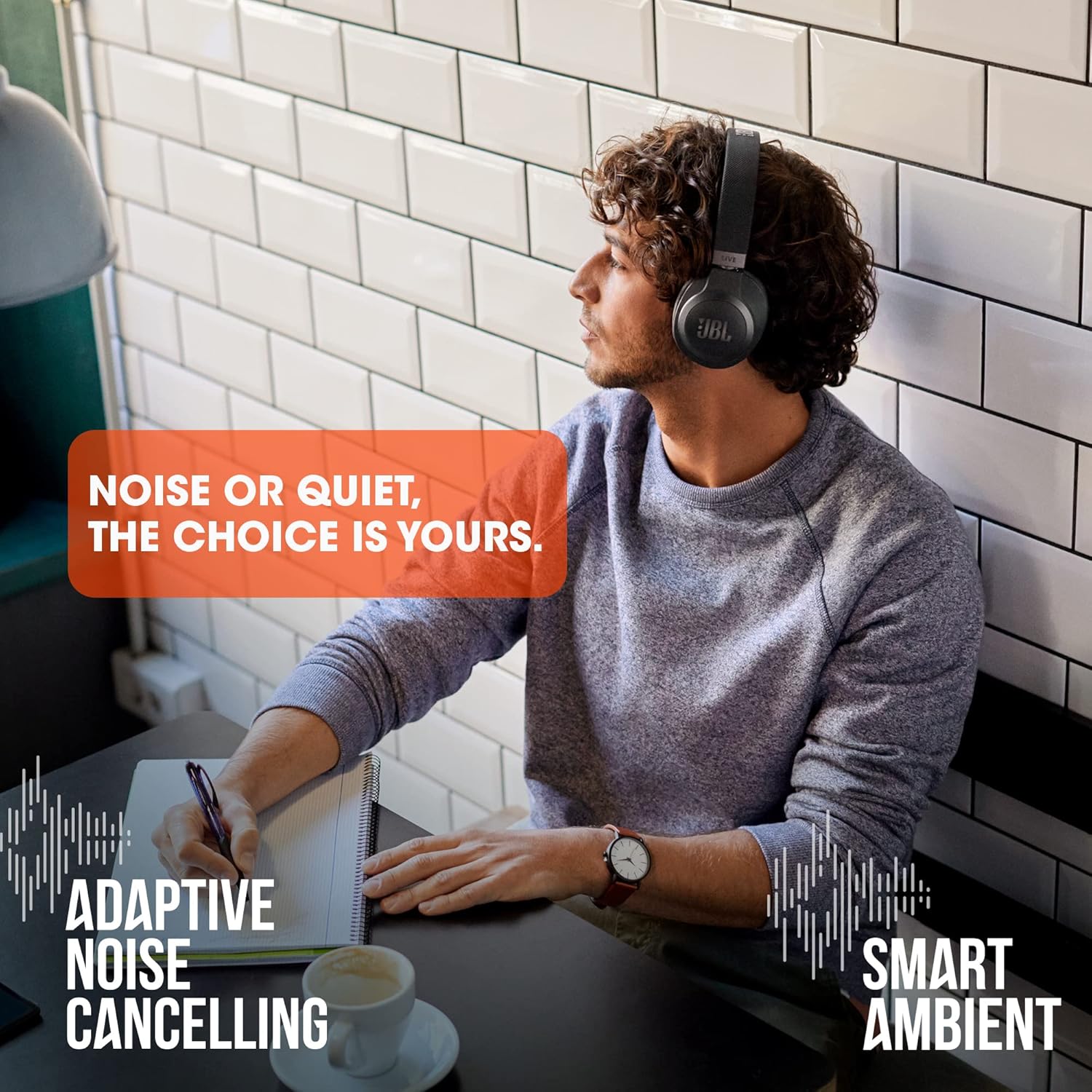
Image: A man wearing the black JBL Live 660NC headphones, illustrating the noise cancellation and ambient sound features.
Wired Connection
For situations where wireless connectivity is not desired or the battery is depleted, you can use the provided detachable audio cable to connect the headphones to any device with a 3.5mm audio jack. This allows for continued audio playback even without battery power.
Official Product Video
Video: An official product summary video for the JBL Live 660NC headphones, demonstrating key features and design.
Maintenance
Cleaning
To maintain the performance and appearance of your headphones, regularly wipe the earcups and headband with a soft, dry cloth. Avoid using harsh chemicals or abrasive materials. For deeper cleaning, a slightly damp cloth can be used, ensuring no moisture enters the speaker grilles or charging port.
Storage
When not in use, store your JBL Live 660NC headphones in the provided carrying pouch to protect them from dust, scratches, and minor impacts. Store in a cool, dry place away from direct sunlight and extreme temperatures.

Image: The JBL Live 660NC headphones folded compactly, ready for storage in their carrying pouch.
Battery Care
To prolong battery life, avoid fully discharging the headphones frequently. Charge them regularly, even if not in constant use. Store the headphones with a partial charge (around 50%) if they will not be used for an extended period.
Troubleshooting
| Problem | Possible Cause | Solution |
|---|---|---|
| Headphones do not power on. | Low battery. | Charge the headphones using the provided USB-C cable. |
| Cannot pair via Bluetooth. | Headphones not in pairing mode; device Bluetooth off; interference. | Ensure headphones are in pairing mode (flashing blue LED). Turn Bluetooth off/on on your device. Move closer to the device and away from other wireless signals. |
| No sound or low volume. | Volume too low; incorrect audio source; headphones not connected. | Increase volume on both headphones and connected device. Verify correct audio output on your device. Re-establish Bluetooth connection or use the wired audio cable. |
| Noise Cancelling not effective. | ANC not activated; poor earcup seal. | Ensure ANC is activated. Adjust headphones for a snug fit over your ears to create a proper seal. |
| Auto-pause/resume is too sensitive. | Sensor sensitivity. | Adjust sensor settings or disable auto-pause/resume via the JBL Headphones App. |
For further assistance and advanced settings, download and utilize the official JBL Headphones App available for your smartphone.
Specifications
| Feature | Detail |
|---|---|
| Model Name | JBL LIVE 660NC - Black |
| Noise Control | Active Noise Cancellation |
| Frequency Response | 20 Hz - 20,000 Hz |
| Headphones Jack | 3.5 mm Jack |
| Connectivity Technology | USB, Bluetooth 5.0 |
| Battery Life | Up to 50 hours (ANC off), Up to 40 hours (ANC and BT on) |
| Charging Time | 2 Hours (10 min charge for 4 hours fun) |
| Item Weight | 265 Grams (9.3 ounces) |
| Product Dimensions | 6.93 x 3.94 x 7.48 inches |
| Earpiece Shape | Over-ear cups |
| Material | Plastic |
| UPC | 050036379755 |
Warranty and Support
JBL products are designed for durability and performance. For detailed warranty information specific to your region, please refer to the Warranty/Warning document included in your product packaging or visit the official JBL support website.
You can also find additional user guides and support resources online:
- User Guide (PDF)
- User Manual (PDF)
- For general inquiries or technical support, please visit the JBL Official Store on Amazon or the main JBL website.
Standard return policies typically allow for returns within 30 days of purchase. Extended protection plans may also be available for purchase separately.