
1. Introduction
This manual provides essential information for the safe and efficient operation of your HazeBase Classic² Professional Indoor Fog Machine. Please read these instructions thoroughly before setup, operation, or maintenance to ensure proper use and to prevent damage to the unit or injury to personnel.
The Classic² is a professional-grade fog machine designed for indoor applications, offering powerful output and versatile control options. Its robust design ensures reliability for various uses.
2. Important Safety Instructions
- Indoor Use Only: This fog machine is designed exclusively for indoor environments. Do not use outdoors or in damp conditions.
- Fluid Compatibility: Use only HazeBase brand fog fluids with this machine. Use of other liquids will void the warranty and may cause damage to the unit or create hazardous conditions.
- Electrical Requirements: Ensure the power supply matches the machine's requirements: 110 VAC / 60 Hz / 1700W. Always connect to a grounded outlet.
- Ventilation: Ensure adequate ventilation around the machine during operation to prevent overheating.
- Placement: Position the machine on a stable, level surface. Keep away from flammable materials and ensure the fog output is directed safely.
- Hot Surfaces: The machine's nozzle and surrounding areas become very hot during operation. Avoid direct contact.
- Children and Unauthorized Personnel: Keep the machine out of reach of children and ensure only trained personnel operate the device.
- Maintenance: Disconnect power before performing any maintenance or cleaning.

This image displays a close-up of the product's rear label. It clearly states the electrical requirements as "110 VAC / 60 Hz / 1700W" and emphasizes "indoor use only". A crucial warning is visible: "This fog machine has been designed to be used with original hazebase fog liquid. Use of other liquids will void the warranty." This highlights the importance of using only specified fluids for safety and warranty compliance.
3. Product Overview
The HazeBase Classic² is engineered for professional applications, featuring a compact design and robust performance. Key components include the fluid reservoir, heating element, pump, and control interface.
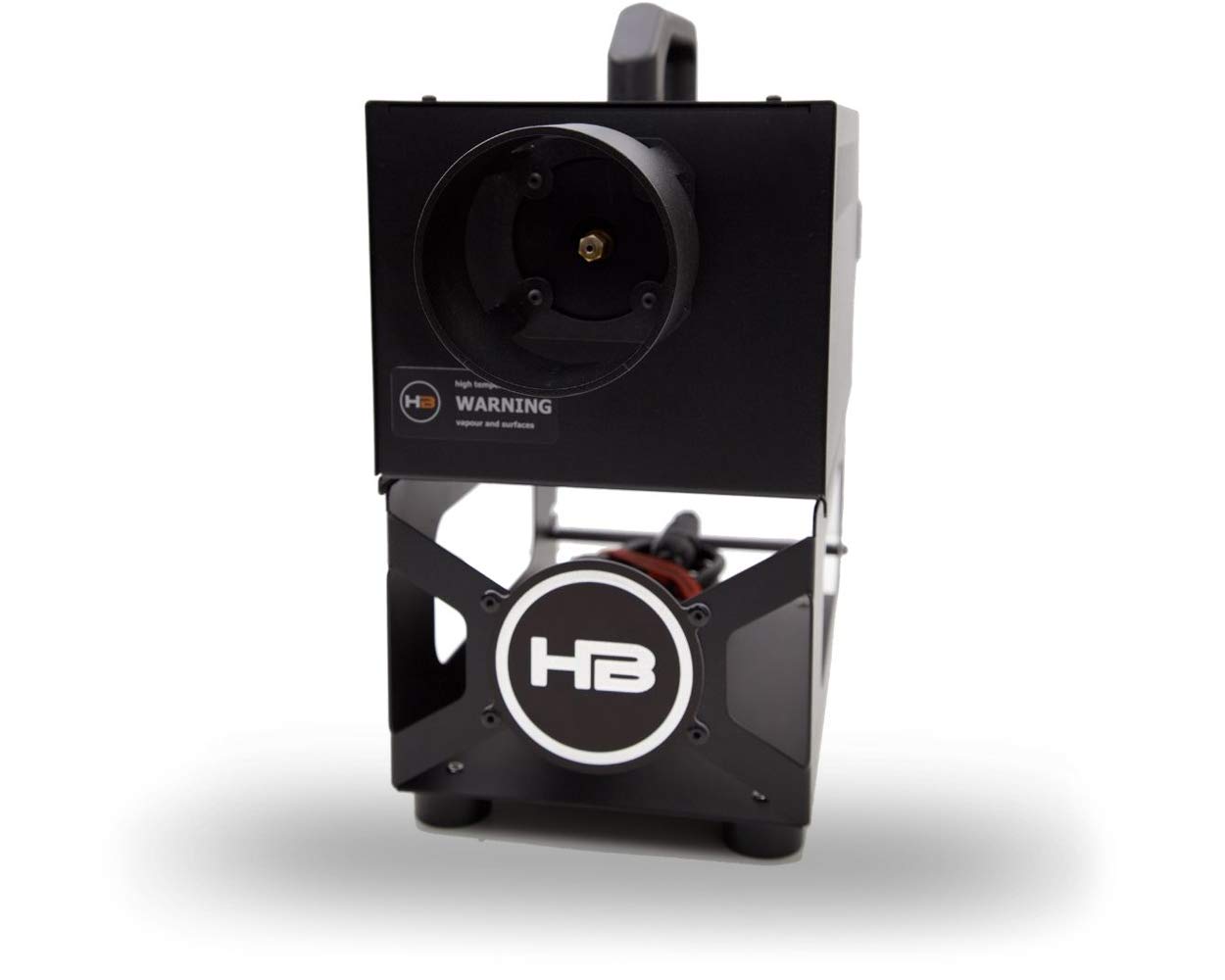
This image shows the overall design of the HazeBase Classic² fog machine. It features a two-part black metal casing with an integrated carrying handle on the top section. The control panel with a digital display and buttons is visible on the top surface. A clear tube, likely for fluid intake, extends from the upper unit down into the lower frame, which is designed to hold a fluid container (not visible). Various ports for power and DMX are visible on the rear panel.
3.1. Control Panel
The integrated control panel allows for direct management of the fog machine's functions. It includes a display and navigation buttons for adjusting settings.

This image provides a detailed view of the HazeBase Classic² control panel. A central digital display shows operational information, such as "Pump 1" and "DMX 70", indicating current settings or status. Surrounding the display are several control buttons: a menu/list icon, a checkmark/confirm button, and up/down arrow buttons for navigation and value adjustment. Labels for "Pump", "Timer", "Options", and "DMX" are visible around the display, indicating different functional areas.
4. Setup
4.1. Unpacking and Inspection
Carefully remove the fog machine from its packaging. Inspect the unit for any signs of damage during transit. If damage is found, contact your supplier immediately.
4.2. Placement
Place the Classic² on a stable, heat-resistant, and non-flammable surface. Ensure there is sufficient space around the machine for proper air circulation. Remember, this unit is for indoor use only.
4.3. Fluid Installation
- Ensure the machine is powered off and unplugged.
- Locate the fluid reservoir compartment.
- Insert the intake tube into a container of HazeBase fog fluid. Ensure the tube reaches the bottom of the container to prevent air intake.
- Secure the fluid container in its designated position within the machine's frame.
Warning: Only use HazeBase fluids. Using other fluids can damage the pump and heating element, and will void your warranty.
4.4. Power Connection
Connect the power cable to the machine's power inlet and then to a grounded 110 VAC / 60 Hz power outlet. Verify that the power supply meets the machine's 1700W requirement.
4.5. Control Connections (Optional)
For external control, connect your DMX512 controller to the DMX In port. If using RDM, Modbus RTU, or a wired/wireless remote, refer to the specific instructions for those accessories. The machine supports DMX512, RDM, Modbus RTU, and JT remote control.
5. Operating Instructions
5.1. Powering On and Warm-up
- Ensure all connections are secure and the fluid reservoir is properly installed.
- Switch on the main power. The machine will begin its warm-up cycle.
- The display will indicate the warm-up status. The Classic² typically reaches operational temperature in less than 12 minutes.
- Once ready, the display will show "Ready" or a similar indication, and the machine will be prepared to produce fog.
5.2. Fog Output Control
The Classic² offers variable fog output. You can control the intensity and duration through the onboard control panel or an external controller.
- Onboard Control: Use the menu and arrow buttons on the control panel (Figure 3.2) to adjust pump settings, timer functions, and other options.
- DMX Control: If connected to a DMX controller, refer to your DMX controller's manual and the Classic² DMX chart (typically found in a separate DMX supplement or on the manufacturer's website) to assign channels and control fog output.
- Continuous Operation: The unit can run continuously at 20% output. Higher outputs may require brief pauses for the heating element to recover.
5.3. Fluid Consumption
Fluid consumption rates vary depending on the output setting:
- At maximum output: approximately 240 ml/min.
- At 1% output: approximately 35 ml/min.
6. Maintenance
Always disconnect the power supply before performing any maintenance.
6.1. Regular Cleaning
- Exterior: Wipe the exterior of the machine with a soft, damp cloth. Do not use abrasive cleaners or solvents.
- Nozzle: Periodically check the fog nozzle for any blockages. If blockages occur, gently clean with a small brush or compressed air after ensuring the unit is cool and unplugged.
6.2. Fluid System Maintenance
To ensure longevity and optimal performance, it is recommended to run a cleaning solution (specifically designed for fog machines, if available from HazeBase) through the system periodically, especially if the machine will be stored for an extended period.
6.3. Storage
When storing the machine, ensure it is clean, dry, and free of fluid in the lines. Store in a cool, dry place, away from direct sunlight and extreme temperatures.
7. Troubleshooting
This section addresses common issues you might encounter with your Classic² fog machine. For problems not listed here, contact HazeBase support.
| Problem | Possible Cause | Solution |
|---|---|---|
| No fog output |
|
|
| Machine not powering on |
|
|
| Weak or inconsistent fog |
|
|
8. Specifications
| Feature | Detail |
|---|---|
| Model | HB-0835 |
| Power | 1700W, 110 VAC / 60 Hz |
| Warm-up Time | Less than 12 minutes |
| Fluid Consumption (Max) | 240 ml/min |
| Fluid Consumption (1%) | 35 ml/min |
| Continuous Operation | Up to 20% output |
| Control Options | DMX512, RDM, Modbus RTU, JT remote, Onboard Timer, Wired/Wireless controllers |
| Dimensions (L x W x H) | 18.9 x 8.35 x 9.45 inches |
9. Warranty and Support
The HazeBase Classic² Professional Indoor Fog Machine comes with a manufacturer's warranty. Please note that the use of any fog fluid other than official HazeBase fluids will void this warranty. For specific warranty terms and conditions, please refer to the documentation provided with your purchase or visit the official HazeBase website.
For technical support, service, or inquiries regarding replacement parts, please contact your authorized HazeBase dealer or the manufacturer directly. Contact information can typically be found on the HazeBase official website.