
1. Introduction
Thank you for choosing the VONROC 20V Cordless Grass Trimmer GT501. This manual provides essential information for the safe and efficient operation, assembly, maintenance, and troubleshooting of your new tool. Please read this manual thoroughly before use and keep it for future reference.
The VONROC 20V Cordless Grass Trimmer is designed for trimming grass and weeds in areas inaccessible to lawnmowers, such as around trees, fences, and along edges. Its cordless design offers freedom of movement without the hassle of power cords.
2. Safety Instructions
WARNING: Always wear safety glasses to protect against projected debris. Maintain a safe distance from people and objects during operation. Do not use on slippery or unstable surfaces.
- Read all instructions carefully before operating the tool.
- Keep hands and feet away from the cutting line.
- Ensure the battery is fully charged before use.
- Remove the battery before cleaning, maintenance, or when not in use.
- Do not operate the trimmer in wet conditions or rain.
- Inspect the cutting line and guard for damage before each use.
- Store the tool in a dry, secure place, out of reach of children.
3. Package Contents
The VONROC 20V Cordless Grass Trimmer GT501 package typically includes the following items:
- VONROC 20V Cordless Grass Trimmer (GT501)
- 20V 2.0 Ah Battery
- Battery Charger
- Safety Guard
- Auxiliary Handle
- Spool with 8m (2x4m) cutting line
- Instruction Manual
4. Setup and Assembly
Follow these steps to assemble your grass trimmer:
4.1 Attaching the Safety Guard
Align the safety guard with the mounting points on the trimmer head. Secure it firmly using the provided screws or clips. Ensure it is properly seated to protect against debris.

Image: Close-up of the trimmer head showing the attached safety guard and cutting line.
4.2 Installing the Auxiliary Handle
Slide the auxiliary handle onto the main shaft. Adjust its position for comfortable operation and tighten the locking mechanism.

Image: The complete VONROC GT501 grass trimmer, illustrating the main components including the handle and battery.
4.3 Charging and Installing the Battery
Insert the 20V battery into the charger and plug the charger into a power outlet. The indicator light will show charging status. Once fully charged, slide the battery into the designated slot on the trimmer handle until it clicks into place.
5. Operating Instructions
Before starting, ensure all safety precautions are followed and the trimmer is properly assembled.
5.1 Adjusting the Telescopic Lance and Head Angle
The GT501 features a telescopic lance for height adjustment and a rotatable head for various trimming tasks. Loosen the locking collar on the telescopic shaft to extend or retract it to your desired length. Tighten the collar to secure.
To adjust the head angle, press the release button or lever near the trimmer head and rotate the head to the desired position (e.g., for edge trimming). Release the button to lock the head in place.

Image: A detailed diagram illustrating the various angle adjustments and telescopic extension of the trimmer.
5.2 Starting and Stopping the Trimmer
To start, press the safety lock-off button and then squeeze the trigger switch. To stop, release the trigger switch.
5.3 Trimming Techniques
- General Trimming: Hold the trimmer firmly with both hands. Swing the trimmer from side to side, keeping the cutting line parallel to the ground.
- Edge Trimming: Rotate the trimmer head to a vertical position. Use the dual side wheels for stability and guidance along paths or flowerbeds.
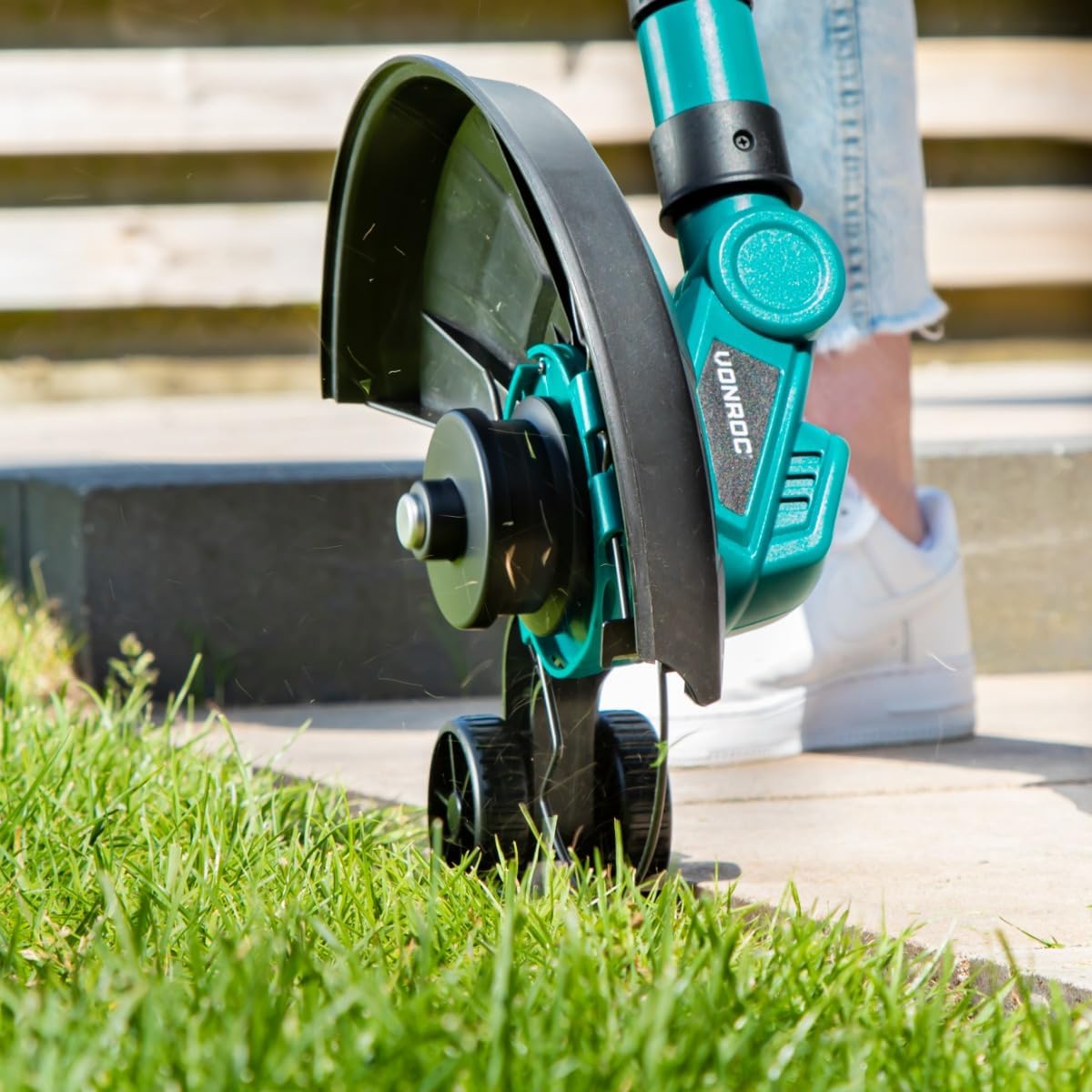
Image: The trimmer in action, demonstrating its use for precise edge trimming with the aid of its dual wheels.

Image: A user operating the trimmer to maintain neat edges in a garden setting.
5.4 Tap & Go Line Feed System
The GT501 features a Tap & Go system for line advancement. To feed more cutting line, gently tap the trimmer head on the ground while the motor is running. The line will automatically extend, and the blade on the guard will cut it to the correct length.
6. Maintenance
Regular maintenance ensures optimal performance and extends the life of your trimmer.
- Cleaning: After each use, remove the battery and clean the trimmer head, guard, and housing with a damp cloth. Remove any grass clippings or debris. Do not use harsh chemicals.
- Line Replacement: When the cutting line runs out, replace the spool with a new one. Refer to the product specifications for the correct line type and diameter.
- Storage: Store the trimmer in a dry, well-ventilated area, away from direct sunlight and extreme temperatures. Ensure the battery is removed for long-term storage.
7. Troubleshooting
If you encounter issues with your VONROC GT501, refer to the following common problems and solutions:
| Problem | Possible Cause | Solution |
|---|---|---|
| Trimmer does not start | Battery not charged or improperly inserted; Safety lock-off not engaged. | Charge battery fully and ensure it is clicked into place. Press safety lock-off before trigger. |
| Cutting line does not feed | Line tangled or empty; Tap & Go not performed correctly. | Tap trimmer head firmly on ground while running. If still no feed, replace spool. |
| Reduced cutting performance | Line too short or worn; Battery low. | Advance cutting line or replace spool. Recharge battery. |
| Excessive vibration | Damaged cutting line or spool; Loose components. | Inspect and replace cutting line/spool if damaged. Check all connections are secure. |
If the problem persists after attempting these solutions, please contact VONROC customer support.
8. Specifications
Detailed specifications for the VONROC 20V Cordless Grass Trimmer GT501:
- Model Number: GT501
- Brand: VONROC
- Power Source: Battery Powered
- Battery Voltage: 20V
- Cutting Width: 25 cm (250 mm)
- Cutting Line: Double line, 8m total (2x4m)
- Weight: 2.3 Kilograms
- Product Dimensions (L x W x H): 1 x 1 x 12.7 cm (Note: These dimensions seem to be for packaging or a component, not the full assembled tool.)
- Features: Telescopic Lance, Tap & Go System, Dual Side Wheels, Rotatable Head
9. Warranty and Support
VONROC products are manufactured to high-quality standards. For information regarding warranty coverage, product registration, or technical support, please refer to the warranty card included with your purchase or visit the official VONROC website. Keep your proof of purchase for any warranty claims.
For direct assistance, please contact VONROC customer service through their official channels.