
Product Overview
The ANDTOBO USB to Aux Audio Adapter is designed to enable playback of MP3 music files from a USB flash drive through your car's AUX input or older speaker systems with a 3.5mm connector. This adapter acts as an MP3 decoder, converting digital audio from your USB drive into an analog signal for your audio system.

Image: The ANDTOBO USB to Aux Audio Adapter connected to a car's AUX input, with a USB flash drive inserted.
Important Notes and Compatibility
- The device must be connected to a power source during use (a USB-C cable is supplied for this purpose).
- Only compatible with car audio systems (AUX connector) and older speaker systems with 3.5mm connectors.
- This adapter supports audio playback only and operates unidirectionally (does not support reverse operation).
- Only supports MP3 music format. No additional decoding by the car is required.
- USB flash drives must be formatted as FAT32 or exFAT. NTFS formatted USB drives are not supported. A small capacity USB flash drive (e.g., 8GB) is recommended.
- Does not charge external devices.
- Is not a signal converter.
Not Compatible With:
- USB Headphones
- Microphones
- Bluetooth speakers
- Mobile phones
- Laptops/PCs
- Connecting USB speakers to a TV
- iPods or devices requiring decoding
- Cameras

Image: Visual summary of important notes and incompatible devices for the adapter.
Setup and Installation
Follow these steps to set up your ANDTOBO USB to Aux Audio Adapter:
- Prepare your USB Flash Drive: Ensure your USB flash drive contains only MP3 music files and is formatted to FAT32 or exFAT.
- Connect USB Flash Drive: Insert your prepared USB flash drive into the USB female port of the adapter.
- Connect Power: Connect the adapter to a USB power source using the supplied USB-C cable. This can be a car's USB port (if available and provides power) or a USB car charger.
- Connect to AUX Input: Plug the 3.5mm male AUX plug of the adapter into the AUX input of your car's audio system or speaker system.

Image: Detailed diagram showing the adapter's ports and connections.

Image: The adapter correctly installed in a car's center console, ready for music playback.
Setup Demonstration Video
Video: This video demonstrates how to connect the ANDTOBO USB to Aux Audio Adapter to a car stereo system and play music from a USB drive.
Operating Instructions
Once the adapter is correctly connected and powered, it will automatically begin playing MP3 files from the inserted USB flash drive. The adapter features control buttons for basic playback functions:
- Power ON/OFF: Press the power button to turn the device on or off.
- Volume Up/Next Track: Use the "Voice+" button to increase volume or skip to the next track.
- Volume Down/Previous Track: Use the "Voice-" button to decrease volume or go to the previous track.
- Play/Pause: Use the play/pause button to start or pause playback.
The specific functionality of these buttons may vary slightly depending on your car's audio system and how it interacts with external AUX devices. For optimal control, use the buttons directly on the adapter.
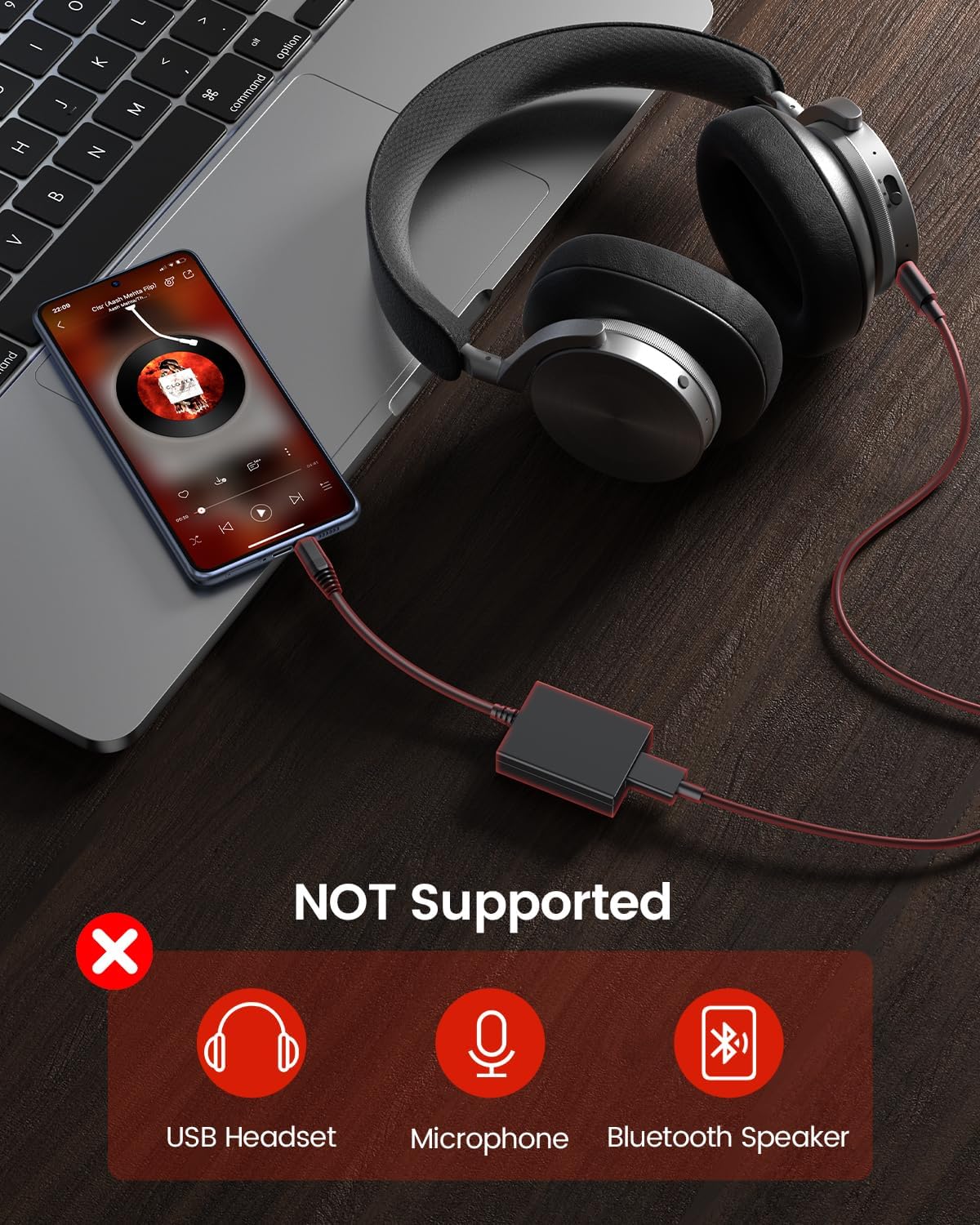
Image: Close-up view of the adapter highlighting the power, volume, and track control buttons.
Specifications
| Feature | Detail |
|---|---|
| Brand | ANDTOBO |
| Model Number | 770523119595 |
| Connector Type | 3.5mm Male to USB Female |
| Compatible Devices | Car Audio, Older Speaker Systems with 3.5mm AUX |
| Supported USB Formats | FAT32, exFAT (NTFS not supported) |
| Supported Audio Format | MP3 only |
| Power Source | USB-C (cable included) |
| Length | 10.8 inches (27.6 cm) |
| Width | 1.65 inches (4.2 cm) |
| Item Weight | 1.58 ounces |
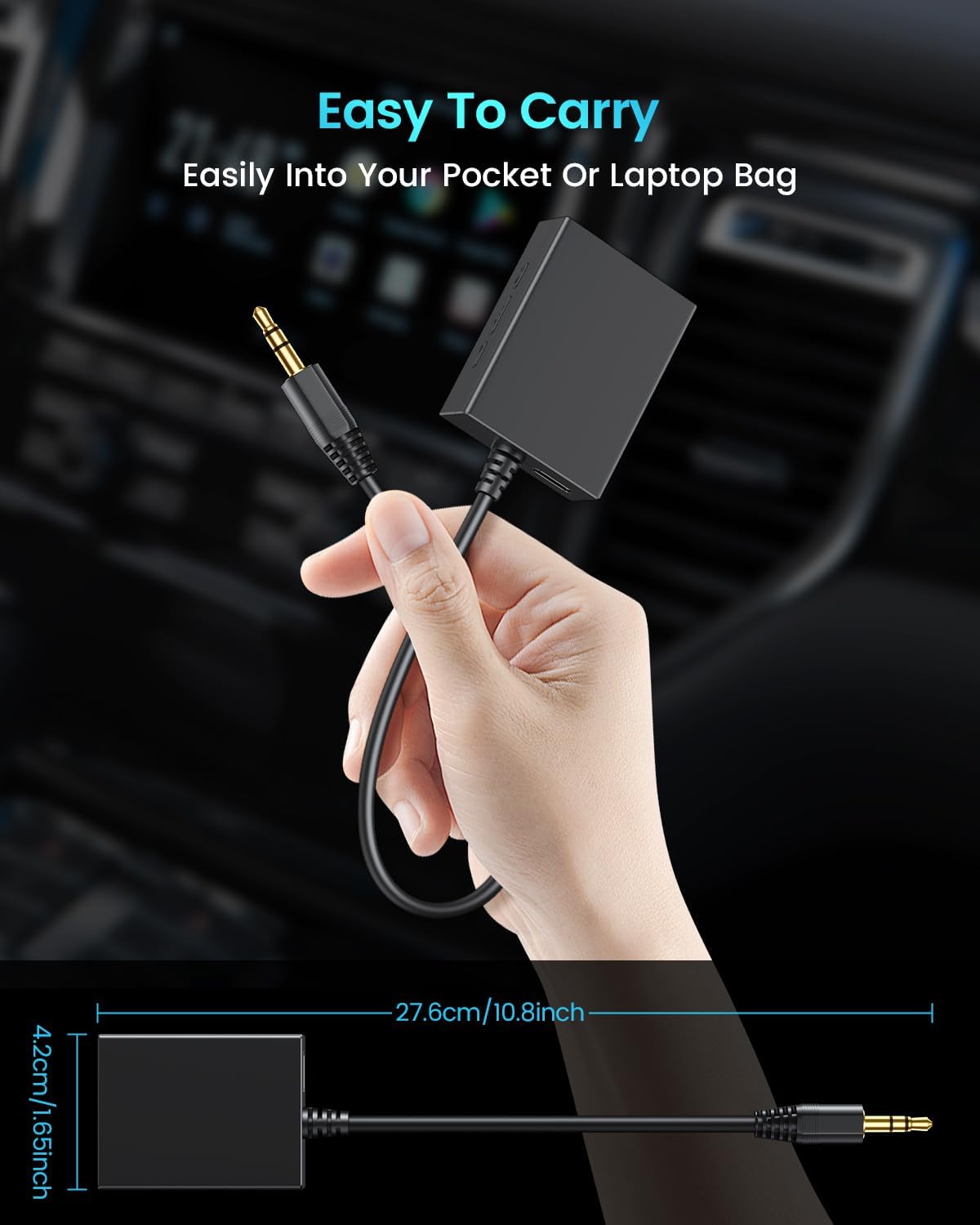
Image: The adapter with its physical dimensions indicated.
Troubleshooting
- No Sound:
- Ensure the adapter is properly powered via the USB-C cable. The indicator light should be on.
- Verify the 3.5mm AUX plug is fully inserted into your car's AUX input.
- Check your car stereo's input source and ensure it is set to AUX.
- Confirm the USB flash drive contains MP3 files and is formatted to FAT32 or exFAT.
- Increase the volume on both the adapter and your car stereo.
- Music Not Playing:
- Make sure the USB flash drive is securely inserted into the adapter's USB port.
- Check if the music files are indeed in MP3 format. Other formats are not supported.
- Try a different USB flash drive, preferably a small capacity one (e.g., 8GB) formatted to FAT32.
- Ensure the adapter is receiving power.
- Poor Audio Quality:
- Ensure all connections are secure and free from debris.
- Test with a different USB flash drive and different MP3 files to rule out file corruption.
- Adjust the volume levels on both the adapter and your car stereo to avoid distortion.
- Adapter Buttons Not Responding:
- Ensure the adapter is powered on and actively playing music.
- Some car stereos might override external controls; try controlling playback directly from the adapter.
Warranty and Support
ANDTOBO products are designed for reliability and performance. This product comes with a standard manufacturer's warranty against defects in materials and workmanship under normal use. Please refer to the product packaging or the official ANDTOBO website for specific warranty terms and conditions.
For technical support, troubleshooting assistance, or warranty claims, please contact ANDTOBO customer service through the retailer where you purchased the product or visit the official ANDTOBO support channels.
Contact Information:
- Visit the ANDTOBO Store on Amazon for more information and support.