
Introduction
Thank you for choosing the tomons LED E-reading Monitor Lamp. This manual provides essential information for the safe and efficient use of your new monitor lamp. Please read these instructions carefully before installation and operation, and retain them for future reference.
Safety Instructions
- Ensure the power supply voltage matches the lamp's requirements (DC 5V/1A).
- Do not disassemble or modify the lamp. This may cause damage or electric shock.
- Keep the lamp away from water and high humidity environments.
- Avoid direct eye exposure to the LED light for extended periods.
- Clean the lamp with a soft, dry cloth. Do not use abrasive cleaners or solvents.
- This lamp is designed for indoor use only.
Package Contents
Verify that all components are present in the package:
- tomons LED E-reading Monitor Lamp (Model LP01006-BK)
- USB Power Cable
- User Manual
Setup
1. Attaching the Lamp to Your Monitor
The tomons monitor lamp is designed for easy installation directly onto your computer monitor, saving valuable desk space. It is suitable for displays with a thickness between 10-40 mm.

Image: The monitor lamp features an adjustable clamp suitable for monitors 10-40 mm thick. The maximum adjustment angle for the light bar is 35 degrees, and the clamp can open up to 90 degrees.
- Gently open the lamp's clamp to fit over the top edge of your monitor.
- Position the lamp centrally on your monitor. Ensure it is stable and securely attached.
- Adjust the angle of the light bar to direct illumination onto your desktop, avoiding glare on the screen. The maximum adjustment angle is 35 degrees.
2. Power Connection
Connect the provided USB power cable to the lamp's USB port. Plug the other end into a DC 5V/1A USB power source, such as a computer USB port, a USB wall adapter, or a power bank.

Image: The lamp is powered via a USB cable, compatible with various 5V/1A USB power sources.
Operating Instructions
The tomons monitor lamp features intuitive touch controls for easy adjustment of brightness and color temperature.

Image: The lamp's touch control panel includes buttons for power, brightness adjustment, color temperature adjustment, and a memory function.
1. Power On/Off
- Touch the Power button (
 ) to turn the lamp on or off.
2. Brightness Adjustment (Stepless Dimming)
The lamp offers stepless brightness adjustment from 5% to 100%.

Image: Stepless dimming allows precise brightness control using a touch slider.
- Slide your finger along the touch bar (between '-' and '+') to increase or decrease the brightness.
3. Color Temperature Adjustment
Choose from three color temperature settings: Warm (3000K), Natural (4000K), and White (5000K).

Image: The lamp offers three distinct color temperatures: Warm (3000K), Natural (4000K), and White (5000K).
- Touch the Color Temperature Adjustment button (often indicated by a sun icon or similar, or part of the main touch bar) to cycle through the three color temperature modes.
4. Brightness Memory Function
The lamp automatically remembers your last used brightness setting. When you turn the lamp on again, it will resume with the previously selected brightness level.
- To activate or deactivate the memory function, touch the Memory button (indicated by 'M').
5. Glare-Free and Eye-Friendly Lighting
The asymmetrical optical design of the tomons monitor lamp illuminates only your desktop area, preventing glare and flicker on your computer screen. This design helps reduce eye strain during prolonged use.
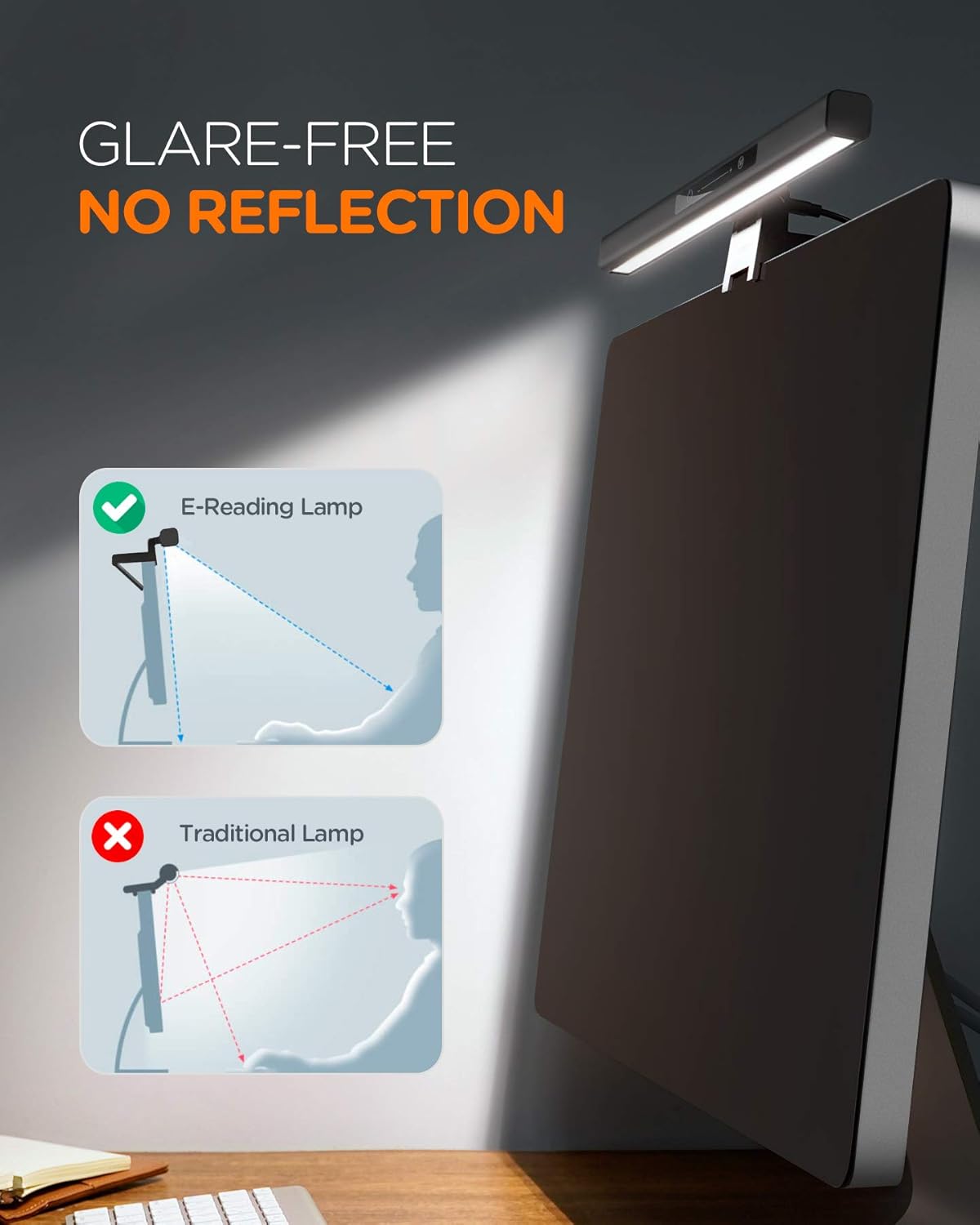
Image: Comparison illustrating the glare-free illumination provided by the E-reading lamp, directing light onto the desk without reflecting off the screen, unlike traditional lamps.
Maintenance
- Cleaning: Disconnect the power before cleaning. Use a soft, dry cloth to wipe the lamp. Do not use liquid or aerosol cleaners.
- Storage: If not in use for an extended period, store the lamp in a dry, cool place.
- Bulb Replacement: The LED light source is integrated and not user-replaceable.
Troubleshooting
| Problem | Possible Cause | Solution |
|---|---|---|
| Lamp does not turn on. | No power connection or faulty power source. |
|
| Brightness or color temperature cannot be adjusted. | Touch controls unresponsive. |
|
| Lamp flickers. | Unstable power supply. |
|
Specifications
| Brand | tomons |
| Model Number | LP01006-BK |
| Product Dimensions | 46 x 10.49 x 5.31 cm |
| Weight | 820 g |
| Color | Black |
| Material | Plastic |
| Light Source Type | LED |
| Power Input | DC 5V/1A |
| Output Power | 4.5W |
| Color Temperatures | 3000K (Warm), 4000K (Natural), 5000K (White) |
| Dimming | Stepless (5% - 100%) |
| Switch Style | Touch Control |
| Monitor Thickness Compatibility | 10-40 mm |
Warranty and Support
For warranty information or technical support, please refer to the contact details provided with your purchase or visit the official tomons website. Keep your proof of purchase for warranty claims.