
JCYWFLODY LEDZOOM 1915F
19x15W Zoom Beam Wash Moving Head Light
Brand: JCYWFLODY | Model: LEDZOOM 1915F (ASIN: B091327H7G)
Introduction
This instruction manual provides essential information for the safe and efficient operation of your JCYWFLODY 19x15W Zoom Beam Wash Moving Head Light. This stage moving wash light features a linear zoom from 8°-50°, offering smooth and even color mixing through its highly efficient optic system. It is designed to create sharp beam effects and dynamic arrays of colors and hues, making it ideal for TV studios, live concerts, road shows, and clubs.
Key Features
- Linear zoom capability from 8° to 50° for versatile beam control.
- Smooth and even color mixing achieved through a specific optic system with highly efficient elements.
- Equipped with 19 pieces of 15W LEDs, enabling sharp beam effects even at the smallest angles.
- Emphasizes a dynamic array of colors and hues for vibrant lighting displays.
- Flicker-free operation, suitable for professional video and broadcast environments.
- Lightweight and compact design, making it ideal for various applications including TV studios, live concerts, road shows, and clubs.
Product Components
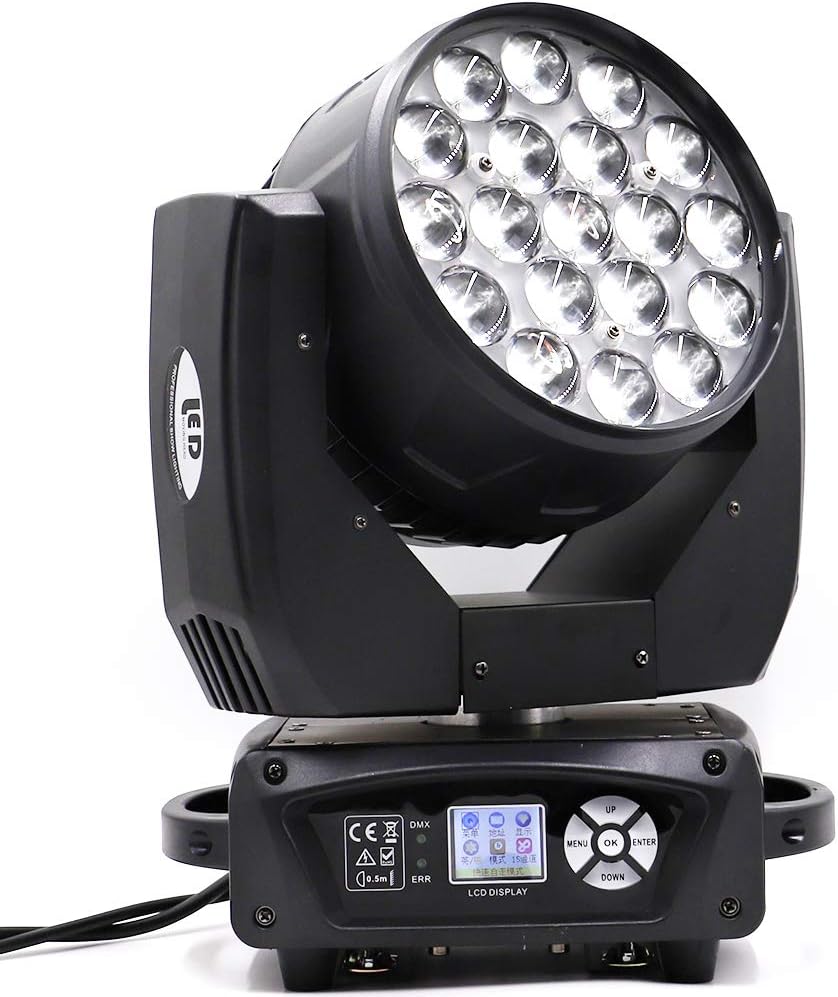
Overall Unit: This image displays the complete moving head light fixture, highlighting its compact and robust design. The front features the array of 19 LED lenses, while the base houses the control panel and mounting points.
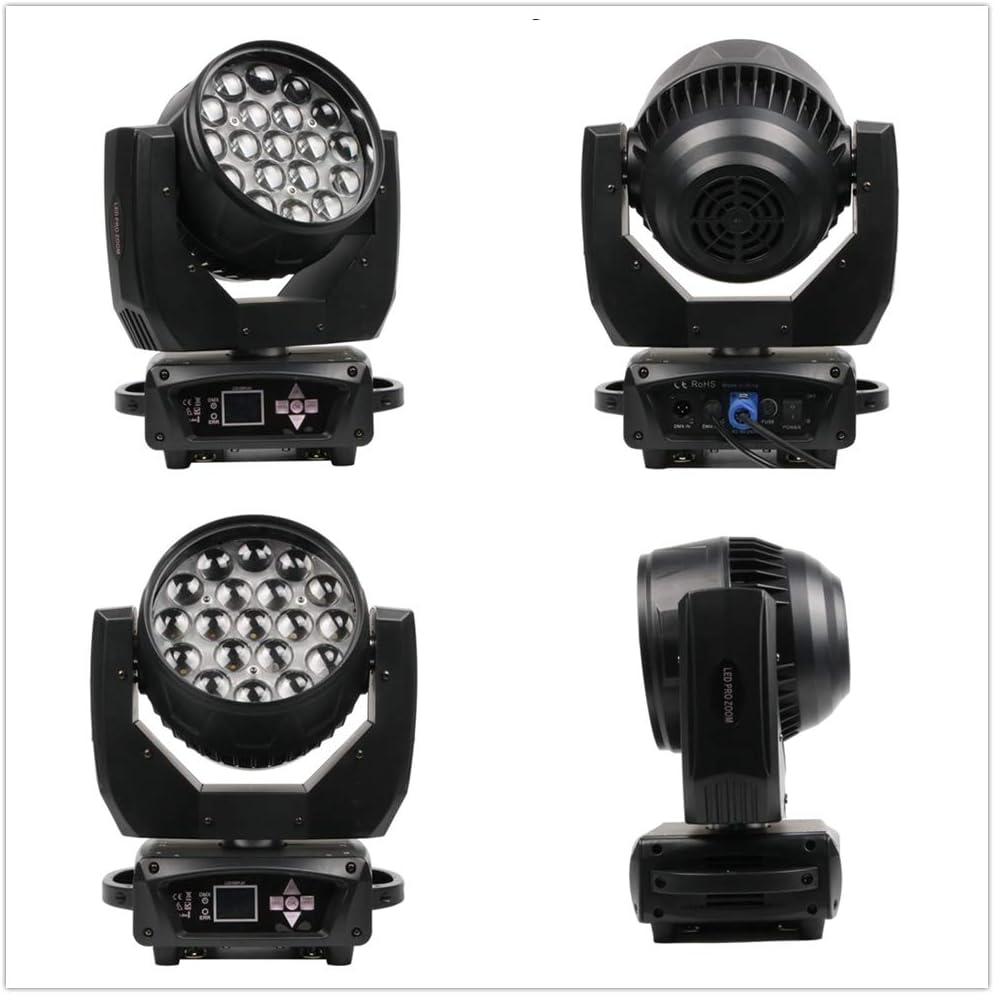
Multi-Angle View: Showcasing the device from various perspectives, including the front, side, and rear. This helps in identifying the physical dimensions and the placement of different components like cooling vents and handles.
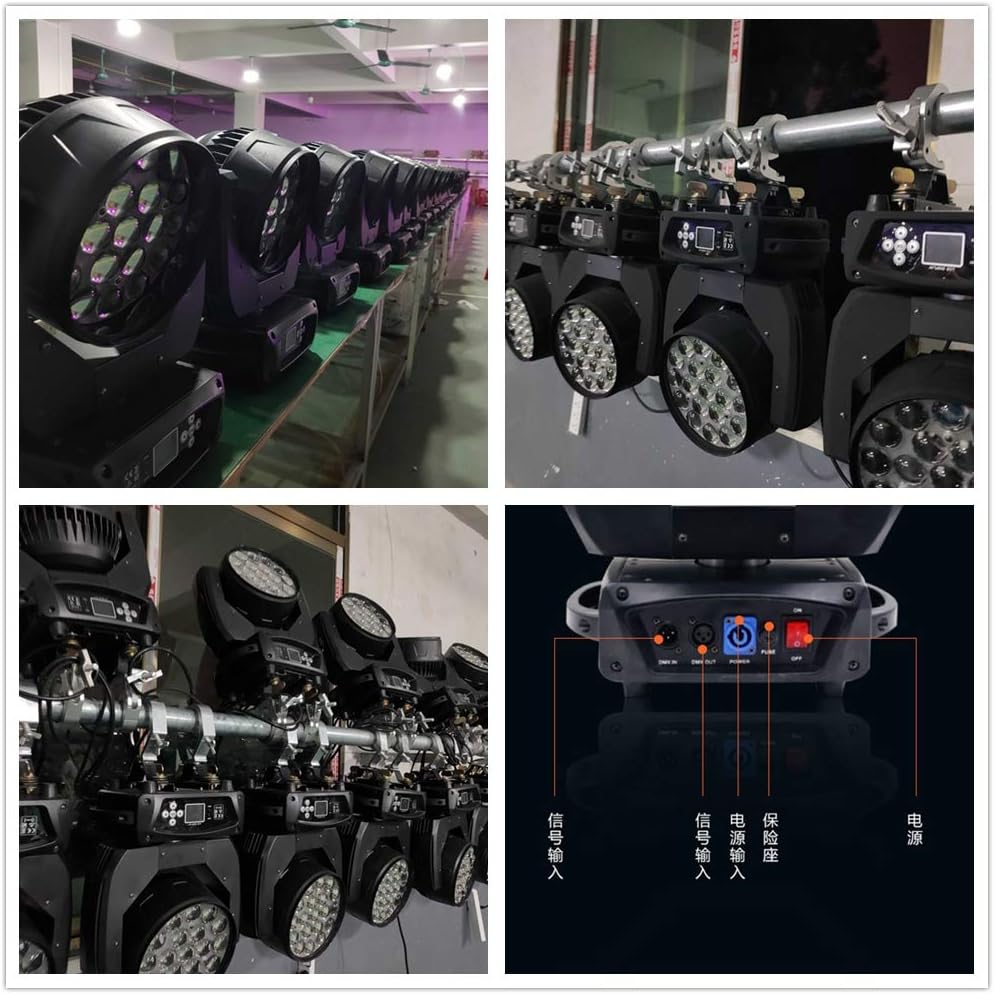
Connection Panel: A detailed view of the rear panel, illustrating the power input/output (PowerCON type) and DMX input/output ports. This section is crucial for understanding how to connect the light to power and control systems.
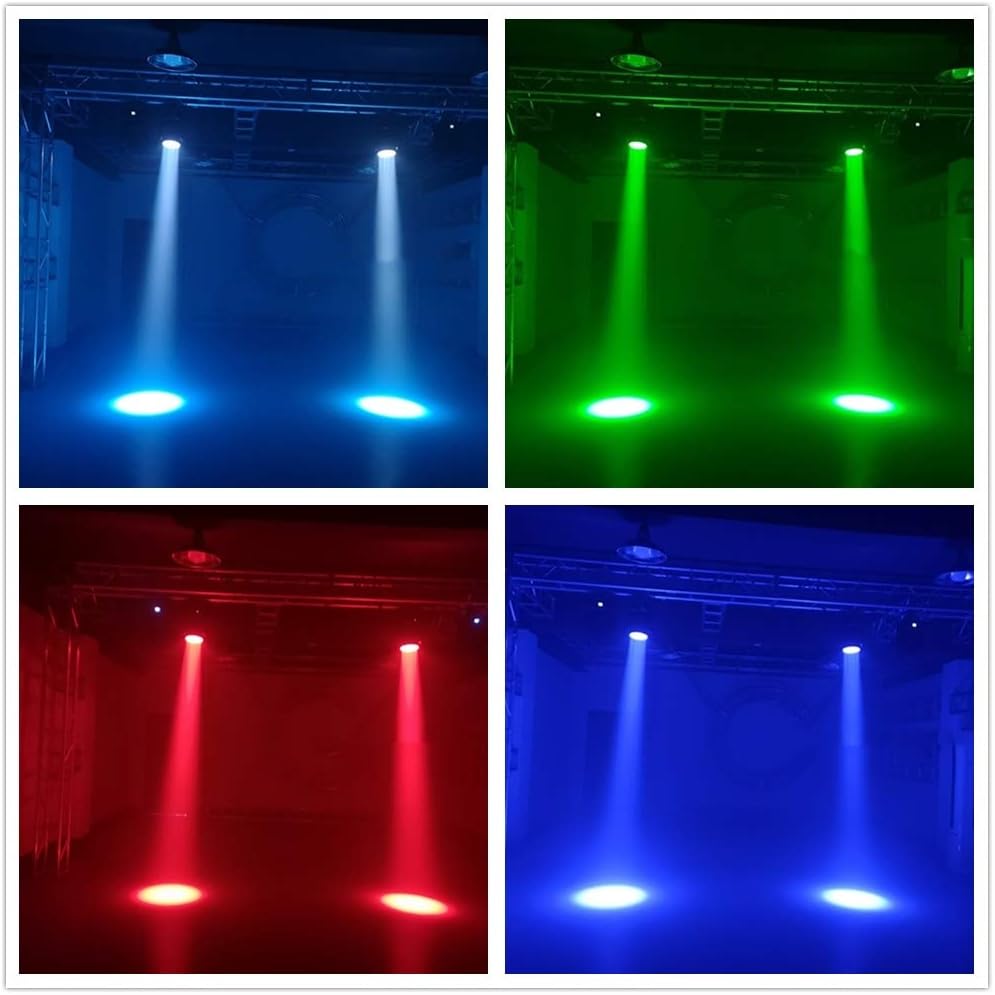
Beam Effects: This image demonstrates the light's ability to produce sharp, defined beams in various colors, showcasing its versatility for creating dynamic stage lighting effects.
Setup Instructions
- Unpacking: Carefully remove the fixture from its packaging. Inspect for any signs of damage during transit. Retain original packaging for future transport or storage.
- Mounting: The fixture is designed for floor mounting or truss mounting. For truss mounting, use appropriate clamps (not included) with the designated mounting points on the base. Ensure the fixture is securely fastened to prevent accidental falls. Note that this is a two-clamp rigging light if you intend to hang it upside down or slanted.
- Power Connection: Connect the power cable to the "Power In" port on the rear of the fixture. Ensure the power source matches the specified voltage (260 Volts). If linking multiple units, use the "Power Out" port to connect to the next fixture. Note: Some units may have reversed labeling for "Power In" and "Power Out" ports. Always verify the correct connection.
- DMX Connection: For DMX control, connect a DMX cable from your DMX controller to the "DMX In" port of the first fixture. If linking multiple fixtures, connect from the "DMX Out" of the first fixture to the "DMX In" of the next.
- Initial Power-On: Once all connections are secure, power on the fixture. The LCD display on the base will illuminate, indicating the unit is ready for operation.
Operating the Light
The JCYWFLODY 19x15W Zoom Beam Wash Moving Head Light can be operated via its onboard LCD display or an external DMX controller.
Onboard Control (LCD Display)
The intuitive LCD display allows for direct control over various functions. Use the MENU, UP, DOWN, and ENTER buttons to navigate through settings such as DMX address, operating modes (e.g., Sound Active, Auto, Master/Slave), and basic color/intensity adjustments. Refer to the on-screen prompts for specific parameter adjustments.
DMX Control
For advanced control and integration into larger lighting setups, use a DMX controller. The fixture supports DMX control, allowing precise manipulation of its features:
- Pan/Tilt: Control the horizontal (pan) and vertical (tilt) movement of the head for dynamic positioning.
- RGBW Color Mixing: Adjust the intensity of Red, Green, Blue, and White LEDs to create a vast spectrum of colors.
- Zoom: Control the linear zoom from 8° (narrow beam) to 50° (wide wash) to adjust the spread of the light.
- Dimmer: Adjust the overall intensity of the light output from 0% to 100%.
- Strobe: Activate and control the speed of the strobe effect.
- Internal Programs: Select and activate built-in automated programs for quick and easy light shows.
Note: The DMX channel layout in some manuals may be incorrect. Verify channel assignments through testing or consult updated documentation if available. For example, Channel 6 is typically Intensity and Channel 7 is Strobe.
Maintenance
Regular maintenance ensures the longevity and optimal performance of your moving head light.
- Cleaning: Periodically clean the exterior of the fixture with a soft, dry cloth. For lenses, use a soft, lint-free cloth and a specialized lens cleaning solution. Avoid abrasive cleaners.
- Fan and Vents: Ensure that the cooling fans and ventilation openings are free from dust and debris. Blocked vents can lead to overheating and reduced lifespan. Use compressed air to clear dust if necessary.
- Cable Inspection: Regularly check all power and DMX cables for any signs of wear, cuts, or damage. Replace damaged cables immediately to prevent electrical hazards.
- Storage: When not in use, store the fixture in its original packaging or a suitable flight case in a dry, dust-free environment.
Troubleshooting
| Problem | Possible Cause | Solution |
|---|---|---|
| Fixture does not power on. | No power, faulty cable, blown fuse. | Check power connection, test cable, replace fuse (located near power input). |
| No DMX control. | Incorrect DMX address, faulty DMX cable, DMX terminator missing, incorrect channel mapping. | Verify DMX address on fixture matches controller. Check DMX cables. Use a DMX terminator on the last fixture. Consult manual for correct channel layout. |
| Light output is dim or inconsistent. | Overheating, dirty lenses, low power. | Ensure proper ventilation. Clean lenses. Verify stable power supply. |
| Fan is excessively loud. | Normal operation (some fan noise is expected), dust accumulation. | While some noise is inherent, ensure vents are clear of dust. If noise is abnormal, contact support. |
| RDM functionality not working. | Feature not implemented or faulty. | Despite product description, some units may not fully support RDM. Verify with manufacturer if RDM is critical for your setup. |
Technical Specifications
| Attribute | Value |
|---|---|
| Brand | JCYWFLODY |
| Model | LEDZOOM 1915F |
| ASIN | B091327H7G |
| Color | Color Mixing |
| Light Source Type | Light Emitting Diode (LED) |
| Number of Light Sources | 19 |
| Light Source Wattage (per LED) | 15 Watts |
| Maximum Compatible Light Source Wattage | 285 Watts |
| Power Source | Corded Electric |
| Voltage | 260 Volts |
| Amperage | 1.14 Amps |
| Zoom Angle | 8° - 50° |
| Material | Plastic, Metal |
| Item Weight | 20.1 pounds |
| Package Dimensions | 18.2 x 15 x 11.2 inches |
| Mounting Type | Floor Mount |
Warranty and Support
For information regarding product warranty, technical support, or service inquiries, please refer to the contact details provided with your purchase documentation or visit the official JCYWFLODY website. Keep your proof of purchase for warranty claims.
Ask a question about this manual
Ask about setup, troubleshooting, compatibility, parts, safety, or missing instructions. Manuals+ will review the question and use this page’s manual context to help answer it.