
Introduction
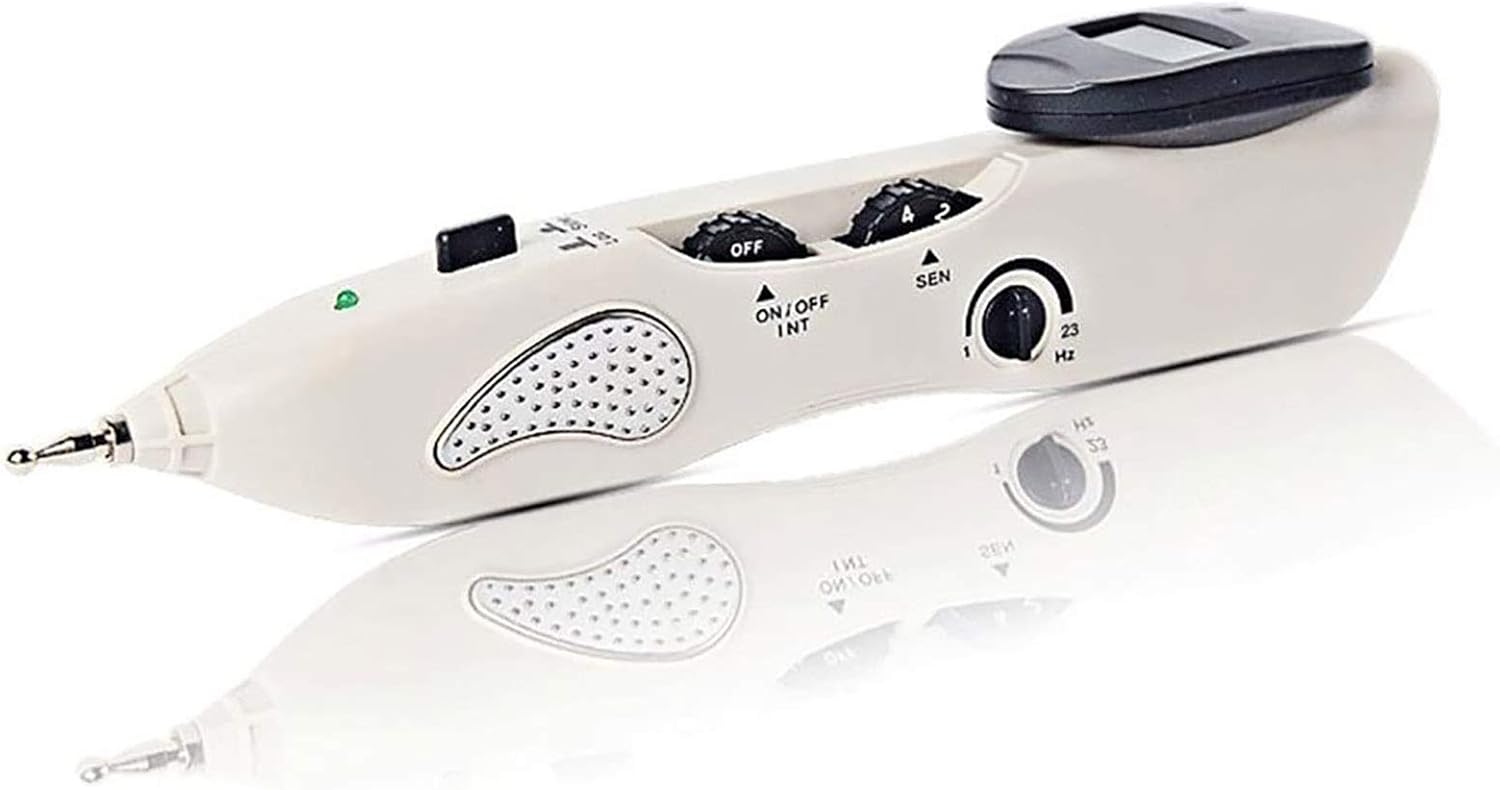
Image: The Better Angel HM Meridian Energy Acupuncture Pen.
The Better Angel HM Meridian Energy Acupuncture Pen offers a needle-free alternative for experiencing the benefits of acupuncture. This electronic device is designed for convenient use at home or in the office, providing functional pain relief through meridian energy massage.
This manual provides detailed instructions for the safe and effective operation of your Meridian Energy Acupuncture Pen.
Key Features
- Needle-Free Acupuncture: Delivers electrical impulses to massage meridians and acupuncture points without skin penetration.
- Smart Point Detection: Automatically detects meridian energy points with adjustable sensitivity, intensity, and frequency controls.
- Portable Design: Lightweight and compact, suitable for use while traveling or during a long workday.
- User Feedback: Features an audible signal and display screen to indicate successful acupuncture point localization.
- Adjustable Settings: Allows for customization of intensity and frequency for personalized treatment.
Package Contents

Image: Overview of the Meridian Energy Acupuncture Pen and its included accessories within a foam-lined case.
- Meridian Energy Acupuncture Pen
- Beauty Probe (Dome Type)
- Acupuncture Probe (Node Type)
- Conductive Bar
- Charging Wire (USB)
- Power Adapter
- Storage Case
Setup Guide
- Charge the Device: Before first use, fully charge the Meridian Energy Acupuncture Pen using the provided charging wire and power adapter. The charging indicator light will show the charging status.
- Select a Probe: Choose the appropriate probe for your treatment. The dome-type probe is generally used for facial beauty and superficial therapy, while the node-type probe is for precise point therapy.
- Attach the Probe: Securely screw the selected probe onto the tip of the pen.

Image: The pen tip with various interchangeable probes for different applications.
Operating Instructions

Image: Detailed view of the pen's controls: power/intensity, treatment key, display screen, sensitive control, frequency control, probe, and metal conduction area.
- Power On: Turn the "ON/OFF INT" dial to power on the device. This dial also controls the intensity of the electrical pulse. Start with a low intensity setting.
- Adjust Sensitivity: Use the "SEN" dial to adjust the sensitivity for acupuncture point detection. Higher sensitivity may be needed for areas with thicker skin or weaker signals.
- Hold Correctly: Hold the pen with your hand making contact with the metal conduction area to complete the circuit.
- Locate Acupuncture Points: Gently move the probe over the skin. When an acupuncture point is detected, the device will emit an audible signal (buzzer) and the display screen will show a higher number. The green light may also illuminate or flash.
- Apply Treatment: Once a point is located, press the "treatment key" (often labeled "ON/OFF INT" or a separate button) to deliver the electrical pulse. Adjust the intensity to a comfortable level.
- Adjust Frequency: Use the "Hz" dial to adjust the frequency of the pulse, if desired.
- Duration: Apply treatment for a few seconds to a minute per point, or as recommended by a healthcare professional.
- Power Off: Turn the "ON/OFF INT" dial to the "OFF" position after use.
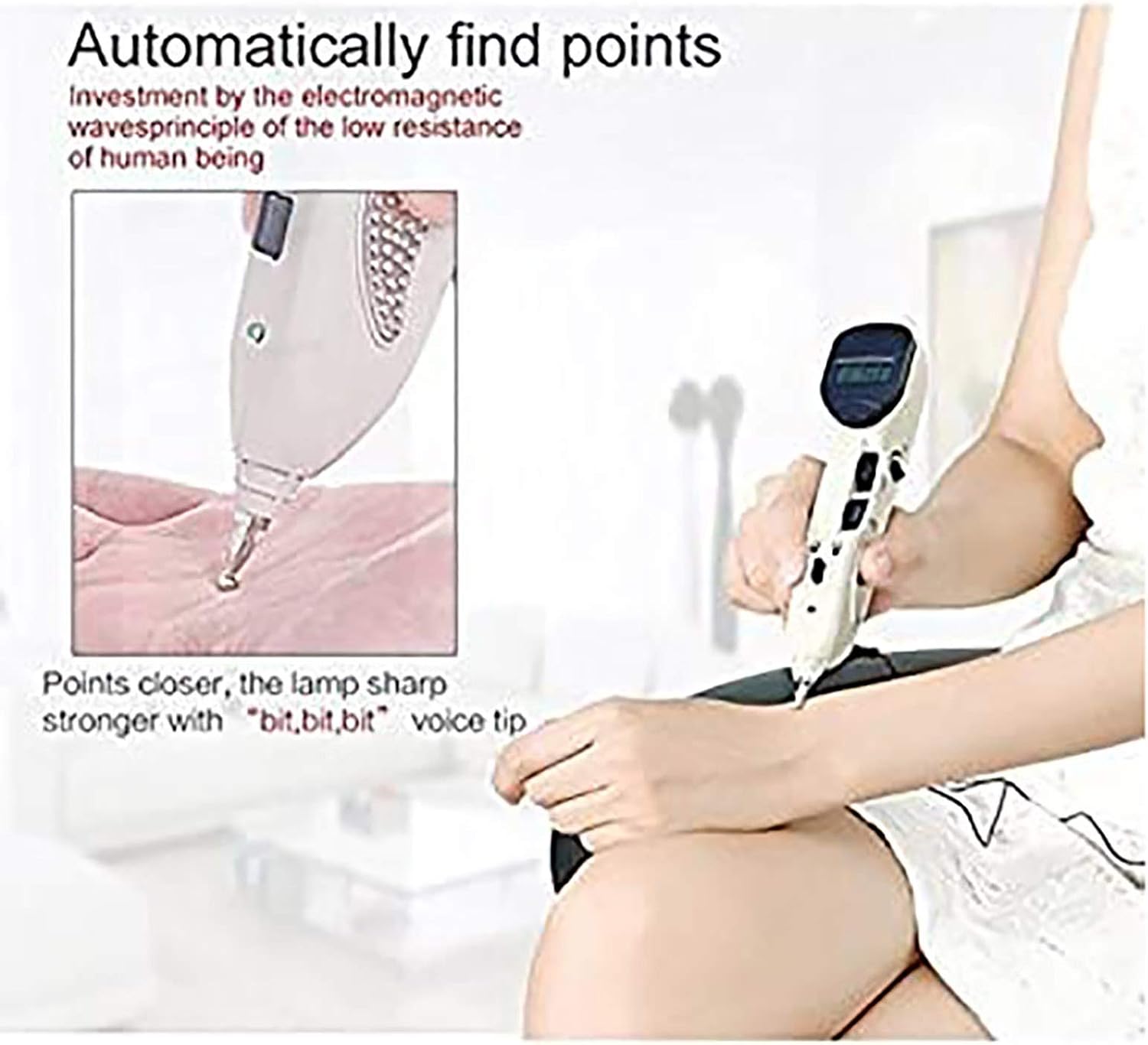
Image: Demonstrating the automatic point finding feature, where the device indicates proximity to an acupuncture point with sound and display.

Image: Example of using the Meridian Energy Acupuncture Pen for general body massage and meridian treatment.
Safety Information and Precautions
- Do not use if you have a pacemaker, heart condition, or are pregnant.
- Consult a healthcare professional before use if you have any medical conditions.
- Keep out of reach of children.
- Do not use on open wounds, sensitive skin areas, or near the eyes.
- Discontinue use if you experience discomfort or adverse reactions.
- This device is not intended to diagnose, treat, cure, or prevent any disease.
Maintenance
- Cleaning: Wipe the device and probes with a soft, damp cloth after each use. Do not use abrasive cleaners or immerse the device in water.
- Storage: Store the pen and its accessories in the provided storage case in a cool, dry place, away from direct sunlight and extreme temperatures.
- Charging: Recharge the device when the battery indicator is low to ensure optimal performance.
Troubleshooting
| Problem | Possible Cause | Solution |
|---|---|---|
| Device does not turn on. | Low battery or device is off. | Charge the device. Ensure the ON/OFF dial is turned to an active setting. |
| No pulse felt or weak pulse. | Intensity too low, poor skin contact, or low battery. | Increase intensity. Ensure firm contact with skin and the metal conduction area. Recharge the device. |
| Difficulty locating acupuncture points. | Sensitivity too low or incorrect technique. | Increase sensitivity. Ensure slow, deliberate movement over the skin. |
| Display screen not working. | Device malfunction or low battery. | Recharge the device. If the issue persists, contact customer support. |
Specifications
- Brand: Better Angel HM
- Model Number: 1
- ASIN: B0912XC66Y
- Units: 1.00 Total
- Manufacturer: Better Angel HM
- First Available Date: March 25, 2021
Warranty and Support
Better Angel HM is committed to customer satisfaction. If you experience any issues or have questions regarding your Meridian Energy Acupuncture Pen, please contact our customer service. We offer a 24-hour return and exchange service for any dissatisfaction.
For support, please refer to the contact information provided with your product packaging or visit the official Better Angel HM website.