
D-Link E15
D-Link E15 Eagle Pro AI Mesh WiFi 6 Range Extender AX1500 User Manual
Model: E15 | Brand: D-Link
1. Introduction
The D-Link E15 Eagle Pro AI Mesh WiFi 6 Range Extender AX1500 is designed to expand your existing Wi-Fi network coverage, providing faster, more reliable internet access throughout your home. This device integrates AI capabilities to continuously monitor and optimize your Wi-Fi performance, ensuring a seamless and efficient connection for all your devices. It is ideal for eliminating Wi-Fi dead zones and enhancing network capacity, especially in environments with multiple connected devices.
2. What's in the Box
- 1x D-Link E15 AX1500 Mesh Wi-Fi 6 Range Extender
- 1x Quick Installation Guide (QIG)
- 1x Quick Installation Card (QIC)
3. Setup and Installation
Follow these steps to set up your D-Link E15 Range Extender:
- Plug In: Plug the E15 extender into a wall outlet next to your existing Wi-Fi router. Ensure it is within range of your router's signal.
- Download the App: Download the EAGLE PRO AI App from the App Store or Google Play. This app will guide you through the setup process.
- Follow On-Screen Guide: Open the EAGLE PRO AI App and follow the simple on-screen instructions to connect your extender to your network.
- Optimal Placement: Use the Smart Signal Indicator on the extender to find the ideal spot for placement. The indicator lights will help you determine the best location for optimal Wi-Fi coverage between your router and the desired extended area.

Image: Visual guide for the three main setup steps.
Setup Video Guide
Video: An official D-Link video demonstrating the features and setup of the E15 Eagle Pro AI Mesh WiFi 6 Range Extender.
4. Key Features
- High Performance Wi-Fi 6: Experience speeds up to 1.5 Gbps and coverage up to 2,600 sq. ft. Wi-Fi 6 technology provides 4x greater device capacity, optimizing performance for multiple connected devices.
- Universal Compatibility: The E15 works seamlessly with any brand of Wi-Fi router or Internet Service Provider Wi-Fi Gateway, ensuring broad compatibility with existing home networks.
- Dual-Band Wi-Fi: Utilizes both 2.4 GHz and 5 GHz bands for combined speeds of up to 1500 Mbps (300 Mbps on 2.4 GHz and 1201 Mbps on 5 GHz), strengthening and extending your network's reach.
- Enhanced Coverage: High-gain internal antennas are designed to eliminate Wi-Fi dead zones and weak signal areas, providing robust coverage in hard-to-reach places.
- Mesh Smart Roaming: Supports the 802.11k/v standard, allowing the creation of a single, whole-home mesh network. Devices automatically connect to the strongest Wi-Fi signal as you move around your home, ensuring uninterrupted connectivity.
- EAGLE PRO AI Technology: When paired with D-Link Eagle PRO AI M15 or R15 router series, the E15 unlocks advanced AI-optimized Wi-Fi performance, including AI Wi-Fi Optimizer, AI Mesh Optimizer, and AI Traffic Optimizer.
- Smart Signal Indicator: An intuitive LED indicator helps you find the optimal wall plug-in placement for the extender, ensuring the best possible signal strength and coverage.
- Gigabit Ethernet Port: Features a Gigabit Ethernet port for connecting wired devices such as smart TVs, gaming consoles, or desktop computers, providing a fast and reliable wired connection.

Image: Overview of EAGLE PRO AI features when paired with compatible D-Link routers.
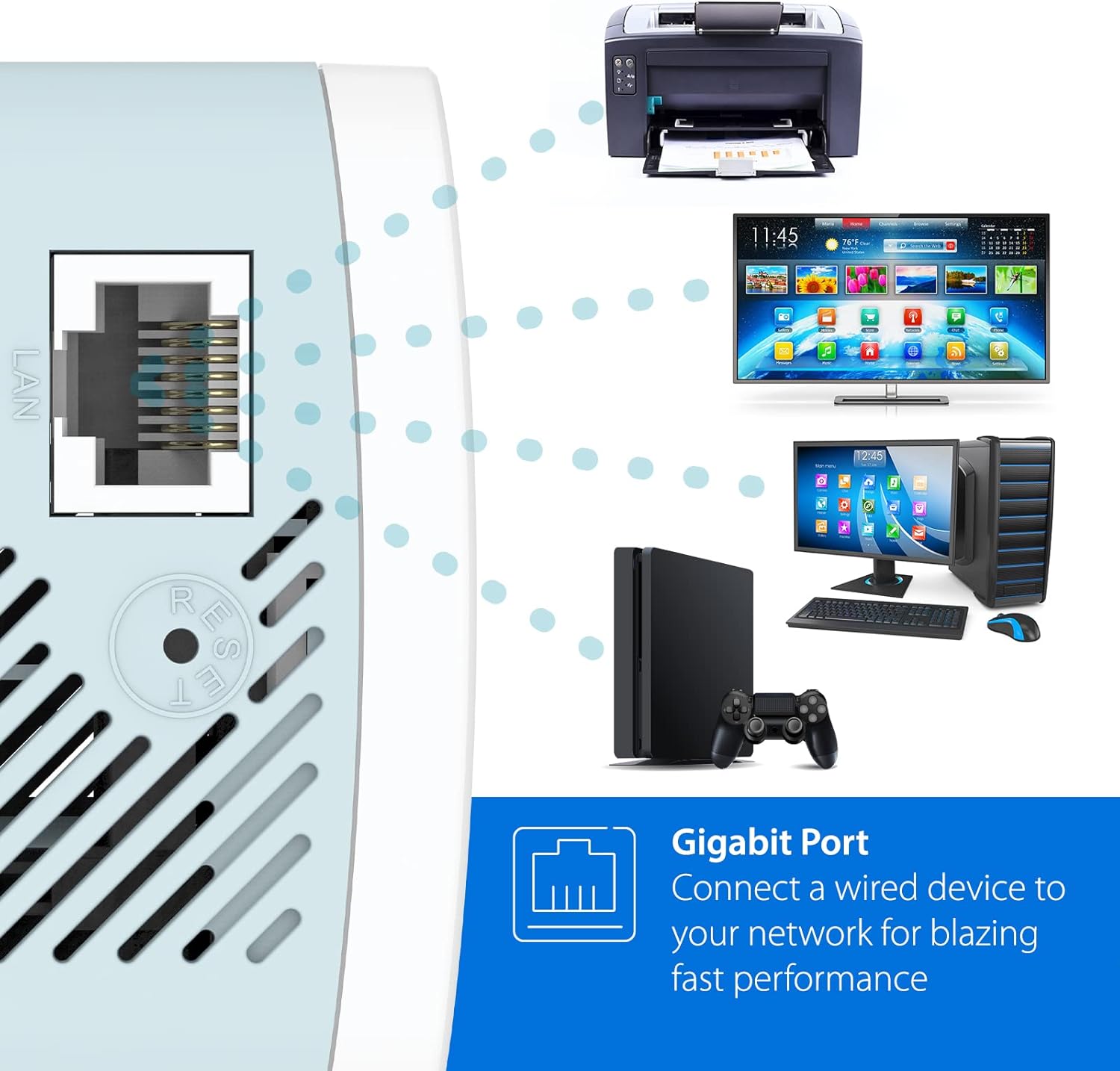
Image: The Gigabit Ethernet port allows for fast wired connections to various devices.
5. Operating Your Extender
Once set up, your D-Link E15 extender will automatically extend your Wi-Fi network. For optimal performance and management, consider the following:
- App Management: Use the EAGLE PRO AI App to monitor your network, manage connected devices, and access advanced settings. The app provides insights into network usage and can offer recommendations for optimization.
- Seamless Roaming: With Mesh Smart Roaming enabled, your devices will automatically switch between your router and the extender to maintain the strongest possible signal as you move throughout your home.
- Wired Connections: For devices requiring the most stable and fastest connection, utilize the Gigabit Ethernet port on the extender.
6. Maintenance
To ensure the longevity and optimal performance of your D-Link E15 extender:
- Firmware Updates: Regularly check for and install firmware updates through the EAGLE PRO AI App. Updates often include performance improvements, security enhancements, and new features.
- Cleaning: Keep the device clean and free from dust. Use a soft, dry cloth to wipe the exterior. Do not use liquid cleaners or aerosols.
- Ventilation: Ensure the extender's ventilation slots are not obstructed to prevent overheating.
- Resetting: In case of persistent issues, you may perform a factory reset using the reset button (refer to the 'Troubleshooting' section for details).
7. Troubleshooting
If you encounter issues with your D-Link E15 extender, try the following solutions:
| Problem | Solution |
|---|---|
| No Power/Indicator Lights Off | Ensure the extender is securely plugged into a working electrical outlet. Try a different outlet. |
| Poor Signal Strength/Limited Coverage | Relocate the extender using the Smart Signal Indicator to find an optimal spot between your router and the weak signal area. Avoid placing it near large metal objects or appliances that emit radio frequency interference. |
| Cannot Connect to Extender's Wi-Fi | Verify you are selecting the correct Wi-Fi network name (SSID) for the extender. Ensure you are entering the correct Wi-Fi password. Try restarting both your router and the extender. |
| Setup Fails/Extender Cycles Endlessly | Ensure your router is broadcasting a strong signal. Try performing a factory reset on the extender (press and hold the reset button for 10 seconds with a paperclip). Re-attempt setup using the EAGLE PRO AI App. Ensure the extender is initially placed close to the router during setup. |
| Only 2.4GHz Network Visible (5GHz not showing) | Ensure your router is broadcasting a 5GHz network. Some older devices may only support 2.4GHz. Check the extender's settings via the app to ensure 5GHz is enabled. |
For further assistance, refer to the full User Manual PDF or contact D-Link Support.
8. Specifications
| Feature | Detail |
|---|---|
| Model Number | E15 |
| Wireless Type | 802.11ac, 802.11ax (Wi-Fi 6), 802.11g, 802.11n |
| Data Transfer Rate | Up to 1500 Mbps (AX1500) |
| Frequency Band Class | Dual-Band (2.4GHz and 5GHz) |
| Coverage Area | Up to 2,600 sq. ft. |
| Ethernet Ports | 1x Gigabit Ethernet Port |
| Special Features | AI Technology, High-Gain Antennas, LED Indicator, MU-MIMO, Mesh Smart Roaming, Wi-Fi Mesh |
| Color | White |
| Item Weight | 5.7 ounces |
| Product Dimensions (LxWxH) | 2 x 2.5 x 4.12 inches |
| Manufacturer | D-Link Systems, Inc. |
| First Available Date | October 27, 2021 |
9. Warranty and Support
For warranty information, technical support, and additional resources, please visit the official D-Link support website. You can also refer to the comprehensive User Manual and Installation Manual provided in PDF format for detailed instructions and troubleshooting guides.
Important Resources:
- User Manual (PDF)
- Installation Manual (PDF)
- Visit the D-Link Support Website for the latest drivers, firmware, and support articles.
Related documentsE15


Ask a question about this manual
Ask about setup, troubleshooting, compatibility, parts, safety, or missing instructions. Manuals+ will review the question and use this page’s manual context to help answer it.