
Radley RYS03-2004 - Amazon Only
Radley Smartwatch RYS03-2004 User Manual
Model: RYS03-2004 - Amazon Only
Introduction
The Radley London Series 3 Smartwatch is designed to enhance your daily life with its advanced features and stylish design. This manual provides detailed instructions on how to set up, operate, and maintain your smartwatch, ensuring you get the most out of its capabilities.

Image: Radley London Series 03 Smartwatches. This image displays two smartwatches, highlighting the design and color variations available in the Series 03 line.
Key features of your Radley Smartwatch include:
- Color screen with crown navigation.
- Up to 7 days of battery life.
- Call and message notifications.
- Real-time activity tracking (running, walking, cycling, climbing).
- Distance, step, and calorie tracking.
- Live weather updates.
- Selfie camera control.
- "Find Your Phone" function.
- Sleep tracking.
- Alarm and reminder functions.
- Hydration alerts.

Image: Smartwatch Features Overview. This image emphasizes that the Radley smartwatch offers more than just timekeeping, detailing its various tracking and notification capabilities.
Setup
Initial Charging
Before first use, fully charge your Radley Smartwatch. The watch comes with a USB charger. Connect the charger to a USB power source and align the magnetic pins with the charging points on the back of your smartwatch.

Image: USB Charging Cable. This image shows the magnetic charging cable, illustrating the connection points for charging the smartwatch.
Downloading the Radley London Active App
To unlock all features and synchronize your smartwatch data, download the free Radley London Active App. The app is compatible with both iOS and Android devices.
- Scan the QR code provided in your watch's packaging or search for "Radley London Active" in the Apple App Store or Google Play Store.
- Download and install the app on your smartphone.
- Open the app and follow the on-screen instructions to create an account and pair your smartwatch via Bluetooth. Ensure Bluetooth is enabled on your phone.

Image: Radley London Active App Interface. This image shows the Radley London app on a smartphone, indicating where users can download and interact with the application.

Image: Radley London App Download. This image illustrates the availability of the Radley London app on both Google Play and the App Store, guiding users to download it.
Operating Instructions
Navigation
Your Radley Smartwatch features a color screen and crown navigation for easy interaction. Rotate the crown to scroll through menus and press it to select options or return to the home screen.

Image: Smartwatch Display with Icons. This image shows the smartwatch's main display, indicating the various functions accessible through its interface.
Call and Message Notifications
Once paired with your smartphone, your smartwatch will display incoming call and message notifications directly on your wrist. You can manage notification settings within the Radley London Active App.

Image: Message Notification on Smartwatch. This image demonstrates how message notifications appear on the smartwatch display.
Activity Tracking
The smartwatch tracks your daily activities including steps, distance, and calories burned. You can also track specific activities like running, walking, cycling, and climbing in real-time. View detailed statistics in the Radley London Active App.
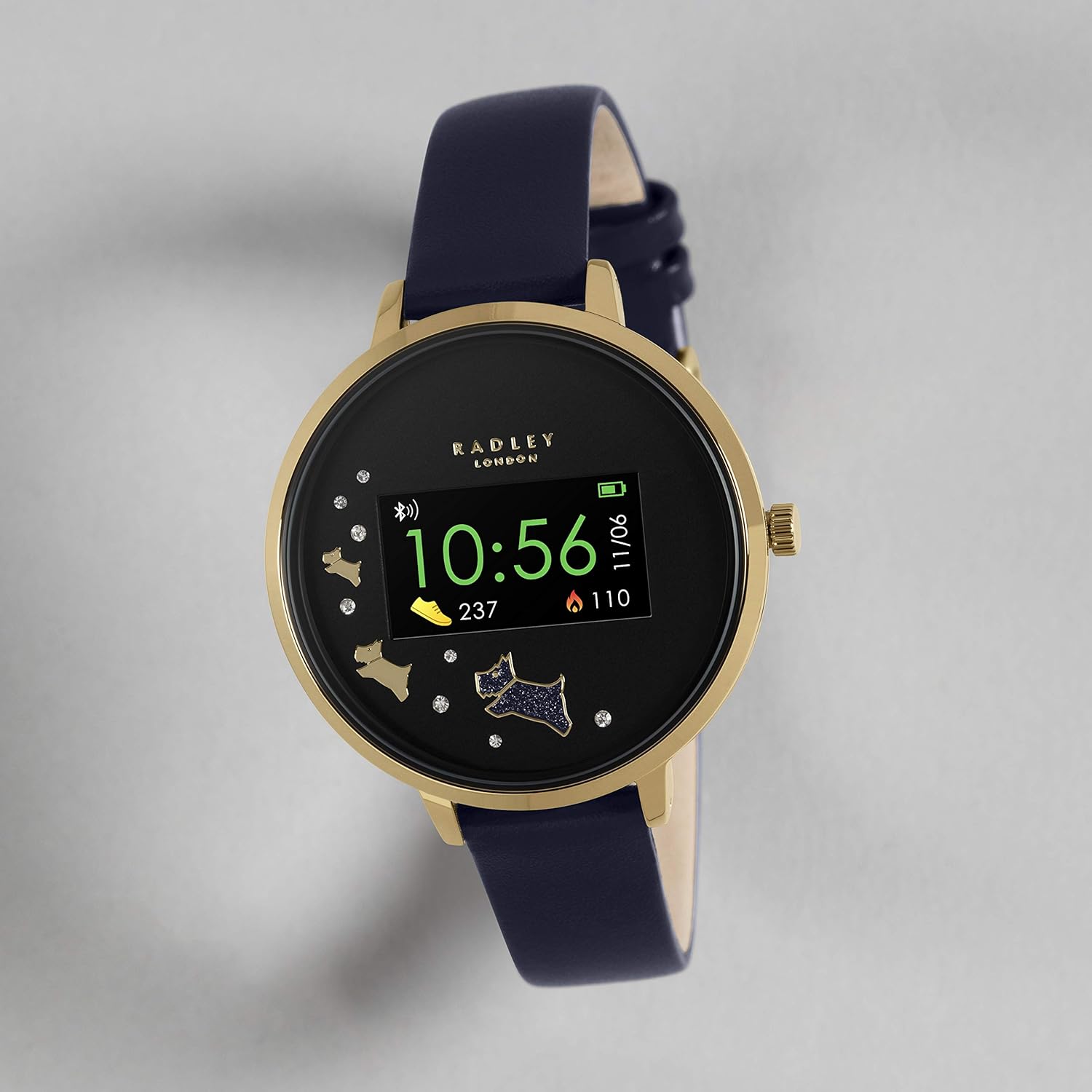
Image: Activity Tracking Display. This image shows the smartwatch screen displaying current step count and calories burned.

Image: Smartwatch and App Activity Data. This image illustrates how the smartwatch syncs with the app to provide comprehensive activity data.
Sleep Tracking
Wear your smartwatch to bed to monitor your sleep patterns. The app provides insights into your sleep duration and quality.

Image: Sleep Tracking Feature. This image shows the smartwatch displaying sleep tracking information, including hours and minutes of sleep.
Weather Updates
Receive live weather updates directly on your watch when connected to your smartphone.

Image: Weather Update Display. This image shows the smartwatch displaying current weather conditions and temperature.
Selfie Camera Control
Use your smartwatch as a remote control for your smartphone's camera to take selfies or group photos with ease.

Image: Camera Control Feature. This image illustrates the smartwatch's ability to remotely control a smartphone camera.
Find Your Phone
If you misplace your phone, use the "Find Your Phone" feature on your smartwatch to make your phone ring (even if it's on silent mode).

Image: Find Your Phone Feature. This image visually represents the "Find Your Phone" function, showing a user searching for their device.
Alarms and Reminders
Set alarms and reminders through the app to receive vibrations on your smartwatch for important events or tasks.
Hydration Alerts
Configure hydration reminders in the app to ensure you stay adequately hydrated throughout the day.

Image: Hydration Alerts. This image shows the smartwatch displaying a hydration reminder, encouraging users to drink water.
Maintenance
Cleaning Your Smartwatch
To keep your smartwatch in optimal condition, regularly clean the screen and strap. Use a soft, lint-free cloth. For stubborn marks, slightly dampen the cloth with water. Avoid using harsh chemicals or abrasive materials.
Battery Care
- Charge the battery fully before first use.
- Avoid exposing the watch to extreme temperatures, as this can affect battery life.
- If the watch will not be used for an extended period, charge it periodically to maintain battery health.
Troubleshooting
If you encounter issues with your Radley Smartwatch, refer to the table below for common problems and their solutions.
| Problem | Solution |
|---|---|
| Watch not turning on. | Ensure the watch is fully charged. Connect it to the charger and wait a few minutes. |
| Cannot pair with smartphone. |
|
| Notifications not appearing. |
|
| Inaccurate activity tracking. | Ensure the watch is worn snugly on your wrist. Calibrate settings within the Radley London Active App if available. |
For further assistance, refer to the Radley London Active App or contact customer support.
Specifications
Below are the technical specifications for the Radley Smartwatch RYS03-2004 - Amazon Only:
| Feature | Detail |
|---|---|
| Brand | RADLEY |
| Model | RYS03-2004 - Amazon Only |
| Operating System | IOS, Android |
| Compatible Devices | Smartphone |
| Special Features | USB, Android, Alarm, iOS, Camera Control, Activity Tracking, Sleep Tracking, Weather Updates, Find Your Phone, Hydration Alerts |
| Display Type | Digital |
| Battery Composition | Lithium-ion |
| Wireless Type | Bluetooth |
| Connector Type | USB |
| Input Device | Dial (Crown) |
| Target Audience | Unisex Adults |
| Shape | Round |
| Color | Navy Blue |
| Style | Strap |
| Package Dimensions | 10.2 x 8.7 x 7 cm; 30 g |
Warranty and Support
Manufacturer's Warranty
Each Radley Smartwatch is covered by a 1-year manufacturer's warranty from the date of purchase. Please retain your proof of purchase for warranty claims. The warranty covers manufacturing defects but does not cover damage caused by misuse, accidents, or unauthorized repairs.
Customer Support
For further assistance, detailed FAQs, or to explore more features, download the free Radley London Active App. The app provides comprehensive support and resources for your smartwatch.
You can also visit the official Radley London website for support information or contact their customer service directly.
Related documentsRYS03-2004 - Amazon Only


Ask a question about this manual
Ask about setup, troubleshooting, compatibility, parts, safety, or missing instructions. Manuals+ will review the question and use this page’s manual context to help answer it.