
Introduction
Thank you for choosing the TOTMOX XLite100 Smart Brake Bicycle Tail Light. This manual provides detailed instructions for the proper installation, operation, and maintenance of your new tail light. Please read this manual thoroughly before use to ensure optimal performance and safety.
Product Overview
The XLite100 is a compact, intelligent bicycle tail light designed to enhance your visibility and safety during cycling. It features advanced brake sensing, smart light sensing, and a durable waterproof design.
Key Features:
- High Lumen COB LED: Provides bright illumination for increased visibility.
- Smart Brake Sensing: Automatically switches to brake light mode upon deceleration, alerting rear traffic.
- Smart Light Sensing: Automatically turns on in low light conditions and off in high-intensity light.
- Auto On/Off: Activates when movement is detected and turns off after a period of inactivity.
- IPX6 Waterproof: Designed to withstand various weather conditions.
- USB Rechargeable: Built-in polymer lithium battery for convenient charging.
- Lightweight Design: Less than 40g with mounting brackets.
- Slope Adaptive Technology: Corrects gravity angle for accurate deceleration recognition even on slopes.

Figure 1: XLite100 Tail Light with included mounting options (seat post and saddle rail mounts) and USB charging cable.
Setup and Installation
The XLite100 offers flexible mounting options to suit your bicycle setup.
Mounting Options:
- Seat Post Mount:
Use the adjustable silicone strap to secure the tail light bracket to your bicycle's seat post. Ensure the light is facing directly backward and is securely fastened to prevent movement during rides.
- Saddle Rail Mount:
Attach the saddle mounting bracket to the rails under your bicycle seat. Then, slide the tail light onto this bracket until it clicks into place. Verify that the light is stable and correctly oriented.
Ensure the light is mounted horizontally for optimal brake sensing performance. The slope adaptive technology will help correct minor angle variations.
Operating Instructions
The XLite100 features both manual and automatic operating modes.
Power On/Off:
- To Turn On: Press and hold the power button located on the front bottom of the light for approximately 2 seconds.
- To Turn Off: Press and hold the power button for approximately 2 seconds.
Mode Switching:
Once powered on, short press the power button to cycle through different lighting modes (e.g., steady, flash, pulse). The XLite100 also features intelligent automatic modes:
- Smart Light Sensing: In automatic mode, the light will turn on automatically in low light conditions (e.g., night, tunnels) and turn off in bright light (e.g., daytime).
- Auto On/Off (Movement Detection): The light will automatically turn on when movement or vibration is detected. If no movement is detected for a set period (e.g., 30-60 seconds), the light will automatically turn off to conserve battery.
- Smart Brake Sensing: When deceleration is detected, the light will automatically switch to a brighter brake light mode to alert following traffic.

Figure 2: Easy Control diagram illustrating automatic and manual mode behavior based on environmental conditions and movement.
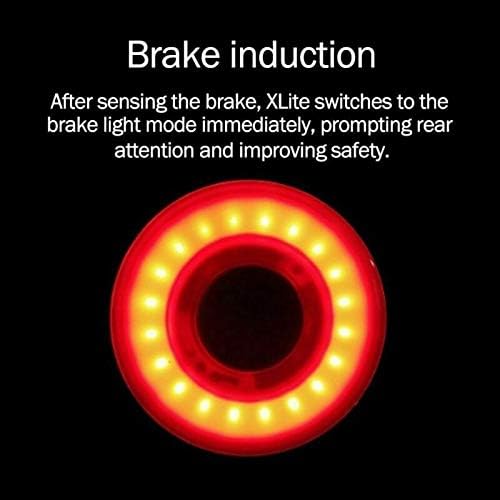
Figure 3: Brake induction feature, showing the light's increased brightness when braking is detected.
Charging
The XLite100 is equipped with a built-in USB rechargeable battery.
- Locate the USB charging port on the tail light. It is usually covered by a rubber flap to ensure waterproofing.
- Gently open the rubber flap.
- Connect the provided USB cable to the tail light's charging port and the other end to a USB power source (e.g., computer, wall adapter, power bank).
- The indicator light on the device will show charging status (e.g., red for charging, green for fully charged).
- Once fully charged, disconnect the USB cable and securely close the rubber flap to maintain the IPX6 waterproof rating.
A full charge can provide over 30 hours of runtime, depending on the mode used.
Maintenance
Proper maintenance ensures the longevity and optimal performance of your XLite100 tail light.
- Cleaning: Wipe the light's surface with a soft, damp cloth. Do not use abrasive cleaners or solvents, as they may damage the casing or lens.
- Waterproofing: Always ensure the USB charging port's rubber flap is securely closed when not charging to maintain its IPX6 waterproof rating.
- Storage: When not in use for extended periods, store the light in a cool, dry place. It is recommended to charge the battery every 3-6 months to prevent deep discharge.
- Battery Care: Avoid completely draining the battery frequently, as this can reduce its overall lifespan.
Troubleshooting
If you encounter issues with your XLite100, refer to the following common problems and solutions:
| Problem | Possible Cause | Solution |
|---|---|---|
| Light does not turn on. | Battery is depleted. Power button not pressed correctly. | Charge the battery. Press and hold the power button for 2 seconds. |
| Light does not charge. | USB cable or power source issue. Charging port obstruction. | Try a different USB cable or power source. Check the charging port for debris. |
| Smart features (brake/light sensing) not working. | Incorrect mounting angle. Light is in manual mode. Sensor obstruction. | Ensure the light is mounted horizontally. Cycle to an automatic mode. Clean the sensor area. |
| Light turns off unexpectedly. | Battery is low. Auto-off feature activated (no movement). | Recharge the battery. This is normal behavior for the auto-off feature. |
Specifications
| Brand | TOTMOX |
| Model Number | H844488B |
| Shell Material | CNC Aluminum Alloy |
| Dimensions | Approx. 57 x 34 x 45 mm |
| Color | Black |
| Power Source | Battery Powered (USB Rechargeable Polymer Lithium Battery) |
| Water Resistance Level | IPX6 |
| Mounting Type | Seat Mount (Saddle Rail & Seat Post) |
| Item Weight | Approx. 0.352 ounces (10 grams) |
Safety Information
- Always ensure the tail light is securely mounted before riding.
- Do not look directly into the LED light, as it can cause temporary vision impairment.
- While the light is waterproof, avoid prolonged submersion.
- Keep out of reach of children.
- Dispose of the battery according to local regulations.
- This light is intended to increase visibility and should not replace other essential safety equipment.
Warranty and Support
The TOTMOX XLite100 Smart Brake Bicycle Tail Light is designed for durability and performance. For any product inquiries, technical support, or warranty claims, please contact your retailer or the manufacturer directly.
Please retain your proof of purchase for warranty purposes. A 30-day return/replacement policy is typically offered by retailers.
Manufacturer: TOTMOX