
1. Product Overview
The SmartDevil SF40 Jellyfish Portable Fan is a versatile, battery-operated fan designed for various uses, including strollers, car seats, desks, and as a handheld device. Its unique flexible tripod allows for secure attachment to different surfaces, while its bladeless design ensures safety for small fingers. The fan features multiple speed settings and adjustable rotation for optimal airflow.

Image 1: The SmartDevil Portable Jellyfish Fan attached to a stroller, ensuring comfort for a baby.
2. Package Contents
Upon opening the package, ensure all the following items are present:
- SmartDevil SF40 Jellyfish Portable Fan
- USB Charging Cable
- Instruction Manual

Image 2: The SmartDevil fan, its flexible tripod, USB charging cable, and instruction manual as packaged.
3. Setup Instructions
- Attaching the Fan: The flexible tripod legs can be wrapped around various objects such as stroller handles, crib rails, or car seat bars. Ensure the legs are securely wrapped to prevent the fan from falling.
- Positioning the Fan: The fan head can be rotated 360 degrees horizontally and vertically, and the base allows for 60-degree adjustment. Adjust the fan head to direct airflow as desired.
- Charging the Fan: Connect the provided USB charging cable to the fan's input port (DC5V/2A) and a compatible USB power source (e.g., PC, power bank, car charger). The built-in 2000mAh battery provides up to 8 hours of operation on a full charge.

Image 3: The flexible tripod legs securely wrapping around a bar, allowing for versatile placement.

Image 4: The fan head can be adjusted by 60 degrees to direct airflow.
4. Operating Instructions
- Power On/Off: Locate the power button on the back of the fan. Press once to turn on the fan at the lowest speed. Press again to cycle through speed settings. Press and hold to turn off.
- Adjusting Fan Speed: The fan offers 3 adjustable wind speeds. Press the power button repeatedly to switch between low, medium, and high speeds.
- Safety Feature: The fan features an ultra-fine mesh design to protect fingers. Additionally, it is designed to stop upon obstruction for enhanced safety.
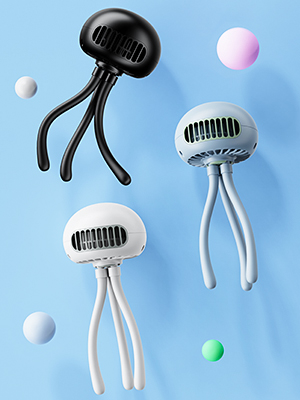
Image 5: The fan offers three adjustable speeds for varied cooling needs.

Image 6: The fan's safe cover design protects small fingers from the blades.
Video 1: Demonstration of the fan's features, including its flexible tripod and adjustable head, showcasing its use as a personal fan.
5. Maintenance
- Cleaning the Fan: To clean the fan blades, gently twist the front grille counter-clockwise to remove it. Wipe the blades with a soft, dry cloth. Ensure the fan is turned off and unplugged before cleaning. Reattach the grille by aligning and twisting clockwise until secure.
- Cleaning the Tripod: The silicone tripod legs can be wiped clean with a damp cloth.
Video 2: A detailed look at the fan's features, including how to adjust speeds, charge, and clean the fan by removing the front cover.
6. Troubleshooting
- Fan not turning on: Ensure the fan is charged. Connect it to a power source using the USB cable and allow it to charge for at least 30 minutes before attempting to turn it on again.
- Weak airflow: Check the fan speed setting and increase it if necessary. Ensure the fan grille is clean and free from dust or obstructions.
- Unstable attachment: Re-wrap the flexible tripod legs more securely around the desired object. Ensure the surface is suitable for stable attachment.
7. Specifications
| Feature | Detail |
|---|---|
| Item Weight | 319 Grams |
| Form Factor | Portable, Clip-on, Foldable |
| Power Source | Battery Powered |
| Electric Fan Design | Wearable Fan |
| Product Dimensions | 10.4D x 24W x 10.4H Centimetres |
| Special Features | Bladeless, Foldable, Portable |
| Battery Capacity | 2000mAh (up to 8 hours operation) |
| Rotation | 360° horizontal/vertical, 60° base adjustment |
8. Warranty and Support
For warranty information or technical support, please refer to the contact details provided with your purchase or visit the official SmartDevil website. Keep your proof of purchase for any warranty claims.