
1. Introduction
This manual provides comprehensive instructions for the installation, operation, and maintenance of the AITRIP SHTC3 High-Precision Digital Temperature and Humidity Sensor Module. The SHTC3 is designed for accurate environmental monitoring in various applications, utilizing I2C communication for seamless integration with microcontrollers.
2. Product Overview
The AITRIP SHTC3 module is a compact, low-power, high-precision digital sensor capable of measuring both temperature and relative humidity. It features an I2C interface, making it compatible with a wide range of development boards such as Arduino, ESP32, and Raspberry Pi. This module is an ideal solution for projects requiring reliable environmental data.
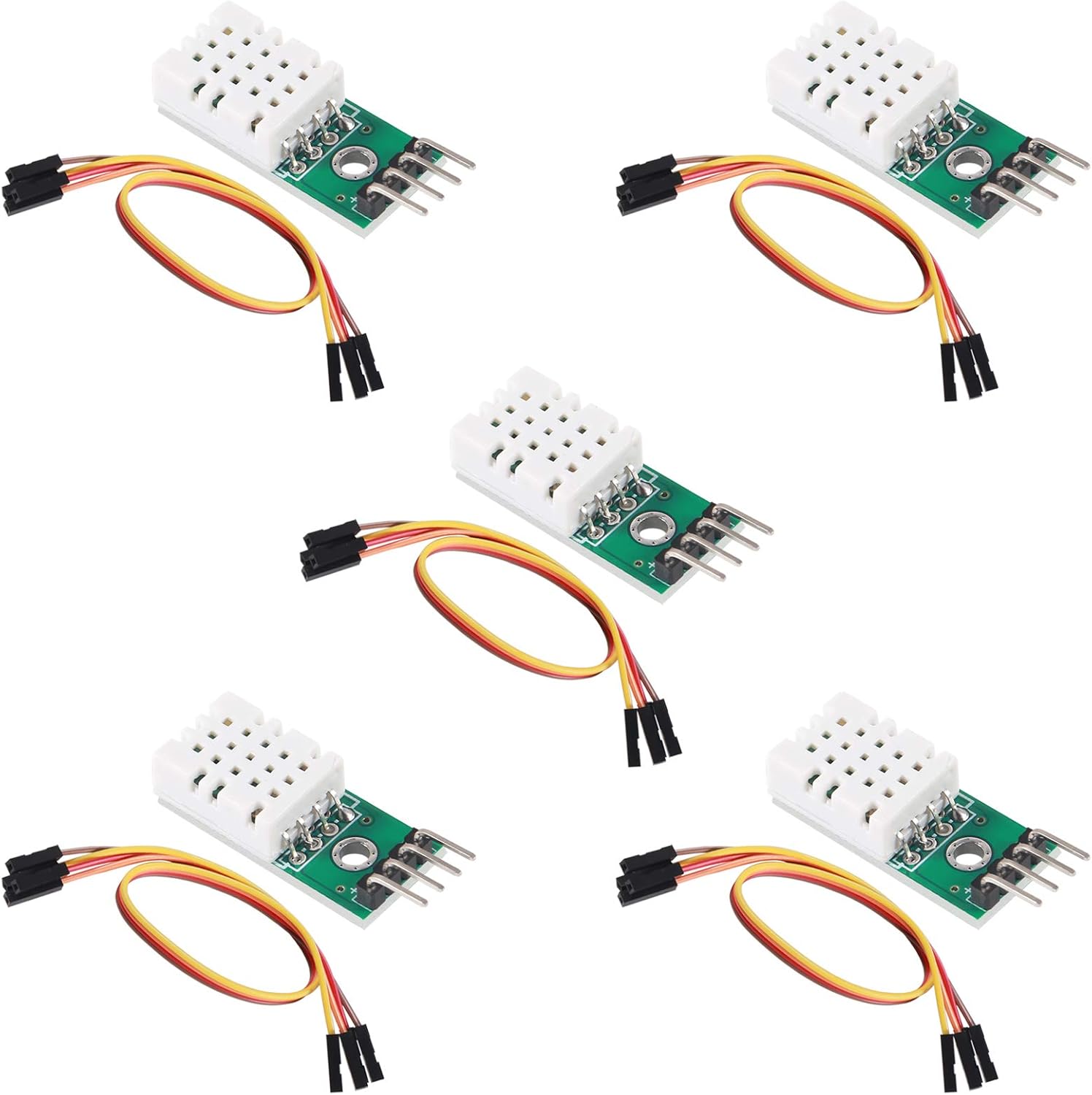
Figure 1: AITRIP SHTC3 High-Precision Digital Temperature and Humidity Sensor Modules.
3. Specifications
| Feature | Value |
|---|---|
| Humidity Measurement Range | 0 ~ 100% RH |
| Humidity Measurement Accuracy | ±2% RH |
| Temperature Measurement Range | -40 ~ 125 °C |
| Temperature Measurement Accuracy | ±0.2 °C |
| Working Voltage | 3.3 ~ 5V DC |
| Interface | I2C |
4. Pin Description
The SHTC3 module features four pins for power and I2C communication. Understanding these pins is crucial for correct wiring.

Figure 2: Top and Bottom View of SHTC3 Module with Pin Labels.
- VDD: Power supply input. Connect to 3.3V to 5.5V DC.
- GND: Ground connection. Connect to the negative power supply.
- SDA: Serial Data Line. This is a bidirectional line for I2C data communication.
- SCL: Serial Clock Line. This is the input line for the I2C clock signal.
5. Setup
Follow these steps to connect and prepare your SHTC3 module for operation with a microcontroller (e.g., Arduino Uno, ESP32).
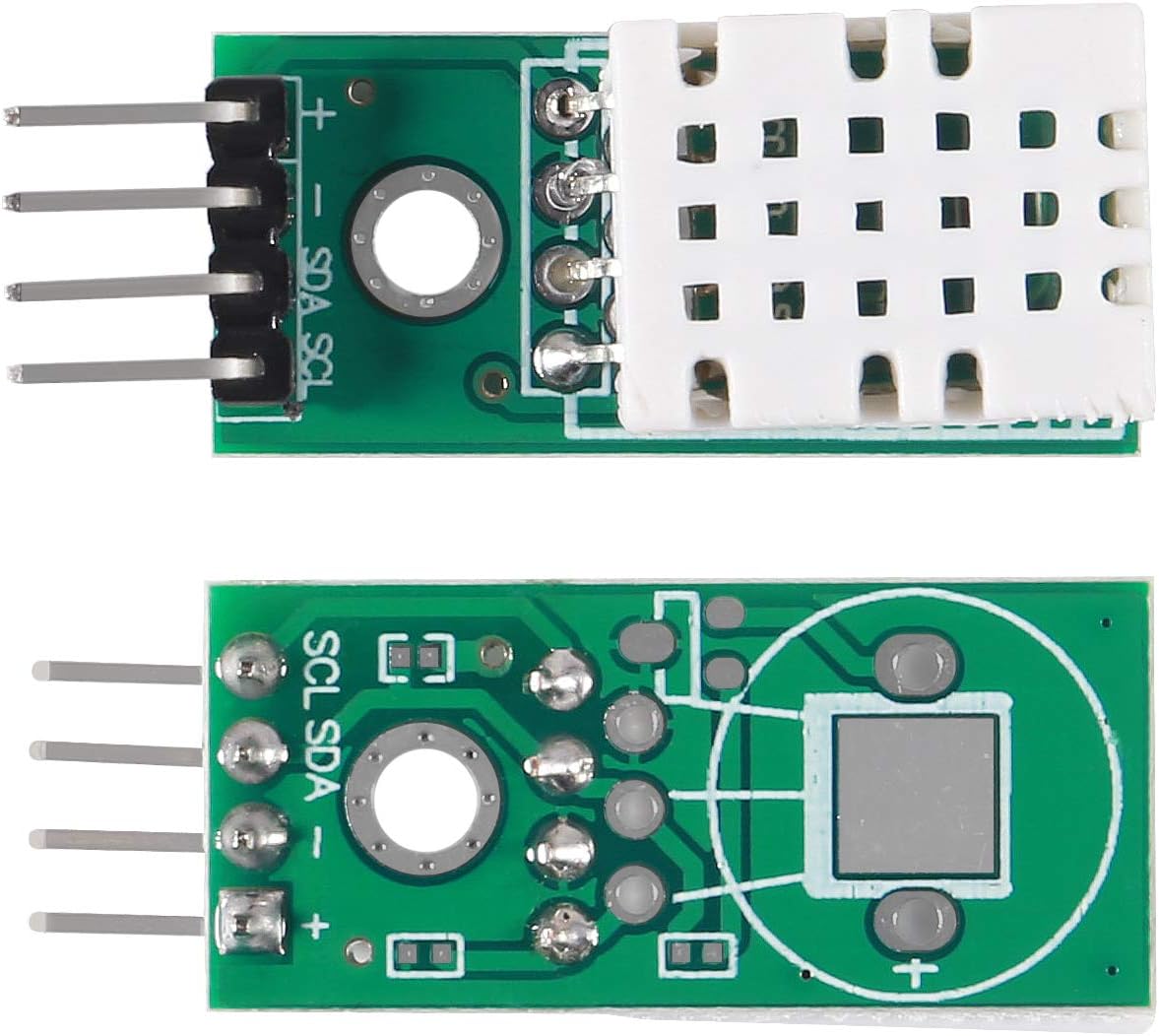
Figure 3: SHTC3 Module with Jumper Wires for Connection.
- Wiring:
- Connect the VDD pin of the SHTC3 module to the 3.3V or 5V pin of your microcontroller.
- Connect the GND pin of the SHTC3 module to the GND pin of your microcontroller.
- Connect the SDA pin of the SHTC3 module to the SDA (Data) pin of your microcontroller (e.g., A4 on Arduino Uno, GPIO21 on ESP32).
- Connect the SCL pin of the SHTC3 module to the SCL (Clock) pin of your microcontroller (e.g., A5 on Arduino Uno, GPIO22 on ESP32).
- Software Libraries:
For Arduino IDE, install a suitable SHTC3 library. Search for "SHTC3" in the Library Manager (Sketch > Include Library > Manage Libraries...). Popular options include libraries by Adafruit or SparkFun, which often provide example code.
- Example Code:
Refer to the example sketches provided with the installed library to verify basic functionality and understand how to read temperature and humidity values.
6. Operating Instructions
Once connected and the necessary libraries are installed, you can begin reading data from the SHTC3 sensor. The following outlines a general operational flow:
- Initialization: In your microcontroller code, initialize the I2C communication and the SHTC3 sensor object. This typically involves calling a begin() function from the library.
- Reading Data: Periodically request temperature and humidity readings from the sensor. The library functions will handle the I2C communication protocols.
- Data Processing: The library usually returns temperature in Celsius and humidity in percentage relative humidity. You may convert temperature to Fahrenheit if needed.
- Display/Logging: Display the readings on a serial monitor, an LCD screen, or log them to a data storage system.
Example (Conceptual Arduino-like pseudocode):
#include <Wire.h>
#include <Adafruit_SHTC3.h> // Example library

Adafruit_SHTC3 shtc3 = Adafruit_SHTC3();

void setup() {
  Serial.begin(9600);
  Serial.println("SHTC3 Sensor Test");

  if (! shtc3.begin()) {
    Serial.println("Couldn't find SHTC3 sensor!");
    while (1) delay(10);
  }
  Serial.println("SHTC3 Found!");
}

void loop() {
  sensors_event_t humidity, temp;
  shtc3.getEvent(&humidity, &temp); // Populate temp and humidity objects

  Serial.print("Temperature: ");
  Serial.print(temp.temperature);
  Serial.println(" *C");

  Serial.print("Humidity: ");
  Serial.print(humidity.relative_humidity);
  Serial.println(" %");

  delay(2000); // Wait for 2 seconds before next reading
}
7. Maintenance
The SHTC3 sensor module is designed for long-term stability and typically requires minimal maintenance. Adhere to the following guidelines to ensure optimal performance:
- Environmental Conditions: Avoid exposing the sensor to extreme temperatures, high humidity condensation, or corrosive gases, which can affect accuracy and lifespan.
- Cleaning: Do not attempt to clean the sensor element directly. Dust or debris on the protective cap can usually be removed with a gentle brush or compressed air from a distance.
- Physical Handling: Handle the module with care to prevent physical damage to the sensor or PCB. Avoid bending pins excessively.
- Power Supply: Ensure a stable power supply within the specified voltage range (3.3V-5V DC) to prevent erratic readings or damage.
8. Troubleshooting
If you encounter issues with your SHTC3 module, consider the following troubleshooting steps:
- No Readings or Erratic Data:
- Wiring Check: Verify all connections (VDD, GND, SDA, SCL) are correct and secure. Ensure SDA and SCL are connected to the correct I2C pins on your microcontroller.
- Power Supply: Confirm the module is receiving stable power within the 3.3V-5V DC range.
- I2C Address: The SHTC3 has a fixed I2C address. Ensure your library is configured to use the correct address (usually handled automatically by standard libraries).
- Library Installation: Double-check that the SHTC3 library is correctly installed and included in your sketch.
- Pull-up Resistors: I2C communication requires pull-up resistors on SDA and SCL lines. Many development boards have internal pull-ups, or they might be integrated into the sensor module itself. If not, external 4.7kΩ to 10kΩ pull-up resistors to VDD may be required.
- Incorrect Readings:
- Calibration: While the SHTC3 is factory calibrated, minor offsets can occur. If precise absolute accuracy is critical, compare readings with a known reference sensor and apply software offsets if necessary.
- Environmental Factors: Ensure the sensor is not directly exposed to heat sources, direct sunlight, or drafts that could skew readings.
- Sensor Contamination: Check for any visible contamination on the sensor element.
9. Warranty and Support
AITRIP products are manufactured to high-quality standards. For specific warranty information, please refer to the product packaging or the retailer's terms of sale. For technical support or further assistance, please contact your point of purchase or visit the AITRIP official support channels if available.
Always ensure you are using the product within its specified operating conditions to maintain warranty validity.
