
Introduction
Thank you for choosing the AOFAR GX-2S Pro Golf Rangefinder. This device is designed to provide accurate distance measurements for both golf and hunting activities. It features advanced pin sensor technology, flag-lock with vibration, slope compensation, and a clear LCD display. Please read this manual thoroughly to understand the proper operation and care of your rangefinder.

Image: The AOFAR GX-2S Pro Golf Rangefinder, showcasing its design and 6x magnification capability.
What's in the Box
Upon opening your AOFAR GX-2S Pro package, please ensure all the following items are present:
- AOFAR GX-2S Pro Rangefinder
- User Manual
- Carabiner
- CR2 Battery
- Cleaning Cloth
- Carrying Pouch
- High-grade Rope (Lanyard)
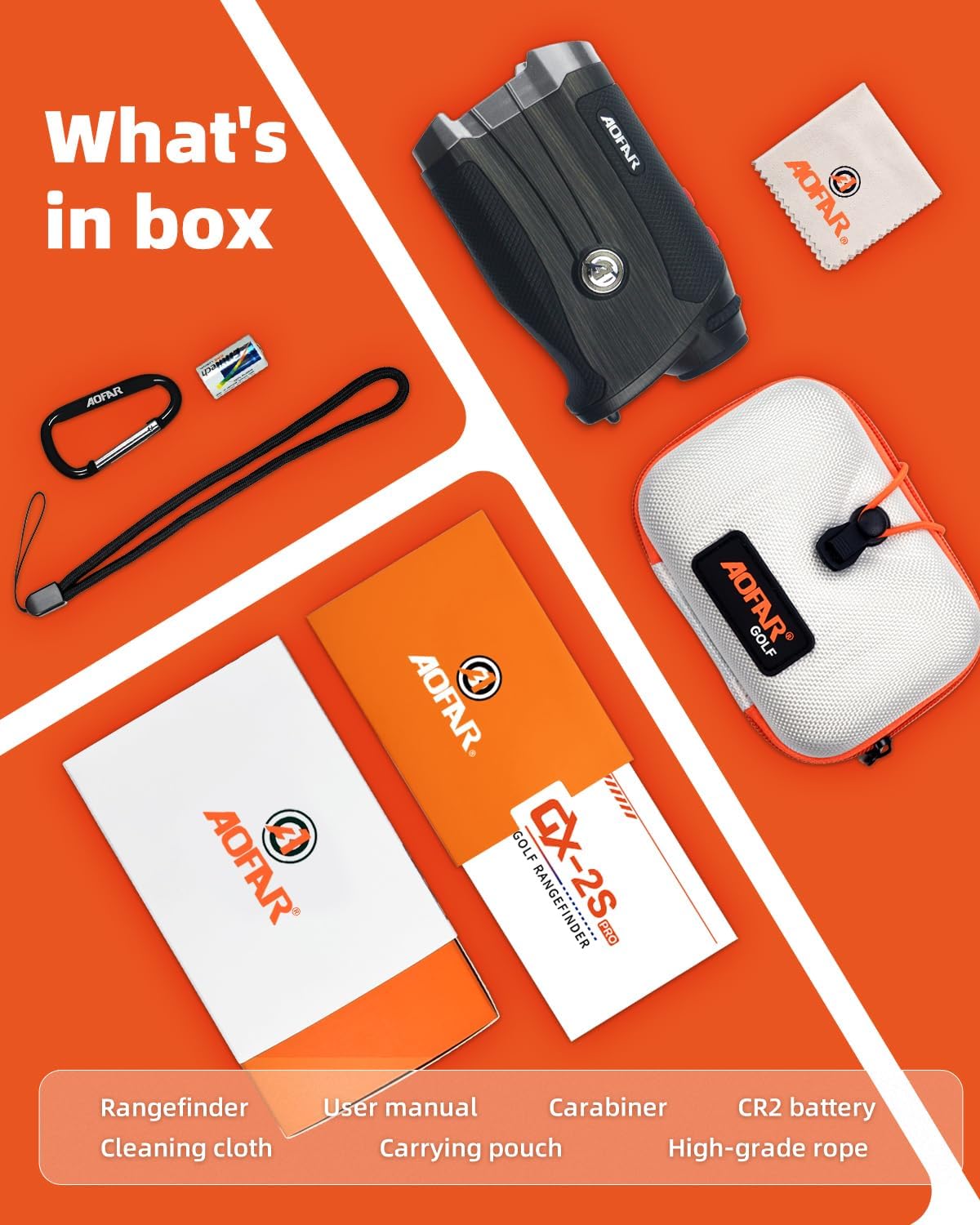
Image: All items included in the AOFAR GX-2S Pro package, neatly arranged.
Setup
Battery Installation
- Locate the battery compartment on the side of the rangefinder.
- Twist the battery cover counter-clockwise to open.
- Insert the provided CR2 Lithium battery, ensuring the positive (+) and negative (-) terminals align correctly.
- Replace the battery cover and twist clockwise to secure it.
The rangefinder is now ready for use. A low battery indicator will appear on the display when the battery needs replacement.
Operating Instructions
General Operation
- Power On: Press the Power button once to turn on the device. The LCD display will activate.
- Focus Adjustment: Rotate the eyepiece to adjust the focus until the display and target appear clear.
- Measurement: Aim the crosshairs at your target and press the Power button again. The distance will be displayed instantly.
- Auto Shut-off: The device will automatically power off after a period of inactivity to conserve battery.
Mode Switching
The GX-2S Pro offers two primary modes: Golf Mode and Hunting Mode. To switch between modes, press the MODE button. The active mode will be indicated on the LCD display.
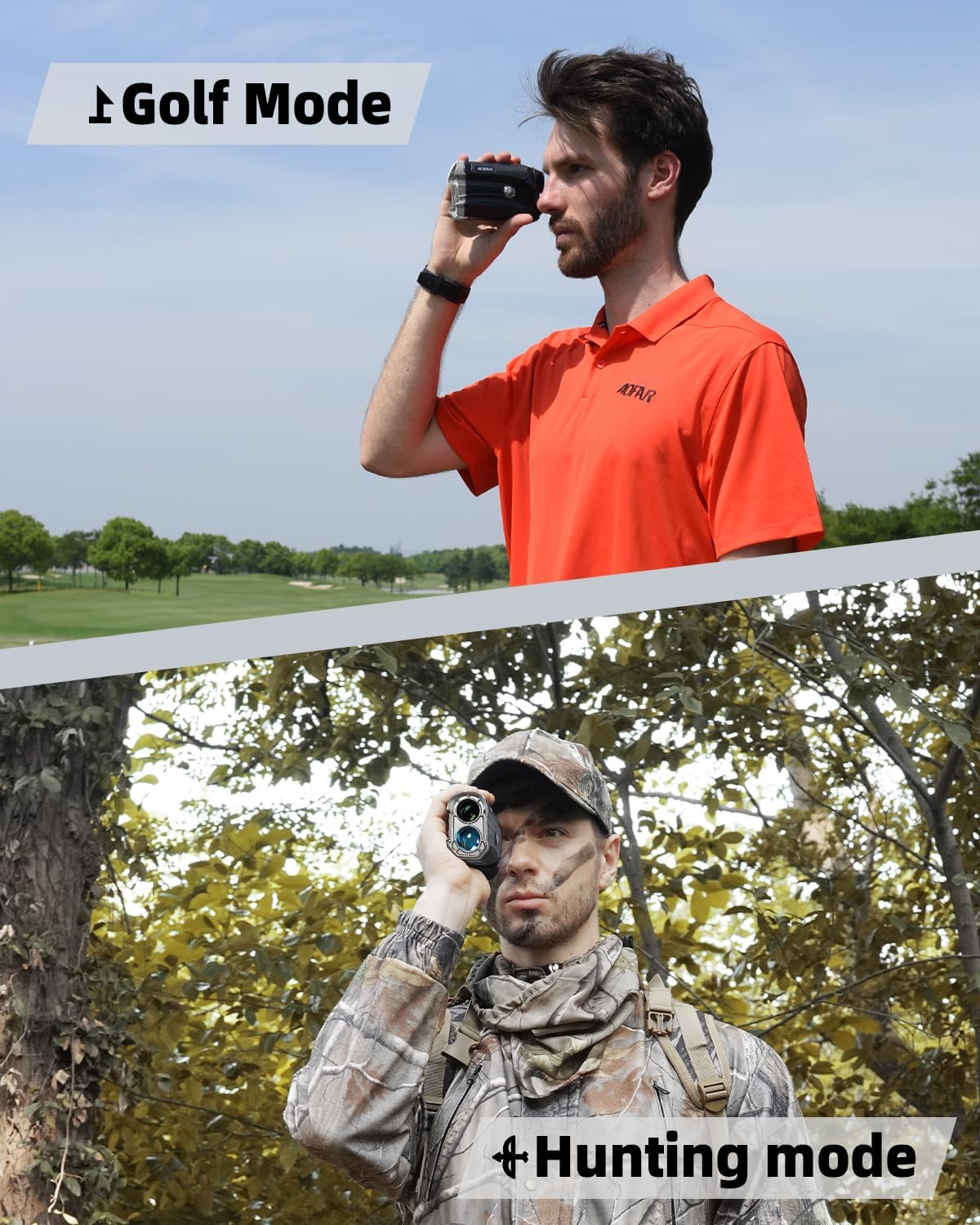
Image: Demonstrates the rangefinder being used in both Golf Mode (top) and Hunting Mode (bottom).
Golf Mode
Golf Mode is designed for golfers, offering features to assist with accurate distance measurement on the course.
- Flag-Lock with Vibration: When scanning for a flagstick, the rangefinder will vibrate briefly once it locks onto the flag, confirming the measurement. This helps distinguish the flag from background objects.
- Slope Compensation: This feature calculates the adjusted distance based on the incline or decline to the target, providing a "play as" distance. This can be toggled on or off via a dedicated switch or menu option (refer to display for indicator).

Image: Close-up of the rangefinder's display showing flag-lock with vibration feature activated, indicating a distance measurement.

Image: Diagrams illustrating how slope compensation calculates ballistic distance versus measured distance on inclines and declines.
Hunting Mode
Hunting Mode provides essential information for hunters, including angle and horizontal distance.
- Angle Display: Shows the angle of inclination or declination to the target.
- Horizontal Distance: Displays the true horizontal distance to the target, which is crucial for accurate shot placement, especially when shooting from elevated positions.

Image: The rangefinder's display in Hunting Mode, showing angle and horizontal distance measurements to a deer target.
Maintenance
- Cleaning: Use the provided cleaning cloth to gently wipe the lenses and exterior of the rangefinder. Do not use abrasive materials or chemical cleaners.
- Storage: Store the rangefinder in its carrying pouch in a cool, dry place when not in use. Avoid extreme temperatures.
- Battery: Remove the battery if the device will not be used for an extended period to prevent leakage.
- Water Resistance: The device is waterproof. However, avoid submerging it in water for prolonged periods.
Troubleshooting
| Problem | Possible Cause | Solution |
|---|---|---|
| Device does not power on. | Low or dead battery; incorrect battery installation. | Replace the CR2 battery; ensure correct polarity. |
| Inaccurate readings. | Lens obstruction; unstable aiming; target too far or too small. | Clean lenses; hold steady; ensure target is within range and visible. |
| Display is blurry. | Eyepiece not focused. | Rotate the eyepiece to adjust focus. |
| Flag-lock not working. | Not in Golf Mode; flag not clearly isolated. | Ensure Golf Mode is active; scan slowly around the flag. |
Specifications
- Model: GX-2S PRO
- Measuring Range: Up to 914 meters (1000 yards)
- Accuracy: ±0.9 meters
- Magnification: 6x
- Lens Diameter: 24mm
- Water Resistance: Waterproof
- Battery Type: CR2 Lithium (included)
- Dimensions: 12.2L x 4.3W x 7.1H cm
- Weight: 173 grams
- Material: Plastic

Image: The AOFAR GX-2S Pro rangefinder in use on a golf course, demonstrating its high precision measurement capability up to 1000 yards.
Warranty and Support
AOFAR provides a standard warranty for this product. For detailed warranty information, product support, or service inquiries, please refer to the warranty card included in your package or visit the official AOFAR website. Please retain your proof of purchase for warranty claims.
Contact Information:
- Website: www.aofar.com (Example, actual link not provided in data)
- Email: support@aofar.com (Example, actual email not provided in data)


