
Beko BPN112C
Beko BPN112C Portable Air Conditioner User Manual
Model: BPN112C | Model Number: 8500263200
1. Introduction
Thank you for choosing the Beko BPN112C Portable Air Conditioner. This manual provides essential information for the safe and efficient operation, installation, and maintenance of your appliance. Please read this manual thoroughly before use and keep it for future reference.
1.1 Safety Information
- Always connect the unit to a properly grounded power outlet.
- Do not operate the unit with a damaged power cord or plug.
- Keep the air intake and exhaust vents clear of obstructions.
- Do not insert objects into the air vents.
- Ensure the unit is placed on a flat, stable surface to prevent tipping.
- Unplug the unit before cleaning or performing any maintenance.
- This appliance is for indoor use only.
- Do not use the unit in wet environments or near water.
- Keep children and pets away from the unit during operation.
2. Product Overview
The Beko BPN112C is a versatile portable air conditioner designed to provide cooling and dehumidification for your indoor spaces. Its compact design allows for easy relocation.

Figure 2.1: Front-side view of the Beko BPN112C Portable Air Conditioner, showing its compact white design and digital display.

Figure 2.2: Front view of the Beko BPN112C Portable Air Conditioner, highlighting its sleek, minimalist design.
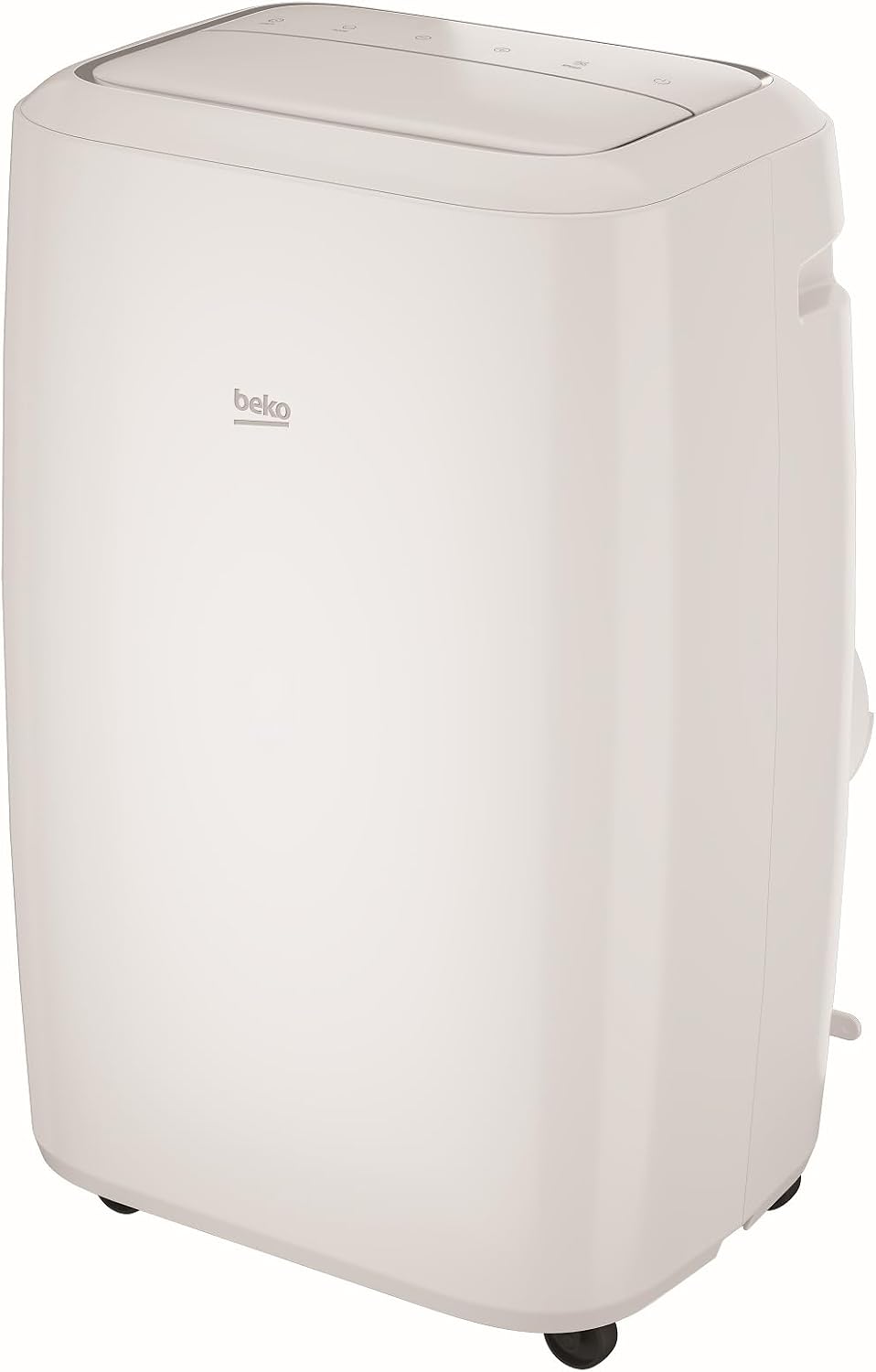
Figure 2.3: Side view of the Beko BPN112C Portable Air Conditioner, showing the side air intake grille.

Figure 2.4: Opposite side view of the Beko BPN112C Portable Air Conditioner, showing the exhaust hose connection point.
2.1 Key Features
- Cooling Capacity: 12000 BTU/h for effective cooling.
- Dehumidification Function: Removes up to 1.2 L/h of moisture, ensuring a healthy environment.
- 24-Hour Timer: Program operation time for convenience and energy saving.
- ZoneFollow Technology: Detects temperature near the remote control and adjusts airflow accordingly for optimized comfort.
- Automatic Restart Function: Unit resumes operation with previous settings after a power outage.
- Automatic Temperature Control: Maintains desired room temperature efficiently.
- Sleep Mode: Provides quiet and comfortable operation during sleep.
- 3 Fan Speeds: Adjustable fan speed for personalized comfort.
- Washable Basic Filter: Easy to remove and clean for consistent performance.
- Digital Display: Clear display for settings and temperature.
- Low Noise Level: Operates quietly for minimal disturbance.
2.2 Package Contents
Please check that all items are present and undamaged:
- Beko BPN112C Portable Air Conditioner Unit
- Exhaust Hose
- Window Sealing Kit
- Remote Control
- User Manual (this document)
3. Setup and Installation
Proper setup is crucial for the optimal performance of your portable air conditioner.
3.1 Unit Placement
- Place the unit on a firm, level surface in the room you wish to cool or dehumidify.
- Ensure there is at least 30 cm (12 inches) of space around the unit for proper airflow.
- Avoid placing the unit in direct sunlight or near heat sources.

Figure 3.1: Example of proper unit placement in a room, ensuring adequate space for air circulation.
3.2 Exhaust Hose Installation
The exhaust hose must be connected to vent hot air outside the room.
- Attach one end of the exhaust hose to the air outlet on the back of the unit.
- Attach the other end of the exhaust hose to the window sealing kit.
- Open a window or sliding door and secure the window sealing kit in place, ensuring the hot air is expelled outdoors. Minimize bends in the hose for optimal efficiency.

Figure 3.2: Rear view of the unit, indicating the exhaust port for hose connection.
3.3 Power Connection
Plug the power cord into a grounded 220-240V, 50Hz electrical outlet. Ensure the outlet can support the unit's power requirements (3500 Watts).
4. Operating Instructions
Familiarize yourself with the control panel and remote control for easy operation.
4.1 Control Panel Overview

Figure 4.1: Top view of the control panel, showing touch buttons for Timer, Mode, Temperature Adjustment, Fan Speed, and Power.
- Power Button (⑂): Turns the unit ON or OFF.
- Mode Button (↻): Cycles through Cooling, Dehumidification, and Fan modes.
- Temperature Adjustment Buttons (− / +): Adjusts the desired temperature.
- Fan Speed Button (⚡): Selects fan speed (Low, Medium, High).
- Timer Button (⏱): Sets the 24-hour ON/OFF timer.

Figure 4.2: Top view of the unit with the air vent open, showing the internal louvers for directing airflow.
4.2 Operating Modes
- Cooling Mode: Press the Mode button until the snowflake icon appears. Use the temperature adjustment buttons to set your desired temperature (18-35℃).
- Dehumidification Mode: Press the Mode button until the water drop icon appears. The unit will automatically remove excess moisture from the air.
- Fan Mode: Press the Mode button until the fan icon appears. The unit will circulate air without cooling. Adjust fan speed as desired.
4.3 Timer Function
To set the timer for automatic ON/OFF:
- With the unit OFF, press the Timer button to set the desired ON time.
- With the unit ON, press the Timer button to set the desired OFF time.
- Use the temperature adjustment buttons to set the hours (1-24).
4.4 ZoneFollow Technology
When using the remote control, the unit can detect the temperature around the remote and adjust its operation to optimize comfort in your immediate vicinity. Ensure the remote control is placed near you for this feature to function effectively.
5. Maintenance
Regular maintenance ensures the longevity and efficiency of your air conditioner.
5.1 Cleaning the Air Filter
The washable basic filter should be cleaned regularly (every two weeks or more often depending on usage) to maintain optimal performance.
- Unplug the unit from the power outlet.
- Locate and remove the air filter from the back or side of the unit.
- Rinse the filter under running tap water until clean. For heavy dirt, use a mild detergent and soft brush.
- Allow the filter to air dry completely before reinserting it into the unit. Do not expose to direct sunlight.
- Reinstall the dry filter and plug the unit back in.
5.2 Draining Accumulated Water
During dehumidification or cooling in high humidity, water will accumulate inside the unit. The unit has an internal water tank. When full, the unit may stop operating and display an error code. Drain the water as follows:
- Unplug the unit.
- Place a shallow pan or tray under the drainage port (usually located at the bottom rear of the unit).
- Remove the drain plug/cap and allow the water to flow out.
- Once drained, replace the drain plug securely.
5.3 Unit Cleaning and Storage
- Wipe the exterior of the unit with a soft, damp cloth. Do not use harsh chemicals or abrasive cleaners.
- Before long-term storage, drain all accumulated water and clean the air filter.
- Store the unit in a dry, cool place, away from direct sunlight and extreme temperatures.
6. Troubleshooting
Before contacting customer service, please refer to the following common issues and their solutions.
| Problem | Possible Cause | Solution |
|---|---|---|
| Unit does not turn on. | No power, power cord loose, full water tank. | Check power connection. Ensure outlet is working. Drain water tank if full. |
| Unit is not cooling effectively. | Window/door open, exhaust hose not properly installed, air filter dirty, room too large, temperature setting too high. | Close all windows and doors. Ensure exhaust hose is properly vented outside. Clean air filter. Ensure unit is sized appropriately for the room. Lower temperature setting. |
| Unit is noisy. | Unit not on a level surface, fan speed too high, internal components vibrating. | Place unit on a flat, stable surface. Reduce fan speed. Some operational noise is normal. |
| Water leaking from unit. | Drain plug not secure, unit tilted. | Ensure drain plug is securely in place. Place unit on a level surface. |
7. Specifications
Detailed technical specifications for the Beko BPN112C Portable Air Conditioner.
| Feature | Specification |
|---|---|
| Brand | Beko |
| Model Number | BPN112C / 8500263200 |
| Dimensions (L x W x H) | 44 x 33.5 x 71.5 cm (17.3 x 13.2 x 28.1 inches) |
| Weight | 30 kg (66.1 lbs) |
| Cooling Capacity | 12000 BTU/h |
| Dehumidification Capacity | 1.2 L/h |
| Energy Efficiency Class | A |
| Annual Energy Consumption | 1.4 Kilowatt-hours |
| Noise Level | 48 dB |
| Voltage | 220-240 V, 50 Hz |
| Power Consumption | 3500 Watts |
| Operating Temperature (Cooling) | 18-35 ℃ (64-95 ℉) |
| Special Features | Portable, Remote Controlled, Automatic Restart, Dehumidifier, Automatic Temperature Control, Sleep Mode, 24-Hour Timer, 3 Fan Speeds, Washable Filter, Digital Display, ZoneFollow Technology. |

Figure 7.1: Energy efficiency label for the Beko BPN112C, indicating its Class A rating.
8. Warranty and Support
Beko products are manufactured with high-quality components and are designed for reliable performance. For warranty information specific to your region and product, please refer to the warranty card included with your purchase or visit the official Beko website.
For technical support, spare parts, or service inquiries, please contact Beko Customer Service. Have your model number (BPN112C / 8500263200) and purchase date ready when contacting support.
You can find contact information for Beko support in your country by visiting: www.beko.com
Related Documents - BPN112C
 |
Beko BDP010 & BDP016 Dehumidifier User Manual Comprehensive user manual for Beko BDP010 and BDP016 dehumidifiers. Includes safety warnings, operating instructions, maintenance tips, and troubleshooting guides. |
 |
Beko BDPM020 Dehumidifier User Manual User manual for the Beko BDPM020 dehumidifier, providing essential safety, operating, and maintenance instructions for optimal performance and longevity. |
 |
Beko Local Air-Conditioner User Manual Your essential guide to operating and maintaining Beko's Local Air-Conditioner. Covers safety, installation, troubleshooting, and model specifics for optimal performance. |
 |
Beko BCTG36500SS 36-Inch Gas Cooktop: Specifications and Installation Detailed specifications, features, dimensions, and installation guidelines for the Beko BCTG36500SS 36-inch natural gas cooktop. Includes information on burners, technology, clearances, and warranty. |
 |
Beko BP112H Portable Air Conditioner 12,000 BTU Specifications Detailed specifications for the Beko BP112H portable air conditioner, including key features, cooling capacity, energy efficiency, operating temperatures, and dimensions. |
 |
Beko BP113H Portable Air Conditioner 13,000 BTU Specifications Technical specifications and key features for the Beko BP113H portable air conditioner, including cooling capacity, Wi-Fi connectivity, dimensions, and noise level. |
Ask a question about this manual
Ask about setup, troubleshooting, compatibility, parts, safety, or missing instructions. Manuals+ will review the question and use this page’s manual context to help answer it.