
1. Introduction
The Minelab GPZ 7000 is an advanced all-terrain gold metal detector designed for deep gold prospecting. It incorporates Zero Voltage Transmission (ZVT) technology to achieve enhanced depth and sensitivity in various ground conditions. This manual provides essential information for the proper setup, operation, and maintenance of your GPZ 7000 detector.
Key features of the GPZ 7000 include:
- Extreme Gold Depth capability
- Maximum Gold Sensitivity for small gold detection
- Precision Ground Balance for stable operation
- Enhanced Noise Immunity
- Simple Menu System for ease of use
- Wireless Audio Freedom
- Integrated GPS Locating and PC Mapping functionality
- Waterproof Coil (submersible to 3 ft)

Figure 1: Minelab GPZ 7000 Gold Metal Detector
2. Setup and Assembly
Carefully unpack all components and inspect for any damage. The GPZ 7000 requires assembly before use.
2.1 Component Overview

Figure 2: Main components of the GPZ 7000 detector.
2.2 Assembling the Detector
- Connect the lower shaft to the search coil. Ensure the coil cable is securely wrapped around the shaft.
- Attach the upper shaft, which houses the control unit, to the middle shaft.
- Secure the control unit to the upper shaft. Ensure all connections are firm.
- Connect the search coil cable to the control unit.
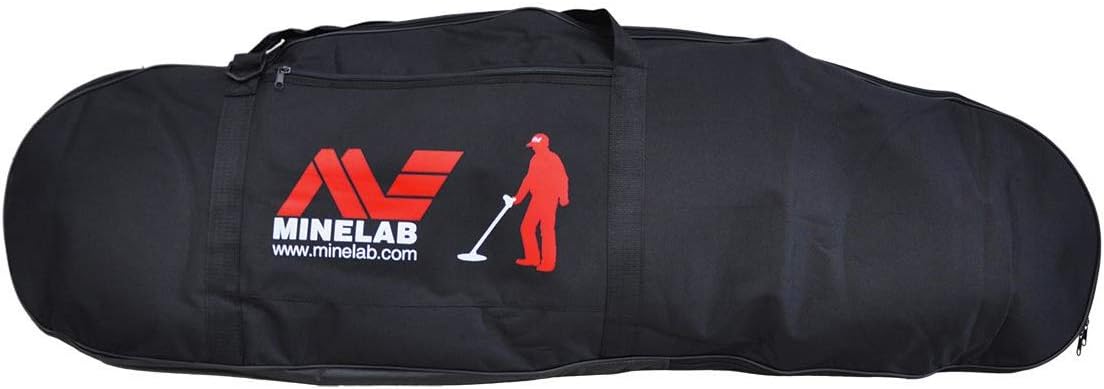
Figure 3: Detailed view of the GPZ 7000 control unit.
2.3 Harness System Assembly
The GPZ 7000 includes a harness system for comfortable operation, distributing the detector's weight. Assemble the harness according to the diagrams provided in the separate harness manual, ensuring all straps are adjusted for a snug fit.

Figure 4: Minelab detector harness system.
2.4 Wireless Audio Module (WM 10) and Headphones
The WM 10 Wireless Module provides audio freedom. Charge the module before first use. Connect your headphones to the WM 10 module. The module will pair automatically with the GPZ 7000 control unit when both are powered on.

Figure 5: Minelab WM 10 Wireless Module.
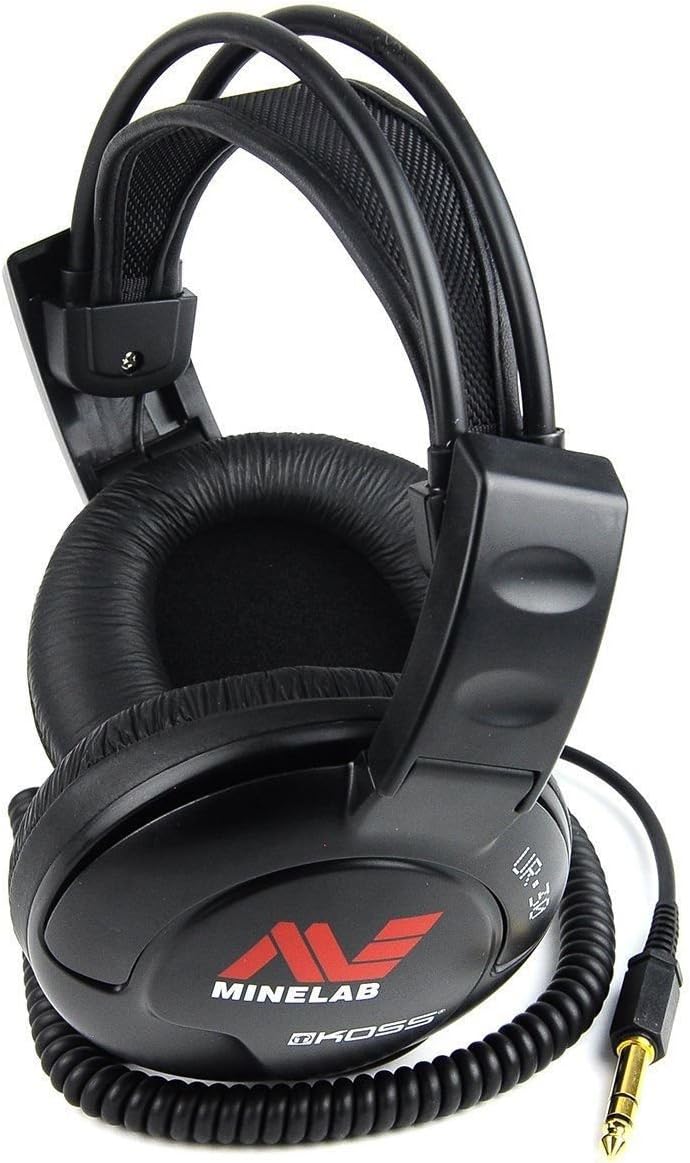
Figure 6: Minelab headphones for use with the WM 10 module.
3. Operating Instructions
This section covers the basic operation of your GPZ 7000 detector.
3.1 Powering On and Off
- To power on, press and hold the Power button on the control unit until the display illuminates.
- To power off, press and hold the Power button until the shutdown sequence completes.

Figure 7: GPZ 7000 display interface.
3.2 Ground Balance
Ground balancing is crucial for optimal performance. The GPZ 7000 features automatic ground balance. To perform a ground balance:
- Hold the search coil flat over an area of ground free of metal.
- Press the Ground Balance button on the control unit.
- Pump the coil up and down over the ground until a stable threshold sound is achieved.
3.3 Detection Modes and Settings
Navigate through the menu system using the directional buttons and the 'Select' button. The GPZ 7000 offers various detection modes and customizable settings to suit different prospecting conditions. Refer to the on-screen prompts and the full user manual for detailed explanations of each setting.
3.4 GPS Functionality
The integrated GPS allows for tracking your search path and marking points of interest. Access the GPS menu to view your current location, save waypoints, and review your search history. Data can be exported for PC mapping.
4. Maintenance
Proper maintenance ensures the longevity and performance of your GPZ 7000 detector.
4.1 Cleaning
- Wipe down the control unit and shafts with a damp cloth after each use. Avoid abrasive cleaners.
- The search coil can be rinsed with fresh water. Ensure the coil connector is clean and dry before reattaching.
4.2 Battery Care
- Charge the battery fully before extended storage.
- Store the battery in a cool, dry place.
- Avoid fully discharging the battery frequently.
4.3 Storage
When not in use, store the detector in a clean, dry environment. Disassemble the detector if necessary and store it in the provided carry bag to protect it from dust and damage.

Figure 8: Minelab carry bag for storage and transport.
5. Troubleshooting
This section addresses common issues you might encounter with your GPZ 7000.
| Problem | Possible Cause | Solution |
|---|---|---|
| Detector does not power on | Low or uncharged battery; loose battery connection | Charge the battery; ensure battery is securely connected. |
| Erratic signals or false positives | Poor ground balance; electromagnetic interference; highly mineralized ground | Perform ground balance; move away from power lines or electronic devices; adjust sensitivity settings. |
| No audio from headphones | WM 10 not paired; low WM 10 battery; headphones unplugged | Ensure WM 10 is powered on and paired; charge WM 10; check headphone connection. |
If you encounter issues not listed here or if solutions do not resolve the problem, contact Minelab customer support.
6. Specifications
| Feature | Specification |
|---|---|
| Brand | MINELAB |
| Model Number | GPZ 7000 |
| Item Weight | 21 Pounds |
| Extended Length | 54 Inches |
| Adjustable Length | Yes |
| Operating Frequency | 10 KHz |
| Display Type | Digital |
| Material | Gold, Metal |
| Power Source | AC/DC (gasoline, corded_electric options also listed, but primary is AC/DC for charging) |
| Batteries Required | Yes |
| International Protection Rating | IP54 |
| Recommended Uses | Metal Detection, Gold/Mineral Prospecting |
7. Warranty Information
For detailed warranty terms and conditions, please refer to the official warranty documentation provided with your Minelab GPZ 7000 detector or visit the official Minelab website. Warranty coverage typically includes manufacturing defects for a specified period from the date of purchase.
8. Customer Support
Should you require technical assistance, service, or have questions regarding your Minelab GPZ 7000, please contact Minelab customer service. Contact information can typically be found on the official Minelab website or in the product packaging.


