
Product Overview
The Hixon Q022 4-Bay AA AAA Battery Charger is specifically designed for charging Hixon rechargeable AA and AAA lithium batteries. This compact and efficient charger provides a safe and fast charging solution for your compatible batteries, featuring multi-protection functions to ensure user safety.

Image: Front view of the Hixon 4-Bay AA AAA Battery Charger, showing four charging slots and the included USB charging cable.
Key Features:
- Dedicated Charger: Exclusively designed for Hixon rechargeable AA/AAA lithium batteries.
- Fast Charging: Fully charges Hixon AA/AAA lithium batteries in approximately 2 hours.
- Multi-Protection: Built-in safeguards against over-charge, short-circuit, over-heated, and reversal polarity. Includes 0V activation function for over-discharged batteries.
- Mixed Charging: Capable of charging 1 to 4 AA/AAA rechargeable batteries simultaneously, in any combination.
- USB Powered: Conveniently powered via USB (adapter not included).
Package Contents
- 1 x Hixon 4-Bay AA AAA Battery Charger (Model Q022)
- 1 x USB Charging Cable
- Note: Rechargeable batteries are not included and must be purchased separately.

Image: The Hixon charger, its USB cable, and the product packaging box, illustrating the items included in the package.
Setup
- Unpack the Charger: Carefully remove the charger and USB cable from the packaging.
- Connect Power: Insert the smaller end of the provided USB charging cable into the USB input port on the back or side of the charger.
- Plug into Power Source: Connect the larger end of the USB cable to a compatible USB power adapter (e.g., phone charger, computer USB port, power bank) with a DC 5V 2A output.

Image: The Hixon charger with its USB cable, demonstrating how the cable connects to the charger's input port.
Operating Instructions
Follow these steps to charge your Hixon AA/AAA lithium batteries:
- Power On: Ensure the charger is connected to a power source as described in the "Setup" section.
- Insert Batteries: Carefully insert one or more Hixon AA or AAA rechargeable lithium batteries into the charging slots. Ensure the positive (+) and negative (-) ends of the batteries align correctly with the markings in the charger slots. The positive end of the battery should align with the positive contact in the charger, and the negative end with the negative contact.
- Charging Indication:
- Upon correct insertion, a blue light will flash at the positive pole of the battery slot.
- The rectangular LED indicator for that slot will turn red, indicating that charging is in progress.
- Charging Completion:
- Once the battery is fully charged, the rectangular LED indicator will turn green.
- The charging process for Hixon AA/AAA lithium batteries typically takes about 2 hours.
- Remove Batteries: Once charging is complete (green LED), carefully remove the batteries from the charger.

Image: A close-up view of the charging slots and contacts on the Hixon charger, showing the design for proper battery insertion.
Important Notes:
- This charger is exclusively designed for Hixon rechargeable AA/AAA lithium batteries. Do NOT attempt to charge any other brand of batteries or any type of disposable 1.5V battery. Doing so may cause damage to the charger, batteries, or pose a fire hazard.
- If a battery does not begin charging (LED does not turn red), remove the battery and re-insert it after 15 seconds.
- The charger features 0V activation function, which can activate batteries that have been protected by over-discharge.
Maintenance
- Cleaning: Disconnect the charger from the power source before cleaning. Use a soft, dry cloth to wipe the exterior of the charger. Do not use liquid cleaners or abrasive materials.
- Storage: When not in use, store the charger in a cool, dry place away from direct sunlight and moisture.
- Handling: Avoid dropping the charger or subjecting it to strong impacts, as this may damage internal components.
Troubleshooting
| Problem | Possible Cause | Solution |
|---|---|---|
| Battery not charging (LED not red) |
|
|
| Charger not powering on |
|
|
| Charging takes longer than expected |
|
|
Specifications

Image: The back label of the Hixon charger, displaying its model number, input/output specifications, and warning information.
| Feature | Detail |
|---|---|
| Model | Q022 |
| Input | DC 5V 2A |
| Output | DC 5V 500mA * 4 |
| Compatible Batteries | Hixon AA/AAA Li-ion Rechargeable Batteries ONLY |
| Charging Time | Approx. 2 hours (for Hixon AA/AAA lithium batteries) |
| Certifications | CE, RoHS, FCC Certified |
| Item Weight | 2.7 ounces |
| Dimensions | Approx. 77mm x 77mm (3.03in x 3.03in) |
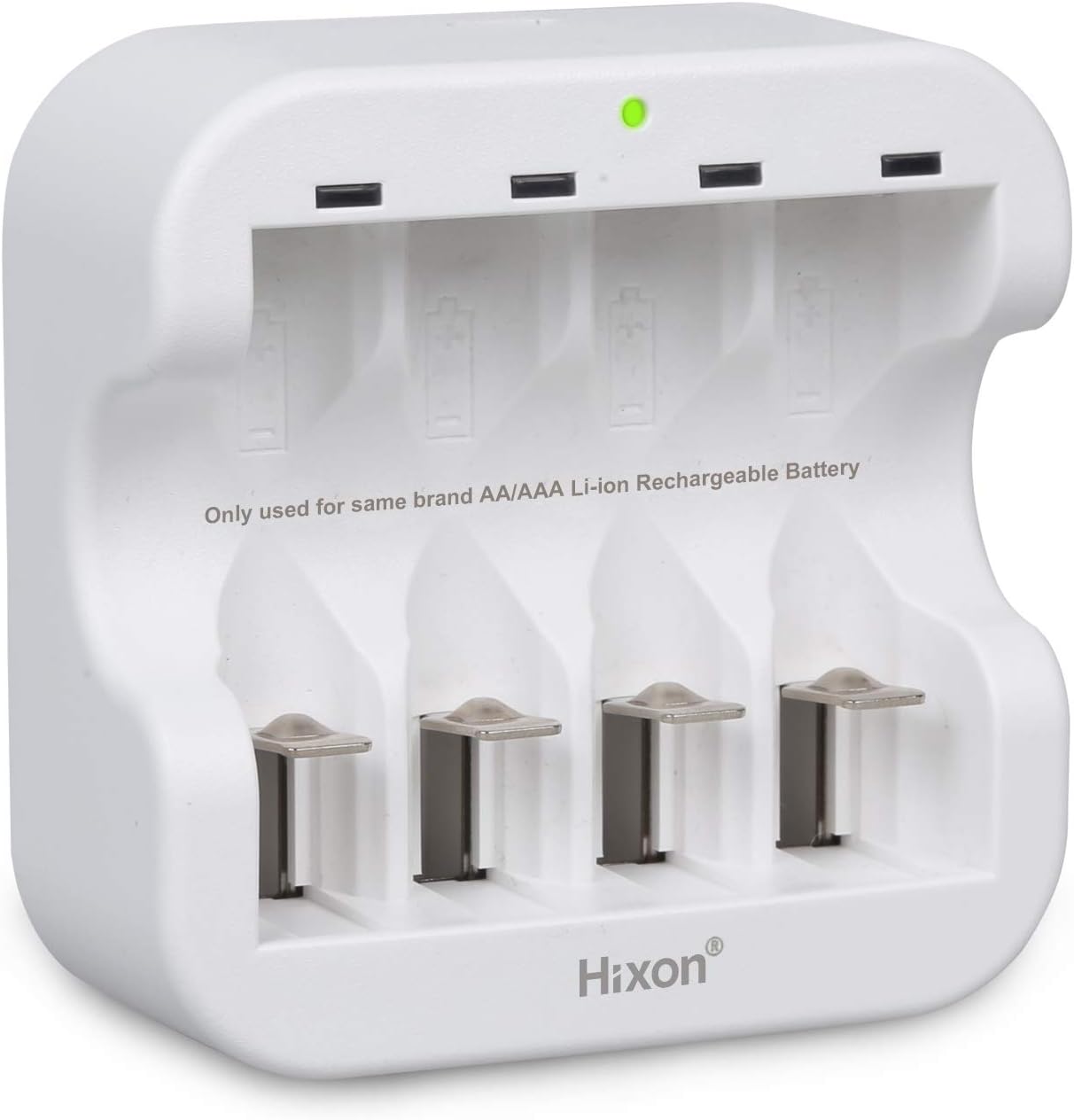
Image: Diagram showing the approximate dimensions of the Hixon 4-Bay AA AAA Battery Charger, indicating it is 77mm (3.03 inches) in both length and width.
Safety Information and Warnings
- WARNING: This charger is ONLY for Hixon brand 1.5V rechargeable Li-ion batteries. Do NOT charge any other brands or types of disposable 1.5V batteries, or any other battery chemistry (e.g., NiMH, NiCd).
- Do not disassemble, modify, or repair the charger yourself. Contact customer support if service is required.
- Keep the charger away from water, moisture, and high temperatures.
- Do not operate the charger if it has been damaged in any way.
- Keep out of reach of children.
- Ensure proper ventilation during charging.
Warranty and Support
Hixon products are manufactured with quality and reliability in mind. For warranty information, technical support, or any inquiries regarding your Hixon 4-Bay AA AAA Battery Charger, please contact Hixon customer service through the retailer where you purchased the product or visit the official Hixon website.
Please retain your proof of purchase for warranty claims.
For more information, you may visit the Hixon Store on Amazon.