Introduction
This manual provides comprehensive instructions for the BEITONG BTP-2270K Wireless Game Controller. It covers setup, operation, maintenance, and troubleshooting to ensure optimal performance and longevity of your device. The BTP-2270K is designed for a versatile gaming experience across various platforms, featuring reliable wireless connectivity, dual-vibration feedback, and an ergonomic design for comfortable extended play.
Product Features
- 2.4GHz Wireless Connection: Utilizes a stable 2.4GHz wireless technology for a long transmission distance, offering a clutter-free gaming experience.
- Dual-Vibration Feedback: Embedded motors in the side grips provide distinct haptic feedback, enhancing game immersion and realism.
- Universal Compatibility: Supports Android phones and tablets, as well as Windows XP/7/8/10. Note: Does not support Bluetooth connection.
- Ergonomic Design: Asymmetrical grip and contour design ensure a comfortable hold, reducing fatigue during long gaming sessions. Buttons are responsive and easy to press.
- Wired & Wireless Modes: Equipped with a wireless receiver and a data cable, allowing for flexible connection options based on user preference and environment.
Setup Guide
1. Package Contents
Before proceeding, ensure all items are present in the package:
- BEITONG BTP-2270K Wireless Game Controller
- 2.4GHz Wireless Receiver
- USB Data Cable
- User Manual (this document)
2. Connecting the Controller
2.1. Wireless Connection (2.4GHz)
For wireless operation, use the included 2.4GHz wireless receiver.
- Insert the 2.4GHz wireless receiver into an available USB port on your PC, Android device, or TV Box.
- Turn on the BEITONG BTP-2270K controller. The controller will automatically attempt to pair with the receiver.
- Once successfully connected, the indicator lights on the controller will stabilize, indicating a successful connection.
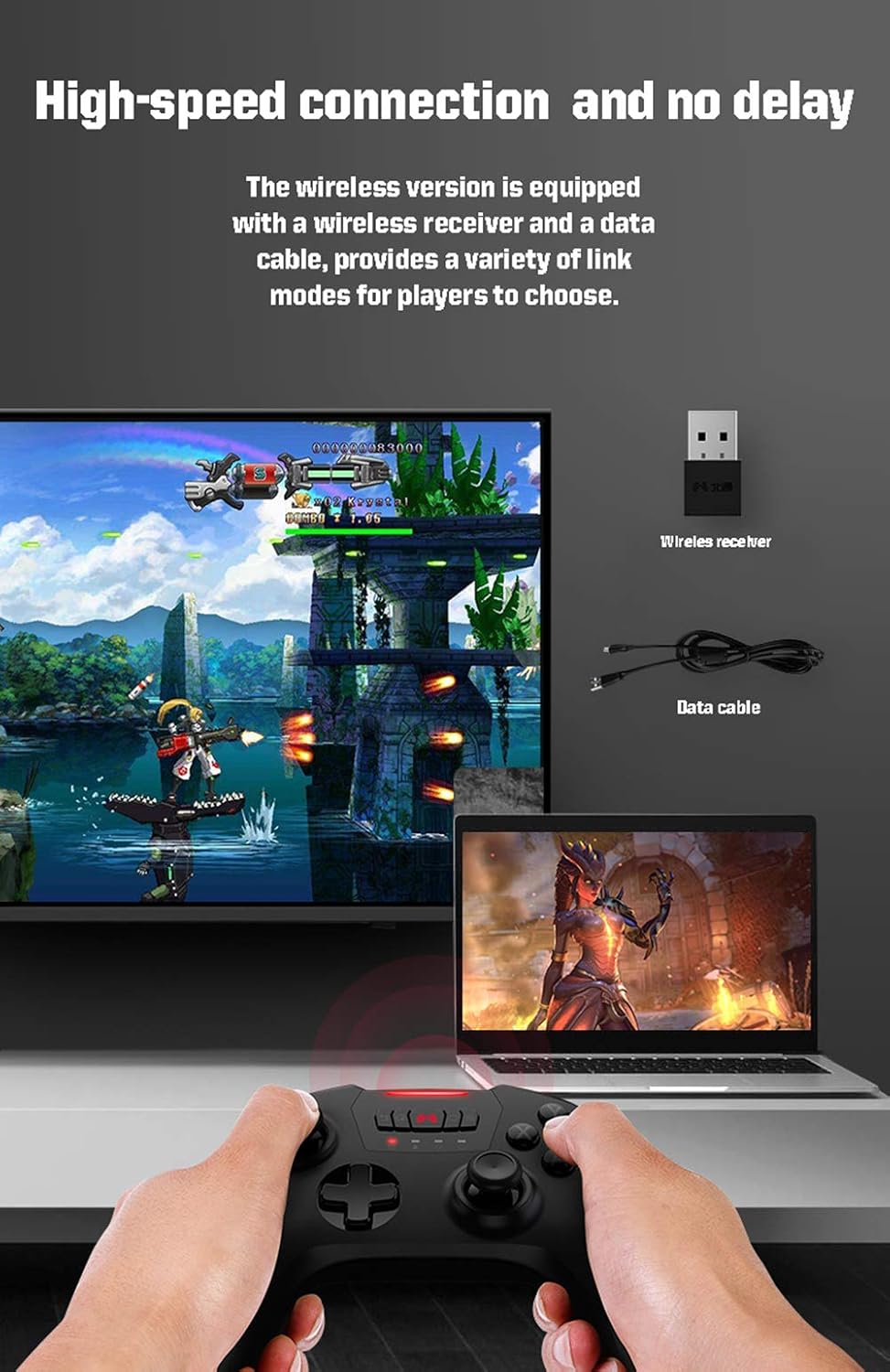
Figure 1: Wireless connection setup with the controller, wireless receiver, and data cable shown connected to a laptop and TV.
2.2. Wired Connection
The controller can also be used in wired mode for a direct connection.
- Connect one end of the provided USB data cable to the controller's charging/data port.
- Connect the other end of the USB data cable to an available USB port on your PC, Android device, or TV Box.
- The controller will be recognized by your device and ready for use.
3. Compatibility
The BEITONG BTP-2270K controller is compatible with:
- Windows XP, Windows 7, Windows 8, Windows 10
- Android 4.0 and above (for phones and tablets)
- Android TV Boxes
Note: This controller does not support Bluetooth connection.
Operating Instructions
1. Controller Layout Overview
The BEITONG BTP-2270K features a standard gamepad layout for intuitive control.

Figure 2: Front view of the BEITONG BTP-2270K Game Controller.

Figure 3: Side view of the BEITONG BTP-2270K Game Controller, showing shoulder buttons and triggers.
Key components include: Dual Analog Joysticks, D-pad, A/B/X/Y Action Buttons, LB/RB Shoulder Buttons, LT/RT Triggers, and various function buttons (e.g., Start, Select, Home).
2. Dual-Vibration Function
The controller is equipped with dual vibration motors located in the side grips. These motors provide tactile feedback during gameplay, such as impacts, explosions, or other in-game events, enhancing the immersive experience. The vibration intensity may vary based on the game and specific in-game actions.

Figure 4: Illustration of the dual vibration motors within the controller grips.
3. High-Precision Joysticks
The 360-degree high-precision joysticks allow for subtle and accurate movements, crucial for precise control in various game genres. They are designed for durability and consistent performance.

Figure 5: High-precision joysticks for accurate control.
4. Adjustable Operation Modes (Joystick/D-pad Swap)
The controller features a one-key switch function to swap the input of the joystick and the D-pad. This allows you to adapt the controller's primary directional input based on the game's requirements or your personal preference.
- Locate the mode switch button (often indicated by an icon resembling a joystick and D-pad).
- Press this button to toggle between joystick control and D-pad control for directional input.

Figure 6: Switching between joystick and D-pad operation modes.
5. Adjustable Turbo Frequencies
The controller supports adjustable Turbo frequencies, allowing you to set rapid-fire functionality for certain buttons. This feature can be adjusted to three different speeds: Low, Medium, and High.
- To activate Turbo for a button, press and hold the desired action button (e.g., A, B, X, Y) and then press the "TURBO" button simultaneously.
- To adjust the Turbo frequency, press the "TURBO" button and then press the D-pad's Up or Down direction. The indicator lights will show the current frequency setting (e.g., one light for Low, two for Medium, three for High).
- To clear Turbo for a button, press and hold the button with Turbo enabled and press the "TURBO" button again.

Figure 7: Adjusting Turbo frequencies (Low, Medium, High).
Maintenance
Proper maintenance ensures the longevity and optimal performance of your BEITONG BTP-2270K controller.
- Cleaning: Use a soft, dry cloth to wipe the surface of the controller. For stubborn dirt, slightly dampen the cloth with water or a mild cleaning solution. Avoid using harsh chemicals or abrasive materials.
- Storage: Store the controller in a cool, dry place away from direct sunlight, extreme temperatures, and high humidity.
- Handling: Avoid dropping the controller or subjecting it to strong impacts, as this can damage internal components.
- Cable Care: When disconnecting the USB data cable, always pull from the plug, not the cable itself, to prevent damage to the cable or port.
Troubleshooting
If you encounter issues with your BEITONG BTP-2270K controller, refer to the following common troubleshooting steps:
| Problem | Possible Cause / Solution |
|---|---|
| Controller not connecting wirelessly. |
|
| Controller not recognized in wired mode. |
|
| Vibration function not working. |
|
| Joystick drift or inaccurate input. |
|
If the problem persists after trying these steps, please contact customer support.
Specifications
| Feature | Detail |
|---|---|
| Model | BTP-2270K |
| Connectivity | 2.4GHz Wireless, Wired (USB) |
| Compatibility | Windows XP/7/8/10, Android 4.0+ (phones, tablets, TV boxes) |
| Vibration | Dual-Vibration Motors |
| Weight | 8.1 ounces (approx. 230 grams) |
| Manufacturer | BEITONG |
| First Available Date | March 15, 2021 |
Warranty and Support
BEITONG products are manufactured to high quality standards. For warranty information, please refer to the warranty card included with your product or visit the official BEITONG website. If you require technical assistance or have questions not covered in this manual, please contact BEITONG customer support through their official channels.
For the latest drivers, firmware updates, and support resources, please refer to the official BEITONG product support documentation or website.