
Introduction
This manual provides essential information for the safe and efficient operation of your PowerSpec 650W Fully Modular Power Supply (Model: PSX 650GFM). This power supply unit (PSU) is designed to provide stable and reliable power to your personal computer, featuring 80 PLUS Gold certification for high energy efficiency and a fully modular design for simplified cable management.
Please read this manual thoroughly before installation and use to ensure proper setup and to prevent damage to the unit or other components.

Image: The PowerSpec 650W Fully Modular Power Supply shown alongside its retail packaging.
Product Features
- 650W Continuous Power: Provides stable and reliable power output for demanding PC components.
- 80 PLUS Gold Certified: Ensures high energy efficiency (90% or higher typical) and reduced heat generation.
- Fully Modular Design: Allows for custom cable management by connecting only the necessary cables, reducing clutter and improving airflow.
- Active PFC (Power Factor Correction): Improves power efficiency and reduces harmonic distortion.
- Single +12V Rail: Delivers strong and stable power to critical components like the CPU and GPU.
- 100% Japanese 105°C Capacitors: Enhances durability and extends the lifespan of the unit.
- 135mm Cooling Fan: Provides efficient heat dissipation while maintaining quiet operation.
- Comprehensive Protection Functions: Includes Over Voltage Protection (OVP), Under Voltage Protection (UVP), Over Current Protection (OCP), and Short Circuit Protection (SCP) for system safety.
- Low-Profile Nylon Sleeve Cables: Facilitates a clean and professional build.
Package Contents
Verify that all items listed below are included in your package:
- PowerSpec 650W Fully Modular Power Supply Unit (PSX 650GFM)
- Modular Cable Set (including Main Power, ATX 12V, PCI-E, SATA, Molex, and Floppy connectors)
- AC Power Cord
- Mounting Screws
- Product Manual (this document)
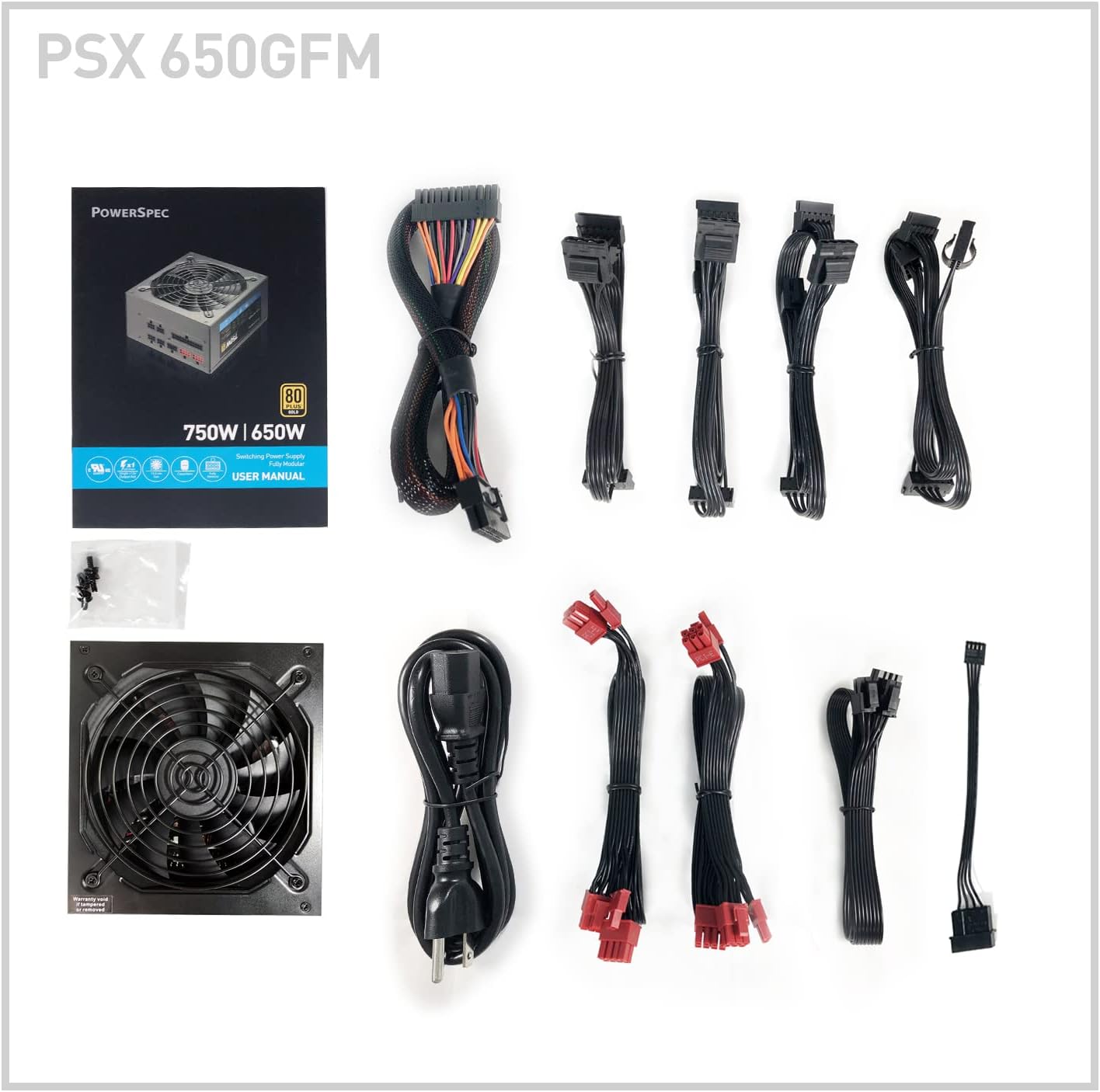
Image: All components included in the PowerSpec 650W Power Supply package.
Safety Information
Always observe the following safety precautions to prevent injury or damage to the product and connected devices:
- Ensure the power supply is disconnected from the AC outlet before installation, removal, or any maintenance.
- Do not open the power supply casing. High voltages are present inside, even when the unit is unplugged. There are no user-serviceable parts inside.
- Install the power supply in a well-ventilated area, away from heat sources, direct sunlight, and moisture.
- Use only the cables provided with the power supply. Using incompatible cables may cause damage.
- Ensure all cables are securely connected to prevent loose connections, which can lead to instability or damage.
- Do not force connectors. Ensure proper orientation before plugging in cables.
- This product is designed for use with personal computers. Do not use it for other applications.
Setup and Installation
Follow these steps to install your PowerSpec 650W Power Supply into your computer system:
- Prepare Your System:
- Turn off your computer and unplug the AC power cord from the wall outlet.
- Open your computer case.
- If replacing an existing PSU, disconnect all cables from the old power supply and remove it from the case.
- Ensure you are grounded to prevent electrostatic discharge (ESD) damage to components.
- Mount the Power Supply:
- Carefully slide the PowerSpec PSU into the designated power supply bay in your computer case.
- Align the screw holes on the PSU with those on the case.
- Secure the PSU using the provided mounting screws.
- Connect Modular Cables:
The PowerSpec PSX 650GFM is fully modular, meaning you only connect the cables you need. Refer to the image below for port identification.

Image: Modular cable connection ports on the PowerSpec 650W PSU.
- Main Power (20+4-pin): Connect the 20+4-pin ATX cable to the motherboard's main power connector. Ensure both sections are securely latched.
- ATX 12V (4+4-pin): Connect the 4+4-pin CPU power cable to your motherboard's CPU power connector. Some motherboards may require only 4 pins, while others require all 8. Ensure correct orientation.
- PCI-E (6+2-pin): Connect the 6+2-pin PCI-E cables to your graphics card(s). Modern graphics cards often require one or more 6-pin or 8-pin connectors.
- SATA Connectors: Use SATA cables to power storage devices such as SSDs, HDDs, and optical drives.
- Molex Connectors: Connect Molex cables to older peripherals or case fans that require this type of power.
- Floppy Connector: If needed, connect the floppy power cable to compatible devices.
Note: Ensure all connectors are fully seated and latched. Improperly connected cables can lead to system instability or component damage. Pay close attention to the main motherboard power connector and CPU power connector as they are crucial for system boot-up.
- Cable Management: Route cables neatly within your case to improve airflow and aesthetics. Utilize cable ties or case features for organization.
- Close Case and Power On:
- Once all connections are secure, close your computer case.
- Plug the AC power cord into the power supply and then into a wall outlet or surge protector.
- Flip the power switch on the back of the PSU to the "ON" position (usually marked with "I").
- Power on your computer.
Operating Instructions
The PowerSpec 650W Power Supply operates automatically once installed and powered on. It provides continuous power to your system components as needed.
- Power On/Off: Use the power switch on the back of the PSU to manually turn the unit on or off. For normal operation, leave it in the "ON" position. Your computer's power button will control system boot-up and shutdown.
- Fan Operation: The 135mm cooling fan will operate automatically to maintain optimal temperatures within the PSU. Its speed adjusts based on the load and internal temperature to ensure efficient cooling and quiet operation.

Image: Front view of the PowerSpec 650W PSU, highlighting the cooling fan.
Maintenance
Proper maintenance can extend the lifespan of your power supply and ensure stable performance:
- Dust Removal: Periodically clean dust from the power supply's fan grille and vents using compressed air. Ensure the system is powered off and unplugged before cleaning. Do not insert any objects into the fan or vents.
- Cable Check: Occasionally inspect all connected cables to ensure they remain securely seated.
- Environmental Conditions: Ensure your computer operates in a clean, dry, and well-ventilated environment to prevent dust buildup and overheating.
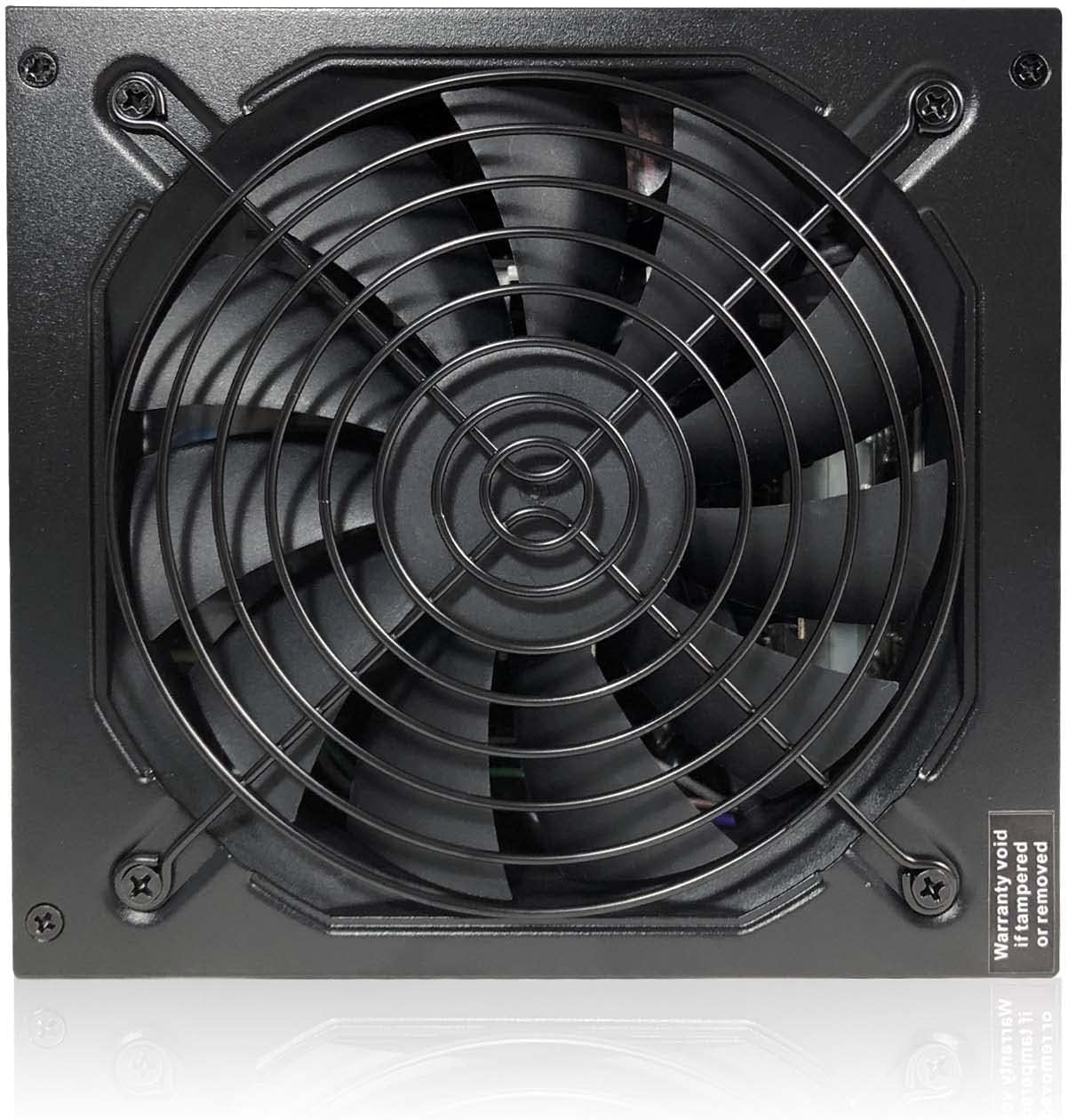
Image: Top view of the PowerSpec 650W PSU fan grille.
Troubleshooting
If you encounter issues with your PowerSpec 650W Power Supply, refer to the following common problems and solutions:
| Problem | Possible Cause / Solution |
|---|---|
| System does not power on. |
|
| System powers on but shuts down immediately or randomly. |
|
| Sparking or unusual noises when plugging in AC cord. |
|
| Peripherals (e.g., hard drives, fans) are not receiving power. |
|
If troubleshooting steps do not resolve the issue, please contact PowerSpec customer support.
Specifications
Detailed technical specifications for the PowerSpec PSX 650GFM Power Supply:

Image: Electrical specification label on the PowerSpec 650W PSU.
General Specifications
- Model Name: PSX 650GFM
- Output Wattage: 650 Watts
- Form Factor: ATX
- Efficiency Rating: 80 PLUS Gold Certified (>90% Typical)
- PFC: Active PFC
- Cooling Method: Air (135mm fan)
Electrical Specifications
- Input Voltage: 100V-240V AC
- Input Frequency Range: 50Hz-60Hz
- Input Current: 10A @ 100VAC
- Hold-up Time: 9.8ms at Full Load
- +12V Rails: 1
| DC Output Rail | Max Current | Max Combined Power |
|---|---|---|
| +3.3V | 22A | 120W |
| +5V | 22A | |
| +12V | 54.2A | 650W |
| -12V | 0.3A | 3.6W |
| +5VSB | 3A | 15W |
Connectors
- ATX Connector: 1 x 20+4-pin
- ATX 12V Connector: 1 x 4+4-pin
- Graphics Connector (PCI-E): 4 x 6+2-pin
- Molex Connector: 4
- SATA Connector: 8
- Floppy Connector: 1
Physical Specifications
- Height: 3.39 in. (86mm)
- Width: 6.30 in. (160mm)
- Depth: 5.91 in. (150mm)
- Weight: 4.80 lbs. (2.18 kg)
Warranty and Support
Warranty: The PowerSpec 650W Power Supply (PSX 650GFM) comes with a 5-Year Warranty from the date of purchase. This warranty covers defects in materials and workmanship under normal use.
Support: For technical assistance, troubleshooting beyond this manual, or warranty claims, please contact PowerSpec customer support. Refer to the official PowerSpec website for the most current contact information.
Please retain your proof of purchase for warranty service.

