
1. Product Overview
The TEKMAGIC W60-OUS-WT is a robust digital watch designed for various activities, including swimming, snorkeling, and scuba diving, with a water resistance rating of 10 ATM (up to 100 meters). It features a clear digital display and multiple functions to assist with daily timekeeping and sports activities.
Key features include precise time, date, and day display, a chronograph (stopwatch), countdown timer, dual time zone functionality, alarm clock, hourly chime, and an electro luminescent backlight for visibility in low light conditions. The watch is also shock resistant and comes with a comfortable TPU band.

Image 1.1: Front view of the TEKMAGIC W60-OUS-WT digital watch, showcasing its robust design and digital display with water splashes, indicating its water-resistant nature.
2. Button Functions
Familiarize yourself with the watch buttons to operate its various functions:
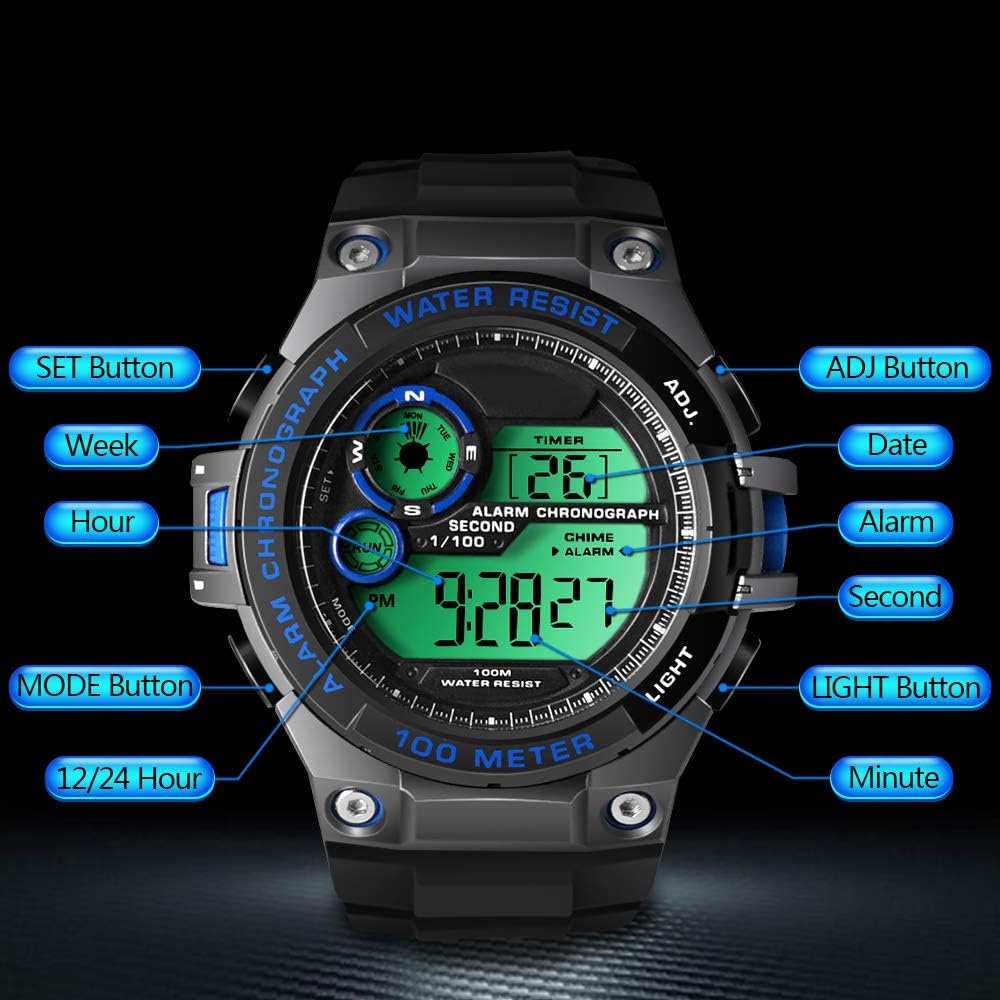
Image 2.1: Diagram illustrating the button layout and their respective functions on the TEKMAGIC W60-OUS-WT watch. Buttons include SET, MODE, 12/24 Hour, ADJ, Date, Alarm, Second, Light, and Minute.
- SET Button: Used to enter setting modes and confirm selections.
- ADJ Button: Used to adjust values during setting modes.
- MODE Button: Cycles through different operational modes (Time, Chronograph, Countdown, Alarm, Dual Time).
- LIGHT Button: Activates the electro luminescent backlight.
- 12/24 Hour Button: Toggles between 12-hour and 24-hour time formats.
3. Initial Setup
3.1 Setting Time and Date
- In Timekeeping Mode, press and hold the SET button until the seconds begin to flash. This indicates you are in setting mode.
- Press the MODE button to cycle through the setting options: Seconds → Hours → Minutes → Year → Month → Day.
- Use the ADJ button to increase the flashing value. For seconds, pressing ADJ will reset them to 00.
- Once all settings are adjusted, press the SET button again to exit the setting mode.
3.2 12/24 Hour Format
In Timekeeping Mode, press the 12/24 Hour button to toggle between 12-hour (with AM/PM indicator) and 24-hour formats.
4. Operating Functions
4.1 Timekeeping Mode
This is the default mode, displaying the current time (hour, minute, second), date, and day of the week.
4.2 Chronograph (Stopwatch) Mode
To use the stopwatch function:
- Press the MODE button repeatedly until 'CHRONO' or 'STW' appears on the display.
- Press the ADJ button to start the stopwatch.
- Press the ADJ button again to pause/resume.
- To reset the stopwatch, ensure it is paused, then press the SET button.

Image 4.1: The TEKMAGIC watch displaying the stopwatch function, with a runner in the background, illustrating its use for timing sports activities.
4.3 Countdown Timer Mode
To set and use the countdown timer:
- Press the MODE button repeatedly until 'TIMER' or 'CD' appears.
- Press and hold the SET button until the hours begin to flash.
- Use the MODE button to select hours, minutes, or seconds, and the ADJ button to adjust the values.
- Press SET to confirm the countdown time.
- Press ADJ to start or pause the countdown.
- When the countdown reaches zero, an alarm will sound.
4.4 Alarm Clock and Hourly Chime
To set the alarm:
- Press the MODE button repeatedly until 'ALARM' appears.
- Press and hold the SET button until the hour digits flash.
- Use the ADJ button to set the hour, then press MODE to select minutes and use ADJ to set them.
- Press SET to confirm the alarm time.
- Press the ADJ button in Alarm Mode to toggle the alarm ON/OFF. An alarm icon will appear when activated.
To activate/deactivate the hourly chime, press the SET button in Alarm Mode. A chime icon will appear when activated.

Image 4.2: The TEKMAGIC watch displaying its alarm and calendar functions, with visual cues for waking up and checking dates.
4.5 Dual Time Zone
The watch allows you to set a second time zone:
- Press the MODE button repeatedly until 'DUAL TIME' or 'DT' appears.
- Press and hold the SET button until the hour digits flash.
- Use the ADJ button to set the hour, then press MODE to select minutes and use ADJ to set them.
- Press SET to confirm the dual time zone setting.
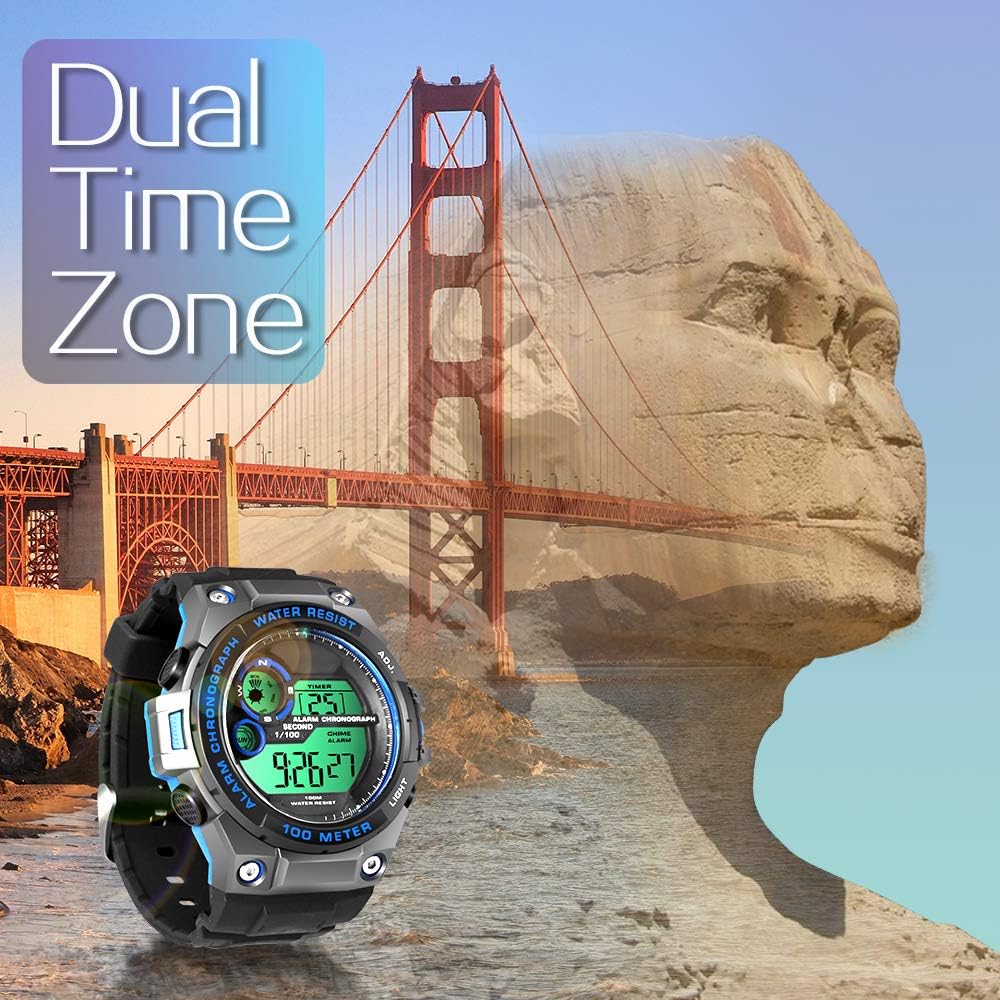
Image 4.3: The TEKMAGIC watch displaying its dual time zone feature, superimposed over an image of a bridge and a rock formation, suggesting travel and global timekeeping.
4.6 Backlight
Press the LIGHT button to illuminate the display for a few seconds, enhancing visibility in dark environments.

Image 4.4: The TEKMAGIC watch with its backlight activated, shown in a dimly lit setting, highlighting its visibility feature.
4.7 Water Resistance (100m / 10 ATM)
This watch is designed to withstand water pressure up to 100 meters (10 ATM), making it suitable for swimming, snorkeling, and recreational scuba diving. It is important to note the following:
- Do not operate buttons underwater. Operating buttons while submerged can compromise the watch's water resistance.
- Avoid exposing the watch to hot water, steam, or extreme temperature changes, as this can damage the seals.
- Rinse the watch with fresh water after exposure to saltwater to prevent corrosion.

Image 4.5: The TEKMAGIC watch displayed in an underwater scuba diving scene, emphasizing its suitability for deep-water activities.
Video 4.1: A demonstration of the TEKMAGIC watch being submerged in water, showcasing its water resistance capabilities. The watch remains functional and readable while wet.
5. Maintenance
5.1 Cleaning
Wipe the watch regularly with a soft, damp cloth. For stubborn dirt, use a mild soap solution and rinse thoroughly with fresh water. Ensure the watch is completely dry before storage.
5.2 Battery Replacement
The watch uses a CR2025 battery, which typically lasts 1.5 to 2 years. When the display becomes dim or functions become erratic, it may be time to replace the battery. Battery replacement should ideally be performed by a qualified watch technician to ensure proper sealing and maintain water resistance.
5.3 Storage
Store the watch in a cool, dry place away from direct sunlight and extreme temperatures. Avoid exposing it to strong magnetic fields.
6. Troubleshooting
- Display is blank or dim: Check the battery. If the battery is low, replace it.
- Buttons are unresponsive: Ensure the watch is not in a locked mode (if applicable, though this model does not specify one). Try a soft reset by allowing the battery to drain completely and then replacing it, or consult a technician.
- Water inside the watch: Immediately take the watch to a professional for inspection and repair to prevent further damage. Do not attempt to dry it yourself.
- Incorrect time/date: Re-enter the time and date settings as described in Section 3.1.
7. Specifications

Image 7.1: Visual representation of the TEKMAGIC watch's dimensions, including case diameter (55mm), case thickness (18mm), band width (22mm), total length (258mm), and wrist circumference range (160mm-215mm).
| Feature | Specification |
|---|---|
| Model Number | W60-OUS-WT |
| Water Resistance Depth | 100m (10 ATM) |
| Movement | Digital |
| Time Accuracy | ±30 seconds per month |
| Battery Code | CR2025 |
| Operating Battery Life | 1.5 to 2 years |
| Dial Window Material | High Transparency Resin |
| Watch Case Material | ABS Plastic |
| Dial Color | Black + Gray + Blue |
| Case Diameter | 55 mm |
| Case Thickness | 18 mm |
| Watchband Material | TPU Band |
| Band Color | Black |
| Clasp Type | Pin Buckle |
| Band Width | 22mm |
| Maximum Wrist Circumference | 215mm |
| Minimum Wrist Circumference | 160mm |
| Product Weight | 62g |
8. Warranty and Support
For warranty information, technical support, or service inquiries, please refer to the documentation included with your purchase or contact TEKMAGIC customer service directly. Keep your proof of purchase for warranty claims.