
BLACK+DECKER CZAP102WT
Comfort Zone CZAP102WT H13 Clean Compact HEPA Air Purifier
Model: CZAP102WT | Brand: Comfort Zone
Product Overview
The Comfort Zone CZAP102WT H13 Clean Compact HEPA Air Purifier is designed to significantly improve indoor air quality by effectively removing airborne contaminants. This compact unit is ideal for small to medium-sized rooms, providing a healthier breathing environment.
- True HEPA Filtration: Captures 99.97% of airborne particles as small as 0.3 microns, including allergens, dust, pollen, and pet dander.
- Negative Ion Generator: Enhances air purification by attracting and removing pollutants from the air.
- 3-Stage Filtration System: Includes a pre-filter for larger particles, a True HEPA filter for fine particles, and a carbon filter for odors.
- Compact and Versatile Design: Can be placed on a desk, floor, or countertop, suitable for spaces up to 150 sq. ft.
- User-Friendly Operation: Features intuitive touch controls, illuminated indicator lights, and a built-in night light.
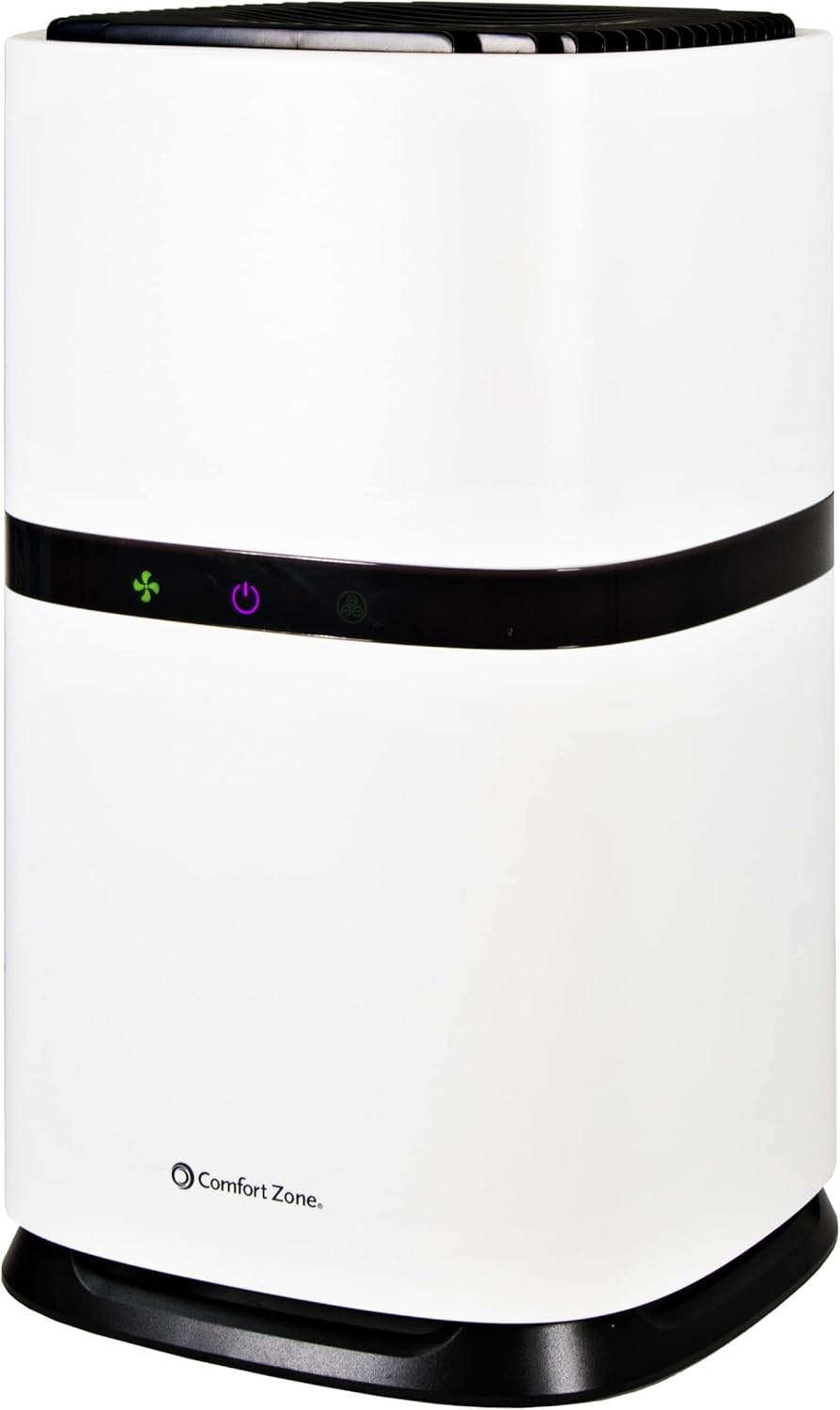
Figure 1: Front view of the Comfort Zone CZAP102WT HEPA Air Purifier.
Setup and Installation
Before operating the air purifier, it is essential to properly install the filter. The filter comes pre-installed but is sealed in a plastic bag for protection during shipping. This bag must be removed before first use.
- Unpack the Unit: Carefully remove the air purifier from its packaging.
- Access the Filter Compartment: Turn the unit upside down. Locate the filter compartment cover at the base of the unit. Twist the cover counter-clockwise to unlock and remove it.
- Remove Plastic Bag: Gently pull out the HEPA filter. It will be enclosed in a plastic bag. Remove this plastic bag completely.
- Reinstall Filter: Place the filter back into the compartment, ensuring it sits securely.
- Secure Cover: Replace the filter compartment cover and twist it clockwise to lock it into place.
- Position the Unit: Place the air purifier on a flat, stable surface. For optimal performance, consider placing it on a desk or elevated surface rather than directly on a carpet, especially if the carpet is plush, to prevent obstruction of the air intake.
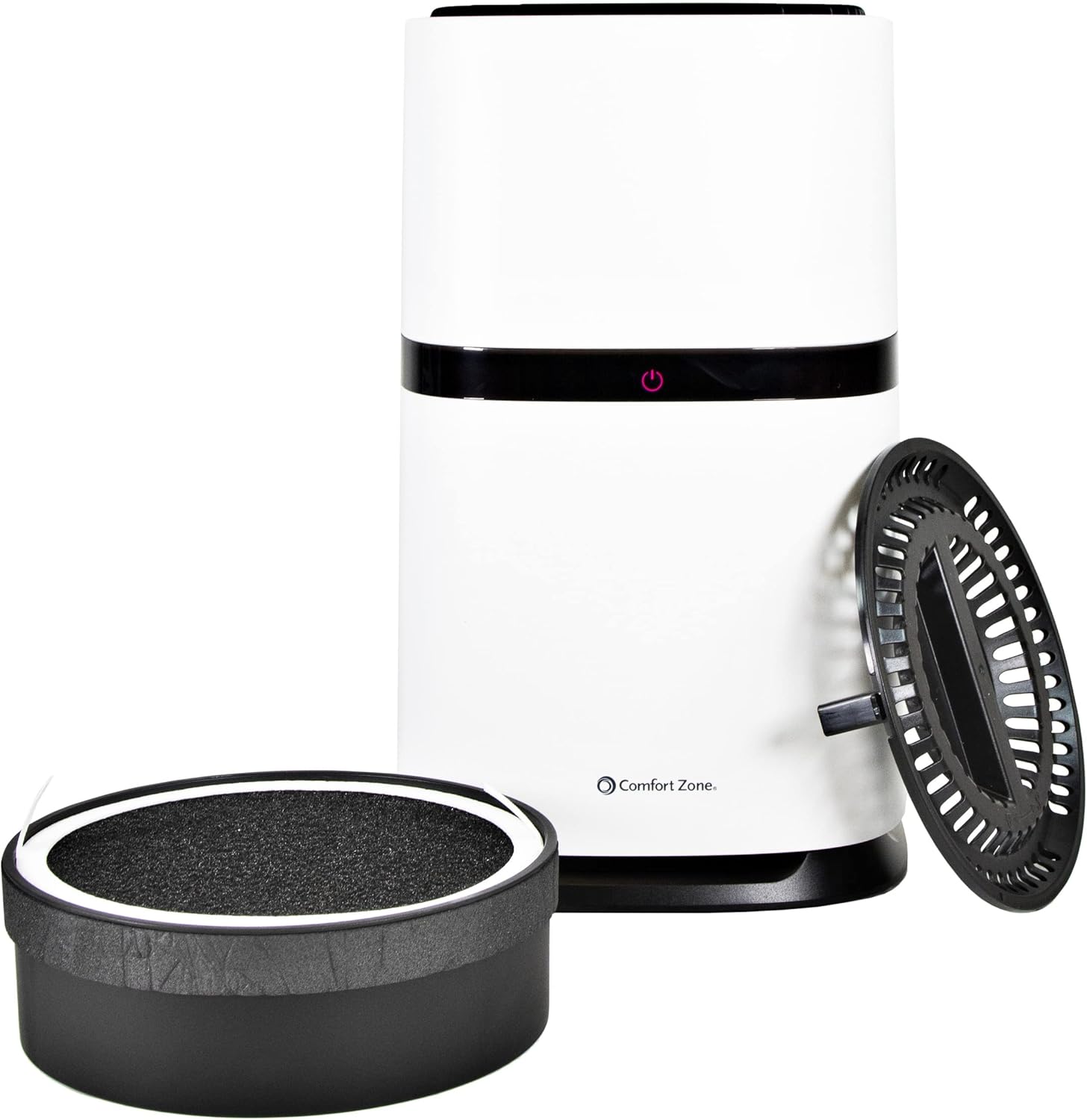
Figure 2: Illustration of the air purifier with its base and filter detached for installation.
Operating Instructions
The Comfort Zone air purifier features simple touch controls for easy operation.
- Power On/Off: Press the central power button (red indicator) to turn the unit on or off.
- Fan Speed Adjustment: The fan speed can be adjusted through three settings:
- Low: Indicated by a yellow light. This setting is the quietest but may produce a slight high-pitched sound.
- Medium: Indicated by a green light. Provides a pleasant, white noise-like hum.
- High: Indicated by a blue light. Offers maximum air purification with a noticeable fan sound.
- Ionizer Function: The unit includes a negative ion generator. When activated, this feature releases negative ions into the air, which attach to airborne particles like dust and dander, making them easier for the filter to capture. The ionizer operates automatically when the unit is on.
- Night Light: The built-in night light provides a soothing blue glow from the top of the unit, enhancing the ambiance of your room. This feature can be particularly relaxing in a dark environment.

Figure 3: Top view of the air purifier illustrating the blue night light feature.
Maintenance
Regular maintenance ensures the longevity and efficiency of your air purifier.
- Filter Replacement: The True HEPA filter is designed to last up to 3,000 hours, which is approximately 4 months of continuous use. A reminder light will flash when it's time to replace the filter.
- To replace the filter, follow the steps outlined in the "Setup and Installation" section.
- Use the recommended replacement filter model: CZAPH132.
- Cleaning the Unit: Wipe the exterior of the air purifier with a soft, dry cloth. Do not use abrasive cleaners or immerse the unit in water.
- Pre-filter Cleaning: The pre-filter, which captures larger particles, can be gently cleaned by hand. Ensure it is completely dry before reinserting.
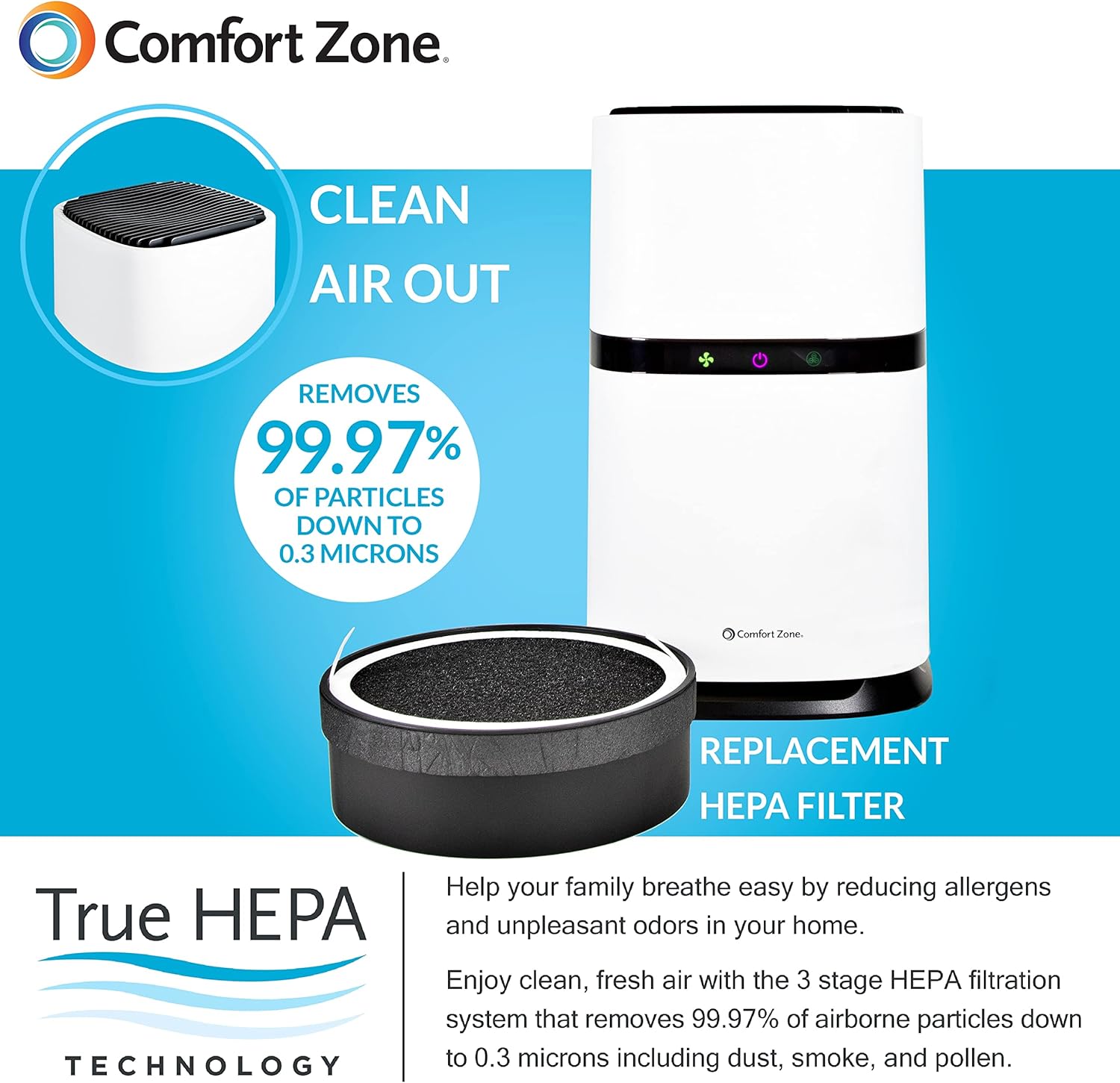
Figure 4: Diagram illustrating the air purification process and the replaceable HEPA filter.
Troubleshooting
If you encounter issues with your air purifier, refer to the following common problems and solutions:
| Problem | Possible Cause | Solution |
|---|---|---|
| Unit does not power on. | Power cord not securely plugged in; no power from outlet; filter not properly installed or plastic bag not removed. | Ensure the power cord is fully inserted into the unit and a working outlet. Verify the filter is correctly installed and the plastic bag has been removed. |
| Reduced airflow or poor purification. | Clogged filter; unit placed on a surface that obstructs air intake (e.g., plush carpet). | Check and replace the filter if necessary (every 4 months or 3,000 hours). Ensure the unit is on a hard, flat surface allowing for proper air circulation. |
| Unusual noise during operation. | Filter not seated correctly; foreign object inside the unit. | Turn off and unplug the unit. Re-seat the filter. Carefully inspect for any foreign objects and remove them. |
Specifications
| Feature | Detail |
|---|---|
| Model Number | CZAP102WT |
| Color | White |
| Product Dimensions (D x W x H) | 8.4" x 8.4" x 13.5" |
| Item Weight | 6.89 pounds |
| Noise Level | 50 dB |
| Particle Retention Size | 0.3 Micron |
| Controller Type | Button Control |
| Wattage | 15 watts |
| Coverage Area | Up to 150 sq. ft. |
| Filter Lifespan | Up to 3,000 hours (approx. 4 months) |
| Replacement Filter Model | CZAPH132 |
| Included Components | Product Manual, Cord |

Figure 5: Detailed dimensions of the air purifier.
Warranty and Support
The Comfort Zone CZAP102WT HEPA Air Purifier comes with a 1-Year Warranty Against Manufacturer Defects.
For warranty claims, technical support, or any inquiries regarding your product, please refer to the contact information provided in the product packaging or visit the official Comfort Zone website.
Ask a question about this manual
Ask about setup, troubleshooting, compatibility, parts, safety, or missing instructions. Manuals+ will review the question and use this page’s manual context to help answer it.