
1. Introduction
Thank you for choosing the CNBINGO Smart Touch Switch with integrated Schuko Socket. This device combines modern design with smart home functionality, allowing you to control your lighting and power outlets with touch, app, or voice commands. This manual provides essential information for safe installation, operation, and maintenance of your new smart switch.
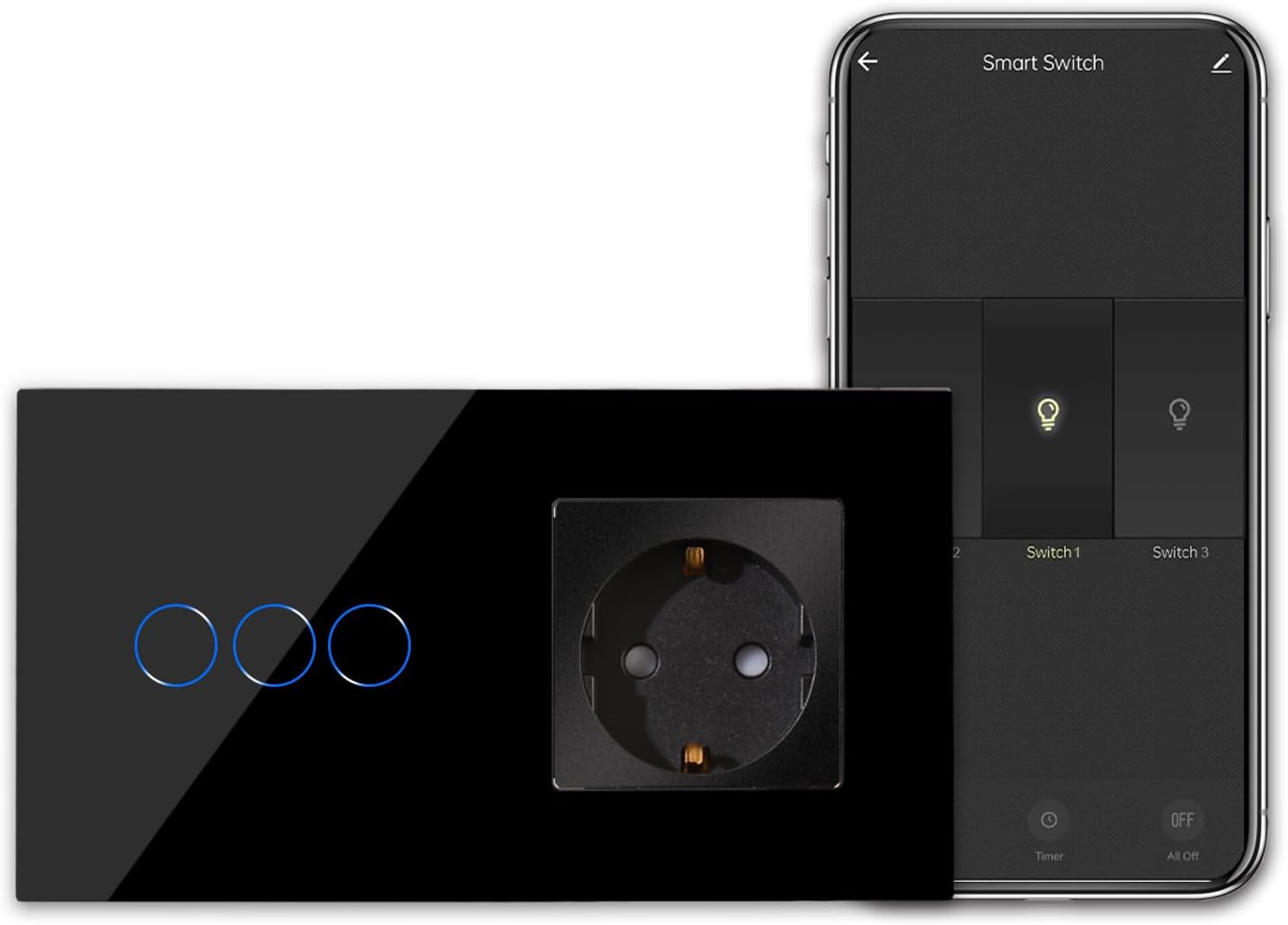
Image 1.1: CNBINGO Smart Touch Switch with Schuko Socket and mobile app interface.
The CNBINGO Smart Touch Switch features a sleek glass panel with three touch-sensitive light switches and one integrated Schuko socket. It offers a modern aesthetic and advanced control options for your home.
2. Safety Information and Important Notes Before Purchase
Please read all safety warnings and instructions carefully before installation and use. Failure to follow these instructions may result in electric shock, fire, or serious injury.
- Professional Installation Recommended: Electrical installation should be performed by a qualified electrician.
- Neutral Wire Required: This device requires a neutral wire for proper operation. Most houses built before the mid-1980s may not have a neutral wire at the switch box. Please confirm the presence of a neutral wire before purchase and installation.
- Not a Dimmer Switch: This product is a standard ON/OFF switch and does not support dimming functionality.
- Do Not Touch Circuit Board: Always ensure the glass panel is installed before powering on the device. Testing without the glass panel can lead to improper function as the device senses the distance between the pad and the figure. Do not touch the internal circuit board.
- Cut Off Electricity: Always cut off the main power supply at the circuit breaker before performing any installation or maintenance.

Image 2.1: Visual summary of important considerations before purchasing and installing the smart switch.
This image highlights key requirements: the switch is not a dimmer, a neutral wire is essential, and the glass panel must be installed before powering on to ensure correct functionality and safety.
3. Product Overview
The CNBINGO Smart Touch Switch is designed to integrate seamlessly into modern homes, offering both aesthetic appeal and smart functionality.
3.1 Design and Features
- Stylish Glass Panel: Adds a modern and technological touch to your home decor. The smooth surface is easy to clean and maintains its new appearance.
- Touch Panel: Responsive touch controls for each light switch.
- Status LED: Strong/weak blue LED indicator shows the ON/OFF status of the switches.
- Integrated Schuko Socket: A standard (non-smart) AC 16A 250V max socket with child protection and phosphor copper metal for optimal conductivity and safety.
- Wi-Fi Connectivity: Enables remote control and integration with smart home ecosystems.

Image 3.1: The touch-sensitive switch illuminates with a blue light when activated, providing clear visual feedback.
4. Setup and Installation
Proper installation is crucial for the safe and correct operation of your smart switch. Ensure you have read the safety information in Section 2 before proceeding.
4.1 Wiring Diagram and Requirements
This smart switch requires a neutral wire (N), live wire (L), and load wires (L1, L2, L3 for each switch). The Schuko socket requires live (L) and neutral (N) connections.

Image 4.1: Rear view of the smart switch module, illustrating the wiring terminals for power supply and load connections.
Ensure correct wiring: N for Neutral, L for Live, and L1, L2, L3 for the respective light loads. The socket also requires L and N connections.
4.2 Installation Steps
- Cut Off Power: Before starting, turn off the main power supply at your circuit breaker to prevent electric shock.
- Remove Old Switch: Carefully remove your existing wall switch from the wall box.
- Wire the Smart Switch: Connect the wires to the corresponding terminals on the CNBINGO smart switch as per the wiring diagram (Image 4.1). Ensure all connections are secure.
- Mount the Switch: Secure the switch module into the wall box using screws. The design allows for vertical or horizontal mounting to suit your preference.
- Install Glass Panel: Carefully attach the glass panel to the switch module. Ensure it clicks securely into place.
- Restore Power: Turn the main power supply back on at the circuit breaker.
- Test Functionality: Test the touch switches and the socket to ensure they are working correctly.

Image 4.2: The smart switch can be installed in either a vertical or horizontal orientation to match your room's style.

Image 4.3: Critical installation reminders: always disconnect power, test only after the glass panel is fully installed, and verify the panel's correct orientation.
5. Operating Instructions
5.1 Manual Touch Control
Each of the three light switches on the glass panel is touch-sensitive. Simply tap the desired switch icon to turn the connected light ON or OFF. The blue LED indicator will change intensity to show the current status.
5.2 Schuko Socket Usage
The integrated Schuko socket functions as a standard power outlet. Plug in your devices as you would with any conventional socket. Note that this socket is not smart and cannot be controlled via the app or voice commands.
6. Smart Features
Unlock the full potential of your CNBINGO Smart Touch Switch by connecting it to your home Wi-Fi network and using the Smart Life app.
6.1 App Control (Smart Life App)
The Smart Life app (available for iOS and Android) allows you to control your lights remotely from anywhere, set schedules, create scenes, and share control with family members.
- Remote Control: Turn lights ON/OFF from your smartphone, no matter where you are.
- Scheduling & Timers: Set specific times for lights to turn ON or OFF, or create countdown timers.
- Scenes: Create custom scenes to control multiple lights simultaneously with a single tap (e.g., 'Movie Night' scene).
- Device Sharing: Grant access to other family members to control the smart switch.
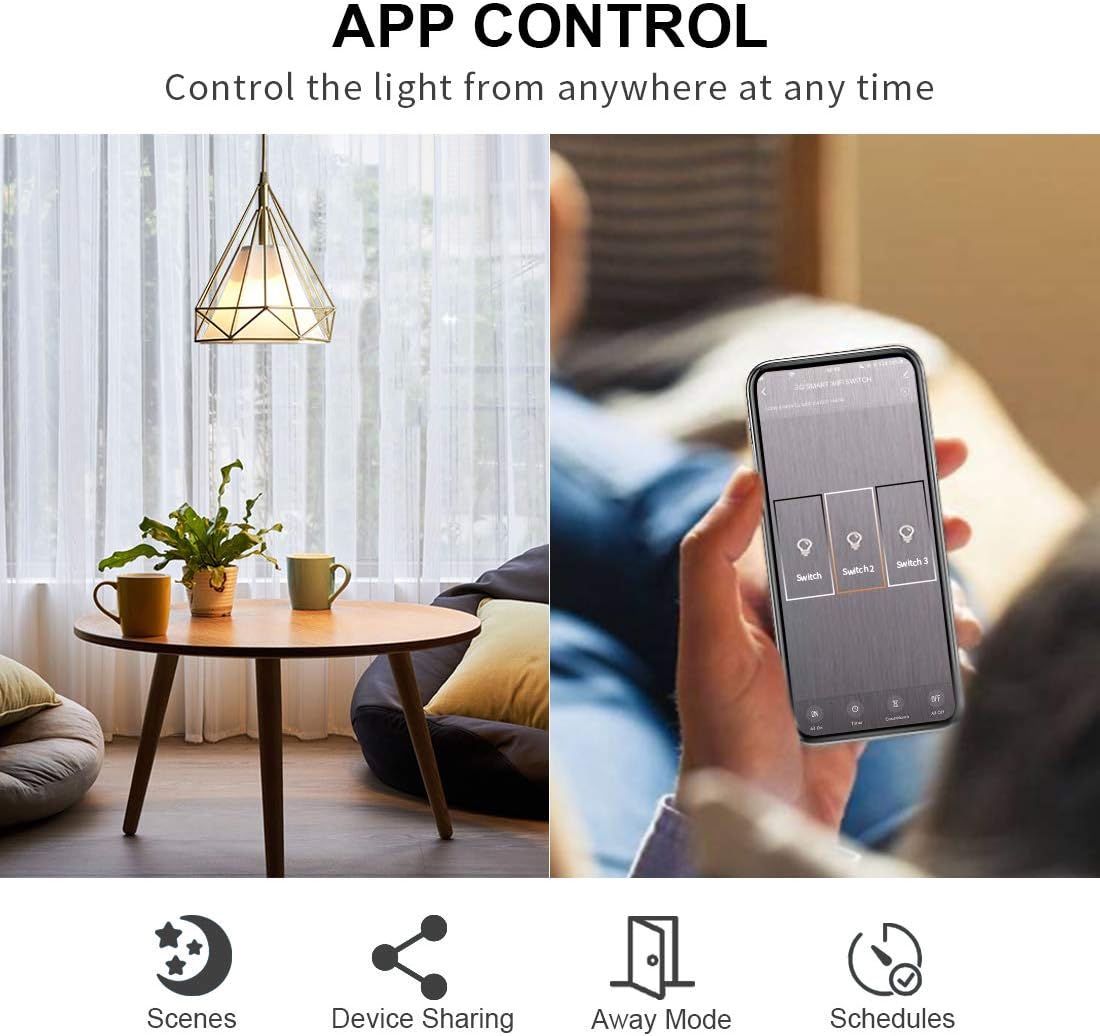
Image 6.1: Control your lights from anywhere at any time using the Smart Life app, with options for scenes, device sharing, away mode, and schedules.

Image 6.2: Arrange your lights according to your daily life with timer and countdown functions for automated control.

Image 6.3: Monitor and control your smart devices from any location using your smartphone, including setting scenes, group control, device sharing, and scheduling.
6.2 Voice Control (Alexa & Google Assistant)
The CNBINGO Smart Touch Switch is compatible with Amazon Alexa and Google Assistant, allowing for convenient hands-free voice control of your connected lights.
- Integration: Link your Smart Life account with your Alexa or Google Home app.
- Voice Commands: Use simple voice commands like "Alexa, turn on Switch 1" or "Hey Google, turn off the living room light."

Image 6.4: Control your smart switch conveniently and intelligently using voice commands through Amazon Alexa or Google Assistant devices.

Image 6.5: Enjoy hands-free control by simply giving voice commands to manage your lights while engaged in other activities.
7. Maintenance
To ensure the longevity and optimal performance of your smart switch, follow these simple maintenance guidelines:
- Cleaning: Wipe the glass panel with a soft, damp cloth. Do not use abrasive cleaners or solvents, as they may damage the surface.
- Avoid Liquids: Do not expose the switch to excessive moisture or liquids.
- Regular Checks: Periodically check the switch for any signs of damage or loose connections. If any issues are found, disconnect power and consult a qualified electrician.
8. Troubleshooting
If you encounter issues with your CNBINGO Smart Touch Switch, refer to the following common problems and solutions:
| Problem | Possible Cause | Solution |
|---|---|---|
| Switch not responding to touch. | No power; Glass panel not installed correctly; Internal issue. | Check circuit breaker. Ensure glass panel is securely attached before powering on (refer to Section 2 & 4). If issue persists, consult an electrician. |
| Lights flicker or do not turn on/off properly. | Incorrect wiring; Incompatible load (e.g., trying to dim non-dimmable lights). | Verify wiring according to Section 4. Ensure the switch is used with compatible light types (not a dimmer). |
| Cannot connect to Wi-Fi or Smart Life app. | Incorrect Wi-Fi password; Router too far; 5GHz Wi-Fi network; Device not in pairing mode. | Ensure you are connecting to a 2.4GHz Wi-Fi network. Check Wi-Fi password. Move router closer or use a Wi-Fi extender. Follow app instructions to put the device into pairing mode. |
| Voice control not working. | Incorrect linking with Alexa/Google Assistant; Device offline. | Ensure Smart Life account is correctly linked to your voice assistant app. Check if the smart switch is online in the Smart Life app. Use correct voice commands. |
| Schuko socket not working. | No power; Incorrect wiring. | Check circuit breaker. Verify wiring for the socket (Live and Neutral connections). |
9. Specifications
Detailed technical specifications for the CNBINGO Smart Touch Switch with Schuko Socket:
| Feature | Specification |
|---|---|
| Model Number | W1-301+M1-P111 |
| Dimensions | 15.7 x 8.6 x 3.9 cm |
| Weight | 280 grams |
| Color | Black |
| Material | Glass |
| Input Voltage | 90-250V AC, 50-60Hz |
| Max. Load (per switch) | 1000W/Gang |
| Max. Current (Socket) | 16 Ampere |
| Power Consumption | <0.2W |
| Wi-Fi Standard | IEEE 802.11 b/g/n (2.4GHz only) |
| Operating Humidity | <90% |
| Compatibility | Amazon Alexa, Google Assistant, IFTTT, Smart Life App (iOS/Android) |
| Neutral Wire | Required |

Image 9.1: Detailed dimensions of the smart switch, confirming its compatibility with EU standard flush-mounted boxes.
10. Warranty and Support
CNBINGO offers a 5-year free warranty for this product, ensuring peace of mind regarding its quality and performance.
For technical support, troubleshooting assistance, or warranty claims, please contact CNBINGO customer service through the retailer where you purchased the product or visit the official CNBINGO website for contact information.
Please have your model number (W1-301+M1-P111) and purchase details ready when contacting support.