
1. Introduction
Congratulations on your purchase of the Timex Q Malibu Women's 36mm Watch, Model TW2U81500VQ. This timepiece combines classic design with modern functionality, featuring a gold-tone case, a vibrant pink diver-inspired dial, and a comfortable stainless steel expansion band. This manual provides essential information to help you set up, operate, and maintain your watch.

Figure 1: Front view of the Timex Q Malibu Women's 36mm Watch.
2. Setup
2.1 Setting Time and Date
- Pull the Crown: Gently pull the crown (the small knob on the side of the watch case) out to position 2.
- Set the Date: Rotate the crown clockwise or counter-clockwise to adjust the date.
- Pull the Crown Further: Pull the crown out to position 3.
- Set the Time: Rotate the crown to move the hands clockwise until the desired time is displayed. Ensure you set the correct AM/PM for the day/date change.
- Push the Crown In: Once the time and date are set, push the crown back into position 1 to start the watch.

Figure 2: Side view of the watch, highlighting the crown.
2.2 Adjusting the Expansion Band
The Timex Q Malibu features a self-adjustable stainless steel expansion band designed to fit wrist circumferences up to 7.5 inches. For minor adjustments, the band is designed to expand and contract. If significant resizing is required, such as removing links, it is recommended to consult a professional jeweler to avoid damage to the band.
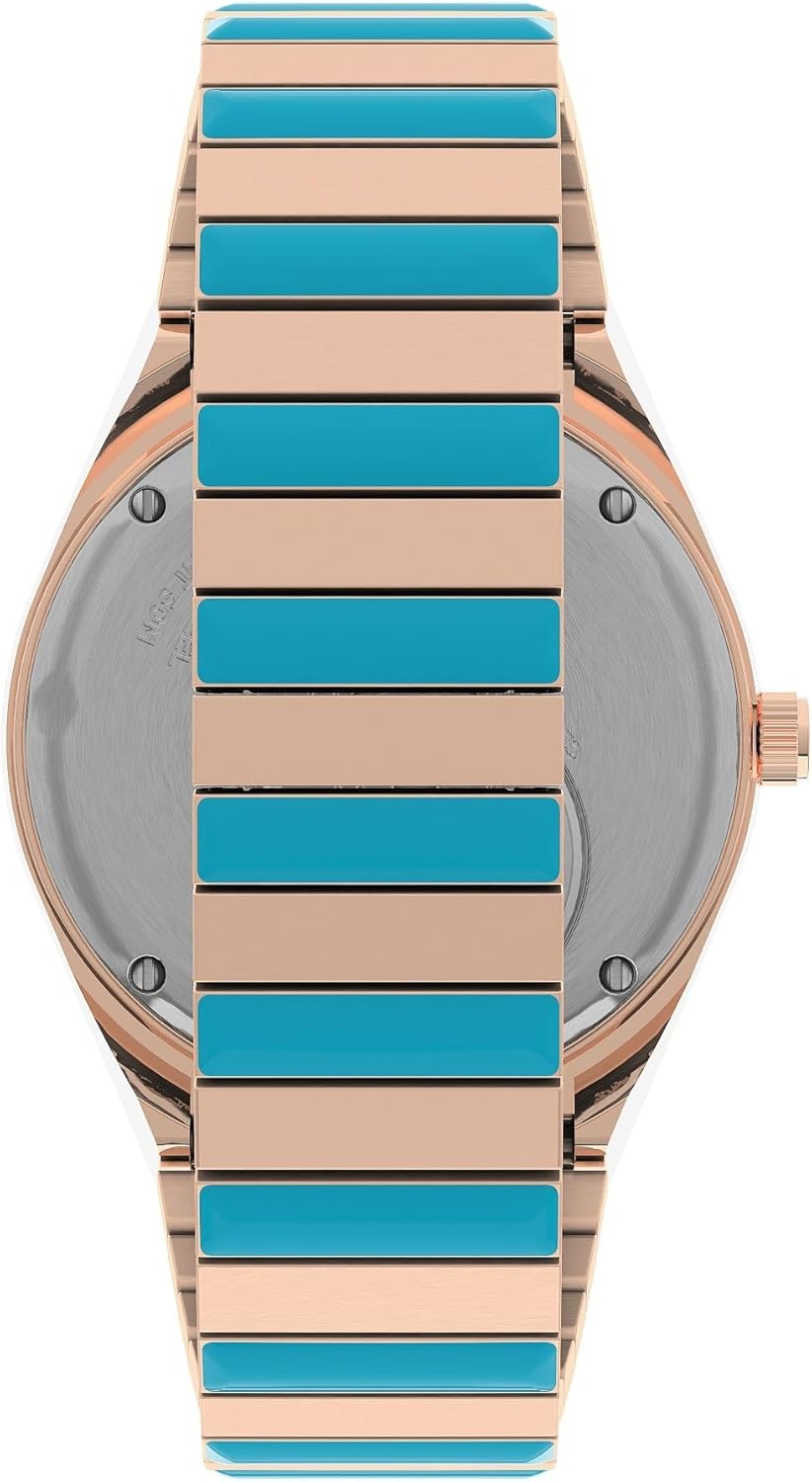
Figure 3: Detail of the watch's expansion band.
3. Operating Your Watch
Your Timex Q Malibu watch is a quartz movement timepiece, providing accurate timekeeping. Once the time and date are set, the watch operates continuously.
- Time Display: The watch displays hours, minutes, and seconds with luminous hands for visibility in low light conditions.
- Day-Date Window: A window at the 3 o'clock position displays the current day and date.
- Rotating Top Ring: The blue and pink aluminum top ring can be rotated. This feature is often used for tracking elapsed time, aligning the zero marker with the minute hand at the start of an event.
4. Maintenance
4.1 Water Resistance
This watch is water resistant to 50 meters (165 feet). This rating means it is suitable for short periods of recreational swimming. It is not suitable for diving, snorkeling, or prolonged water immersion. Avoid operating the crown while the watch is wet or submerged to prevent water entry.
4.2 Cleaning Your Watch
To maintain the appearance of your watch, clean the case and band regularly with a soft, damp cloth. For the stainless steel expansion band, a soft brush can be used to remove dirt from between the links. Avoid using harsh chemicals or abrasive materials.
4.3 Battery Replacement
The watch is powered by one (1) unknown type battery, which is included. The 'True to the Past' battery hatch on the caseback allows for battery access. When the battery needs replacement, it is recommended to have it replaced by a qualified watch technician to ensure proper sealing and maintain water resistance.

Figure 4: Watch caseback with battery hatch.
5. Troubleshooting
- Watch Not Running: Check if the crown is fully pushed in (position 1). If it is, the battery may need replacement.
- Incorrect Time/Date: Refer to Section 2.1 to reset the time and date. Ensure the crown is fully pushed in after setting.
- Condensation Under Crystal: If condensation appears under the crystal, it may indicate a loss of water resistance. Have the watch inspected by a professional immediately.
6. Specifications
| Model Number | TW2U81500VQ |
| Case Diameter | 36mm |
| Case Material | Stainless Steel (Rose Gold-Tone) |
| Band Material | Stainless Steel Expansion Band (Blue & Rose Gold-Tone) |
| Dial Color | Pink (Diver-inspired) |
| Crystal Material | Domed Acrylic |
| Movement | Quartz |
| Water Resistance | 50 meters (165 feet) |
| Battery | 1 Unknown battery (included) |
| Product Dimensions | 1.57 x 3.94 x 2.36 inches; 2.56 ounces |
7. Warranty and Support
For warranty information, service, or support, please refer to the official Timex website or contact Timex customer service directly. Keep your proof of purchase for warranty claims.
Timex Official Website: www.timex.com