
1. Safety Guidelines
Before operating the Hover-1 Vivid Folding Kick Scooter, please read and understand all safety instructions. Failure to follow these guidelines may result in injury or damage.
- Age Recommendation: This scooter is designed for children 5 years and older.
- Weight Limit: Do not exceed the maximum load capacity of 110 lbs (50 kg).
- Protective Gear: Always wear a helmet, knee pads, and elbow pads while riding.
- Supervision: Adult supervision is recommended, especially for younger riders.
- Riding Surface: Ride on smooth, paved surfaces away from traffic. Avoid uneven terrain, loose debris, and wet conditions.
- Braking: Familiarize yourself with the rear foot brake before riding at speed.
- Visibility: The multi-color LED wheels enhance visibility in low-light conditions, but always be aware of your surroundings.
2. Setup and Assembly
The Hover-1 Vivid Folding Kick Scooter comes largely pre-assembled. Follow these steps to prepare it for use:
- Unfolding the Scooter:
- Locate the folding mechanism at the base of the handlebar stem.
- Release the locking mechanism (refer to image for location).
- Carefully pull the handlebar stem upwards until it locks into place with an audible click. Ensure it is securely locked before use.
- Adjusting Handlebar Height:
- Loosen the clamp on the handlebar stem.
- Press the adjustment button and slide the handlebar to the desired height. Ensure the button snaps into one of the adjustment holes.
- Tighten the clamp firmly to secure the handlebar in position. The cushioned handles should provide maximum grip and comfort.
- Battery Installation (for LED wheels):
- The scooter requires 6 AAA batteries (not included) for the LED wheels.
- Locate the battery compartment, typically on the underside of the deck or near the wheels.
- Open the compartment, insert the batteries with correct polarity, and securely close the cover.
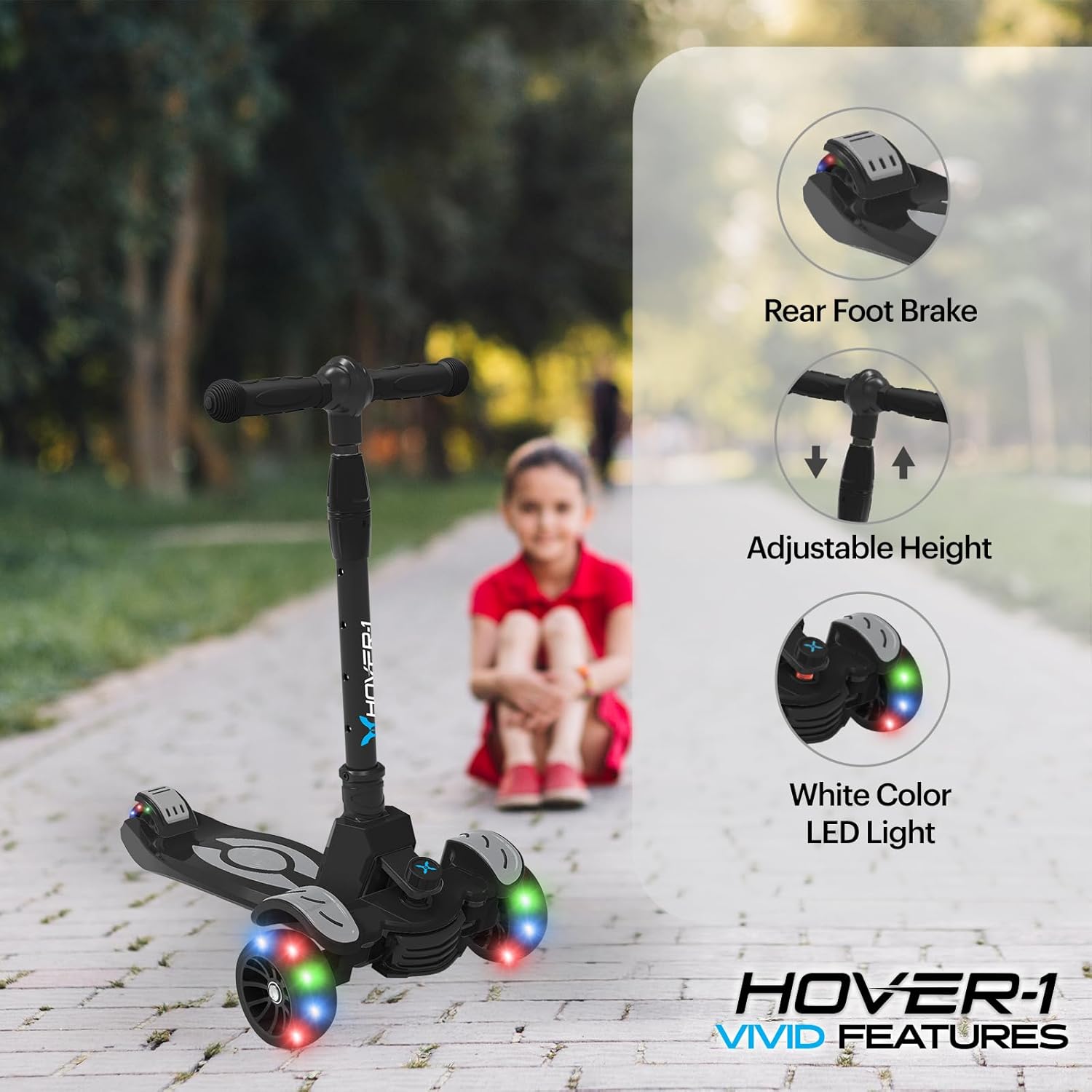
Image: Key features of the Hover-1 Vivid Kick Scooter, including the rear foot brake, adjustable handlebar height, and LED light-up wheels.
3. Operating Instructions
The Hover-1 Vivid Folding Kick Scooter is designed for intuitive and safe operation.
- Starting:
- Place one foot firmly on the scooter deck.
- Use your other foot to push off the ground, generating momentum.
- Once moving, place both feet on the deck.
- Steering (Lean-to-Turn Axle):
- The scooter uses a lean-to-steer mechanism. To turn, gently lean your body in the desired direction.
- The front wheels will respond to your lean, providing a smooth and stable turn.
- Braking:
- To slow down or stop, press down firmly on the rear foot brake located above the back wheel.
- Apply gradual pressure to avoid sudden stops.

Image: Demonstrates the ease of learning and riding the Hover-1 Vivid Kick Scooter, suitable for young users.
4. Maintenance
Regular maintenance ensures the longevity and safe operation of your scooter.
- Cleaning: Wipe the scooter with a damp cloth after use. Avoid harsh chemicals or abrasive cleaners.
- Wheel Inspection: Regularly check the solid PU tires for wear and tear. Ensure they are free from debris.
- Fasteners: Periodically check all screws and bolts to ensure they are tight. Do not overtighten.
- Battery Replacement: Replace the 6 AAA batteries for the LED wheels when they dim or stop working.
- Storage: Store the scooter in a dry, cool place away from direct sunlight and moisture. The one-step folding system allows for compact storage.
5. Troubleshooting
If you encounter any issues with your Hover-1 Vivid Folding Kick Scooter, refer to the following common problems and solutions:
| Problem | Possible Cause | Solution |
|---|---|---|
| LED wheels not lighting up | Dead or incorrectly installed batteries. | Replace the 6 AAA batteries, ensuring correct polarity. |
| Handlebar is loose or wobbly | Clamp not tightened or adjustment button not fully engaged. | Ensure the adjustment button is fully engaged in a height hole and tighten the clamp firmly. |
| Scooter not steering smoothly | Debris in the steering mechanism or worn wheels. | Inspect the lean-to-turn axle for obstructions. Clean if necessary. Check wheels for excessive wear. |
| Brake not effective | Worn brake pad or debris. | Inspect the rear foot brake for wear. Clean any debris that may be interfering with its function. |
6. Product Specifications
| Feature | Detail |
|---|---|
| Brand | Hover-1 |
| Model Name | Vivid- Folding Kick Scooter |
| Color | black |
| Age Range (Description) | Kid (5+ Year Old) |
| Weight Limit | 110 Pounds |
| Product Dimensions (LxWxH) | 23"L x 12.5"W x 32.7"H |
| Number of Wheels | 2 |
| Wheel Material | Polyurethane |
| Frame Material | Aluminum |
| Item Weight | 4.1 Pounds |
| Handlebar Type | Adjustable |
| Handle Height | 32.7 Inches |
| Wheel Size | 3 Inches |
| Wheel Type | Solid |
| Brake Style | Rear Braking |
| UPC | 888255217349 |
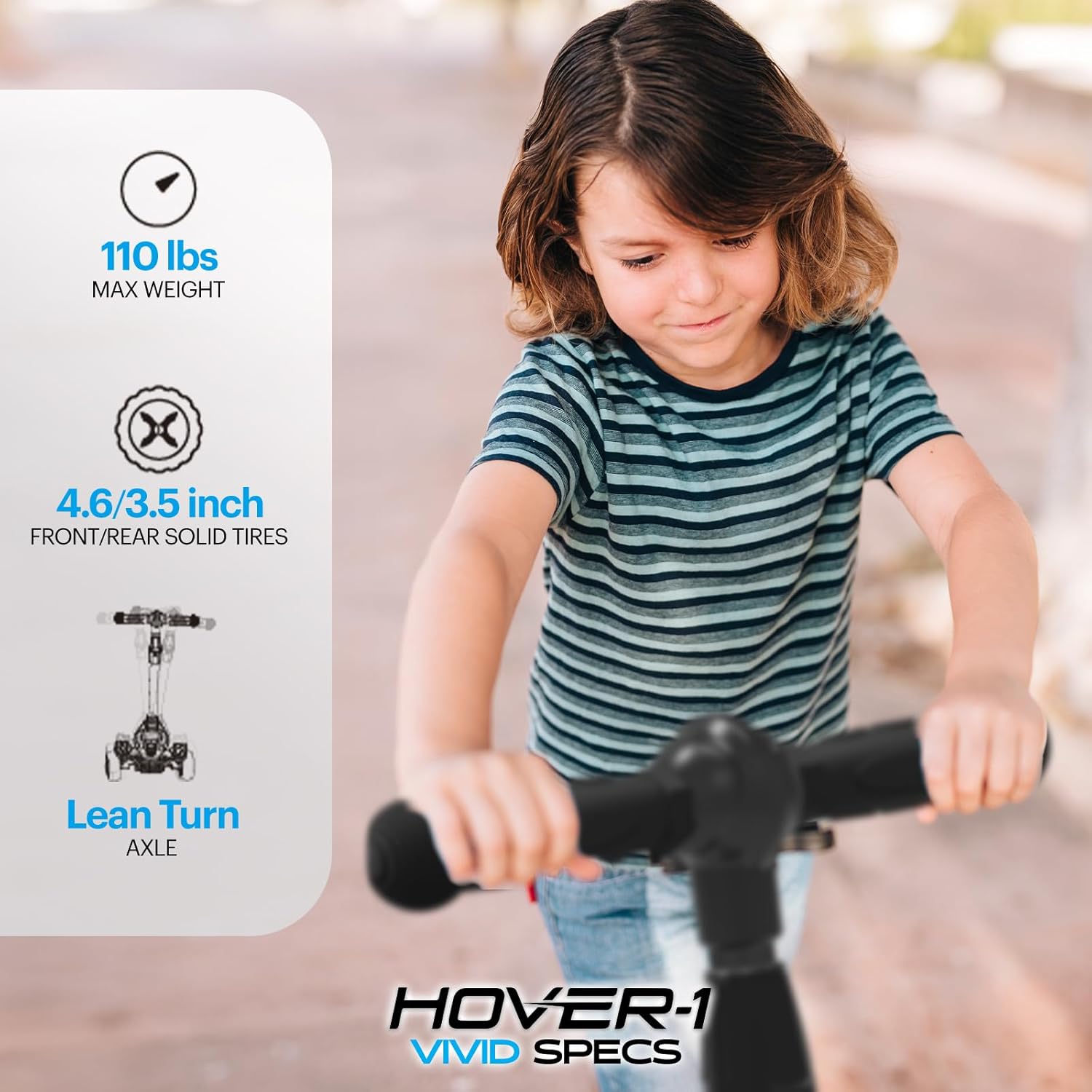
Image: Visual representation of key specifications for the Hover-1 Vivid Kick Scooter.
7. Warranty and Support
The Hover-1 Vivid Folding Kick Scooter comes with a limited warranty.
- Warranty Period: 90 days from the date of purchase.
- Warranty Coverage: This warranty covers manufacturing defects in materials and workmanship. It does not cover damage caused by misuse, neglect, accidents, or normal wear and tear.
- Claiming Warranty: For warranty claims or technical support, please contact the manufacturer, DGL Group, or your retailer with your proof of purchase.
