
Introduction
This manual provides comprehensive instructions for the safe and efficient operation, installation, and maintenance of your Equator All-In-One VENTED/VENTLESS Washer-Dryer. Designed for ultimate convenience, this unit combines washing and drying functions, offering smart technology for optimal water and heat usage. Please read this manual thoroughly before using the appliance and keep it for future reference.
Important Safety Information
⚠ WARNING: This product can expose you to chemicals including Lead, which is known to the State of California to cause cancer and birth defects or other reproductive harm. For more information go to www.P65Warnings.ca.gov.
Always follow basic safety precautions when using electrical appliances to reduce the risk of fire, electric shock, or injury to persons. Keep children and pets away from the appliance during operation. Do not attempt to repair or replace any part of the appliance unless specifically recommended in this manual.
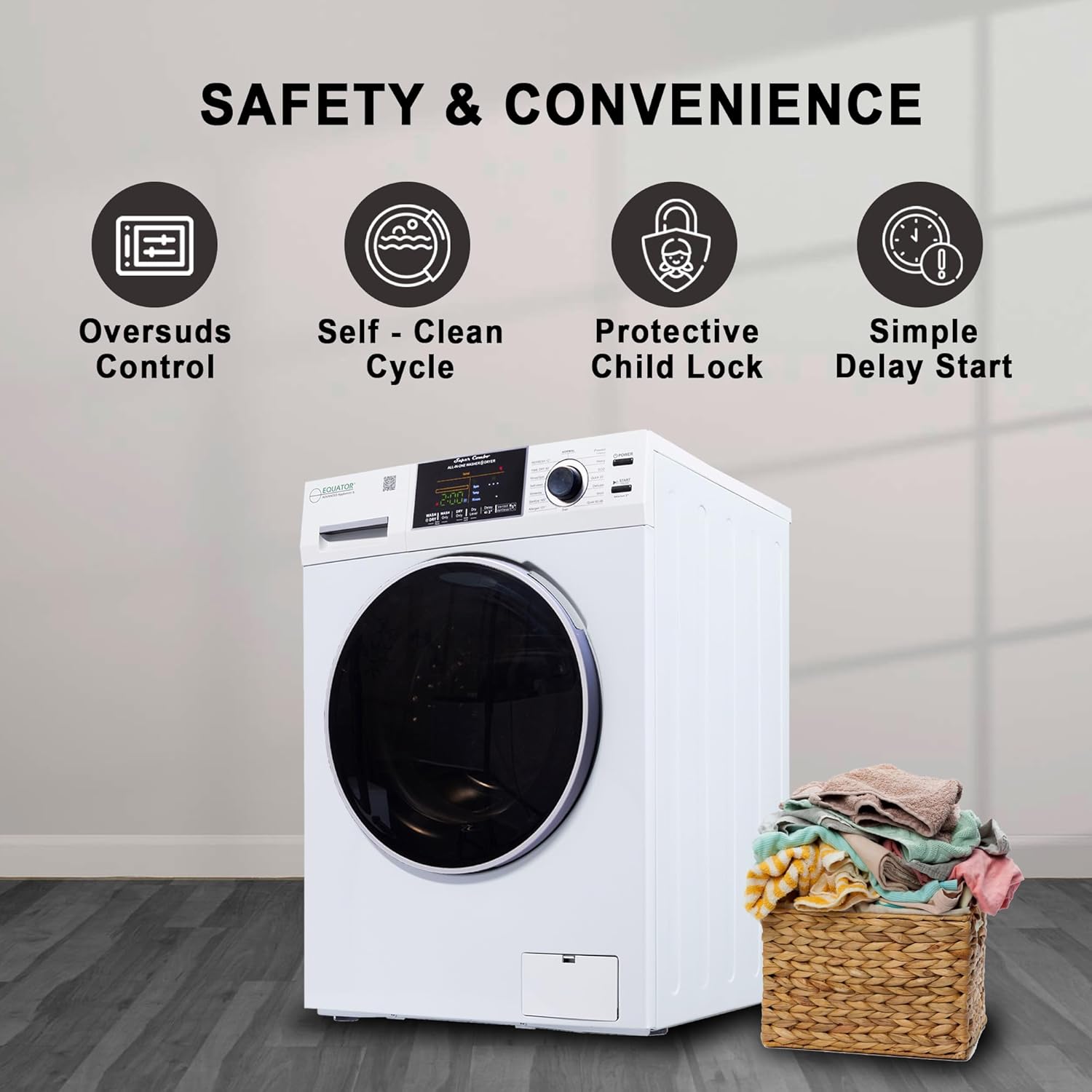
Figure 1: Safety and Convenience Features. This image highlights key safety and convenience features such as Oversuds Control, Self-Clean Cycle, Protective Child Lock, and Simple Delay Start, ensuring safe and user-friendly operation.
Setup and Installation
Setting up your Equator Super Combo is designed to be quick and easy. Follow these steps for a hassle-free installation.
Included Components:
- 3 Blanking Caps (to cover Shipping bolts hole)
- Owner's Manual (PDF) - Download PDF
- U-Connector (for Drain Hose)
- Vent Adapter
- Water Inlet Hoses
Installation Steps:
- Unbox and Verify Parts: Carefully unbox the unit and ensure all components listed above are present.
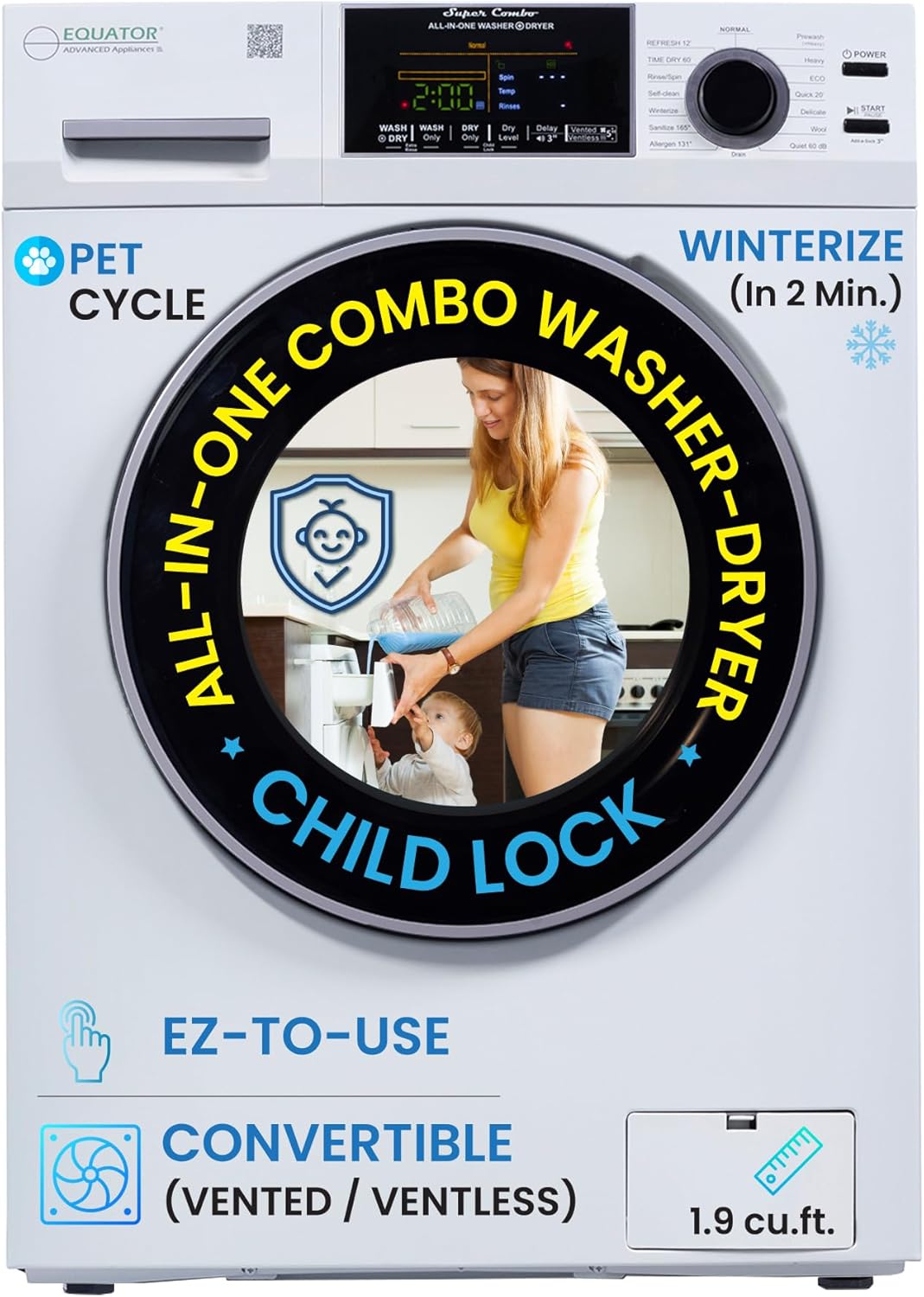
Figure 2: Front view of the Equator All-In-One Washer-Dryer. This image shows the appliance in its packaging, ready for unboxing.
- Remove Shipping Rods: Locate and remove the shipping rods from the back of the unit. These rods secure the drum during transit and must be removed before operation.

Figure 3: Rear view of the washer-dryer, showing the location of shipping rods and hose connections. The shipping rods are typically secured with bolts that need to be loosened and removed.
- Level the Unit: Place the unit on an even surface. Use the adjustable feet at the bottom of the appliance to ensure it is perfectly level. This prevents excessive vibration and noise during operation.

Figure 4: Appliance dimensions (33.5"H x 23.5"W x 24.8"D) relative to a human figure. Ensure adequate space for installation, including a 2-inch clearance if built-in.
- Connect Water Hoses: Connect the cold and hot water inlet hoses to the corresponding connections on the back of the unit and to your household water supply. Ensure all connections are secure to prevent leaks.
- Connect Drain Hose: Connect the drain hose to the unit and route it to a suitable drain (e.g., utility sink or standpipe). Ensure the hose is properly secured to prevent dislodgement during draining.
- Power Connection: Plug the unit into a standard 110V power outlet.
Installation Video Guide:
Video 1: EZ 5500 Setup & Installation. This official video from Eco Appliances Inc. provides a visual guide for unboxing, removing shipping rods, leveling, and connecting the washer-dryer, including instructions for both vented and ventless modes.
Operating Instructions
Your Equator All-In-One Washer-Dryer offers versatile operation with multiple wash and dry programs.
Control Panel Overview:
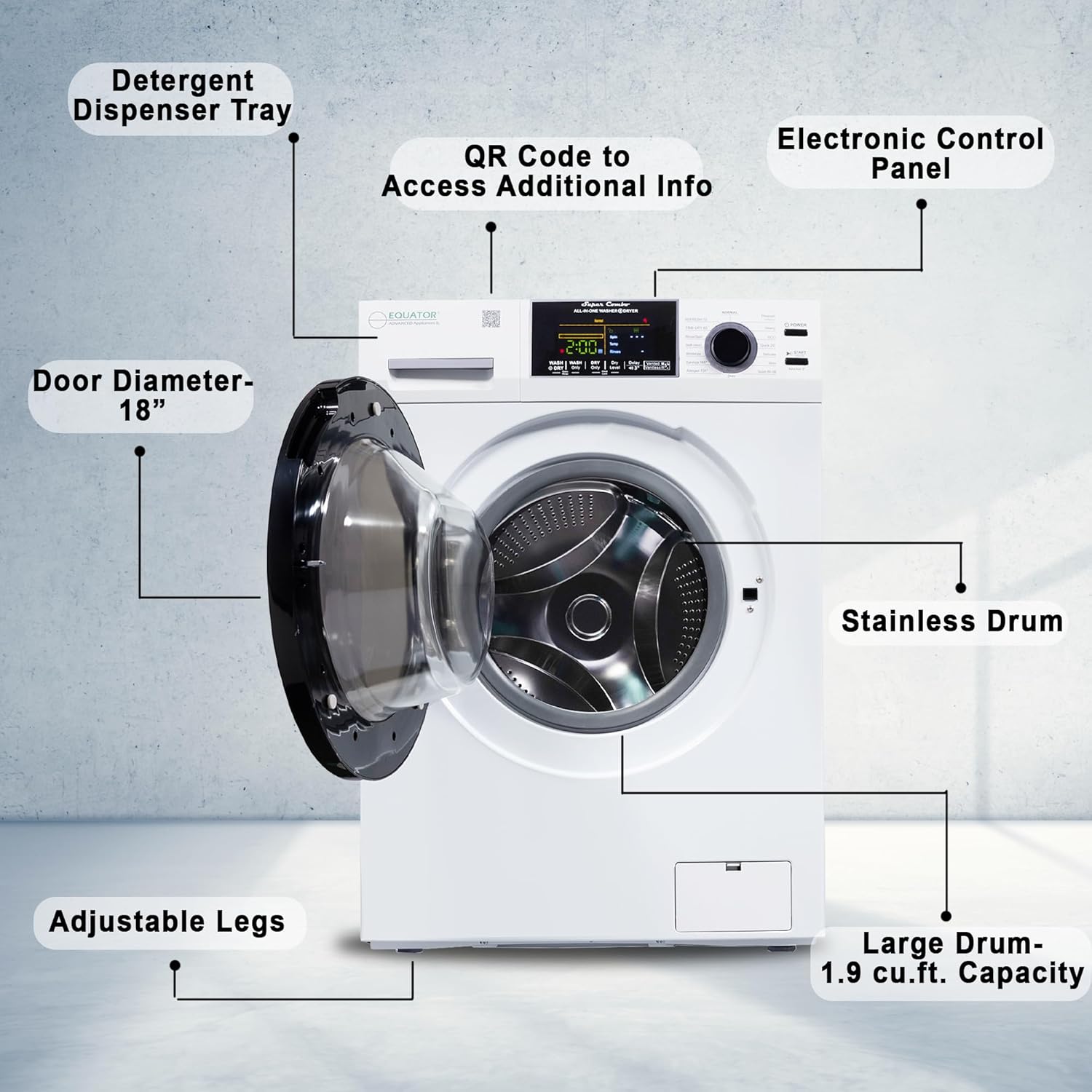
Figure 5: Key components of the washer-dryer, including the Detergent Dispenser Tray, QR Code for additional info, Electronic Control Panel, 18" Door Diameter, Stainless Drum, Adjustable Legs, and 1.9 cu.ft. Large Drum Capacity.
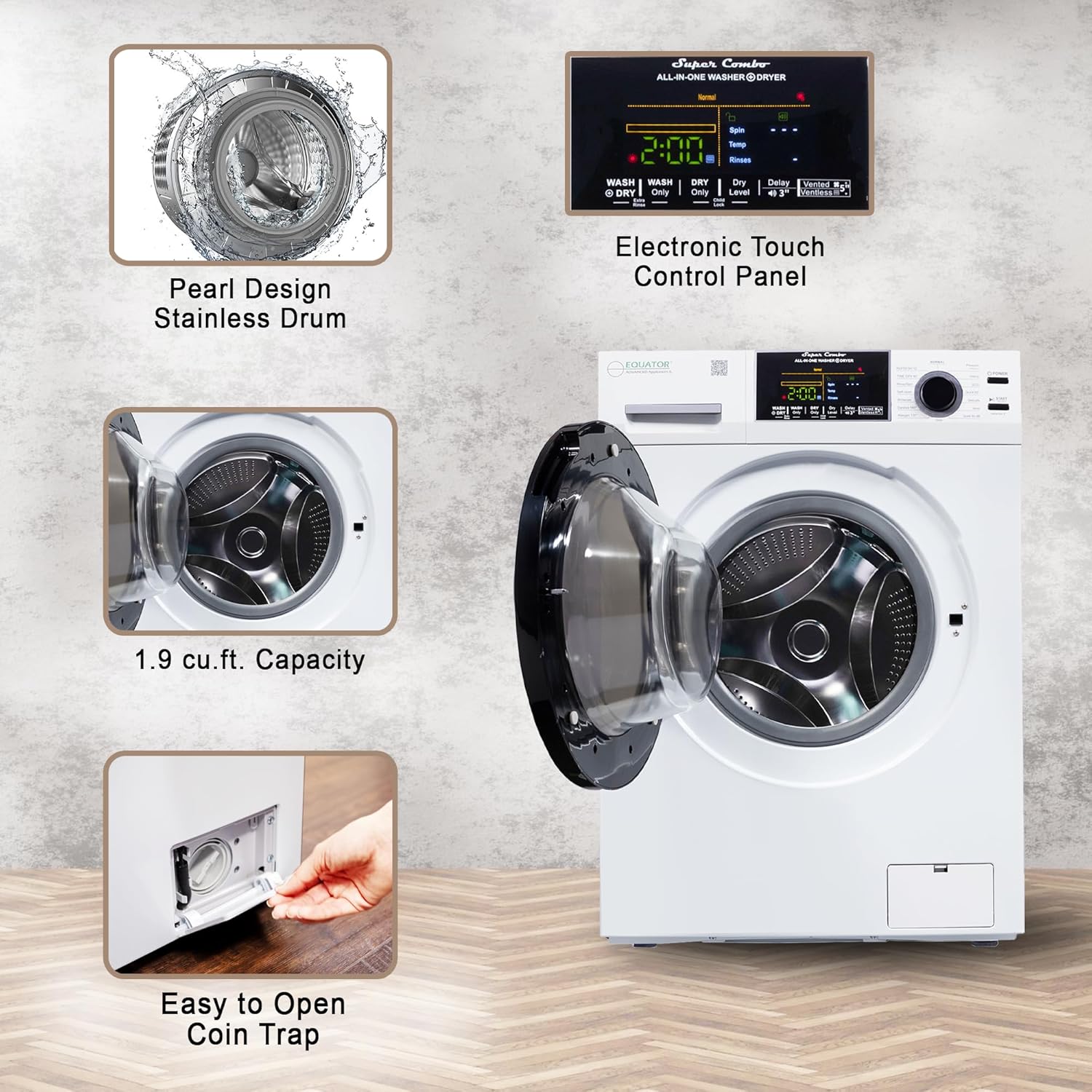
Figure 6: Close-up of the Electronic Touch Control Panel and features like the Pearl Design Stainless Drum, 1.9 cu.ft. Capacity, and Easy to Open Coin Trap.
Vented vs. Ventless Drying Mode:
This appliance supports both vented and ventless drying modes. The selection depends on your installation setup and preference.

Figure 7: Visual guide on how to switch between vented and ventless drying modes. This image illustrates the process of attaching or removing the vent cover and selecting the mode on the control panel.

Figure 8: Diagram showing the difference between vented (hot air) and ventless (condensing) drying, highlighting the efficient exhaust fan, special venting booster, advanced fan motor, and dual fans for faster drying.
To Use in Vented Mode:
- Ensure the metal vent cover over the exhaust fan at the back of the unit is removed.
- Connect your vent hose to the vent hose adapter and route it to an external vent.
- On the control panel, press the DRY ONLY button.
- Hold the Vented/Ventless button for 5 seconds until a fan symbol appears on the screen, confirming vented mode.
- Press START to begin the drying cycle.
To Use in Ventless Mode:
- Ensure the metal vent cover is properly installed over the exhaust fan at the back of the unit.
- Connect your vent hose to the vent hose adapter and route it to an external vent.
- On the control panel, press the DRY ONLY button.
- Hold the Vented/Ventless button for 5 seconds until a box with lines through it appears on the screen, confirming ventless mode.
- Press START to begin the drying cycle.
Wash and Dry Programs:
The EZ 5500 CV White offers 15 programs, including specialized cycles for various fabric types and needs.

Figure 9: The control panel highlighting the 15 wash and dry programs available, including Normal, Prewash, Heavy, ECO, Quick 20, Delicate, Wool, Refresh 12', Time Dry 60', Self-clean, Winterize, Sanitize 165', Allergen 131', and Add a Sock.
- Wash Cycles: Normal, Prewash, Heavy, ECO, Quick 20, Delicate, Wool, Quiet 60 dB, Allergen, Sanitize, PET Cycle.
- Dry Cycles: Sensor Dry, Time Dry 60 min, Refresh 12 min.
- Special Features: Child Lock, Automatic Water and Heat Level (Smart Technology), Oversuds Control, Simple Delay Start.

Figure 10: An overview of the 11 wash cycles and 3 dry cycles, emphasizing the space-saving benefit of the all-in-one combo washer-dryer.
Maintenance and Care
Regular maintenance ensures the longevity and optimal performance of your washer-dryer.
Self-Clean Cycle:
Utilize the built-in Self-Clean cycle to maintain the cleanliness of the drum and internal components. Refer to the control panel for specific instructions on activating this cycle.
Coin Trap / Filter Cleaning:
Periodically check and clean the coin trap (filter) located at the bottom front of the unit. This helps prevent blockages and ensures efficient draining.
Figure 11: The easy-to-access coin trap, located at the bottom front of the appliance, for convenient cleaning.
Winterize Cycle:
For periods of non-use or in cold environments, use the 2-minute Winterize cycle to protect the appliance from freezing. This is particularly useful for RVs or seasonal homes.

Figure 12: The Winterize cycle, a quick 2-minute operation designed to protect the unit in cold conditions.
Troubleshooting
If you encounter issues with your Equator Washer-Dryer, please refer to the following general advice. For detailed troubleshooting steps, consult the full Owner's Manual (PDF) or contact customer support.
- Unit Not Starting: Ensure the power cord is securely plugged into a working outlet and the power button has been pressed. Check if the door is fully closed and latched.
- Excessive Vibration/Noise: Verify the unit is perfectly level using the adjustable feet. Ensure all shipping rods have been removed.
- Clothes Not Drying Properly: Check if the correct drying mode (vented/ventless) is selected for your setup. Ensure the lint filter/coin trap is clean and not obstructed. Avoid overloading the machine.
- Water Leaks: Check all water inlet and drain hose connections for tightness. Ensure the drain hose is not kinked or blocked.
- Child Lock Engaged: If controls are unresponsive, check if the Child Lock feature is active. Refer to the control panel section for deactivation instructions.
Product Specifications
| Feature | Detail |
|---|---|
| Brand | Equator |
| Model Number | EZ 5500 CV White |
| Capacity | 1.9 Cubic Feet / 18 lbs |
| Maximum Rotational Speed | 1400 RPM |
| Voltage | 110 Volts (AC) |
| Product Dimensions (DxWxH) | 24.8"D x 23.5"W x 33.5"H |
| Item Weight | 220 Pounds |
| Annual Energy Consumption | 47 Kilowatt Hours Per Year |
| Controls Type | Push Button |
| Access Location | Front Load |
| Color | White |
| UPC | 747037179636 |
| Manufacturer | Eco Appliances Inc |

Figure 13: The Equator All-In-One Washer-Dryer seamlessly integrated into a modern laundry room, showcasing its compact design.
Warranty and Support
For warranty information, technical support, or service requests, please contact the manufacturer, Eco Appliances Inc.
- Manufacturer: Eco Appliances Inc
- Customer Support: Refer to the contact information provided in your Owner's Manual or visit the official Equator website.
- Returns: This product typically offers 30-day easy returns. Please check your purchase terms for specific details.
- Protection Plans: Additional protection plans may be available for purchase.
You can also find the full User Manual (PDF) for detailed information: Equator EZ 5500 User Manual


