
Philips Sonicare HX9990/12
Philips Sonicare DiamondClean 9900 Prestige Electric Toothbrush User Manual
Model: HX9990/12
Product Overview
The Philips Sonicare DiamondClean 9900 Prestige is an advanced electric toothbrush designed for comprehensive oral care. It features SenseIQ Technology, which adapts to your brushing style, and an AI-powered app for personalized guidance. This model includes an A3 Premium All-in-One brush head, a charging travel case, and multiple brushing modes and intensity levels for a customized cleaning experience.

Image: Philips Sonicare DiamondClean 9900 Prestige Electric Toothbrush in Midnight Blue, shown with its charging travel case and charging base.
Setup and First Use
- Charge the Toothbrush: Before first use, fully charge your Philips Sonicare DiamondClean 9900 Prestige.
- Place the handle on the charging base. The battery indicator light will show charging progress.
- Alternatively, use the charging travel case. Connect the USB cable to the travel case and a wall adapter (not included) or a USB port.
Image: The Philips Sonicare DiamondClean 9900 Prestige toothbrush handle, charging travel case, and charging base. The charging base connects via USB to a wall adapter.
- Attach the Brush Head: Align the brush head with the handle and push down firmly until it clicks into place.
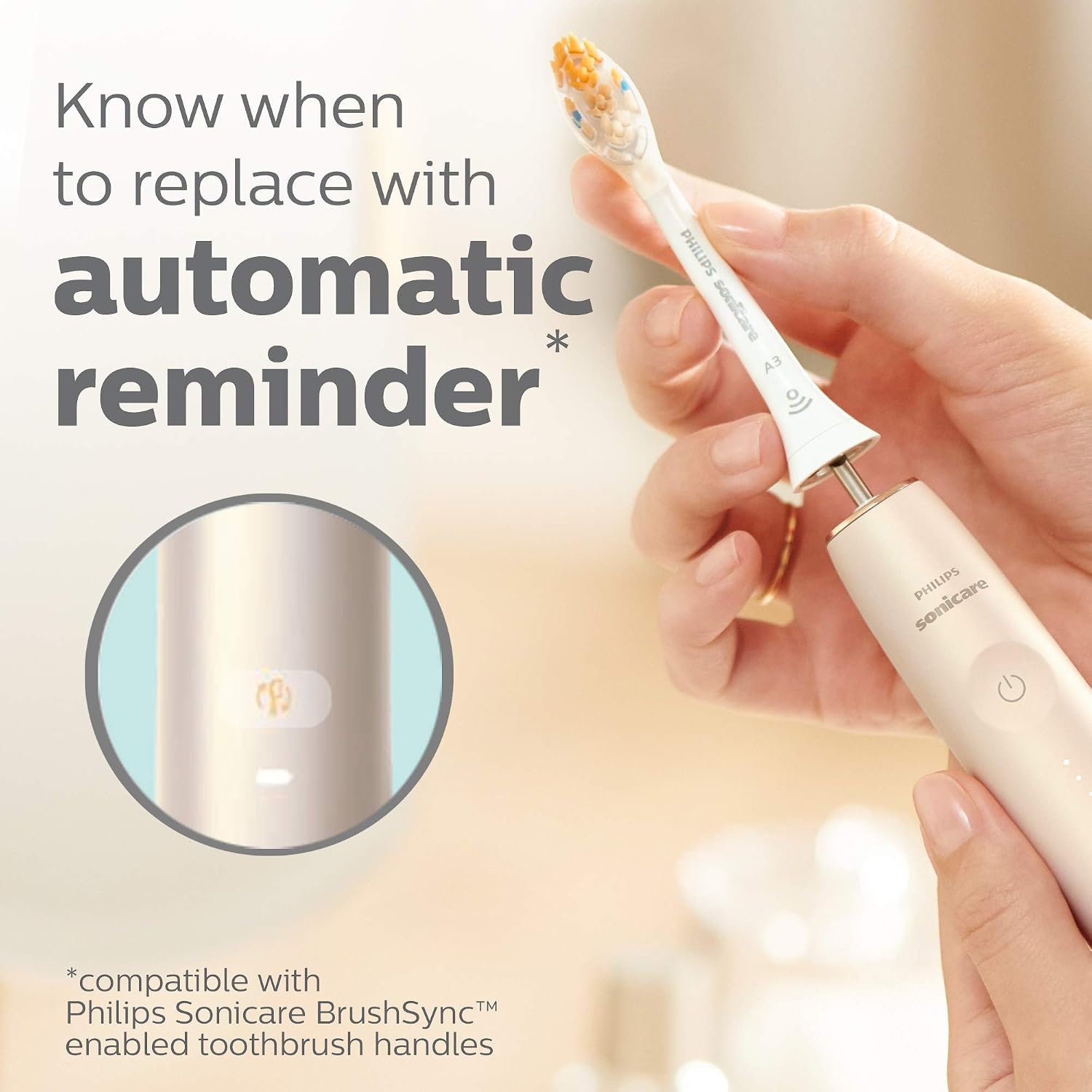
Image: A hand demonstrating how to attach the A3 Premium All-in-One brush head to the Philips Sonicare toothbrush handle. The brush head features multi-directional bristles.
- Download the App: For full SenseIQ features and personalized guidance, download the Philips Sonicare app on your smartphone and pair it with your toothbrush via Bluetooth.
Operating Instructions
Brushing Your Teeth
- Wet the bristles and apply a small amount of toothpaste.
- Place the brush head against your teeth at a slight angle towards the gumline.
- Press the power button to start brushing.
- Gently move the brush head slowly across each tooth, allowing the sonic vibrations to clean. Do not scrub.
- The SenseIQ technology will monitor your pressure, motion, and coverage. If you apply too much pressure, a light ring at the base of the handle will illuminate, and the intensity will automatically adjust to protect your gums.
- The toothbrush will pause briefly to indicate when to move to the next quadrant of your mouth.
- After brushing, press the power button to turn off the toothbrush.
Brushing Modes and Intensity Levels
The DiamondClean 9900 Prestige offers 5 brushing modes and 3 intensity levels, providing 15 customizable settings. You can select your preferences through the Philips Sonicare app.
- Modes: Clean, White, Gum Health, Deep Clean+, Sensitive
- Intensity Levels: Low, Medium, High

Image: A visual representation of the 15 brush settings (5 modes, 3 intensities) and the SenseIQ technology, which automatically adapts to brushing behavior.
The A3 Premium All-in-One brush head is designed to remove up to 20x more plaque, achieve 15x healthier gums, and remove up to 100% more stains compared to a manual toothbrush.

Image: Close-up of the toothbrush bristles effectively removing plaque from a tooth surface.

Image: The A3 Premium All-in-One brush head designed to promote healthier gums.
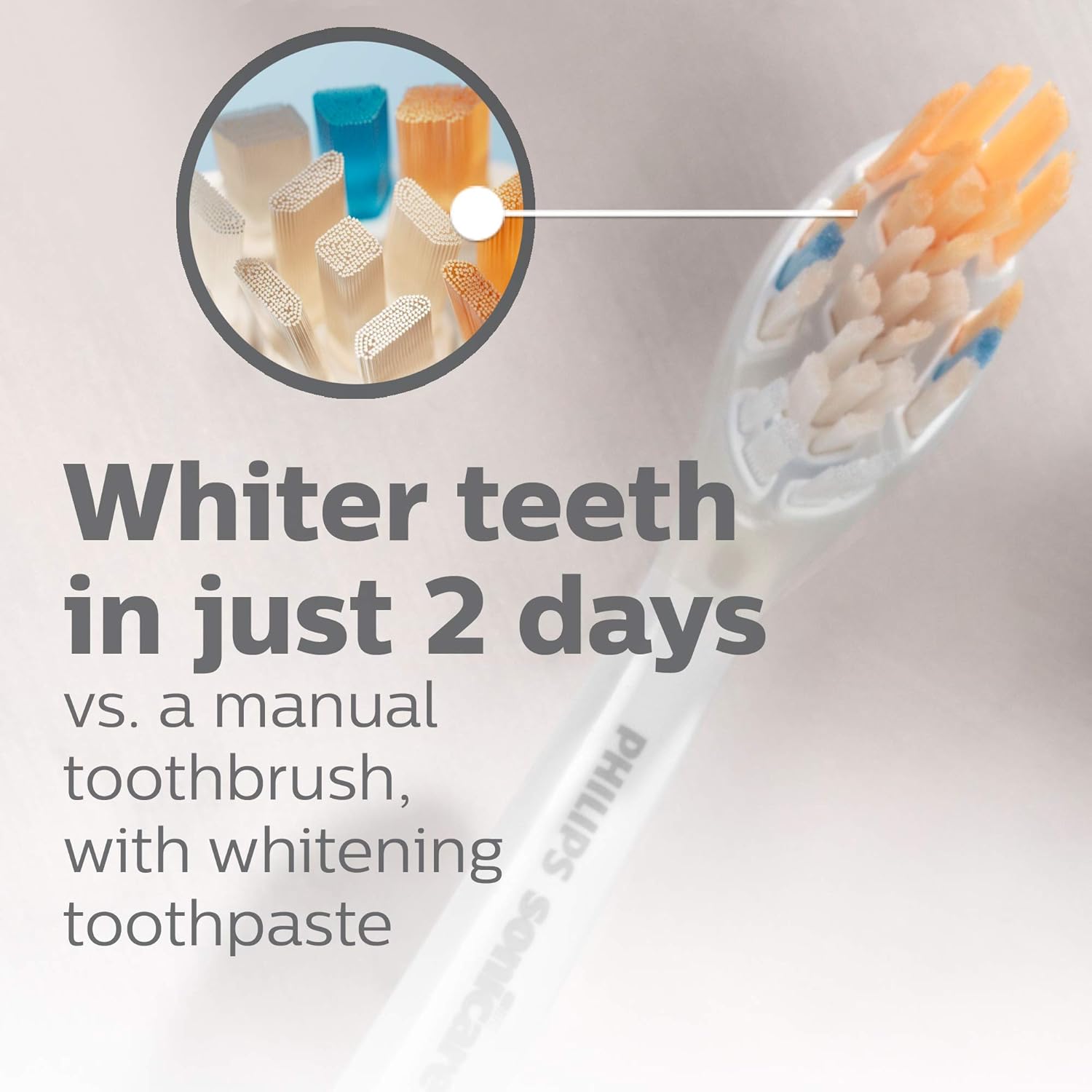
Image: The A3 Premium All-in-One brush head contributing to whiter teeth.
Maintenance
Cleaning Your Toothbrush
- After each use, rinse the brush head and bristles thoroughly under running water.
- Wipe the handle with a damp cloth. Do not submerge the handle in water.
- Clean the charging base and travel case with a damp cloth as needed.
Brush Head Replacement
Dental professionals recommend replacing your brush head every three months, or sooner if the bristles become splayed or worn. The Philips Sonicare app and the toothbrush itself will provide a replacement reminder based on your usage.
Image: The Philips Sonicare toothbrush handle showing the brush head replacement reminder icon, indicating when it's time for a new brush head.
All Sonicare brush heads are compatible with all Sonicare toothbrushes (except Philips One).

Image: A selection of different Philips Sonicare brush heads, highlighting their compatibility with various Sonicare toothbrush models.
Troubleshooting
| Problem | Possible Cause / Solution |
|---|---|
| Toothbrush not charging or holding charge. |
|
| Toothbrush not vibrating or vibrating weakly. |
|
| SenseIQ or app features not working correctly. |
|
Specifications
- Model Number: HX9990/12
- Product Dimensions: 2.91 x 6.61 x 6.61 inches
- Item Weight: 14.29 ounces
- Power Source: Battery Powered (1 Lithium Ion battery included)
- Special Features: Bluetooth Connectivity, Compact, Rechargeable, Travel Size, SenseIQ Technology, Advanced AI App, 5 Brushing Modes, 3 Intensity Levels
- Bristle Firmness: Soft
- Manufacturer: Philips Sonicare
Safety Information
Please read all safety information before using the product.
- Not suitable for children under 3 years. Adult supervision is required for young users.
- Do not submerge the handle in water.
- Use only with compatible Philips Sonicare chargers.
Warranty and Support
For warranty information and customer support, please refer to the documentation included with your product or visit the official Philips Sonicare website. Keep your proof of purchase for warranty claims.
You can also find additional support and FAQs on the Philips Sonicare Store on Amazon.