
Yupiteru SN-TW83d
Yupiteru SN-TW83d Drive Recorder Instruction Manual
Front and Rear Simultaneous Recording 2-Camera Drive Recorder
Introduction
This manual provides instructions for the Yupiteru SN-TW83d Front and Rear Simultaneous Recording 2-Camera Drive Recorder. This device is designed to record clear video footage from both the front and rear of your vehicle, utilizing advanced STARVIS technology for superior low-light performance.
Key Features
- Front Camera: 2 million pixel color CMOS sensor with STARVIS technology.
- Rear Camera: 2 million pixel color CMOS sensor with STARVIS technology.
- Wide Viewing Angle: Front camera 163°, Rear camera 158°.
- Clear Night Recording: High sensitivity sensors ensure vivid image recording even at night.
- Simultaneous Recording: Records both front and rear views concurrently.
- G-Sensor: Automatically saves footage during impacts.
- GPS: Records location and speed data.
- Time-Lapse Recording: Optional feature for extended parking surveillance.
Package Contents
Please ensure all items are present before installation.

Image: The product packaging for the Yupiteru SN-TW83d, displaying the main unit, rear camera, and various cables and mounting accessories included in the box.
- Main Drive Recorder Unit
- Rear Camera
- Power Cable
- Rear Camera Connection Cable
- Mounting Bracket (Adhesive Type)
- SD Card (pre-installed or separate)
- Instruction Manual (this document)
Setup and Installation
1. SD Card Insertion
Before installation, ensure the microSD card is properly inserted into the main unit. The device requires an SD card for recording. If a new SD card is used, it must be formatted by the device.
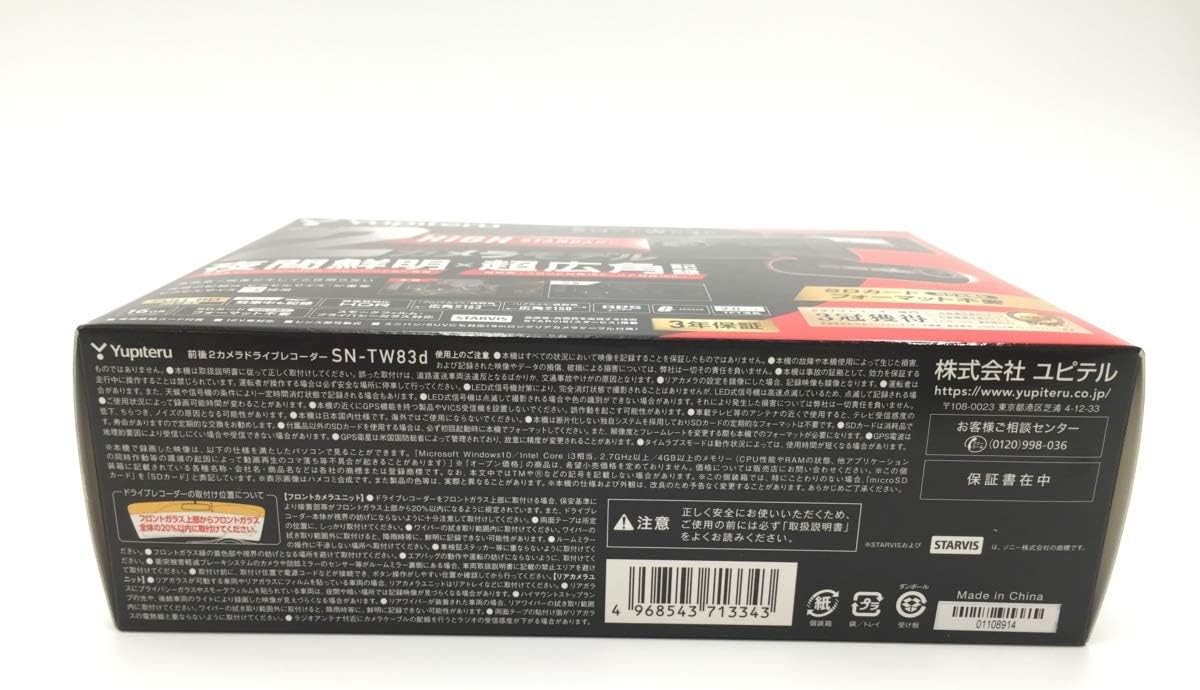
Image: A detailed view of the main drive recorder unit, highlighting the slot for inserting the microSD card. Ensure the card is inserted correctly until it clicks into place.
2. Mounting the Main Unit
- Clean the windshield surface where the main unit will be mounted. Ensure it is free of dust and grease.
- Attach the adhesive mounting bracket to the main unit.
- Peel off the protective film from the adhesive pad and firmly press the main unit onto the chosen location on the windshield, ideally near the rearview mirror for an unobstructed view.
3. Mounting the Rear Camera
- Clean the rear window surface.
- Attach the rear camera using its adhesive mount to a location that provides a clear view of the rear, typically on the upper center of the rear window.
- Route the rear camera connection cable neatly along the vehicle's interior trim to the main unit.
4. Power Connection
- Connect the power cable to the main unit.
- Plug the other end of the power cable into your vehicle's cigarette lighter socket or a dedicated power source.
- Start your vehicle's engine to power on the drive recorder.
Operating Instructions
Automatic Recording
The SN-TW83d automatically begins recording when the vehicle's engine is started and power is supplied. Both front and rear cameras will record simultaneously.
Display and Menu Navigation
The device features a 2-inch LCD display. Use the physical buttons on the unit to navigate through the menu options. Common settings include:
- Video Resolution: Set to 1080p for optimal clarity.
- G-Sensor Sensitivity: Adjust the sensitivity for impact detection.
- Date and Time: Ensure correct time synchronization via GPS.
- Parking Surveillance Mode: Enable for recording when the vehicle is parked (requires optional hardwire kit for continuous power).
STARVIS Technology for Night Recording
Equipped with STARVIS technology, the SN-TW83d excels in low-light conditions. This allows for clear and vivid video recording even at night, capturing details that might be missed by conventional sensors.
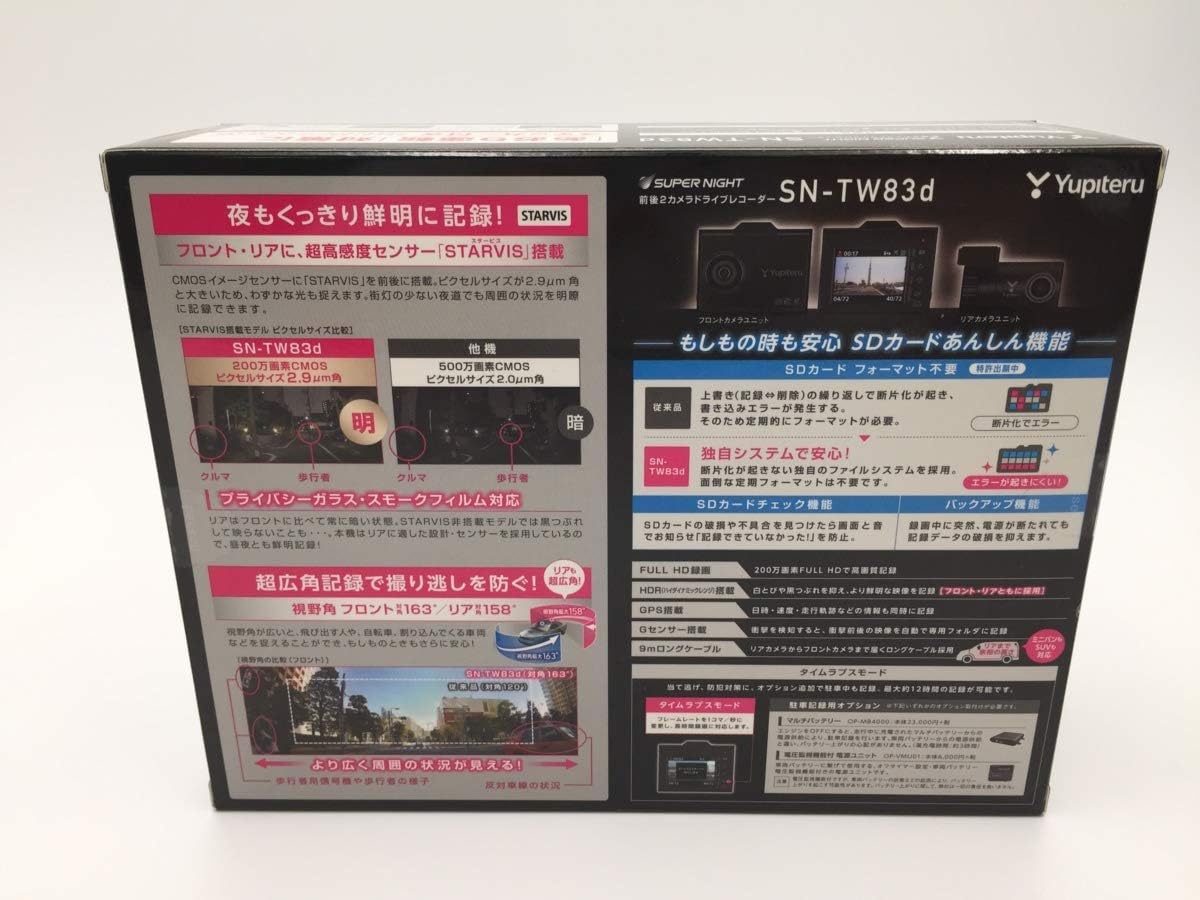
Image: A visual comparison demonstrating the superior clarity and detail captured by the STARVIS sensor in low-light or nighttime conditions compared to a standard sensor.
Time-Lapse Recording (Optional)
For extended parking surveillance, the device supports time-lapse recording. This feature compresses long periods of recording into shorter videos, saving storage space while still capturing important events. This typically requires a continuous power supply kit.
Maintenance
SD Card Management
Regularly format the microSD card to ensure optimal performance and prevent recording errors. Over time, fragmented data can reduce card efficiency. It is recommended to format the card at least once a month.
- Access the formatting option through the device's menu.
- Back up any important footage before formatting, as this process will erase all data on the card.
Cleaning
Wipe the camera lenses and the display screen with a soft, dry cloth. Avoid using abrasive cleaners or solvents that could damage the surfaces.
Troubleshooting
- Device does not power on:
Ensure the power cable is securely connected to both the device and the vehicle's power outlet. Check the vehicle's power outlet for functionality.
- Recording errors or "SD card error" message:
Format the SD card through the device's menu. If the issue persists, try using a different, high-quality microSD card (Class 10 or higher).
- Poor image quality:
Clean the camera lenses. Ensure the protective film has been removed from the lenses. Check settings to confirm 1080p resolution is selected.
- GPS not acquiring signal:
Ensure the GPS antenna (if external) is properly connected and placed in a location with a clear view of the sky. Avoid metallic tints on the windshield that might block the signal.
Specifications
| Brand | Yupiteru |
| Model Number | SN-TW83d |
| Screen Size | 2 inches |
| Display Type | LCD |
| Mounting Type | Adhesive Mount |
| Video Capture Resolution | 1080p |
| Front Camera Angle | 163 degrees |
| Rear Camera Angle | 158 degrees |
| Battery Use | No (operates via vehicle power) |
| Product Dimensions | 21.5 x 16.5 x 6.9 cm; 750 g |
Warranty and Support
Warranty Information
The Yupiteru SN-TW83d comes with a 3-year warranty from the date of purchase. Please retain your proof of purchase for warranty claims. The warranty covers manufacturing defects under normal use conditions.
Customer Support
For technical assistance, troubleshooting, or warranty inquiries, please contact Yupiteru customer support:
- Website: https://www.yupiteru.co.jp
- Phone: 0120-998-036
- Address: Yupiteru Corporation, 4-12-33 Higashi-Gotanda, Shinagawa-ku, Tokyo 141-0022, Japan
Please have your model number (SN-TW83d) and purchase details ready when contacting support.