
1. Important Safety Information
Before assembling or operating the POOBOO D616 Stationary Indoor Cycling Bike, please read and understand all instructions in this manual. Keep this manual for future reference.
- Consult your physician before starting any exercise program.
- Ensure all parts are securely tightened before each use.
- Keep children and pets away from the equipment during operation.
- Place the bike on a flat, stable surface. Use a mat underneath to protect flooring.
- The maximum user weight capacity for this bike is 350 lbs (158 kg).
- Wear appropriate exercise attire and footwear.
- Stop exercising immediately if you feel faint, dizzy, or experience pain.
2. Product Overview
The POOBOO D616 is a stationary indoor cycling bike designed for home use. It features magnetic resistance, a silent belt drive system, and adjustable components for a customized workout experience.
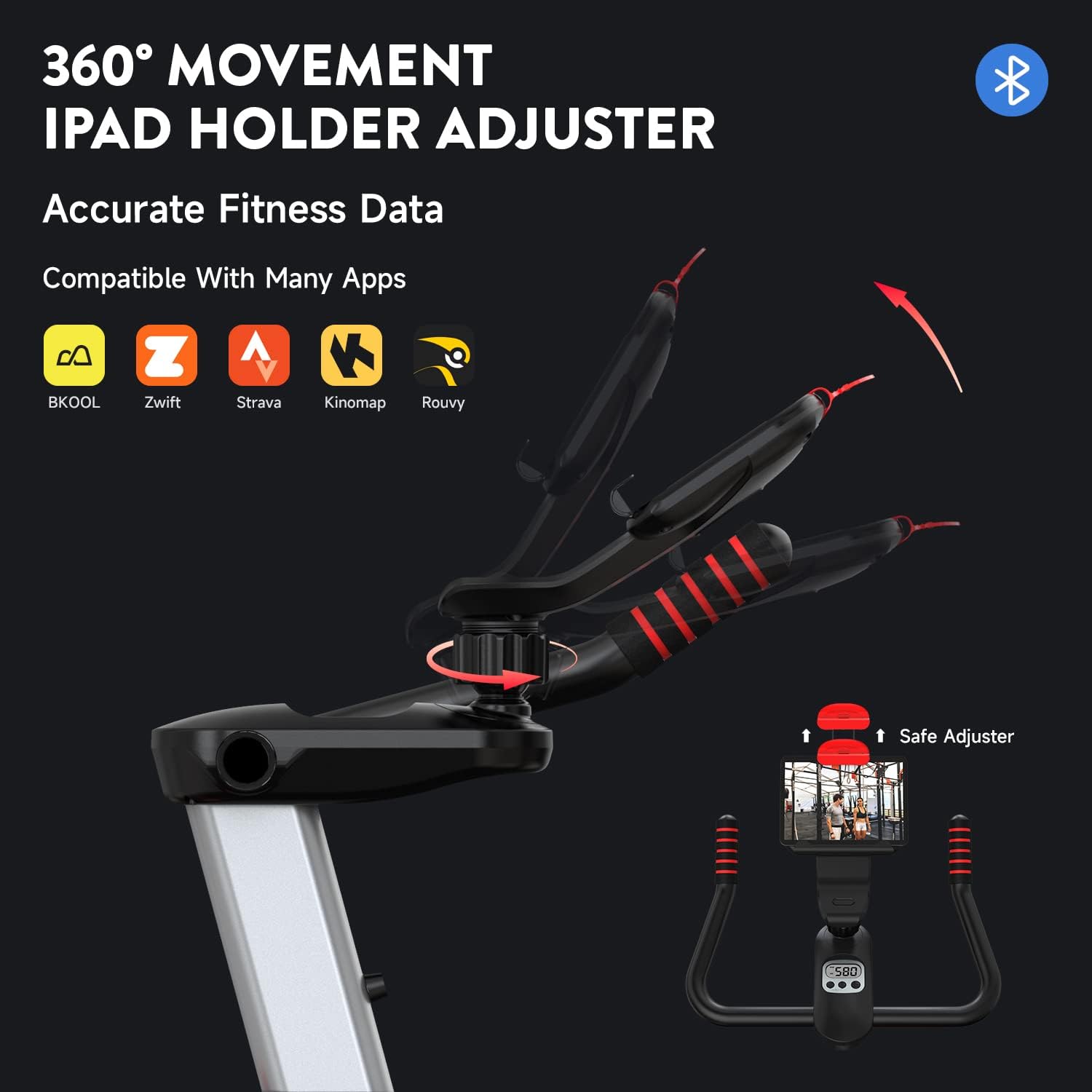
Image: The POOBOO D616 Stationary Indoor Cycling Bike, showcasing its overall design and structure.
Key Features:
- Magnetic Resistance: Provides smooth and quiet resistance adjustment.
- Silent Belt Drive: Ensures a quiet workout environment.
- Adjustable Seat and Handlebars: Accommodates various user heights (4.6ft - 6.4ft) and preferences.
- iPad Holder: Securely holds your tablet or smartphone for entertainment or fitness apps.
- LCD Monitor: Tracks time, speed, distance, calories, and odometer.
- Transport Wheels: For easy relocation of the bike.
- Floor Levelers: To ensure stability on uneven surfaces.
3. Assembly Instructions
Assembly typically takes approximately 30-60 minutes. It is recommended to have two people for certain steps due to the weight of some components.
What's Included:
- Main Frame
- Front and Rear Stabilizers
- Seat Post and Seat
- Handlebar Post and Handlebars
- Pedals (Left and Right)
- LCD Monitor and iPad Holder
- Hardware Kit (bolts, washers, nuts)
- Assembly Tools (wrenches, Allen keys)
Note: Some small parts, such as the seat height adjustment knob, may come pre-assembled on the bike. AAA batteries for the LCD monitor are not included and must be purchased separately.
Assembly Steps:
- Unpack and Identify Parts: Carefully remove all components from the packaging and lay them out. Verify all parts are present against the parts list in your physical manual.
- Attach Stabilizers: Secure the front and rear stabilizer bars to the main frame using the provided bolts and washers. Ensure they are tightened firmly.
- Install Pedals: Identify the left (L) and right (R) pedals. The left pedal screws in counter-clockwise, and the right pedal screws in clockwise. Tighten them securely to the crank arms.
- Assemble Seat Post: Insert the seat post into the main frame. Adjust to your desired height and secure with the adjustment knob. Attach the seat to the seat post.
- Assemble Handlebar Post: Insert the handlebar post into the main frame. Attach the handlebars to the post. Adjust to your desired height and secure.
- Install LCD Monitor and iPad Holder: Attach the LCD monitor to the handlebar assembly. Insert AAA batteries (not included) into the monitor. Mount the iPad holder if it is a separate component.
Video: Detailed assembly steps for the POOBOO D616 Indoor Cycling Bike. This video demonstrates the process of putting together the various components of the bike.

Image: Illustrates the adjustable seat and handle positions, along with overall dimensions suitable for various user heights.
4. Operating Instructions
Adjusting Seat and Handlebars:
The seat can be adjusted both vertically and horizontally. The handlebars can be adjusted vertically. Loosen the respective adjustment knobs, move the component to the desired position, and then securely tighten the knobs.

Image: Close-up view of the adjustable seat and handlebar mechanisms, highlighting the knobs for height and horizontal adjustments.
Adjusting Resistance:
The bike features a magnetic resistance system controlled by a red knob located on the main frame. Turn the knob clockwise to increase resistance and counter-clockwise to decrease it. To engage the emergency brake, press the knob down firmly.

Image: Shows the micro-adjustable resistance knob and the internal magnetic control system for smooth and quiet operation.
Using the LCD Monitor:
The LCD monitor displays your workout data. It typically shows Time, Speed, Distance, Calories, and Odometer. Use the buttons below the display to cycle through modes or reset values.
Video: Instructions on how to connect your app with the D616 bike and use the display monitor. This video demonstrates the Bluetooth pairing process and basic monitor functions.
Connecting to Fitness Apps (Bluetooth):
The POOBOO D616 bike supports Bluetooth connectivity with various fitness applications. Ensure Bluetooth is enabled on your device and follow the app's instructions for pairing. The bike is compatible with apps such as BKOOL, Zwift, Strava, Kinomap, and Rouvy.

Image: Shows the 360-degree adjustable iPad holder and icons of compatible fitness applications, indicating Bluetooth connectivity.
5. Maintenance
Regular maintenance ensures the longevity and safe operation of your exercise bike.
- Cleaning: Wipe down the bike with a damp cloth after each use to remove sweat and dust. Avoid abrasive cleaners.
- Check Fasteners: Periodically check all bolts, nuts, and screws to ensure they are tight. Tighten any loose fasteners.
- Belt Drive: The belt drive system is designed for low maintenance. Keep the area around the flywheel and belt clean and free of debris.
- Lubrication: No regular lubrication is required for the magnetic resistance or belt drive system.
- Floor Levelers: Ensure the floor levelers are properly adjusted to keep the bike stable and prevent wobbling.
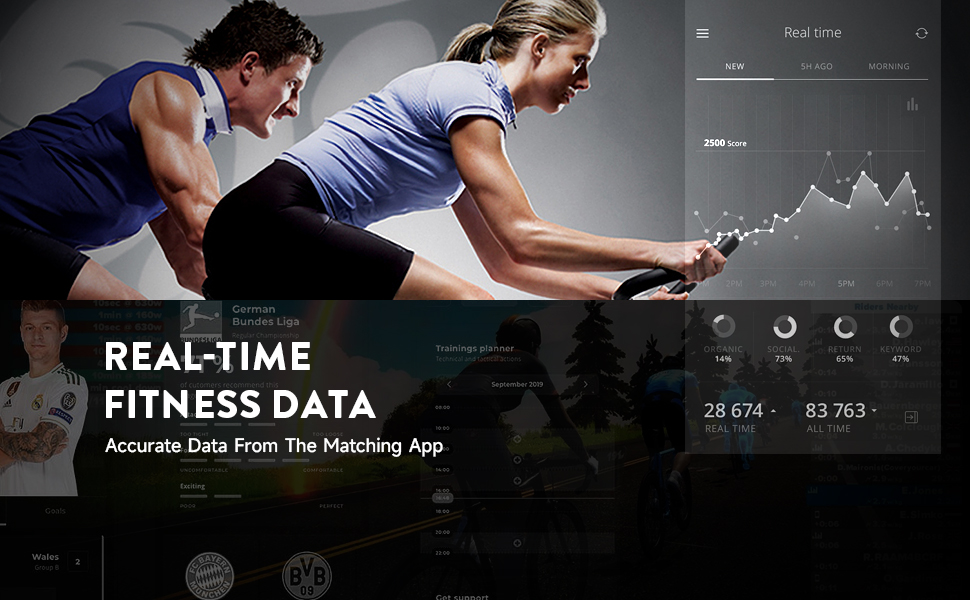
Image: Highlights the smooth and quiet belt drive system, which requires minimal maintenance.
6. Troubleshooting
| Problem | Possible Cause | Solution |
|---|---|---|
| LCD Monitor not displaying | Dead or incorrectly installed AAA batteries. Missing CR2032 battery in circuit board. | Replace AAA batteries. Ensure CR2032 battery is present in the circuit board (located under the resistance knob, + side facing wheel). |
| Bike is wobbly or unstable | Uneven floor surface. Loose stabilizer bolts. | Adjust the floor levelers on the stabilizer bars until the bike is stable. Tighten all stabilizer bolts. |
| Resistance not changing or too loose/tight | Resistance knob not adjusted correctly. Internal magnetic mechanism issue. | Turn the resistance knob to adjust. If issue persists, contact customer support. |
| Bluetooth connection issues | Bluetooth not enabled on device. App compatibility issues. | Ensure Bluetooth is on. Restart both the bike monitor and your device. Check app settings. Refer to the 'How To Connect Your App With The Bike D616' video. |
| Unusual noise during operation | Loose components. Debris in flywheel/belt area. | Check all bolts and nuts for tightness. Inspect the flywheel and belt area for any foreign objects and remove them carefully. |
7. Specifications
| Feature | Specification |
|---|---|
| Brand | pooboo |
| Model | D616 |
| Resistance Mechanism | Magnetic |
| Drive System | Belt |
| Maximum Weight Recommendation | 350 Pounds (158 kg) |
| Recommended User Height | 4.6 ft - 6.4 ft |
| Power Source (Monitor) | Battery Powered (AAA batteries, CR2032 for circuit board) |
| Special Features | Adjustable Seat, Adjustable Handlebar, iPad Holder, Transport Wheels, Floor Levelers |
8. Warranty and Support
For warranty information, please refer to the documentation included with your purchase or contact the manufacturer directly. POOBOO customer service is known for being responsive and helpful.
If you encounter any issues or have questions regarding your POOBOO D616 Stationary Indoor Cycling Bike, please contact POOBOO customer support through their official website or the retailer where the product was purchased.
Contact Information: Please refer to your product packaging or the official POOBOO website for the most current customer support contact details.


