1. Introduction
Thank you for choosing the Mondial Pratic Clean RB-11 Robotic Vacuum Cleaner. This device is designed to simplify your cleaning routine by sweeping, vacuuming, and mopping various floor types with a single touch. Its intelligent programming and compact design allow it to clean under furniture and in hard-to-reach areas. Please read this manual carefully before use to ensure proper operation and maintenance.
Key Features:
- Intelligent Cleaning: Sweeps, vacuums, and mops with one touch.
- Mop Function: Mops while vacuuming for a thorough clean.
- Side Brushes: Two side brushes for effective corner and edge cleaning.
- Super Slim Design: At 7.5 cm high, it easily cleans under furniture.
- Anti-Fall Sensor: Detects drops and obstacles to prevent falls and collisions.
- 140mL Dustbin: Ideal capacity for dust, hair, and pet dander.
- Anti-Scratch Protection: Rubber protection to safeguard furniture and floors.
- Versatile Floor Cleaning: Suitable for wood, low-pile carpets, and hard floors.
- 90 Minutes Autonomy: Extended cleaning time on a single charge.
- Bivolt: Compatible with both 127V and 220V power outlets.
2. Safety Instructions
To reduce the risk of fire, electric shock, or injury, always follow basic safety precautions when using electrical appliances. This includes:
- Read all instructions before using the appliance.
- Do not operate the vacuum cleaner in wet conditions or on wet surfaces.
- Do not allow children or pets to operate the vacuum cleaner. Supervise children when the appliance is in use.
- Do not pick up flammable or combustible materials, or anything that is burning or smoking.
- Ensure the power adapter is compatible with your local voltage (Bivolt: 127V/220V).
- Keep hair, loose clothing, fingers, and all parts of the body away from openings and moving parts.
- Do not use without the dustbin and filter properly installed.
- Unplug the appliance from the outlet before cleaning or performing maintenance.
- Only use attachments recommended by the manufacturer.
- Store the appliance indoors in a cool, dry place.
3. Package Contents
Verify that all items are present in the package:
- 1 x Mondial Pratic Clean RB-11 Robotic Vacuum Cleaner
- 1 x Battery Charger
- 2 x Side Brushes (rounded)
- 1 x Mop Cloth
- 1 x Instruction Manual
4. Product Overview
Familiarize yourself with the components of your robotic vacuum cleaner.

Figure 1: Top view of the Mondial Pratic Clean RB-11 Robotic Vacuum Cleaner, showing the power button and sleek design.

Figure 2: Underside of the robot vacuum, highlighting the mop function and side brushes for comprehensive cleaning.
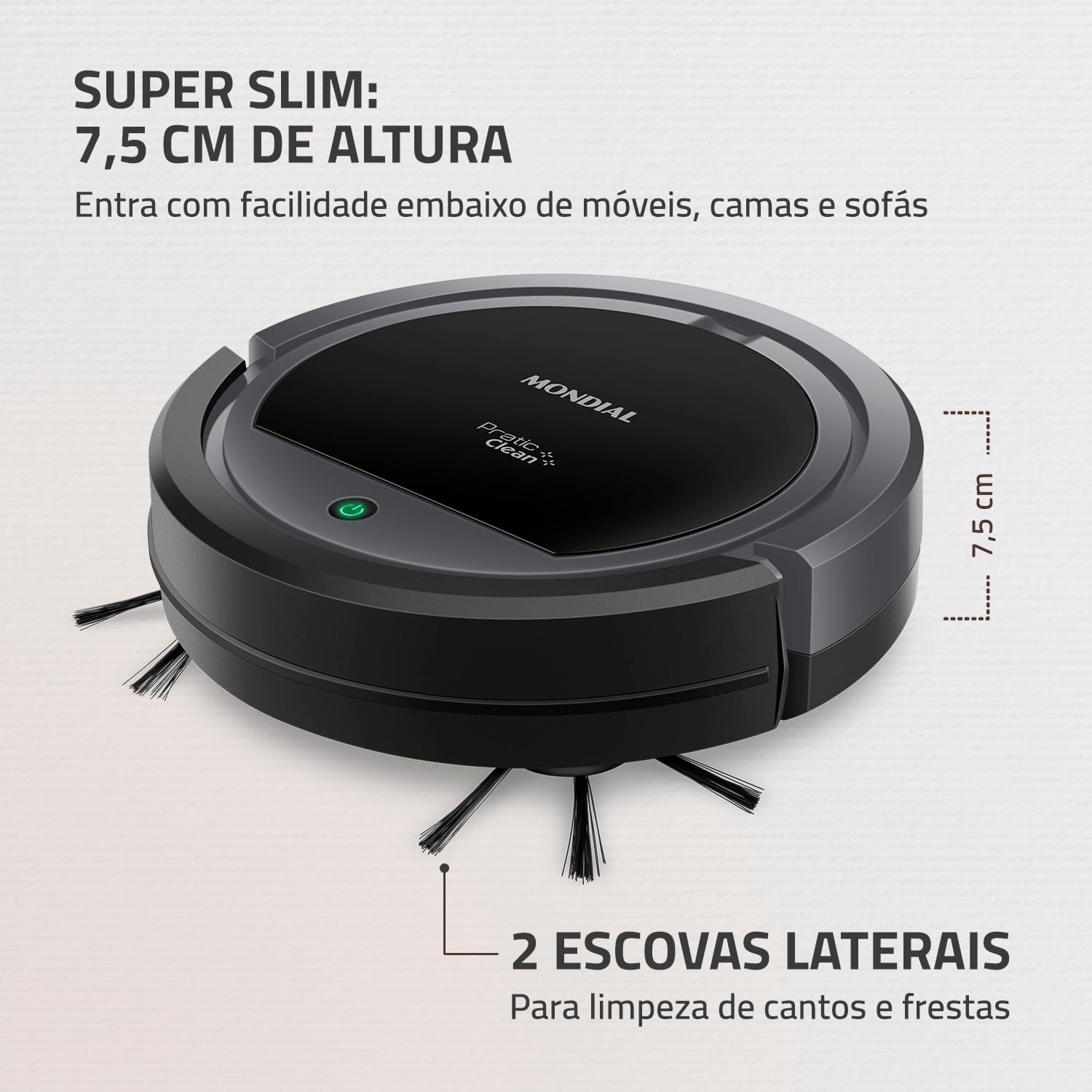
Figure 3: Side profile of the robot vacuum, illustrating its super slim 7.5 cm height for cleaning under furniture, along with the two side brushes.

Figure 4: Diagram showing the compact dimensions of the robot vacuum: 27 cm diameter, 7.5 cm height, and 1.5 kg weight.
5. Setup
5.1 Charging the Battery
- Connect the charger to a power outlet. The device is Bivolt (127V/220V).
- Plug the charger into the charging port on the side of the robotic vacuum cleaner.
- The pilot lamp will indicate the charging status. A full charge typically takes 4-5 hours.
- Ensure the robot is fully charged before its first use to maximize battery life.
5.2 Installing Side Brushes
Gently push the side brushes onto their respective posts on the underside of the robot until they click into place.
5.3 Attaching the Mop Cloth
If using the mop function, attach the mop cloth to the designated area on the bottom of the robot. Ensure it is securely fastened.
6. Operation
6.1 Powering On/Off
Press the power button on the top of the robot to turn it on or off. The pilot lamp will illuminate when the device is active.
6.2 Cleaning Modes
The Mondial Pratic Clean RB-11 operates with intelligent programming, utilizing various cleaning patterns to ensure thorough coverage.

Figure 5: Illustration of the robot's operational modes: Random, Spiral, and Wall Contour cleaning patterns.
- Random Mode: The robot navigates randomly, changing direction upon encountering obstacles.
- Spiral Mode: The robot cleans in a spiral pattern, ideal for concentrated dirty areas.
- Edge Cleaning (Wall Contour): The robot follows walls and furniture edges to clean corners and perimeters.
The robot automatically switches between these modes to optimize cleaning efficiency.
6.3 Mop Function
With the mop cloth attached, the robot will simultaneously vacuum and mop, providing a deeper clean. Ensure the mop cloth is slightly damp for best results.
6.4 Anti-Fall Sensor
The integrated anti-fall sensor detects changes in floor level, such as stairs, preventing the robot from falling. It also helps the robot navigate around obstacles.

Figure 6: The robot vacuum highlighting its 90-minute autonomy and the anti-fall sensor feature.
6.5 Cleaning Tips
- Clear the area of small objects, cables, and loose rugs before cleaning.
- For optimal results, allow the robot to clean one room at a time by closing doors.
- The robot is suitable for various floor types including hard floors, wood, low-pile carpets, and cold floors.

Figure 7: The robot vacuum demonstrating its compatibility with different floor surfaces, including cold tile, wood, carpet, and low-pile rugs.
7. Maintenance
Regular maintenance ensures the longevity and optimal performance of your robotic vacuum cleaner.
7.1 Emptying the Dustbin
- Press the release button to remove the dustbin from the robot.
- Open the dustbin lid and empty its contents into a trash can.
- Clean the dustbin with a dry cloth. Do not wash the dustbin with water unless specified in the full manual.
- Reinsert the dustbin until it clicks into place.
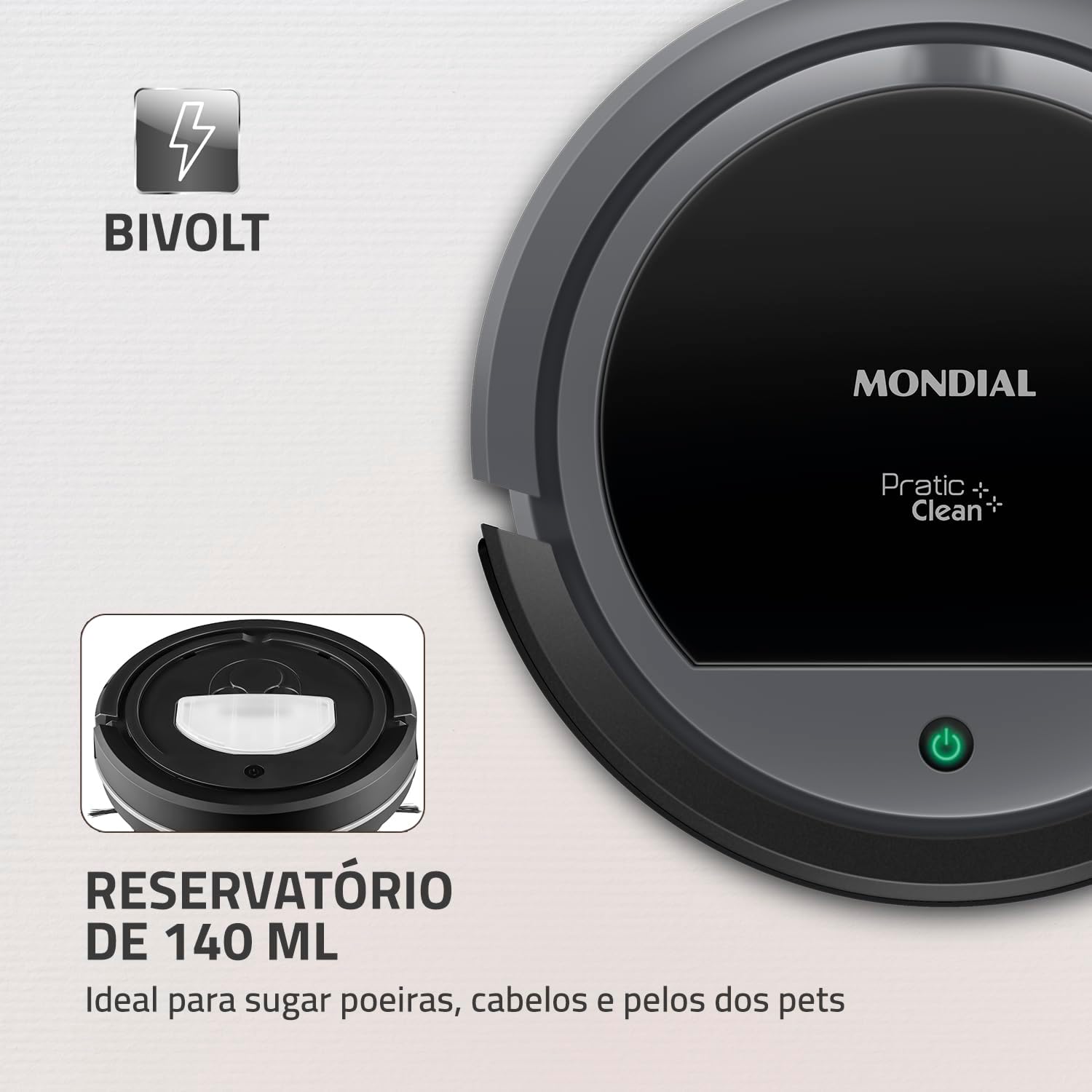
Figure 8: The robot vacuum highlighting its 140ml dustbin capacity and Bivolt power compatibility.
7.2 Cleaning the Filter
The filter inside the dustbin should be cleaned regularly. Tap it gently to remove dust. Replace the filter periodically according to usage.
7.3 Cleaning Side Brushes
Remove any hair or debris tangled around the side brushes. If brushes are worn, replace them with new ones.
7.4 Cleaning the Mop Cloth
After each use, remove the mop cloth and wash it by hand or machine. Allow it to air dry completely before reattaching.
7.5 Cleaning Sensors
Wipe the anti-fall sensors and other optical sensors on the robot's underside with a dry, soft cloth to ensure they function correctly.
8. Troubleshooting
If you encounter issues with your Mondial Pratic Clean RB-11, refer to the following common problems and solutions:
| Problem | Possible Cause | Solution |
|---|---|---|
| Robot does not turn on. | Low battery or no charge. | Charge the robot fully. Ensure the charger is properly connected. |
| Robot stops unexpectedly. | Battery low, tangled brushes, or sensor obstruction. | Recharge the battery. Clean side brushes. Wipe sensors. |
| Poor suction performance. | Full dustbin or clogged filter. | Empty the dustbin. Clean or replace the filter. |
| Robot gets stuck frequently. | Obstacles, loose cables, or high-pile carpets. | Clear the cleaning area. Avoid using on very high-pile carpets. |
| Side brushes not rotating. | Hair or debris tangled in brushes. | Remove and clean the side brushes. |
If the problem persists after attempting these solutions, please contact customer support.
9. Specifications
Technical details for the Mondial Pratic Clean RB-11 Robotic Vacuum Cleaner:
| Feature | Detail |
|---|---|
| Brand | MONDIAL |
| Model Number | RB-11 |
| Color | Gray/Black |
| Power | 30 Watts |
| Voltage | Bivolt (110 Volts, 220 Volts) |
| Battery Type | Lithium-ion (included) |
| Autonomy | Approximately 90 minutes |
| Dustbin Capacity | 140 mL |
| Product Dimensions (L x W x H) | 27 x 27 x 7.5 cm |
| Product Weight | 1.5 Kilograms |
| Material Type | PP |
| Special Features | Portable, Anti-fall Sensor, Anti-scratch Protection |
| Certification | BRA 18/02353 |
10. Warranty and Support
10.1 Warranty Information
This Mondial Pratic Clean RB-11 Robotic Vacuum Cleaner comes with a 1-year manufacturer's warranty from the date of purchase, covering defects in materials and workmanship under normal use. Please retain your proof of purchase for warranty claims.
10.2 Customer Support
For technical assistance, warranty claims, or to purchase replacement parts, please contact Mondial customer service. Refer to the official Mondial website or your purchase documentation for contact details.
You can also visit the official MONDIAL Store on Amazon for more information and products.