
1. Introduction
The Rowenta X-Plorer Serie 50 Robot Vacuum Cleaner is designed to provide efficient and thorough cleaning for various floor types. This device combines vacuuming and mopping functionalities, featuring methodical navigation and smart connectivity for a comprehensive cleaning experience.
Key features include:
- Methodical Navigation: Utilizes gyroscope technology and infrared sensors for precise and secure movement across your home.
- 4-in-1 Cleaning Action: Equipped with two side brushes for corners, a Turbo brush for pet hair and carpets, a powerful BLDC motor for strong suction, and the Aqua Force system for mopping.
- Optimized for Pet Owners: The ultra-efficient Turbo brush effectively captures pet hair, and a specialized scrubbing wipe tackles stubborn stains.
- Allergy-Friendly Design: Features a high-efficiency filter that captures up to 99.9% of fine particles, complemented by an anti-allergenic electrostatic wipe for microscopic dust.
- Smart Connectivity: Control the robot via a dedicated free application (iOS and Android) and integrate with voice assistants like Amazon Alexa and Google Assistant.
- Auto-Boost Function: Automatically adjusts suction power for deep cleaning on carpets and rugs.
- Versatile Cleaning Modes: Offers 3 navigation modes (Methodical, Precision, Along Walls) and 3 power modes (Eco, Standard, Boost).
2. Important Safety Instructions
Before using your Rowenta X-Plorer Serie 50, please read all instructions carefully and retain them for future reference. Failure to follow these instructions may result in electric shock, fire, or serious injury.
- This appliance is intended for domestic use only.
- Do not use the appliance outdoors or on wet surfaces, unless specifically designed for wet cleaning.
- Always supervise children and individuals with reduced physical, sensory, or mental capabilities when the appliance is in use.
- Use only the charging base and power adapter supplied by the manufacturer.
- Before cleaning, remove any loose cables, small objects, or fragile items from the floor to prevent entanglement or damage.
- Do not operate the vacuum cleaner near open flames, heat sources, or flammable materials.
- Ensure the dust container and filters are correctly installed before operation.
- Do not immerse the appliance, charging base, or power adapter in water or other liquids.
- Disconnect the appliance from the power supply before cleaning or performing maintenance.
3. Package Contents
Verify that all components are present in the package:
- Rowenta X-Plorer Serie 50 Robot Vacuum Cleaner
- Charging Base
- Power Adapter
- Side Brushes (2)
- Turbo Brush
- Dust Container
- Water Tank
- Wipe Support
- Wipes (3: 1x general use, 1x pet-specific, 1x anti-allergenic electrostatic)
- High-Efficiency Filter
- Cleaning Tool for Brushes
4. Initial Setup
4.1 Charging Base Placement
Place the charging base against a wall in an open area, ensuring there are no obstacles within 1.5 meters (5 feet) in front of it and 0.5 meters (1.6 feet) on either side. Connect the power adapter to the charging base and plug it into a wall outlet.
4.2 Initial Charging
Place the robot vacuum onto the charging base. Ensure the charging contacts on the robot align with those on the base. The indicator light on the robot will illuminate to show it is charging. Allow the robot to fully charge before its first use (approximately 6 hours).
4.3 App Installation and Pairing
- Download the 'Rowenta Robots' application from the App Store (iOS) or Google Play Store (Android).
- Open the app and follow the on-screen instructions to create an account and add your Rowenta X-Plorer Serie 50.
- Ensure your smartphone's GPS is enabled during the pairing process.
- The app will guide you through connecting the robot to your home Wi-Fi network.
- Once connected, you can link the robot to Amazon Alexa or Google Assistant through their respective apps for voice control.
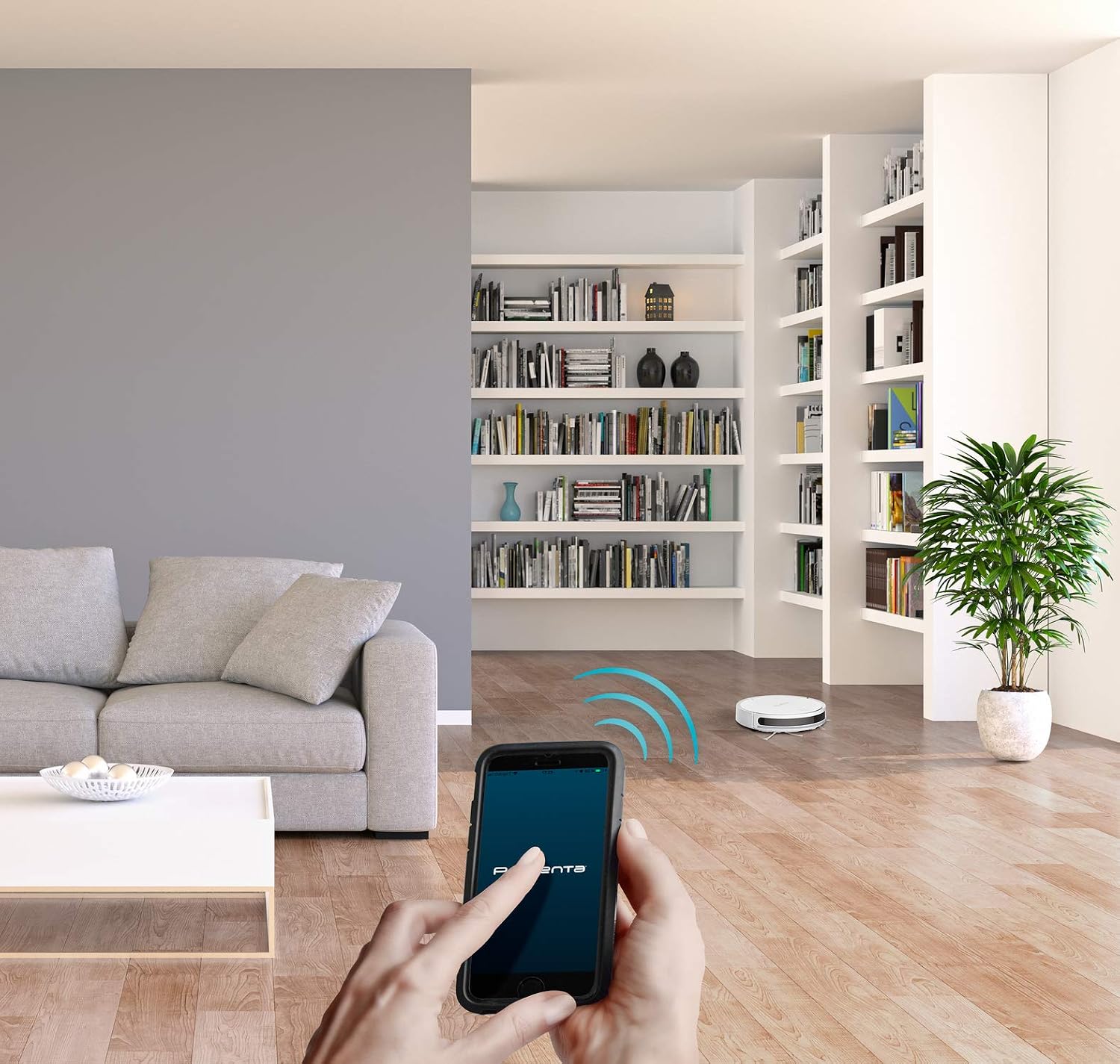
4.4 Preparing the Cleaning Area
Before each cleaning cycle, ensure the area is free of obstacles such as loose cables, small toys, clothing, or fragile items that could obstruct the robot's path or cause damage.
5. Operation
5.1 Starting and Stopping Cleaning
- Manual Start/Stop: Press the main button on the robot once to start cleaning. Press it again to pause. To send the robot back to its charging base, press the button twice consecutively.
- App Control: Use the 'Rowenta Robots' app to start, pause, stop cleaning, or send the robot back to its base. You can also schedule cleaning cycles.
- Voice Control: If connected to Alexa or Google Assistant, use voice commands such as "Alexa, start the robot vacuum" or "Hey Google, tell the robot vacuum to go home."
5.2 Cleaning Modes
Select cleaning modes via the mobile application:
- Methodical: The robot cleans in straight lines, covering the entire area systematically.
- Precision (Spot): The robot cleans a specific small area in a spiral pattern.
- Along Walls: The robot cleans along the edges of rooms and around furniture.
5.3 Power Modes
Adjust suction power through the app:
- Eco: For light cleaning and extended battery life.
- Standard: Default power for everyday cleaning.
- Boost: Maximum power for deep cleaning, especially on carpets or heavily soiled areas. The Auto-Boost function will automatically engage this mode on carpets.
5.4 Mopping Function (Aqua Force)
- Open the water tank and fill it with clean water. Do not use detergents or cleaning solutions unless specifically approved by Rowenta.
- Attach the desired wipe (general, pet, or anti-allergenic) to the wipe support.
- Slide the filled water tank with the attached wipe support into the designated slot on the robot.
- Start a cleaning cycle. The robot will vacuum and mop simultaneously.

6. Maintenance
Regular maintenance ensures optimal performance and extends the lifespan of your robot vacuum cleaner.
6.1 Emptying the Dust Container
Empty the dust container after each cleaning cycle or when full. Press the release button to remove the container, open it, and discard the debris.
6.2 Cleaning Filters
The high-efficiency filter should be cleaned regularly. Tap it gently to remove dust. The filter is washable; rinse it under running water and allow it to air dry completely before reinserting. Replace the filter every 6 months or as needed.
6.3 Cleaning Brushes
- Side Brushes: Periodically remove and clean the side brushes, removing any tangled hair or debris. Replace them if they become worn or damaged.
- Turbo Brush: Remove the Turbo brush from the robot. Use the provided cleaning tool to cut and remove tangled hair and fibers. Ensure the brush rotates freely after cleaning.
6.4 Cleaning Sensors and Charging Contacts
Wipe the infrared sensors (located around the robot's bumper) and the charging contacts on both the robot and the charging base with a clean, dry cloth. This prevents dust buildup from affecting navigation and charging.
6.5 Cleaning Water Tank and Wipes
After each mopping session, empty any remaining water from the tank and rinse it thoroughly. Remove the wipe from its support and wash it by hand or machine. Allow both the tank and wipe to dry completely before storage or next use.
7. Troubleshooting
If you encounter issues with your robot vacuum, refer to the following common problems and solutions:
| Problem | Possible Cause | Solution |
|---|---|---|
| Robot does not start or respond. | Low battery; Power switch off; Obstruction. | Ensure robot is fully charged; Check power switch; Remove any obstructions. |
| Poor suction performance. | Full dust container; Clogged filter; Tangled brushes. | Empty dust container; Clean or replace filter; Clean main and side brushes. |
| Robot gets stuck frequently. | Loose cables; Small objects; Uneven surfaces. | Clear the cleaning area of obstacles; Use virtual barriers if available (check app for features). |
| App connectivity issues. | Incorrect Wi-Fi password; Robot out of Wi-Fi range; App glitch. | Verify Wi-Fi credentials; Move robot closer to router; Restart app and robot; Ensure smartphone GPS is on during pairing. |
| Mopping not effective. | Empty water tank; Dry wipe; Clogged water nozzle. | Refill water tank; Moisten wipe before use; Clean water nozzle. |
If the problem persists, please refer to the official Rowenta support channels.
8. Technical Specifications
- Brand: Rowenta
- Model Number: RR7387WH
- Color: White
- Dimensions (L x W x H): 32.5 x 32.5 x 8 cm
- Weight: 3.79 kg
- Noise Level: 65 dB
- Battery Autonomy: Up to 120 minutes (2 hours)
- Battery Type: 1 Lithium-ion battery
- Number of Speeds: 3
- Filter Type: High-efficiency filter
- Compatibility: Amazon Alexa, Google Assistant
- Surface Recommendation: All surface types
- Manufacturer: Groupe SEB
- Country of Origin: China
9. Warranty and Support
Rowenta is committed to providing durable products. The X-Plorer Serie 50 benefits from a 15-year repairability commitment at a fair price, supported by a network of 6200 authorized repairers worldwide.
For detailed warranty terms, service center locations, and further support, please visit the official Rowenta website or contact their customer service directly. Keep your proof of purchase for warranty claims.