
Pankoo 10010
Pankoo 12x60 HD Monocular Telescope User Manual
Model: 10010
1. Introduction
Thank you for choosing the Pankoo 12x60 HD Monocular Telescope. This manual provides detailed instructions for the proper setup, operation, and maintenance of your monocular. Please read this manual thoroughly before use to ensure optimal performance and longevity of your device.
2. Safety Information
WARNING: Do not look directly at the sun with the monocular! This can cause severe and permanent eye damage.
- Avoid dropping or subjecting the monocular to strong impacts.
- Keep the monocular away from extreme temperatures and humidity.
- Store in a dry, clean environment when not in use.
- Keep out of reach of children.
3. Package Contents
Verify that all items listed below are included in your package:
- Pankoo 12x60 HD Monocular Telescope
- Hand Strap
- Adjustable Tripod
- Smartphone Adapter
- Cleaning Cloth
- User Manual (this document)
- Portable Carrying Case
- Long Strap

Image: All components included in the Pankoo 12x60 HD Monocular Telescope package, including the monocular, hand strap, tripod, phone adapter, cleaning cloth, user manual, carrying case, and long strap.
4. Product Overview
Familiarize yourself with the main parts of your Pankoo 12x60 HD Monocular Telescope:

Image: Labeled diagram showing the Adjustable View, Focus Knob, Extra Large Objective Lens, Extra Large Eyepiece, Tripod Support Shaft, and Hand Strap Connector on the monocular.
- Objective Lens: The large front lens (60mm) that gathers light from the observed object.
- Eyepiece: The lens through which you look (25mm).
- Focus Knob: Used to adjust the clarity of the image.
- Adjustable Eyecup: Can be twisted up or down for comfortable viewing with or without eyeglasses.
- Tripod Support Shaft: Threaded hole for attaching the monocular to a tripod.
- Hand Strap Connector: Point for attaching the included hand strap.
5. Setup
5.1 Attaching the Hand Strap
- Locate the hand strap connector on the side of the monocular.
- Thread the hand strap through the connector and secure it.
- Adjust the strap for a comfortable and secure grip.
5.2 Mounting on the Tripod
- Extend the legs of the adjustable tripod to your desired height. The tripod offers 6 height adjustments from 5.9 to 9.21 inches.
- Locate the tripod support shaft (threaded hole) on the bottom of the monocular.
- Screw the monocular onto the tripod's mounting screw until secure. Do not overtighten.
5.3 Attaching the Smartphone Adapter
- Attach the smartphone adapter to the eyepiece of the monocular. Ensure it is securely fastened.
- Place your smartphone into the adapter, aligning your phone's camera lens with the monocular's eyepiece.
- Adjust the adapter to ensure a stable and clear view through your phone's camera.

Image: The Pankoo monocular shown mounted on its adjustable tripod with a smartphone attached via the adapter, demonstrating a stable setup for viewing and photography.
6. Operating Instructions
6.1 Focusing the Monocular
- Hold the monocular with one hand, ensuring a stable grip.
- Look through the eyepiece towards your desired object.
- Rotate the focus knob (located on top of the monocular) until the image appears clear and sharp.
6.2 Adjusting the Eyecup
The adjustable eyecup can be twisted up or down to provide comfortable viewing for all users, including those who wear eyeglasses.
- For non-eyeglass wearers: Twist the eyecup up to the fully extended position.
- For eyeglass wearers: Twist the eyecup down to the retracted position to achieve the full field of view.

Image: Close-up view of the 25mm large eyepiece, highlighting its size and design for comfortable viewing.
6.3 Using with a Smartphone
Once your smartphone is securely attached to the adapter and aligned with the eyepiece:
- Open your smartphone's camera application.
- Adjust the focus knob on the monocular until the image on your phone screen is clear.
- Use your phone's camera controls to zoom, capture photos, or record videos.
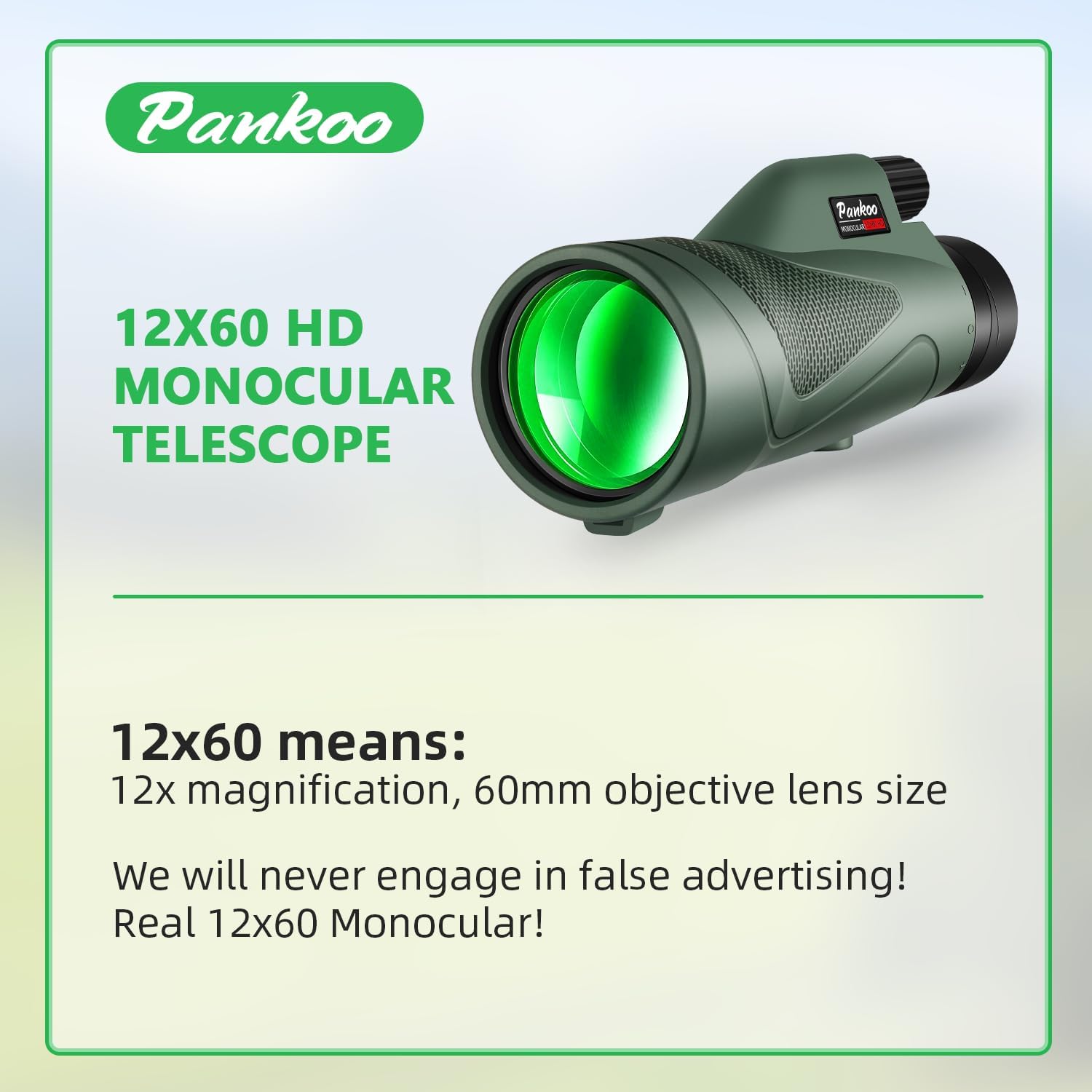
Image: The Pankoo 12x60 HD Monocular Telescope, showcasing its design and 12x magnification with a 60mm objective lens.
6.4 Optical Features
The monocular features a 12x magnification and a 60mm objective lens, providing a wide field of view (325 ft/1000 yards). It utilizes a BAK-4 prism and FMC (Fully Multi-Coated) lenses for bright, clear, and sharp images with minimal color distortion.

Image: Illustration detailing the 16.5mm BAK4 prism and 60mm large objective lens, emphasizing their role in light transmission and image brightness compared to other prism types and smaller lenses.
7. Maintenance
7.1 Cleaning the Lenses
Use the provided cleaning cloth or a soft, lint-free cloth specifically designed for optical lenses. Gently wipe the lens surfaces to remove dust or smudges. For stubborn dirt, a small amount of lens cleaning fluid can be applied to the cloth, not directly to the lens.
- Do not use abrasive cloths, paper towels, or harsh chemicals, as these can scratch the lens coatings.
- Avoid touching the lens surfaces with your fingers.
7.2 Cleaning the Body
Wipe the monocular body with a soft, damp cloth. Do not use solvents or abrasive cleaners.
7.3 Storage
When not in use, store the monocular in its portable carrying case in a cool, dry place, away from direct sunlight and moisture. Ensure lens caps are in place to protect the lenses from dust and scratches.
8. Troubleshooting
| Problem | Possible Cause | Solution |
|---|---|---|
| Blurred image | Incorrect focus; dirty lenses | Adjust the focus knob; clean the lenses as per maintenance instructions. |
| Dark edges or vignetting | Eyecup not adjusted correctly (for eyeglass wearers); smartphone camera not aligned | Adjust the eyecup; re-align the smartphone camera with the eyepiece. |
| Unstable image when using smartphone | Smartphone adapter or tripod not securely attached | Ensure all connections are tight; use the tripod for stability. |
| No image visible | Lens caps still on; objective lens blocked | Remove all lens caps; ensure the objective lens is unobstructed. |
9. Specifications
- Magnification: 12x
- Objective Lens Diameter: 60mm
- Eyepiece Lens Diameter: 25mm
- Prism Type: BAK-4
- Lens Coating: Fully Multi-Coated (FMC)
- Field of View: 325 ft/1000 yards (6.5°)
- Product Dimensions: 6.81 x 2.95 x 3.74 inches
- Item Weight: 14 ounces
- Model Number: 10010
- Compatible Devices: Smartphone
- Focus Type: Manual Focus
10. Warranty and Support
Pankoo is committed to customer satisfaction. If you encounter any issues with your monocular, please contact our customer service. We offer a 30-day money-back guarantee for products that do not meet your satisfaction.
For support, please refer to the contact information provided with your purchase or visit the official Pankoo website.
11. Multi-Scene Use
The Pankoo 12x60 HD Monocular Telescope is designed for a variety of outdoor activities and viewing experiences, including:
- Bird Watching
- Hiking and Climbing
- Sports Events
- Concerts
- Traveling and Sightseeing
- Wildlife Observation

Image: A collage demonstrating the monocular's versatility across different scenarios such as observing scenery, attending matches, concerts, camping, wildlife watching, and bird watching.
Related documents10010


Ask a question about this manual
Ask about setup, troubleshooting, compatibility, parts, safety, or missing instructions. Manuals+ will review the question and use this page’s manual context to help answer it.