
HP 15-ef1050nr
HP 15 Laptop User Manual
Model: 15-ef1050nr
Introduction
This user manual provides comprehensive instructions for the setup, operation, maintenance, and troubleshooting of your HP 15 Laptop, model 15-ef1050nr. Please read this manual thoroughly to ensure proper use and to maximize the performance and longevity of your device.
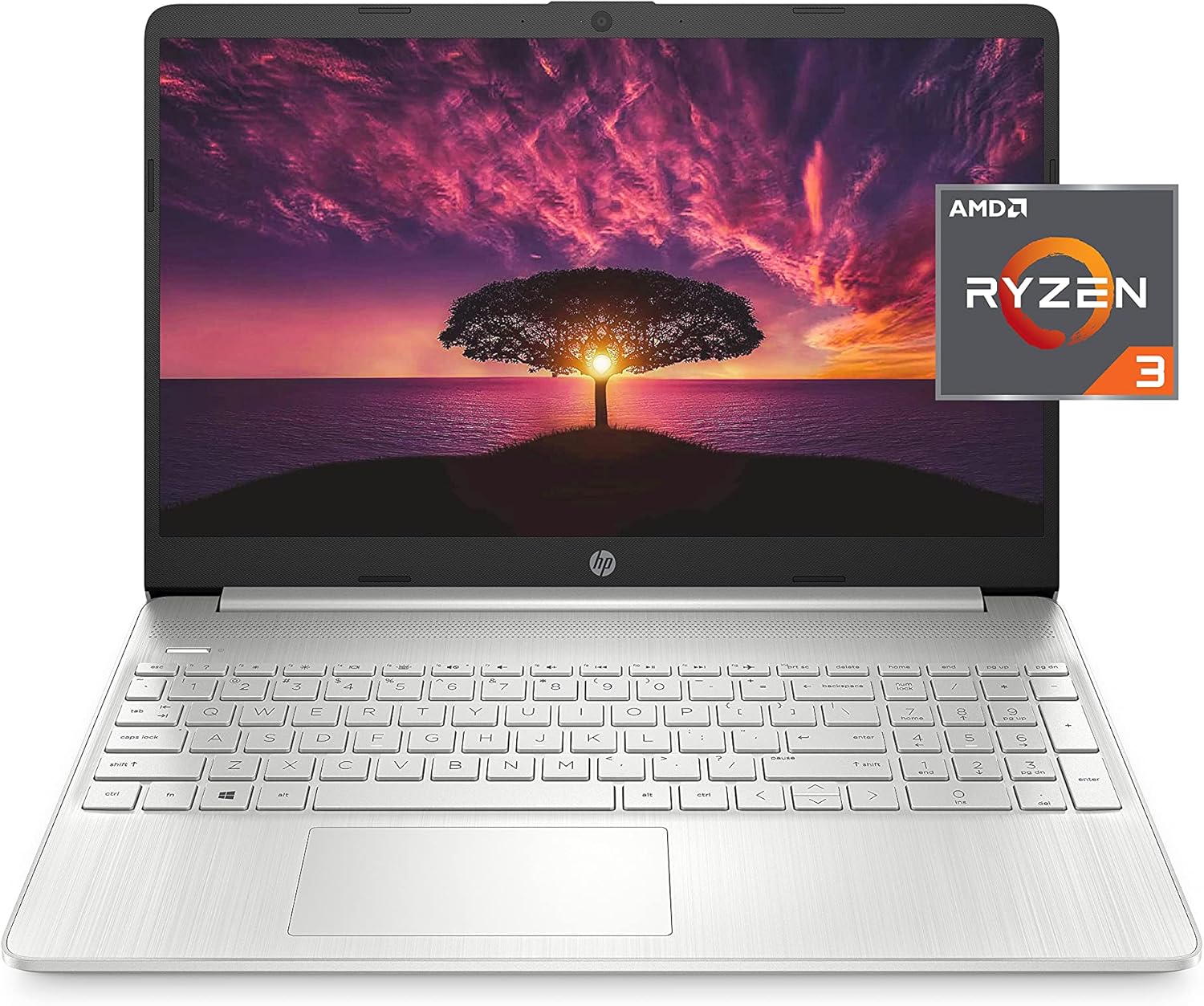
Figure 1: HP 15 Laptop, AMD Ryzen 3 Processor, 15.6-inch Full HD Display.
1. Setup
1.1 Unpacking and Initial Inspection
Carefully remove all components from the packaging. Verify that all items listed in the "What's in the Box" section are present and undamaged. If any items are missing or damaged, contact HP support immediately.
- HP 15-ef1050nr Laptop
- 3-cell, 41 Wh Li-ion battery (integrated)
- 45 W Smart AC power adapter
1.2 Connecting to Power
Before first use, connect the AC power adapter to the laptop's AC Smart Pin port and then to a power outlet. The battery will begin charging automatically. It is recommended to fully charge the battery before initial use.

Figure 2: Laptop Ports and Connectors. The AC Smart Pin is located on the left side.
1.3 Initial Boot and Windows Setup
Press the power button to turn on the laptop. Follow the on-screen prompts to complete the Windows 10 Home (S Mode) setup process. This includes selecting your region, language, connecting to a Wi-Fi network, and creating a user account.
Note: Windows 10 Home (S Mode) works exclusively with apps from the Microsoft Store. If you need to install apps from outside the Microsoft Store, you can switch out of S Mode. A fee may apply, and you cannot switch back to S Mode.
2. Operating Your HP 15 Laptop
2.1 Power Management
- Turning On: Press the power button located on the keyboard deck.
- Shutting Down: Click the Start button, then Power, and select "Shut down."
- Sleep Mode: Close the lid or click the Start button, then Power, and select "Sleep."
- Battery Life: The laptop offers up to 8 hours of battery life for wireless streaming. Actual battery life varies based on usage.
2.2 Display and Graphics
Your HP 15 Laptop features a 15.6-inch Full HD (1920 x 1080) anti-glare display with micro-edge bezels, powered by AMD Radeon Graphics. This provides a clear and immersive visual experience for work and entertainment.

Figure 3: Stellar Imaging with Full HD Anti-Glare Display.
2.3 Connectivity
The laptop supports Wi-Fi 5 (2x2) and Bluetooth 5.0 for robust wireless connections. Physical ports include:
- Multi-format SD media card reader
- SuperSpeed USB Type-C® 5Gbps signaling rate
- Headphone/microphone combo jack
- HDMI 1.4b port
- AC Smart Pin
- Two SuperSpeed USB Type-A 5Gbps signaling rate ports
2.4 Audio and Video Communication
Equipped with an HP True Vision 720p HD camera and integrated dual array digital microphones, your laptop is ready for video calls and online meetings. Tuned stereo speakers provide clear audio output.

Figure 4: HP True Vision HD Camera and Tuned Stereo Speakers for clear communication.
3. Maintenance
3.1 Cleaning Your Laptop
- Screen: Use a soft, lint-free cloth slightly dampened with water or a screen cleaner. Do not spray liquid directly onto the screen.
- Keyboard and Chassis: Use a soft, dry cloth. For stubborn dirt, a slightly dampened cloth with mild soap solution can be used, ensuring no liquid enters openings.
- Ports: Use compressed air to clear dust from ports.
3.2 Software Updates
Regularly check for and install Windows updates to ensure your system has the latest security patches and performance improvements. Go to Settings > Update & Security > Windows Update.
3.3 Storage Management
Your laptop comes with a 256 GB SSD. Periodically review your stored files and uninstall unused applications to free up space and maintain optimal performance. Consider using cloud storage for large files.

Figure 5: Key performance components including 256 GB SSD for storage.
4. Troubleshooting
4.1 Common Issues and Solutions
| Problem | Possible Cause | Solution |
|---|---|---|
| Laptop does not turn on. | No power, discharged battery. | Ensure AC adapter is securely connected and power outlet is functional. Allow battery to charge for at least 30 minutes before attempting to power on. |
| Wi-Fi connection issues. | Wi-Fi disabled, router issues, driver problems. | Check Wi-Fi settings in Windows. Restart your router. Update Wi-Fi drivers via HP Support Assistant or Device Manager. |
| Slow performance. | Too many applications running, low storage, outdated drivers. | Close unnecessary applications. Free up disk space. Update Windows and device drivers. |
| Camera not working. | Privacy settings, driver issues. | Check camera privacy settings in Windows. Ensure camera drivers are up to date. |
For more detailed troubleshooting, refer to the HP Support website or contact customer service.
5. Specifications
| Feature | Specification |
|---|---|
| Model Name | 15-ef1050nr |
| Processor | AMD Ryzen 3 3250U (2.6 GHz base clock, up to 3.5 GHz max boost clock) |
| Graphics | AMD Radeon Graphics (Integrated) |
| RAM | 8 GB DDR4 (1 x 8 GB) 2400 MHz |
| Storage | 256 GB PCIe® NVMe™ M.2 Solid State Drive (SSD) |
| Display | 15.6-inch Full HD (1920 x 1080) micro-edge bezel, anti-glare |
| Operating System | Windows 10 Home (S Mode) |
| Wireless Connectivity | Wi-Fi 5 (2x2) and Bluetooth® 5.0 combo |
| Ports | 1x Multi-format SD media card reader, 1x SuperSpeed USB Type-C® 5Gbps signaling rate, 1x Headphone/microphone combo, 1x HDMI 1.4b, 1x AC Smart Pin, 2x SuperSpeed USB Type-A 5Gbps signaling rate |
| Camera | HP True Vision 720p HD camera with integrated dual array digital microphones |
| Audio | Tuned Stereo Speakers |
| Battery Life | Up to 8 hours (wireless streaming) |
| Weight | 3.75 pounds |
| Dimensions (LxWxH) | 14.11 x 0.78 x 9.53 inches |
| Color | Natural Silver |
6. Warranty and Support
6.1 Product Warranty
Your HP 15 Laptop is covered by HP's 1-Year Limited Hardware Warranty. This warranty covers defects in materials and workmanship under normal use. For full terms and conditions, please refer to the warranty documentation included with your product or visit the official HP website.
6.2 Customer Support
For technical assistance, product registration, or warranty claims, please visit the official HP Support website. You can find drivers, manuals, and troubleshooting guides online. Contact information for direct support (phone, chat) is also available on their website.
HP Support Website: support.hp.com