
YUSTDA TNS30W-xy-z
Yustda 12V AC/DC Adapter User Manual
Model: TNS30W-xy-z
1. Introduction
This manual provides essential information for the safe and effective use of your Yustda 12V AC/DC Adapter. This power supply is designed to be compatible with various devices, including the Arris VMS4100 Fios Set Top Box, and features multiple safety protections to ensure reliable operation.
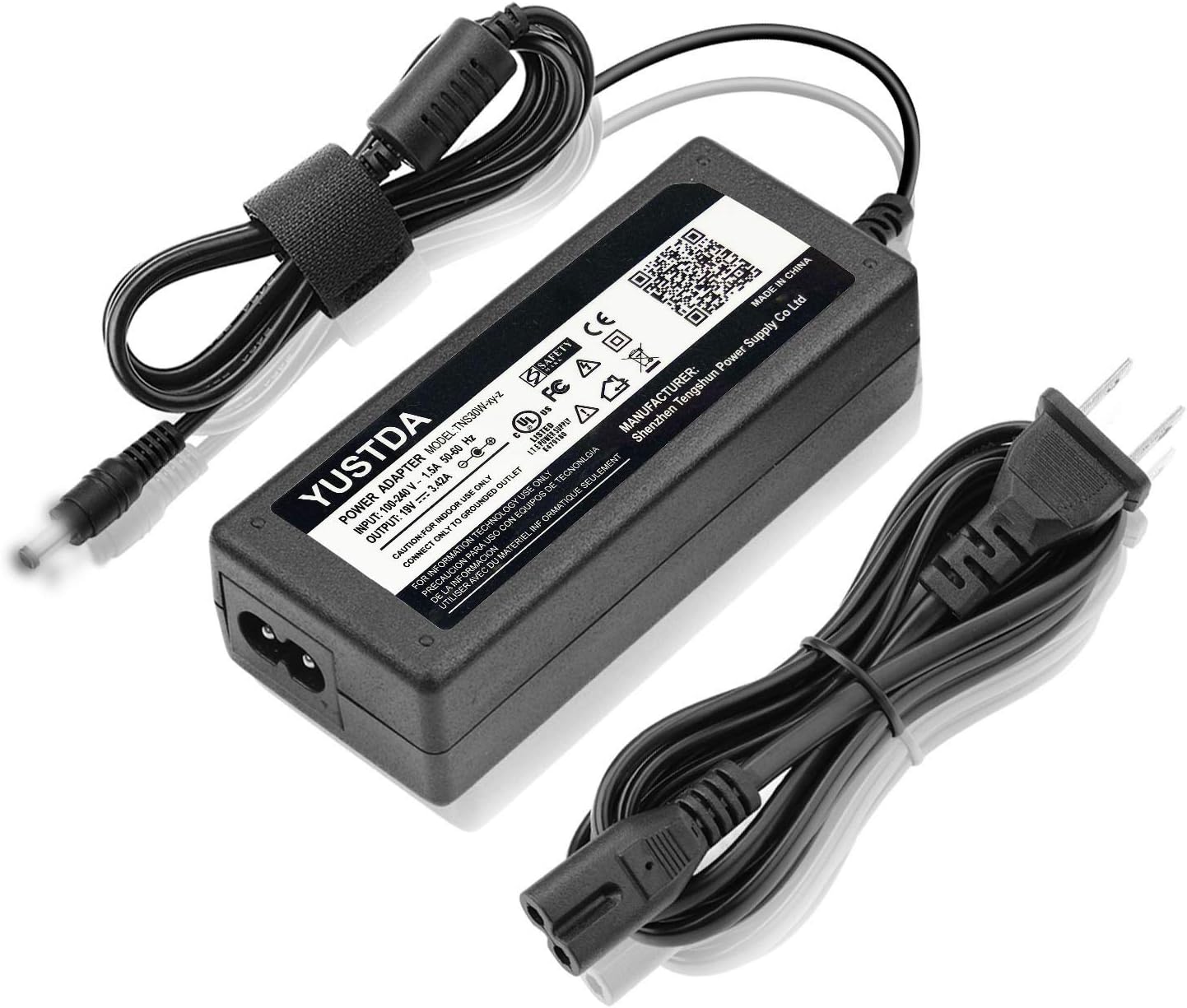
Image 1.1: The Yustda 12V AC/DC Adapter, showing the main unit, detachable power cord, and the output connector with a center pin.
2. Product Overview
The Yustda AC/DC Adapter is a high-quality power supply unit designed for stable and efficient power delivery. It features a robust design with integrated safety mechanisms.

Image 2.1: A detailed view of the adapter's label, displaying input/output specifications, model number (TNS30W-xy-z), and various safety certifications including UL, FCC, CE, and RoHS.

Image 2.2: Illustration highlighting the adapter's safety features, including protection against over-temperature, over-voltage, over-current, and short circuits.

Image 2.3: Diagram illustrating the internal structure of the power cable, emphasizing the high-quality copper wire and PVC insulation jacket for durability and safety.
3. Setup Instructions
- Unpack the Adapter: Carefully remove the AC/DC adapter and its power cord from the packaging.
- Connect the Power Cord: Insert the figure-8 end of the power cord into the corresponding receptacle on the adapter unit. Ensure it is firmly seated.
- Connect to Device: Plug the round barrel connector (with the center pin) of the adapter's output cable into the power input port of your compatible device (e.g., Arris VMS4100 Fios Set Top Box).
- Connect to Power Outlet: Plug the two-prong end of the power cord into a standard 100-240V AC wall outlet.
The adapter features a total cord length of approximately 10 feet (4 feet for the output cable and 6 feet for the input power cord) for flexible placement.

Image 3.1: An overhead view of the adapter, illustrating the approximate lengths of the input (6ft) and output (4ft) cables, and highlighting the anti-interference magnetic ring for stable operation.
4. Operating Instructions
Once properly connected, the Yustda AC/DC Adapter will automatically begin supplying power to your device. A blue LED indicator on the adapter unit will illuminate when power is being supplied, confirming proper operation.
This adapter is designed for continuous use within its specified voltage and current limits. Always ensure your device's power requirements match the adapter's output specifications.
5. Maintenance
- Cleaning: Disconnect the adapter from the power outlet and the device before cleaning. Use a soft, dry cloth to wipe the surface. Do not use liquid cleaners or aerosols.
- Storage: When not in use, store the adapter in a cool, dry place away from direct sunlight and extreme temperatures. Avoid tightly coiling the cables to prevent damage.
- Inspection: Periodically inspect the adapter and cables for any signs of damage, such as frayed wires or cracked casing. If damage is found, discontinue use immediately.
6. Troubleshooting
| Problem | Possible Cause | Solution |
|---|---|---|
| Adapter not powering on (LED off) | No power from outlet; loose connection; faulty adapter. | Check wall outlet with another device. Ensure all connections are secure. If problem persists, contact support. |
| Device not receiving power | Incorrect adapter for device; device power port issue; adapter fault. | Verify adapter compatibility with your device's power requirements. Ensure device power port is clean and undamaged. |
| Adapter feels hot during use | Normal operation (slight warmth); excessive load; poor ventilation. | A slight warmth is normal. Ensure adapter is in a well-ventilated area. If excessively hot, disconnect immediately and contact support. |
7. Specifications
- Model: TNS30W-xy-z
- Input: 100-240V AC, 50/60Hz, 1.5A
- Output: 12V DC, 3A, 36W
- Compatibility: Arris VMS4100 Fios Set Top Box (VMS4100/Z216/0712/1000, 599419-003-00), Delta ADP-36SR A ADP-36SRA P/N 524475-086-00
- Cord Length: Approximately 10 feet total (4ft output, 6ft input)
- Safety Features: Over current protection, Total power protection, Over voltage protection, Short Circuit Protection
- Certifications: FCC, CE, RoHS, UL Listed
- Manufacturer: SHENZHEN TENGSHUN POWER SUPPLY CO LTD

Image 7.1: An illustration emphasizing the durable construction and compact design of the Yustda adapter, suitable for various environments.
8. Warranty and Support
Yustda products are manufactured with high-quality materials and undergo rigorous testing to ensure reliability and safety. For any questions, concerns, or technical support regarding your AC/DC adapter, please contact our customer service team.
Email: epcustomerservice@yahoo.com
Please provide your product model number (TNS30W-xy-z) and a detailed description of your issue when contacting support to facilitate a quicker resolution.