
1. Introduction
The Clementoni RoboMaker Starter Kit 50098 is an educational robotics laboratory designed to introduce users to the principles of robotics and coding. This kit provides a structured learning path, enabling you to construct and program three distinct robots using over 200 components. Through progressive tasks, you will develop essential skills in robotics and programming.
The kit includes instructions for building three models: the X1 Drawer, X2 Elevator, and X3 Analyzer. Each model offers unique functionalities and challenges, designed to enhance your understanding and capabilities in robotics.
2. Product Overview
The RoboMaker Starter Kit allows for both app-based and manual programming, offering flexibility in how you interact with your creations. The progressive difficulty of the tasks ensures a comprehensive learning experience.
- X1 Drawer: Designed to draw with a pen and act as a box guardian.
- X2 Elevator: Capable of lifting and moving objects.
- X3 Analyzer: Engineered to clear objects and reach a finish line.
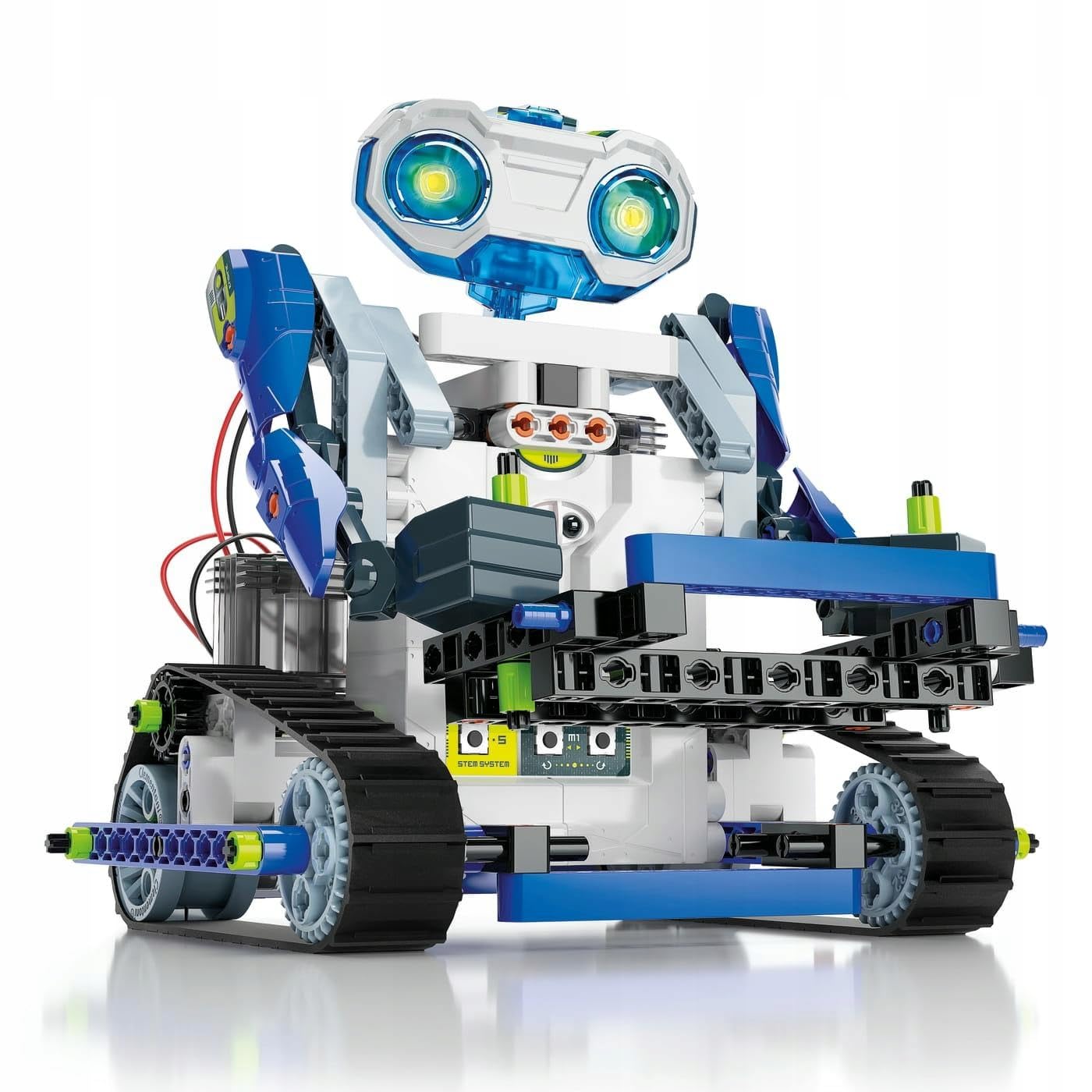
Figure 2.1: Front view of the Clementoni RoboMaker Starter Kit 50098 packaging, highlighting the main robot and the three models that can be built.
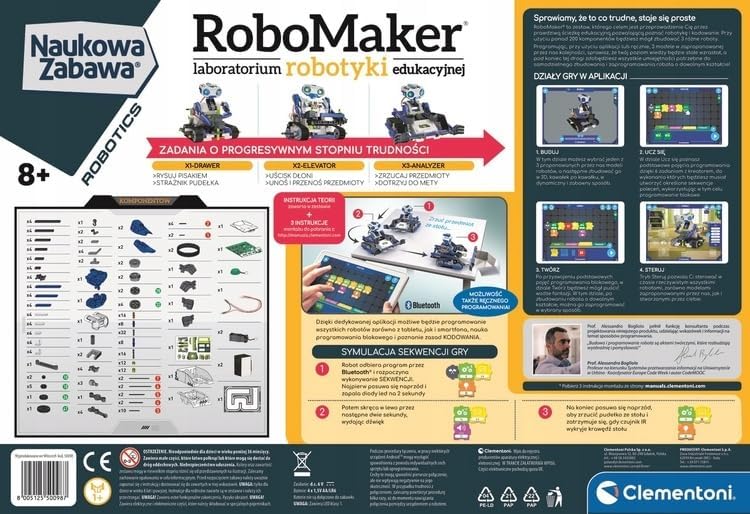
Figure 2.2: Rear view of the kit packaging, illustrating the various components included, the mobile application interface, and the three robot models in action.
3. Setup
3.1 Battery Installation
The RoboMaker main unit requires 4x 1.5V AA/LR6 alkaline batteries. These batteries are not included in the kit and must be purchased separately.
- Locate the battery compartment on the main robot unit.
- Using a small screwdriver, open the battery compartment cover.
- Insert the 4 AA/LR6 batteries, ensuring correct polarity (+/-) as indicated inside the compartment.
- Replace the battery compartment cover and secure it with the screw.
3.2 App Download and Compatibility
To unlock the full potential of the RoboMaker kit, download the dedicated "RoboMaker Start" application from your device's app store. The app allows for advanced programming and control.
Ensure your device meets the following compatibility requirements:
- Apple Devices: Requires iOS 8 or higher.
- Android Devices: Requires Android 5 or higher, a Bluetooth Low Energy (BLE) module, and a minimum of 1GB RAM.
- Amazon Devices: Kindle Fire with Fire OS 5 or higher.
Important: The RoboMaker Start application is not compatible with Windows operating systems.
4. Assembly
The RoboMaker kit is designed for user assembly, allowing you to build three different robots from over 200 components. Detailed assembly instructions for each robot model are provided within the kit's documentation.
- Begin with the first model, the X1 Drawer, to familiarize yourself with the components and construction process.
- Carefully follow the step-by-step instructions for each robot. Pay close attention to the diagrams and component identification.
- Ensure all connections are secure and components are correctly oriented before proceeding to the next step.
- Once assembly is complete, verify that all moving parts operate smoothly.
The assembly process is designed to be progressive, building your skills as you move from one robot to the next.
5. Operating
The RoboMaker robots can be operated through two primary methods: manual control and app-based programming.
5.1 Manual Control
Certain basic movements and functions may be accessible directly on the robot unit, depending on the model. Refer to the specific robot's instructions for details on manual operation.
5.2 App-Based Programming and Control
The "RoboMaker Start" app provides a comprehensive interface for controlling and programming your robots. After downloading and installing the app on a compatible device:
- Ensure Bluetooth is enabled on your device and the robot unit is powered on.
- Open the RoboMaker Start app and follow the on-screen prompts to connect to your robot.
- The app offers various modes, including:
- Control Mode: Directly steer and operate the robot using virtual joysticks or buttons.
- Programming Mode: Use a visual block-based coding interface to create sequences of actions for your robot.
- Game Simulation: Engage in interactive challenges and simulations to test your programming skills.
- Experiment with different programming blocks and control options to explore the full capabilities of each robot model.
6. Maintenance
Proper maintenance ensures the longevity and optimal performance of your RoboMaker kit.
- Cleaning: Use a soft, dry cloth to clean the robot components. Avoid using water or chemical cleaners, as these can damage electronic parts.
- Storage: Store the kit and assembled robots in a cool, dry place away from direct sunlight and extreme temperatures.
- Battery Care: Remove batteries from the robot unit if it will not be used for an extended period to prevent leakage. Always dispose of used batteries responsibly.
- Component Inspection: Periodically check for any loose or damaged components. Replace any broken parts if possible, or contact support for assistance.
7. Troubleshooting
If you encounter issues with your RoboMaker kit, consider the following troubleshooting steps:
- Robot Not Powering On: Check that the batteries are correctly installed and fully charged. Ensure the power switch is in the 'ON' position.
- App Connection Issues: Verify that Bluetooth is enabled on your device and the robot. Ensure your device meets the minimum compatibility requirements. Try restarting both the app and the robot.
- Robot Not Responding to Commands: Check the app connection. Ensure your programming sequence is correct and free of errors. Verify that all physical connections on the robot are secure.
- Movement Problems: Inspect the robot for any obstructions or incorrectly assembled parts that might hinder movement. Ensure gears and wheels are free to move.
- Missing or Damaged Parts: Review the component list in your kit's documentation. If parts are missing or damaged upon opening, contact Clementoni customer support.
8. Specifications
| Feature | Detail |
|---|---|
| Model Number | 50098 |
| Brand | Clementoni |
| Age Range | 8+ years |
| Educational Value | Building skills, Programming skills |
| Kit Components | Over 200 pieces for building 3 robots |
| Battery Type | 4x 1.5V AA/LR6 Alkaline (not included) |
| Package Dimensions | 45.5 x 31.5 x 7.5 cm |
| App Compatibility | iOS 8+, Android 5+ (BLE, 1GB RAM), Kindle Fire OS 5+ |
| Incompatible OS | Windows |
9. Warranty and Support
For information regarding product warranty, returns, or technical support, please refer to the documentation included with your kit or visit the official Clementoni website. You may also contact Clementoni customer service directly for assistance with any issues or questions not covered in this manual.