
1. Introduction
This manual provides essential instructions for the safe and efficient operation of your Itel TV A3210IE 80cm (32-inch) HD Ready Smart TV. Please read this manual thoroughly before using your television and retain it for future reference.
2. Safety Information
To ensure safe operation and prevent damage, observe the following precautions:
- Do not expose the TV to rain or moisture to prevent fire or electric shock.
- Do not block ventilation openings. Ensure adequate space around the TV for proper airflow.
- Place the TV on a stable, level surface to prevent it from falling.
- Protect the power cord from being walked on or pinched.
- Unplug the TV during lightning storms or when unused for long periods.
- Refer all servicing to qualified service personnel.
3. Package Contents
Verify that all items are present in the package:
- Itel TV A3210IE 80cm (32-inch) HD Ready Smart TV
- Remote Control
- TV Stand (if applicable for desktop placement)
- Power Cord
- User Manual (this document)
- Screws for stand assembly (if applicable)
4. Setup
4.1 Physical Setup
Your Itel TV A3210IE can be placed on a stand or wall-mounted. Ensure the TV is placed on a stable surface or securely mounted to a wall.
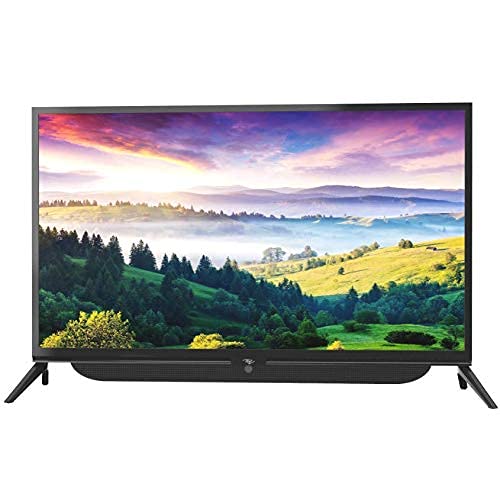
Figure 4.1: Front view of the Itel TV A3210IE with its stand. The television features a slim bezel design and a central stand for stable placement on a flat surface.
For wall mounting, use a compatible VESA mount (not included) and follow the instructions provided with the mount. The TV's sleek design with slim bezels allows for a modern aesthetic in any room.
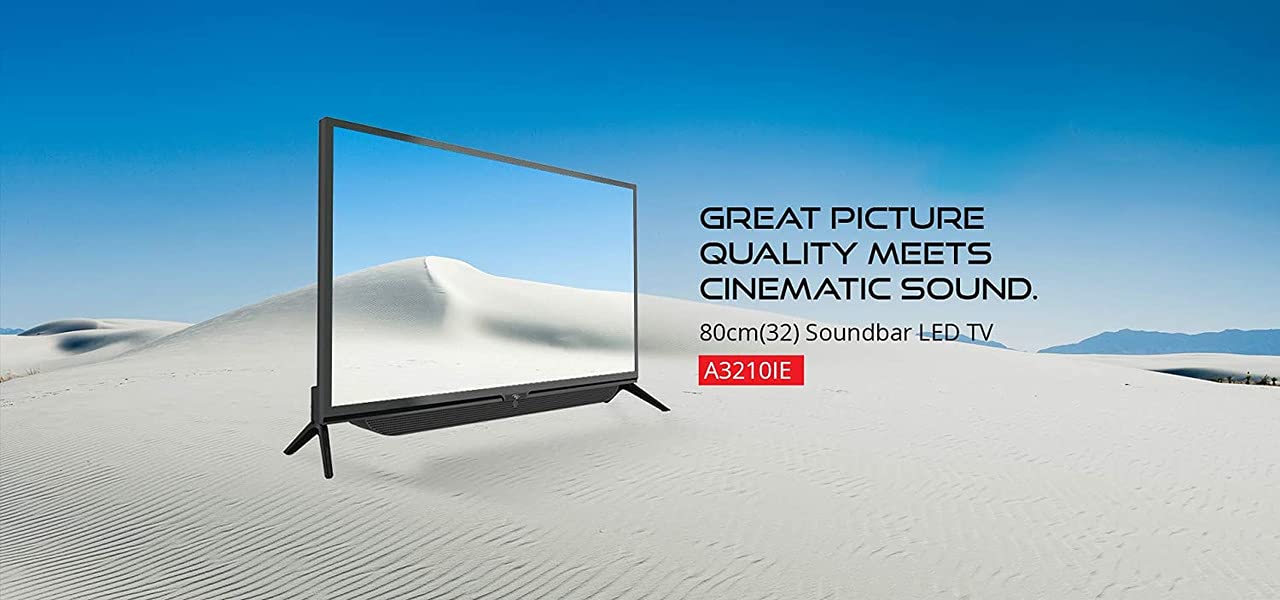
Figure 4.2: Side view of the Itel TV A3210IE, highlighting its slim profile. This view demonstrates the television's compact design, suitable for various living spaces.
4.2 Initial Power On
- Connect the power cord to the TV and then to a power outlet.
- Press the power button on the remote control or on the TV itself.
- Follow the on-screen instructions to complete the initial setup, including language selection and time zone.
4.3 Network Connection
To access Smart TV features, connect your TV to the internet:
- Navigate to the "Settings" menu on your TV.
- Select "Network" or "Wi-Fi Settings".
- Choose your Wi-Fi network from the list and enter the password.
- Once connected, the TV will indicate a successful internet connection.
5. Operating the TV
5.1 Basic Functions
- Power On/Off: Use the power button on the remote or TV.
- Volume Control: Use the Volume Up/Down buttons on the remote.
- Input Source: Press the "Source" or "Input" button on the remote to switch between HDMI, USB, and other connected devices.
- Navigation: Use the arrow keys and "OK" button on the remote to navigate menus.
5.2 Smart TV Features
The Itel TV A3210IE runs on Android OS, providing access to a range of smart features:
- Streaming Services: Access popular streaming applications directly from the TV's home screen.
- Web Browser: Use the built-in browser to surf the internet.
- App Store: Download and install additional applications from the integrated app store.
- Screen Mirroring: Share content from compatible smartphones or tablets to the TV screen.
5.3 Connecting External Devices
The TV offers multiple connectivity options:
- HDMI Ports: Connect gaming consoles, Blu-ray players, set-top boxes, or laptops.
- USB Ports: Connect USB drives to play media files (photos, videos, music).
- VGA Port: Connect older computers or laptops.

Figure 5.1: A user engaged in gaming on the Itel TV A3210IE. This illustrates the TV's capability to connect with gaming consoles for an immersive entertainment experience.
6. Maintenance
Proper maintenance ensures the longevity of your TV:
- Cleaning the Screen: Gently wipe the screen with a soft, dry, lint-free cloth. For stubborn marks, slightly dampen the cloth with water or a screen cleaner specifically designed for TVs. Do not spray liquid directly onto the screen.
- Cleaning the Cabinet: Use a soft, dry cloth to clean the TV cabinet. Avoid using abrasive cleaners or solvents.
- Ventilation: Ensure the ventilation openings are clear of dust and obstructions.
- Power Cord: Regularly check the power cord for any damage.
7. Troubleshooting
Refer to this section for common issues and their solutions:
| Problem | Possible Cause | Solution |
|---|---|---|
| No power | Power cord disconnected; Power outlet not working | Check power cord connection; Test outlet with another device |
| No picture, but sound is present | Incorrect input source selected; Backlight issue | Press "Source" button to select correct input; Contact support if backlight is faulty |
| No sound, but picture is present | Volume muted or too low; External audio device issue | Unmute or increase volume; Check connections to external audio devices |
| Remote control not working | Batteries depleted; Obstruction between remote and TV | Replace batteries; Remove obstructions; Ensure remote is pointed at TV sensor |
| Cannot connect to Wi-Fi | Incorrect password; Router issue; TV too far from router | Verify password; Restart router; Move TV closer to router or use a Wi-Fi extender |
8. Specifications
Key technical specifications for the Itel TV A3210IE:
- Brand: Itel
- Model Name: A3210IE
- Screen Size: 80cm (32-inch)
- Resolution: HD Ready (1366 x 768 pixels)
- Operating System: Android
- Special Features: Smart TV, Android OS
- Connectivity Technology: HDMI, USB, VGA
- Hardware Interface: USB, USB Type C
- Audio Output Mode: Stereo
- Wattage: 16 Watts
- Viewing Angle: 178 Degrees
- Aspect Ratio: 16:9
- Mounting Type: Wall Mount
- Item Weight: 6 kg 500 g
- Package Dimensions: 74.2 x 56.5 x 34.5 cm
9. Warranty and Support
For warranty information and technical support, please refer to the warranty card included with your product or visit the official Itel customer support website. Keep your purchase receipt as proof of purchase for warranty claims.