Introduction
This manual provides essential information for the safe and effective use of your Oral-B Smart Clean 360 Rechargeable Electric Toothbrush. Please read these instructions thoroughly before first use and retain them for future reference.
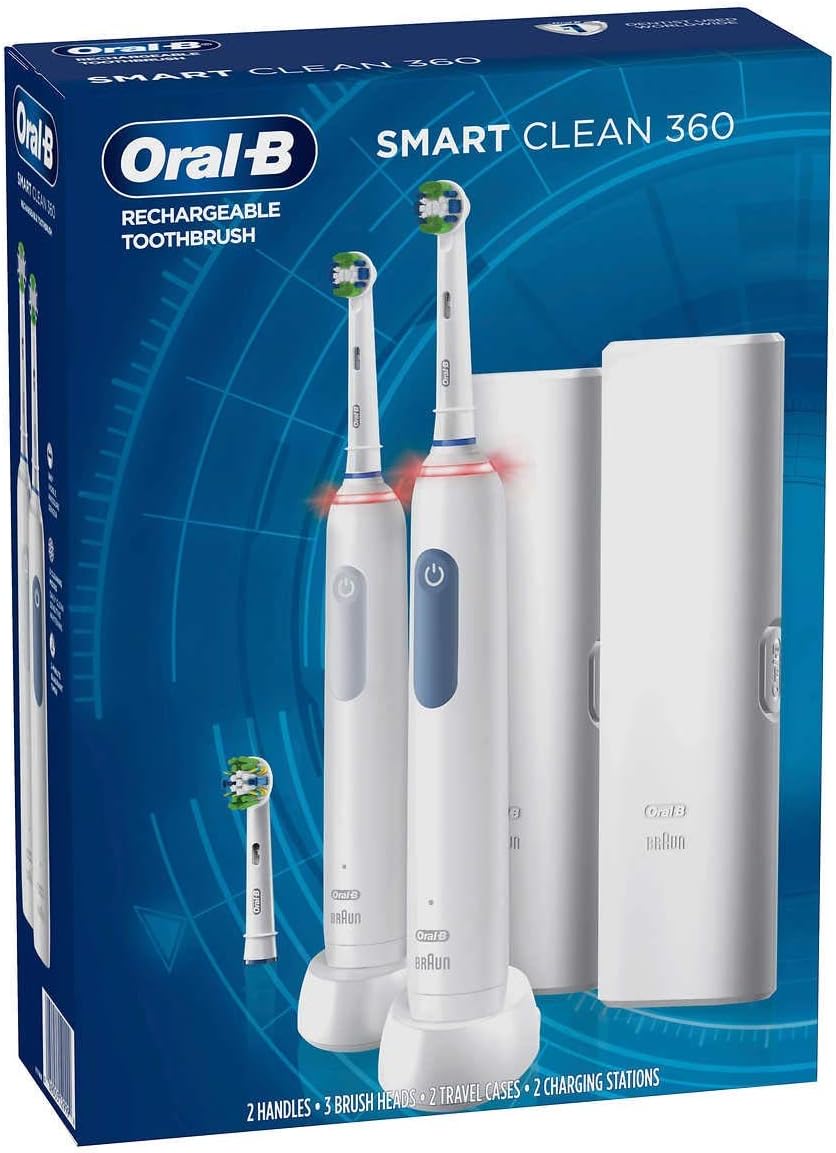
Image: Oral-B Smart Clean 360 Rechargeable Electric Toothbrush 2-pack, showing two handles, three brush heads, two travel cases, and two chargers in its retail packaging.
Package Contents
- 2 x Oral-B Smart Clean 360 Rechargeable Toothbrush Handles
- 3 x Brush Heads
- 2 x Travel Cases
- 2 x Chargers
Setup
- Charging the Toothbrush:
Connect the charger to a power outlet. Place the toothbrush handle onto the charging base. The indicator light on the handle will show charging status. Allow a full charge before first use (typically 12-16 hours).

Image: Close-up of the Oral-B Smart Clean 360 toothbrush handle placed on its charging base, highlighting the Oral-B Braun branding.
- Attaching a Brush Head:
Align the brush head with the metal shaft on the toothbrush handle and push down firmly until it clicks into place.
Operating Instructions
- Applying Toothpaste:
Wet the brush head and apply a small amount of toothpaste. To avoid splashing, guide the brush head to your teeth before switching on the handle.
- Powering On/Off and Mode Selection:
Press the power button to turn the toothbrush on. Press the mode button to cycle through the 5 available cleaning settings: Daily Clean, Sensitive, Whitening, Pro Clean, and Gum Care. Press and hold the power button to turn off the toothbrush.
- Brushing Technique:
Guide the brush head slowly from tooth to tooth, holding it in place for a few seconds on each tooth surface. The 360-degree visible pressure sensor will illuminate red if you are brushing too hard, indicating you should reduce pressure to protect your gums.
- 2-Minute Quadrant Timer:
The toothbrush features a built-in 2-minute timer to ensure you brush for the dentist-recommended duration. It also includes a quadrant timer that signals every 30 seconds, prompting you to move to a different quadrant of your mouth.
Maintenance
- Cleaning the Brush Head:
After brushing, rinse the brush head thoroughly under running water with the handle switched on. Turn off the handle and remove the brush head. Rinse both the brush head and the handle separately.
- Cleaning the Handle:
Wipe the handle with a damp cloth. Ensure the charging pins at the bottom of the handle remain dry.
- Replacing Brush Heads:
Dentists recommend replacing your brush head every 3 months, or sooner if the bristles become splayed or worn. Worn bristles clean less effectively.
Troubleshooting
- Toothbrush Not Charging:
Ensure the charger is securely plugged into a working outlet and the toothbrush handle is correctly seated on the charging base. Check for any debris obstructing the charging connection.
- Reduced Performance:
A fully charged battery should provide consistent performance. If performance is reduced, ensure the toothbrush is fully charged. Consider replacing the brush head if it is old or worn.
- Pressure Sensor Constantly Red:
This indicates you are applying too much pressure. Adjust your brushing technique to a lighter touch. The toothbrush is designed to clean effectively with minimal pressure.
Specifications
| Brand | Oral-B |
| Model Number | 80346781 |
| Power Source | Battery Powered (2 Lithium Polymer batteries included) |
| Special Features | Brushing Timer, Pressure Sensor |
| Item Weight | 2.09 pounds |
| Product Dimensions | 4 x 12 x 6 inches |
Safety Information
WARNING: Do not use this product for purposes other than oral hygiene. Keep out of reach of children to prevent choking hazard. Replace brush head every 3 months for optimal performance and hygiene. Be mindful of the pressure sensor to avoid over-brushing and potential gum damage.
Warranty and Support
For warranty information and customer support, please refer to the official Oral-B website or contact their customer service directly. Keep your proof of purchase for any warranty claims.
Visit the Oral-B Store: Oral-B Store


