
Product Overview
This manual provides detailed instructions for the installation, usage, and maintenance of the Factory Base Legs designed specifically for the Onn 50" Roku TV Model 100021258. These legs provide a stable tabletop mounting solution for your television.

Image: The complete set of two black TV base legs, designed for tabletop placement.
Setup and Installation
Before You Begin
- Verify TV Model: Ensure your television is the Onn 50" Roku TV Model 100021258. You can find the model number on a sticker on the back of your TV or in the TV's settings menu under "About TV". These legs are only compatible with the specified model.
- Identify Legs: The set includes a left leg and a right leg. They are typically marked or can be identified by their orientation when placed correctly.
- Required Tools: A Phillips head screwdriver is needed for installation.
- Work Surface: Prepare a clean, flat, and soft surface (e.g., a blanket or foam) to lay your TV screen down on to prevent damage during installation.
Installation Steps
Carefully lay your television screen-down on the prepared soft surface. Ensure the TV is stable and will not tip over.
Locate the mounting slots on the bottom rear of your television. These are typically rectangular openings designed to receive the TV legs.
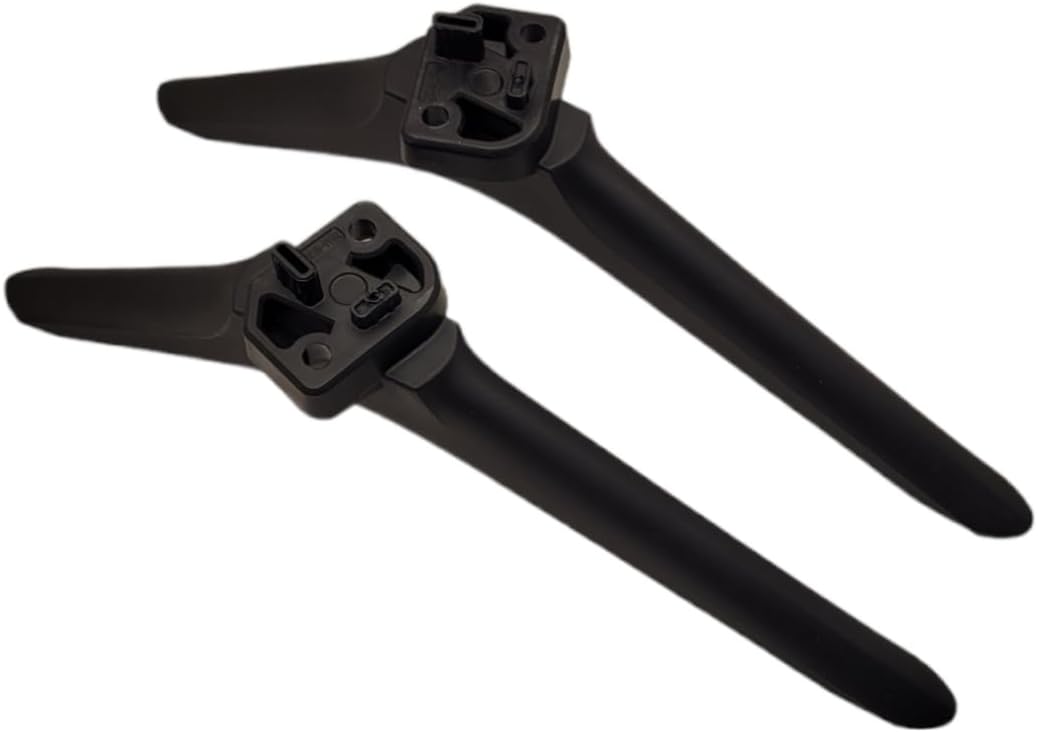
Image: Top view of the TV legs, showing the specific tabs that insert into the TV's mounting slots.
Align the left leg with the left mounting slot on the TV. Gently insert the tabs of the leg into the corresponding slots until it sits flush against the TV body.
Using the provided screws, secure the left leg to the television. Insert the screws into the designated holes and tighten them with a Phillips head screwdriver. Do not overtighten.

Image: Underside view of the TV legs, indicating the screw holes for secure attachment.
Repeat steps 3 and 4 for the right leg, ensuring it is also securely attached.
Once both legs are securely installed, carefully lift the television and place it upright on a stable, flat surface. Ensure the TV is balanced and does not wobble.

Image: The base of the TV legs featuring anti-slip pads for enhanced stability on surfaces.
Usage Guidelines
Proper Placement
- Always place the television on a flat, level, and sturdy surface that can support its weight.
- Ensure there is adequate ventilation around the TV.
- Keep the TV away from direct sunlight, heat sources, and moisture.
- To prevent tipping, do not place heavy objects on top of the TV or allow children to climb on the TV stand.
Care and Maintenance
Cleaning
- To clean the TV legs, use a soft, dry cloth.
- For stubborn marks, a slightly damp cloth with mild soap can be used, followed by drying thoroughly.
- Avoid using abrasive cleaners, solvents, or chemical sprays, as these can damage the finish.
Storage
- If you need to remove the legs for wall mounting or storage, keep them in a safe, dry place.
- Store the screws with the legs to ensure they are available for future use.
Troubleshooting
| Issue | Possible Cause | Solution |
|---|---|---|
| Legs do not fit into TV slots. | Incorrect TV model or incorrect leg orientation. | Double-check your TV model number against the compatible model (100021258). Ensure you are inserting the left leg into the left slot and the right leg into the right slot. |
| TV wobbles after installation. | Screws not tightened sufficiently or uneven surface. | Ensure all screws are securely tightened. Place the TV on a completely flat and stable surface. Check if the anti-slip pads on the bottom of the legs are intact. |
| Missing screws. | Packaging error. | Contact the seller for replacement screws. |
Product Specifications
| Feature | Detail |
|---|---|
| Brand | Generic |
| Compatible TV Model | Onn 50" Roku TV Model 100021258 |
| Material | Acrylonitrile Butadiene Styrene (ABS) |
| Color | Black |
| Mounting Type | Tabletop Mount |
| Movement Type | Fixed |
| Included Components | Left Leg, Right Leg, Mounting Screws |
Warranty and Support
Warranty Information
Specific warranty details for this product are typically provided by the seller at the time of purchase. Please refer to your purchase documentation or contact the seller directly for information regarding warranty coverage and terms.
Customer Support
For any questions, concerns, or assistance with this product, please contact the seller through the platform where you made your purchase. Provide your order number and a clear description of your inquiry for prompt assistance.