
DUODUOGO J6+
DUODUOGO J6+ Smartphone User Manual
Model: J6+
Product Overview
The DUODUOGO J6+ is a 4G-enabled smartphone featuring a 6.0-inch HD+ display and running on Android 9.0. It is designed for everyday use, offering a balance of performance and features.
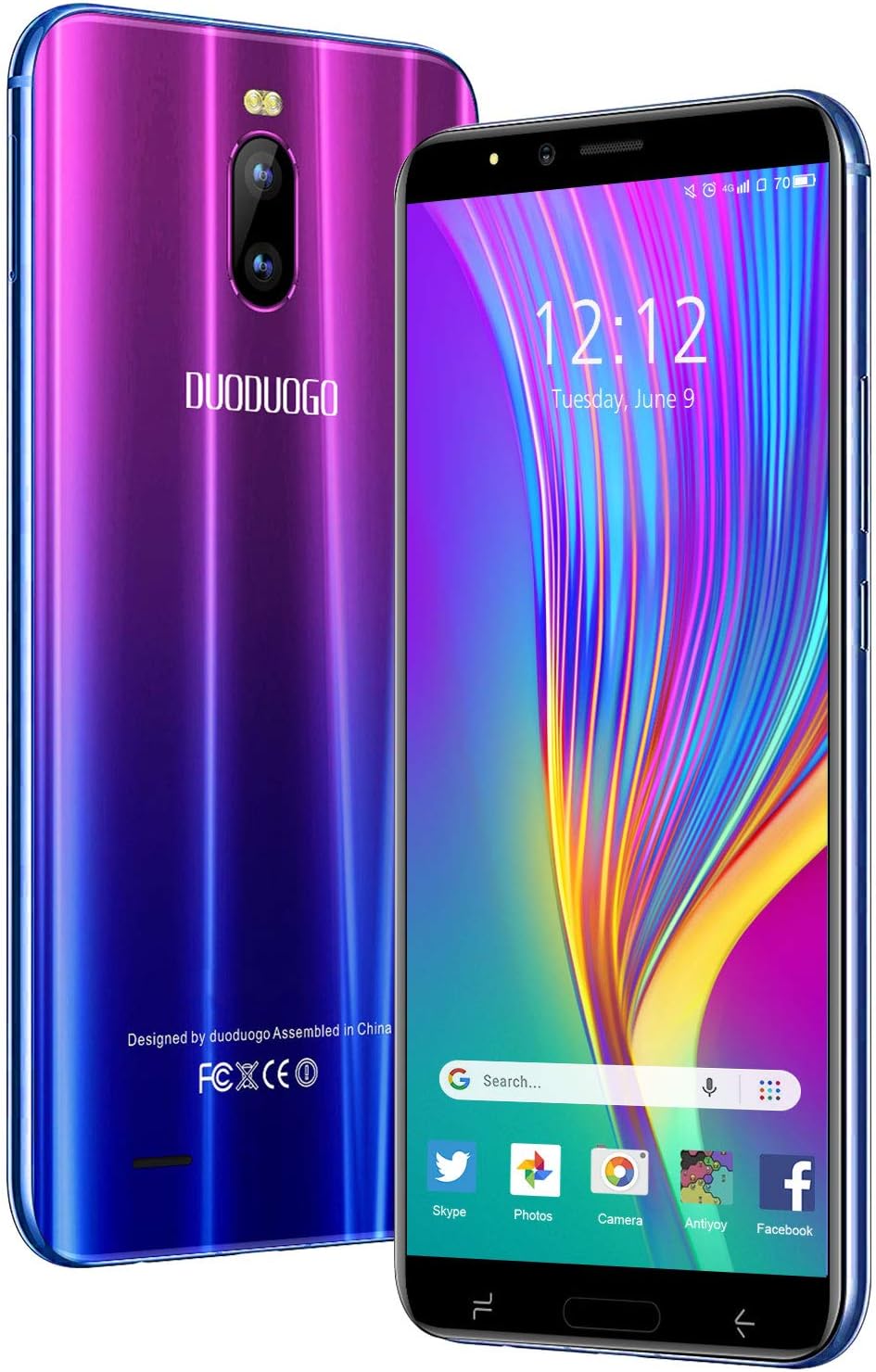
Image: Front and back view of the DUODUOGO J6+ smartphone, showcasing its vibrant purple-to-blue gradient finish and the display.
Key Features:
- Display: 6.0-inch HD+ screen.
- Operating System: Android 9.0.
- Performance: 3GB RAM and 16GB internal storage, expandable up to 128GB via microSD.
- Battery: 4800 mAh large capacity battery for extended use.
- Cameras: 8MP rear camera and 5MP front camera.
- Security: Face ID unlock feature.
- Connectivity: Dual SIM (2 Micro-SIM + 1 MicroSD) with 2G/3G/4G network support, Wi-Fi, Bluetooth 4.2, and GPS.
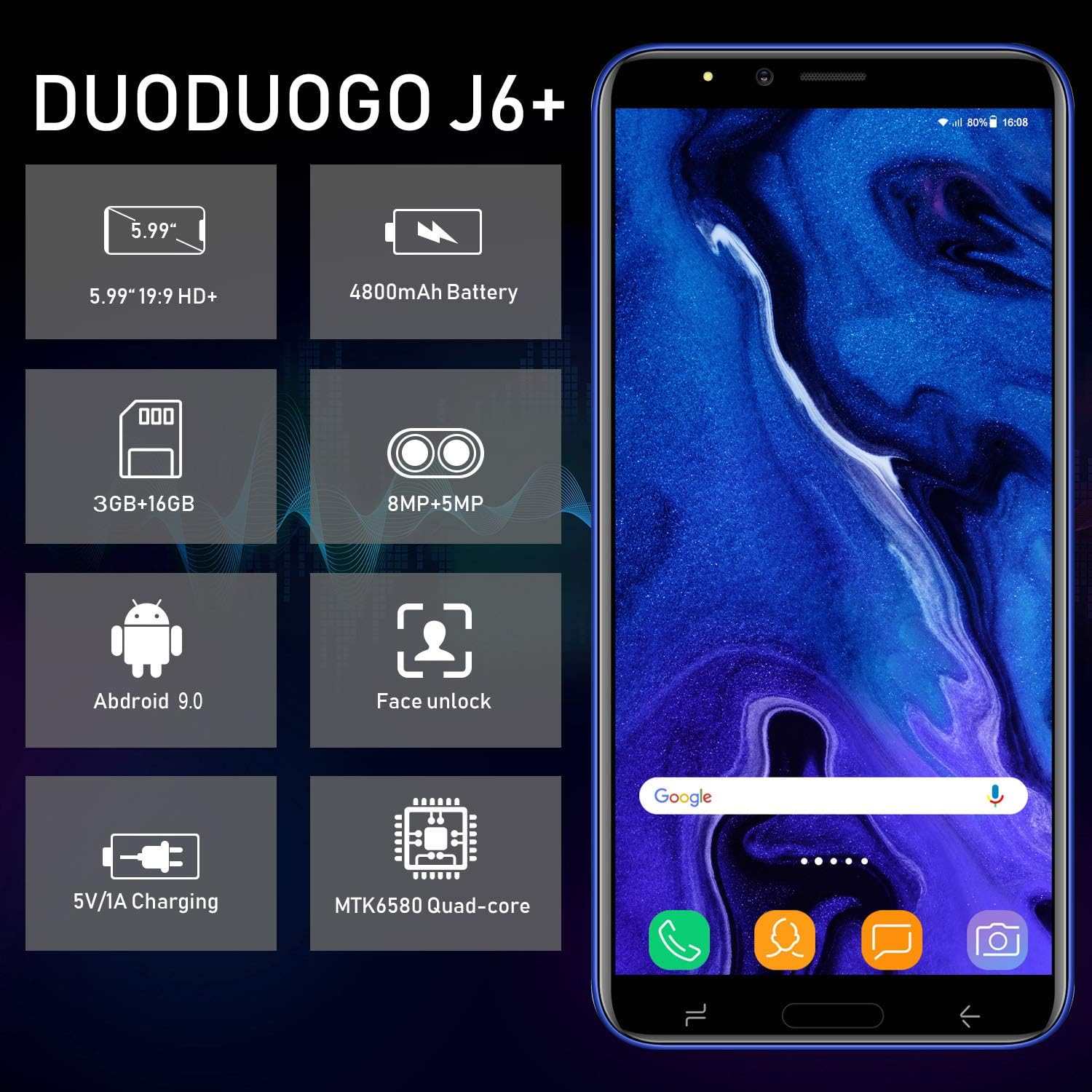
Image: Infographic highlighting key specifications of the DUODUOGO J6+, including screen size, battery capacity, memory, camera resolution, Android version, Face Unlock, charging, and processor type.
Package Contents
Upon opening the package, please ensure all the following items are present:
- DUODUOGO J6+ Smartphone
- Charger
- USB Data Cable
- Headphones
- Protective Case
- Screen Protector (Anti-burst membrane)
- User Manual

Image: All items included in the DUODUOGO J6+ smartphone package, neatly laid out, including the phone, charger, USB cable, headphones, protective case, and user manual.
Setup
1. Battery Installation and Initial Charge
The DUODUOGO J6+ comes with a removable battery. Before first use, remove the insulating film from the battery terminals. Insert the battery into the designated compartment on the back of the phone. Close the back cover securely.
Connect the charger to the phone's USB port and plug it into a power outlet. Charge the phone completely before initial use. A full charge ensures optimal battery calibration.
2. SIM Card and MicroSD Card Installation
The phone supports two Micro-SIM cards and one MicroSD card for expandable storage.
- Locate the SIM/MicroSD card slot(s), typically under the battery or on the side of the device.
- Carefully insert your Micro-SIM cards into the SIM slots with the gold contacts facing down.
- If desired, insert a MicroSD card (up to 128GB) into the dedicated MicroSD slot.
- Ensure the cards are seated correctly.
3. Powering On and Initial Setup
Press and hold the Power button (usually on the right side) until the screen lights up. Follow the on-screen prompts to complete the initial setup, which includes selecting your language, connecting to Wi-Fi, setting up your Google account, and configuring security features like Face ID.
Operating Instructions
Basic Navigation
- Power On/Off: Press and hold the Power button. Select "Power off" or "Restart" from the options.
- Screen Lock/Unlock: Press the Power button briefly to lock or unlock the screen.
- Home Screen: Swipe left or right to navigate between home screens.
- Notifications: Swipe down from the top of the screen to access the notification panel and quick settings.
- Recent Apps: Tap the square navigation button (or swipe up and hold from the bottom if using gestures) to view recently used applications.
Making Calls and Sending Messages
- Calls: Open the "Phone" app, enter the number, and tap the call icon.
- Messages: Open the "Messages" app, tap the new message icon, enter the recipient's number or select from contacts, and type your message.
Camera Usage
The DUODUOGO J6+ features an 8MP rear camera and a 5MP front camera.
- Open the "Camera" app.
- Tap the shutter button to take a photo.
- Tap the video icon to switch to video recording mode.
- Use the camera switch icon to toggle between the front and rear cameras.

Image: The DUODUOGO J6+ smartphone displayed with icons indicating its 8MP rear camera and 5MP front camera capabilities.
Face ID Unlock
To set up Face ID, go to Settings > Security & Location > Face Unlock. Follow the on-screen instructions to register your face. Once set up, simply look at the front camera to unlock your device quickly and securely.
Maintenance
General Care
- Keep the device dry. Moisture can damage electronic circuits.
- Avoid extreme temperatures. High temperatures can shorten the life of electronic devices and damage batteries.
- Do not drop, knock, or shake the device. Rough handling can break internal circuit boards.
- Use only approved chargers and accessories.
- Clean the screen and body with a soft, dry cloth. Avoid using harsh chemicals.
Battery Care
- To prolong battery life, avoid fully discharging the battery frequently.
- Do not leave the phone charging for excessively long periods after it is fully charged.
- If the phone will not be used for an extended period, charge it to about 50% before storing.

Image: A visual representation emphasizing the 4800mAh large capacity battery of the DUODUOGO J6+ smartphone.
Troubleshooting
| Problem | Possible Cause / Solution |
|---|---|
| Phone does not power on. | Battery might be completely drained. Charge the phone for at least 30 minutes before attempting to power on. Ensure the insulating film is removed from the battery. |
| Cannot connect to Wi-Fi. | Ensure Wi-Fi is enabled in settings. Check if the Wi-Fi password is correct. Restart your router and the phone. |
| SIM card not detected. | Ensure the SIM card is correctly inserted in the slot. Restart the phone. Check if the SIM card is active with your network provider. |
| Face ID not working. | Ensure your face is well-lit and not obstructed. Re-register your face in settings if the issue persists. |
| Slow performance. | Close unused apps. Clear cache from apps. Free up storage space by deleting unnecessary files or moving them to the SD card. Restart the phone. |
Specifications
| Feature | Detail |
|---|---|
| Model Name | J6+ |
| Brand | DUODUOGO |
| Operating System | Android 9.0 |
| Display Size | 6.0 inches (15.3 cm) HD+ |
| RAM | 3 GB |
| Internal Storage | 16 GB |
| Expandable Storage | Up to 128 GB (MicroSD) |
| Rear Camera | 8 MP |
| Front Camera | 5 MP |
| Battery Capacity | 4800 mAh |
| SIM Card Slots | Dual-SIM (2 Micro-SIM) |
| Network Technology | 2G, 3G, 4G |
| Connectivity | Bluetooth 4.2, USB, WLAN (Wi-Fi), GPS |
| Security Features | Face ID |
| Product Dimensions | 16.1 x 7.7 x 0.8 cm |
| Product Weight | 170 grams |
| Color | Violet |

Image: Detailed dimensions of the DUODUOGO J6+ smartphone, showing its length, width, and thickness.
Warranty and Support
The DUODUOGO J6+ smartphone comes with a 1-year warranty from the date of purchase. This warranty covers manufacturing defects and malfunctions under normal use. Please note that the warranty does not cover damages caused by human factors (e.g., accidental drops, liquid damage, unauthorized repairs).
For any questions, technical support, or warranty claims, please contact DUODUOGO customer service. Refer to the contact information provided in your product packaging or on the official DUODUOGO website.
Ask a question about this manual
Ask about setup, troubleshooting, compatibility, parts, safety, or missing instructions. Manuals+ will review the question and use this page’s manual context to help answer it.