
1. Introduction
The Ulanzi BG-3 Battery Grip is a multi-functional device combining a camera handle, a mini tripod, and a 10000mAh power bank. It is designed to extend the battery life of your cameras, action cameras (like GoPro), and smartphones, providing stable handling and versatile charging capabilities for various shooting scenarios.
2. Package Contents
Verify that all items are present in your package:
- BG-3 Handle (Integrated Power Bank) x 1
- Mini Tripod x 1
- Smartphone Holder x 1
- GoPro Adapter x 1
- Charging Cable (USB-A to Type-C) x 1

Image: All components included in the Ulanzi BG-3 package, laid out for easy identification.
3. Product Features
- 10000mAh Power Bank: Integrated high-capacity battery to extend device usage time.
- Multi-Device Charging: Supports simultaneous charging of two devices via USB-A and Type-C ports.
- Fast Charging: Compatible with PD and QC fast charging protocols.
- Versatile Compatibility: Works with GoPro, DJI Osmo, cameras, smartphones (iPhone & Android), and other devices with 1/4-inch screw mounts.
- Ergonomic Design: Non-slip silicone handle for comfortable and secure grip, reducing hand fatigue and shake.
- Integrated Mini Tripod: Detachable mini tripod for stable tabletop or ground placement.
- Portable: Lightweight (275g) and compact (193mm length) for easy transport.
- Power Indicator: LED indicators show remaining battery level.

Image: The BG-3 handle simultaneously charging a GoPro camera and a smartphone, demonstrating its dual charging capability.

Image: A visual representation of the BG-3's broad compatibility with different devices, including action cameras, mirrorless cameras, and mobile devices.
4. Setup
- Charging the BG-3: Before first use, fully charge the BG-3 handle using the provided USB-A to Type-C cable and a compatible USB power adapter (not included). The LED indicators will show the charging status.
- Attaching the Mini Tripod: Screw the mini tripod onto the 1/4-inch screw hole at the bottom of the BG-3 handle until secure.
- Mounting a Camera/GoPro:
- For cameras with a 1/4-inch screw hole: Directly screw the camera onto the 1/4-inch screw at the top of the BG-3 handle.
- For GoPro: Attach the GoPro adapter to the 1/4-inch screw at the top of the BG-3 handle, then mount your GoPro onto the adapter.
- Mounting a Smartphone: Attach the smartphone holder to the 1/4-inch screw at the top of the BG-3 handle, then secure your smartphone in the holder.

Image: The Ulanzi BG-3 handle with a GoPro camera attached, illustrating how the device can be used as a stable grip.
5. Operating Instructions
- Powering On/Off: Press and hold the power button on the BG-3 handle for a few seconds to turn it on or off. The LED indicators will light up to show the battery level.
- Charging Devices:
- Connect your device (camera, GoPro, smartphone) to the USB-A or Type-C output port on the BG-3 handle using a compatible charging cable.
- The BG-3 will automatically begin charging your device. You can charge two devices simultaneously.
- Note for GoPro: Due to GoPro system updates, direct charging of GoPro Hero 1.4 and above may be temporarily unavailable. Please remove the GoPro battery before attempting to charge.
- Using as a Handle/Selfie Stick: Hold the BG-3 handle firmly for stable handheld shooting. Its ergonomic design and non-slip surface minimize shake.
- Using as a Mini Tripod: Extend the legs of the mini tripod and place it on a flat surface for stable static shots, time-lapses, or video calls.
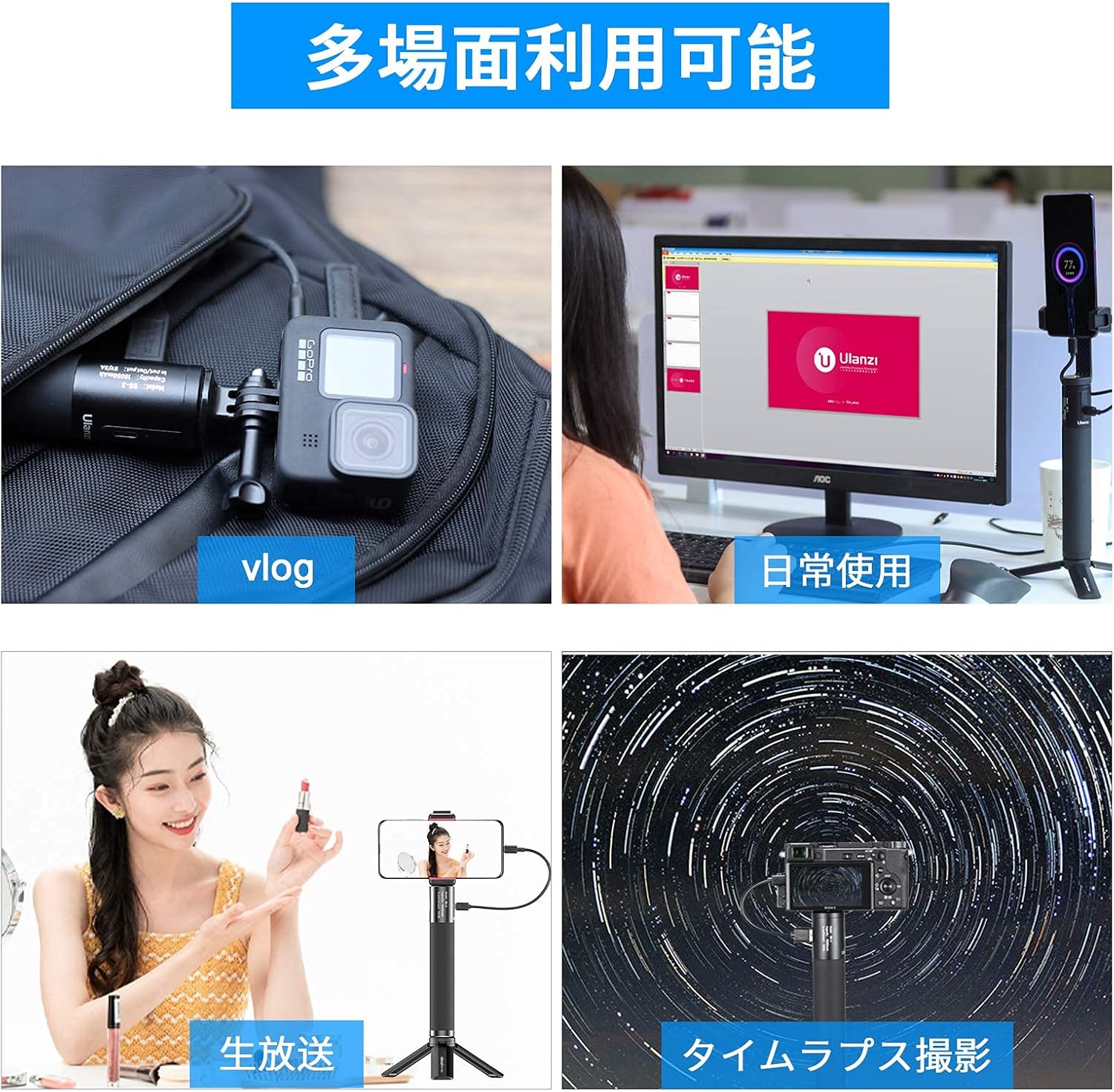
Image: Demonstrates the versatility of the Ulanzi BG-3 in different shooting environments, including vlogging, live streaming, and time-lapse photography.
6. Maintenance
- Keep the device dry. Do not expose it to moisture or liquids.
- Clean the exterior with a soft, dry cloth. Do not use harsh chemicals or abrasive cleaners.
- Store in a cool, dry place away from direct sunlight and extreme temperatures.
- Avoid dropping or subjecting the device to strong impacts.
- When not in use for extended periods, charge the device at least once every three months to maintain battery health.
7. Troubleshooting
| Problem | Possible Cause | Solution |
|---|---|---|
| Device not charging | Low battery on BG-3; faulty cable; incompatible device; GoPro firmware issue. | Charge the BG-3; try a different charging cable; ensure device compatibility; for GoPro, remove battery before charging. |
| BG-3 not turning on | Low battery; power button not pressed correctly. | Charge the BG-3; press and hold the power button firmly for a few seconds. |
| Unstable connection with mounted device | Mounting screw loose; incorrect adapter used. | Ensure all screws are tightened; use the correct adapter for your device. |
8. Specifications
| Feature | Detail |
|---|---|
| Model | BG-3 |
| Battery Capacity | 10000mAh |
| Input | 5V, 2.0A (Type-C) |
| Output | 5V, 2.4A (USB-A & Type-C) |
| Dimensions (Folded) | 193mm x 85mm |
| Weight | 275g |
| Material | High-quality Aluminum, Non-slip Rubber |
| Compatibility | Cameras, Smartphones, GoPro Hero series (11/10/9/8/7), DJI Osmo, etc. (with 1/4" screw mount) |

Image: PSE certification mark, confirming the product's compliance with Japanese electrical appliance safety standards.
9. Warranty and Support
The Ulanzi BG-3 Battery Grip comes with a 1-year manufacturer's warranty. In case of initial defects or issues during the warranty period, please contact Ulanzi customer support for exchange or refund assistance. Please retain your proof of purchase.
For further assistance or inquiries, please visit the official Ulanzi website or contact their customer service department.
10. Safety Information
- Do not disassemble, modify, or repair the device yourself.
- Keep out of reach of children.
- Do not expose to fire, high temperatures, or direct sunlight for prolonged periods.
- Avoid using in extremely humid or dusty environments.
- If the device shows signs of damage, overheating, or abnormal behavior, discontinue use immediately.


