
Introduction
Welcome to the instruction manual for your new lecover Touch Two C5 Wireless Earbuds. This guide provides detailed information on how to set up, operate, maintain, and troubleshoot your earbuds to ensure optimal performance and longevity. Please read this manual thoroughly before using the product.
What's in the Box
Carefully unpack your lecover Wireless Earbuds and ensure all items are present:
- 2 x Touch Two C5 Wireless Earbuds
- 1 x Charging Case
- 1 x USB Cable
- 3 x Soft Silicone Earplugs (S/M/L)
- 1 x User Manual

Image: All components included in the lecover Wireless Earbuds package.
Product Overview
The lecover Touch Two C5 Wireless Earbuds are designed for a superior audio experience with convenience and durability. They feature advanced Bluetooth 5.0 technology, IP8 waterproof rating, and intuitive touch controls.

Image: The lecover Touch Two C5 Wireless Earbuds with their charging case.
Setup Guide
1. Charging
Before first use, fully charge both the earbuds and the charging case. The earbuds provide 5-6 hours of music time on a single charge, and the portable charging case can recharge them up to 30 times, offering a total playtime of up to 150 hours.
- Place the earbuds into the charging case. Ensure they are correctly seated.
- Connect the USB cable to the charging case and a power source (e.g., computer USB port, wall adapter).
- The indicator lights on the case and earbuds will show charging status. Once fully charged, the lights will change or turn off.
2. Pairing
The earbuds feature one-step pairing for quick and easy connection.
- Ensure Bluetooth is enabled on your device (smartphone, tablet, etc.).
- Take both earbuds out of the charging case. They will automatically power on and enter pairing mode.
- On your device's Bluetooth settings, search for "Touch Two C5" (or similar name) and select it to connect.
- Once connected, you will hear a confirmation prompt, and the earbud indicator lights will stop flashing.

Image: Automatic pairing technology for seamless connection.
3. Wearing the Earbuds
For optimal sound quality and comfort, choose the correct size earplugs and ensure a secure fit.
- Select the earplug size (S, M, L) that best fits your ear canal. A snug fit enhances bass and noise isolation.
- Gently insert the earbud into your ear, twisting slightly until it feels secure and comfortable.
- The ergonomic design ensures the earbuds stay securely in place, even during sports or active use.
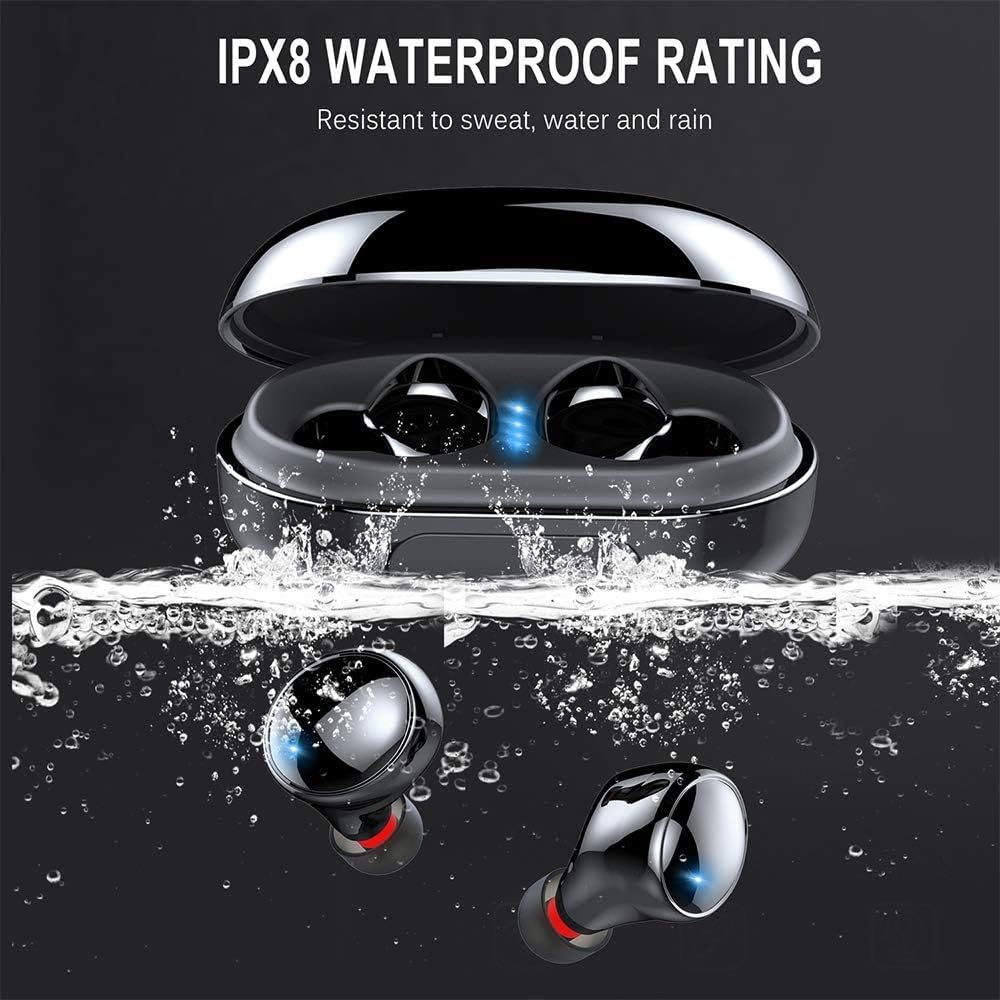
Image: Proper placement of the earbud for a comfortable and secure fit.
Operating Instructions
Touch Controls
The lecover earbuds feature intuitive touch controls on each earbud. Lightly touch the earbud surface to perform various functions:
| Action | Function |
|---|---|
| Single Tap (Left/Right) | Play/Pause Music, Answer/End Call |
| Double Tap (Right) | Next Track |
| Double Tap (Left) | Previous Track |
| Triple Tap (Right) | Volume Up |
| Triple Tap (Left) | Volume Down |
| Long Press (2 seconds) | Activate Voice Assistant (Siri, Google Assistant), Reject Call |

Image: Demonstrating the touch control functionality of the earbuds.
Power On/Off
- Power On: Earbuds automatically power on when removed from the charging case.
- Power Off: Earbuds automatically power off when placed back into the charging case.
Care and Maintenance
Cleaning
Regular cleaning helps maintain sound quality and hygiene.
- Use a soft, dry, lint-free cloth to wipe the earbuds and charging case.
- Remove ear tips and clean them with mild soap and water. Ensure they are completely dry before reattaching.
- Gently clean any earwax or debris from the earbud mesh using a small, soft brush or cotton swab.
Water Resistance (IP8)
Your lecover earbuds are IP8 waterproof, meaning they are protected against the effects of continuous immersion in water. This makes them ideal for sports and use in rainy conditions.
- While waterproof, avoid prolonged exposure to saltwater or chemicals.
- Ensure earbuds are dry before placing them back into the charging case to prevent damage to the charging contacts.

Image: The earbuds demonstrating their IPX8 waterproof capability.
Storage
When not in use, store the earbuds in their charging case to protect them and keep them charged.
- Store in a cool, dry place away from extreme temperatures.
- Avoid dropping or subjecting the earbuds and case to strong impacts.
Troubleshooting
If you encounter issues with your earbuds, refer to the following common problems and solutions:
| Problem | Possible Solution |
|---|---|
| Earbuds not pairing | Ensure earbuds are fully charged. Turn off and on Bluetooth on your device. Forget the device in Bluetooth settings and re-pair. |
| Only one earbud working | Place both earbuds back into the charging case, close the lid, wait a few seconds, then take them out again. Ensure both are charged. |
| No sound or low volume | Check volume levels on both earbuds and your connected device. Ensure earbuds are properly seated in your ears. |
| Charging issues | Ensure the charging cable is securely connected. Clean the charging contacts on both earbuds and the case. Try a different USB port or charger. |
| Poor call quality | Ensure the microphone is not obstructed. Move closer to your connected device. Avoid noisy environments. |
Product Specifications
Detailed technical specifications for the lecover Touch Two C5 Wireless Earbuds:
| Feature | Specification |
|---|---|
| Model Name | Touch Two C5 |
| Connectivity Technology | Wireless (Bluetooth 5.0) |
| Bluetooth Range | 10 Meters |
| Water Resistance Level | IP8 Waterproof |
| Playtime (Total with Case) | Up to 150 Hours |
| Control Type | Touch Control |
| Noise Control | Active Noise Cancellation (CVC8.0) |
| Audio Driver Type | Dynamic Driver |
| Frequency Range | 20 Hz - 20,000 Hz |
| Item Weight | 0.141 ounces (per earbud) |
| Product Dimensions | 1.18 x 1.18 x 0.79 inches |
| Batteries | 2 Lithium Polymer batteries (included) |
Warranty and Support
For warranty information or technical support, please refer to the contact details provided on the product packaging or visit the official lecover website. Keep your purchase receipt as proof of purchase for any warranty claims.