
Important Safety Instructions
Please read and save these instructions before using your Sunbeam Electric Wi-Fi Connected Loftec Heated Blanket. Failure to follow these instructions may result in fire, electric shock, or injury.
- CAUTION: To prevent burns, fire, or electric shock: Do not use while sleeping, on high-risk individuals (e.g., infants, persons insensitive to heat, or incapacitated persons), or on pets.
- Keep the controller away from heated areas of the blanket.
- Do not fold, bunch, or tuck the blanket while in use. Ensure the blanket lies flat.
- Inspect the blanket and cord regularly for any signs of damage. Discontinue use if damaged.
- Not for use by children, pregnant women, or individuals insensitive to heat without medical consultation.
- Consult a physician before use if you have medical concerns or conditions.
- Always follow provided instructions for safe operation and storage.
- Do not dry clean this product. Cleaning solvents may damage the insulation of the heating element.
- Do not use pins or other metallic objects with this blanket. They may damage the wiring.
- Do not use with recliners, sofa beds, or other adjustable furniture.
Product Overview
The Sunbeam Electric Wi-Fi Connected Loftec Heated Blanket provides customizable warmth and comfort. This Twin-sized blanket in Night Fog Grey features soft Lofttec fabric and advanced heating technology for even heat distribution. It can be controlled via a wired digital controller, the Sunbeam app, or voice assistants.
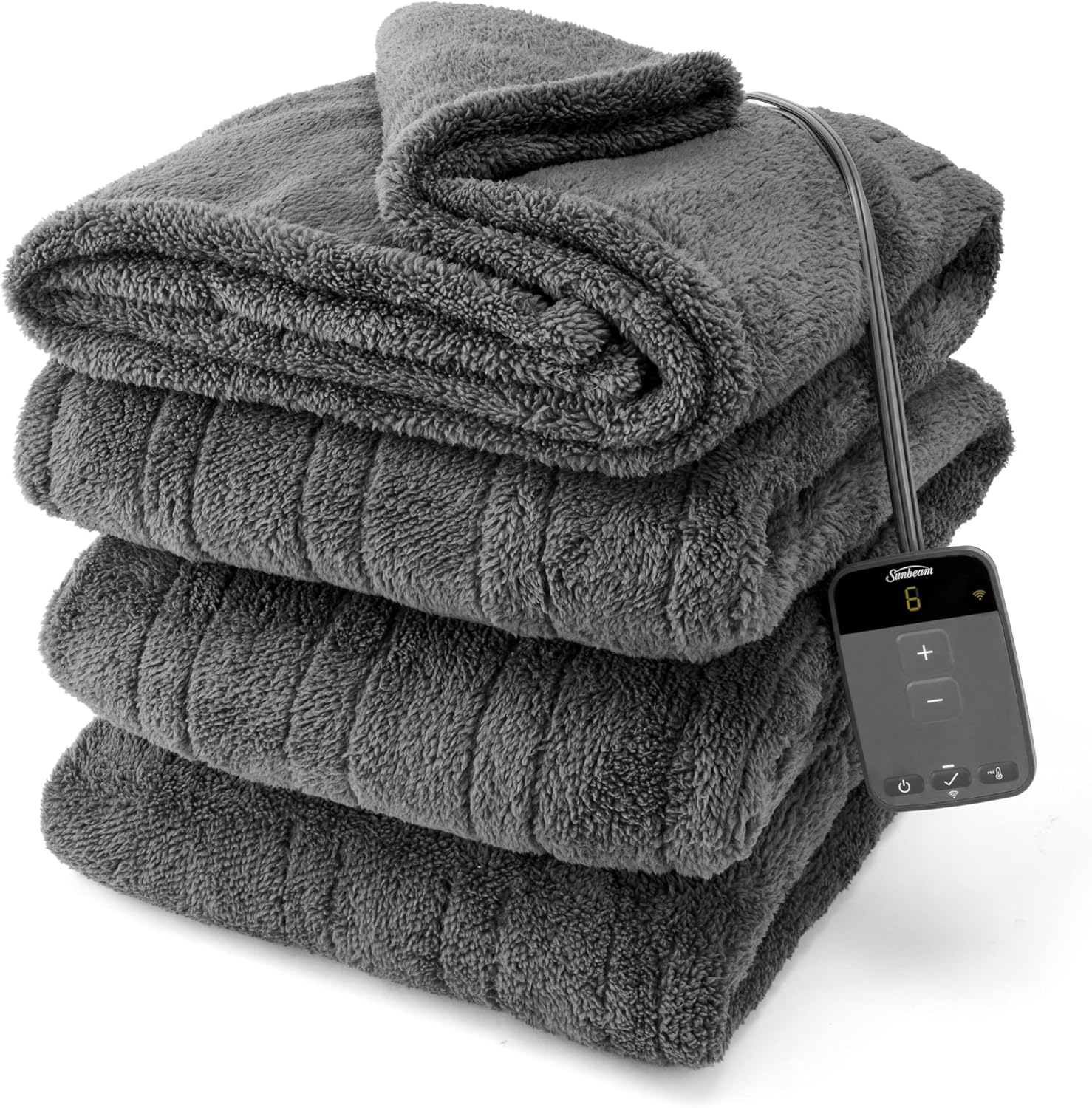
Image: The Sunbeam Electric Wi-Fi Connected Loftec Heated Blanket, neatly folded, showcasing its soft texture and the attached digital controller.
Key Features:
- Wi-Fi Connectivity: Control your blanket remotely via the Sunbeam app or voice assistants.
- 10 Heat Settings: Personalize your warmth level for optimal comfort.
- 10-Hour Auto Shut-Off: For safety and peace of mind.
- Soft Lofttec Fabric: Made from 100% polyester for luxurious comfort.
- Sense & Adjust Heating Technology: Ensures continuous, even heat and safe operation.
- Machine Washable: Easy to clean and maintain.

Image: A close-up view of the blanket's soft Lofttec fabric, highlighting its plush texture.
Setup Instructions
Follow these steps to set up your Sunbeam Electric Wi-Fi Connected Heated Blanket:
- Unpack: Carefully remove the blanket and controller from the packaging.
- Position: Lay the blanket flat on your bed, ensuring there are no folds or bunches. The connector should be positioned at the foot of the bed.
- Connect Controller: Firmly plug the controller cord into the blanket's connector. Ensure a secure connection.
- Plug In: Plug the power cord from the controller into a 120V AC electrical outlet. Do not use with extension cords or power strips.
- Download App: Download the Sunbeam app from your device's app store.
- Pair with Wi-Fi: Open the Sunbeam app and follow the on-screen instructions to connect your blanket to your home Wi-Fi network and pair it with the app. This typically involves creating an account, selecting your device, and entering your Wi-Fi credentials.
- Voice Assistant Integration (Optional): If desired, link your Sunbeam account with compatible voice assistants (e.g., Amazon Alexa, Google Assistant) through their respective apps.

Image: A person using the Sunbeam mobile application to control the heated blanket, demonstrating its app-controlled functionality.
Operating Instructions
Your Sunbeam heated blanket offers multiple ways to control its settings.
Using the Wired Digital Controller:
- Power On/Off: Press the power button to turn the blanket on or off.
- Adjust Heat: Use the '+' and '-' buttons to cycle through the 10 available heat settings. The current setting will be displayed on the controller.
- Auto Shut-Off: The blanket features a 10-hour auto shut-off for safety. This can be adjusted via the Sunbeam app.
- The controller display will dim after 30 seconds of inactivity to minimize light disturbance.
Using the Sunbeam App:
- Open the Sunbeam app on your smartphone or tablet.
- Select your connected blanket from the device list.
- You can adjust heat settings, set preheating schedules, and customize the auto shut-off timer directly from the app.
- The app allows for remote control, enabling you to preheat your bed before you enter the room.
Using Voice Assistants:
- Once integrated with a compatible voice assistant (e.g., Alexa, Google Assistant), you can use voice commands to control your blanket.
- Example commands may include: "Alexa, turn on the heated blanket," "Hey Google, set the heated blanket to heat level 7," or "Alexa, turn off the heated blanket."

Image: The digital controller displaying heat setting '8', alongside a smartphone screen showing the Sunbeam app interface for remote control. Icons for Google Home and Alexa integration are also visible.
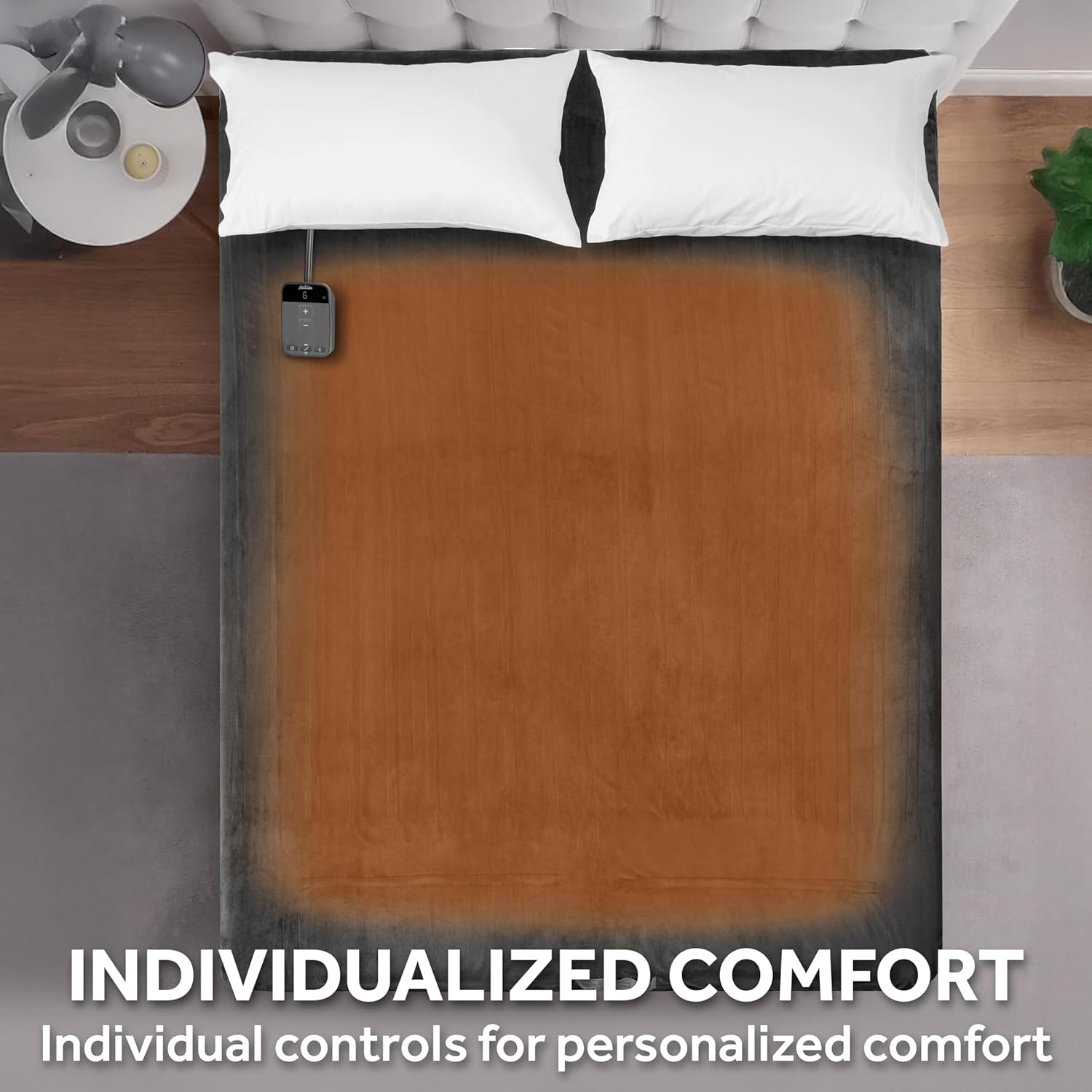
Image: An overhead view of a bed with the heated blanket, illustrating the area that provides warmth for individualized comfort.
Maintenance and Care
Proper care ensures the longevity and performance of your heated blanket.
Cleaning Instructions:
- Disconnect: Always unplug the blanket from the wall outlet and detach the controller from the blanket before cleaning.
- Pre-soak (Optional): For best results, pre-soak the blanket for 15 minutes in mild soap and cold water.
- Machine Wash: Machine wash on the gentle or delicate cycle in cold water (30°C / 86°F) with a small amount of mild, non-bleach detergent. Do not use bleach.
- Rinse: Rinse on the normal cycle.
- Machine Dry: Tumble dry on low heat for 5-10 minutes. Remove while still damp and air dry over a clothesline or shower rod. Do not use commercial dryers.
- Air Dry: Ensure the blanket is completely dry before reconnecting the controller or plugging it back in.
- Do Not Iron: Do not iron the blanket.
- Do Not Dry Clean: Dry cleaning solvents may damage the heating elements.
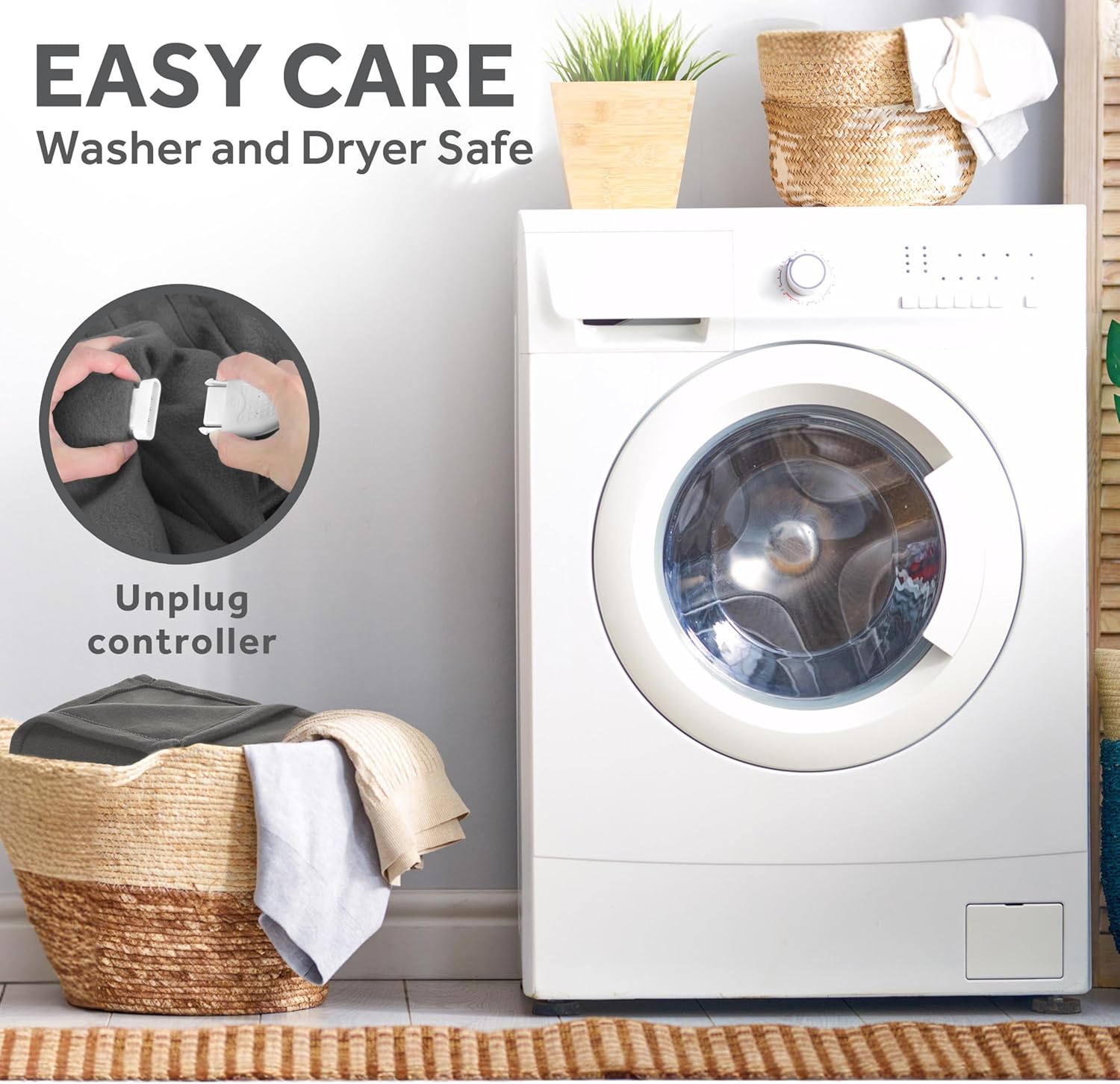
Image: A visual guide demonstrating the easy care process: unplugging the controller from the blanket before placing it into a washing machine.
Storage:
When not in use, store the blanket neatly folded in a cool, dry place. Avoid placing heavy objects on top of the blanket, as this could damage the internal wiring.
Troubleshooting
If your heated blanket is not operating correctly, please refer to the following common issues and solutions:
- Blanket Not Heating:
- Ensure the power cord is securely plugged into a working electrical outlet.
- Verify the controller cord is firmly connected to the blanket.
- Check if the blanket is turned on and a heat setting is selected.
- If using the app, ensure the blanket is connected to Wi-Fi and the app shows it as online.
- The blanket may have automatically shut off after 10 hours. Turn it off and then on again.
- Controller Display Not Working:
- Check power connections as above.
- The display dims after 30 seconds; press any button to reactivate it.
- Wi-Fi Connection Issues:
- Ensure your Wi-Fi network is active and within range.
- Restart your Wi-Fi router and the blanket (unplug and replug).
- Follow the pairing instructions in the Sunbeam app again.
- Ensure your smartphone is connected to a 2.4GHz Wi-Fi network during setup, as some smart devices do not support 5GHz networks for initial pairing.
- Blanket Feels Too Hot or Not Hot Enough:
- Adjust the heat setting using the controller or app.
- Ensure the blanket is not folded or bunched, as this can concentrate heat.
- Allow sufficient time for the blanket to reach the desired temperature, especially on lower settings.
If these steps do not resolve the issue, please contact Sunbeam customer support for further assistance.
Specifications
| Brand | Sunbeam |
| Model Number | 32810040 |
| Size | Twin (84" x 62") |
| Color | Night Fog Grey |
| Material | 100% Polyester (Lofttec Fabric) |
| Heat Settings | 10 |
| Auto Shut-Off | 10 Hours (Adjustable via App) |
| Control Options | Wired Digital Controller, Sunbeam App, Voice Assistants (Alexa, Google Assistant) |
| Care Instructions | Machine Washable, Tumble Dry Low (remove while damp) |
| Certifications | ETL Certified, OEKO-TEX Standard 100 |
| Included Components | Lofttec Connected Electric Heated Blanket, Digital Controller |
| Product Dimensions | 11.4 x 7.9 x 13 inches (packaging) |
| Item Weight | 4.3 pounds |
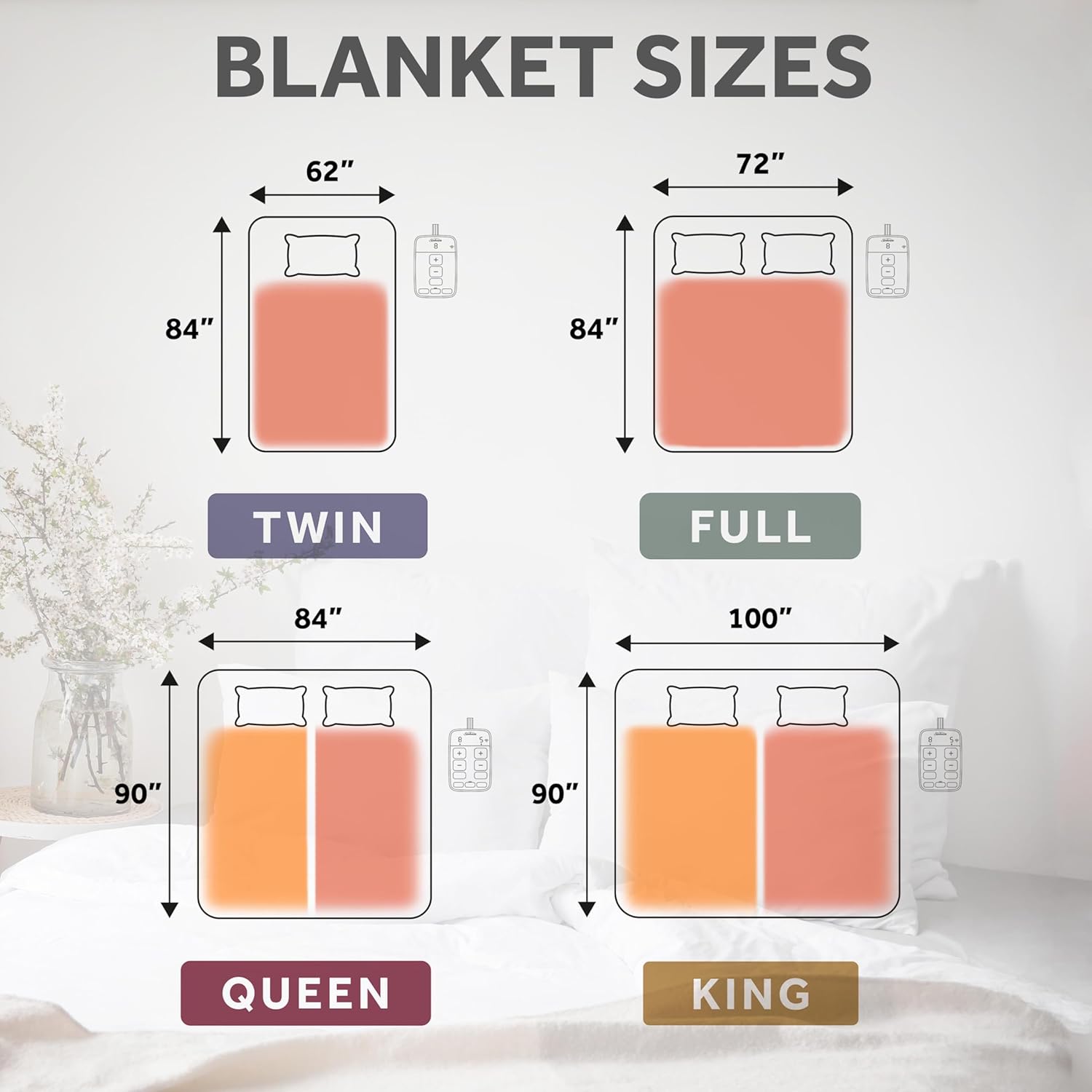
Image: A diagram illustrating the dimensions for Twin, Full, Queen, and King sizes of the heated blanket, with the Twin size highlighted as 84" x 62".
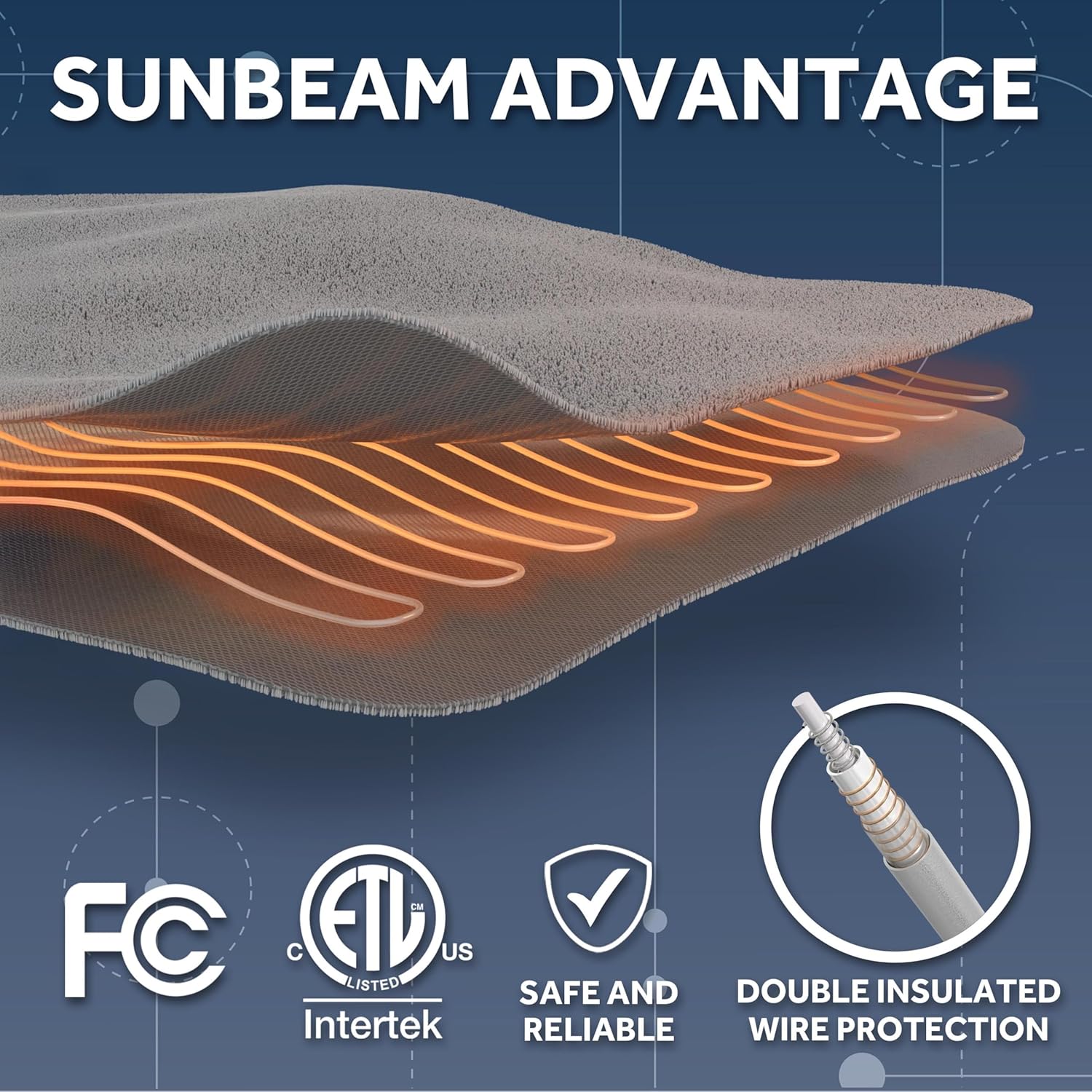
Image: A graphic detailing the Sunbeam Advantage, including certifications like FC, ETL Listed, Intertek, and features like safe and reliable operation, overheat protection, and double insulated wire protection.
Warranty and Support
Sunbeam is a trusted brand with over 125 years of experience in electric home appliances. All Sunbeam electric bedding products are ETL certified, ensuring they meet recognized safety standards.
For warranty information, product registration, or customer support, please visit the official Sunbeam website or contact their customer service department. Keep your purchase receipt as proof of purchase.
Online Support: www.sunbeam.com


